
Discover the top Amazon Prime Video features in 2025 with this easy guide that breaks down Prime Video explained, what the service really includes, and how its tools make streaming easier. Learn the Prime Video pros and cons, what’s free with Amazon Prime channels, how much Prime Video costs monthly, the Prime Video Amazon cost per year, and what you get once you login to Prime Video.
Prime Video in 2025: What’s Changed and Why It Matters
If you’ve noticed Prime Video looking a little different lately, you’re not imagining it. 2025 has been a big year for updates — some exciting, some confusing, and some that completely change how you use the platform.
Whether you’re streaming your comfort show or checking out the latest Amazon Originals, it helps to know what’s new and why these changes actually matter.
Over the past few months, Prime Video has rolled out AI-powered features, merged entire content libraries, adjusted its subscription model, and even retired a few familiar tools.
Prime Video is becoming smarter, more streamlined, and packed with new tech — but these changes are also causing users to search for answers more than ever.
These updates are shaping Prime Video into a smarter, more streamlined, and more content-rich platform — but they also bring questions users are actively searching for right now.
This guide walks you through the latest features, major changes, and the new viewing experience so you can make the most of your subscription in 2025.
The goal: keep things simple, practical, and genuinely helpful — so you know exactly what’s worth paying attention to this year.
Ready to explore everything Prime Video offers?
Get started with a free trial and unlock movies, Originals, sports, and smarter features today.
What You Get With Prime Video (Updated 2025 Snapshot)
Prime Video packs in a lot more than most people realize. If you’re wondering what your subscription actually gives you in 2025, here’s a quick, easy-to-skim snapshot of everything you can access the moment you sign in.
You get a massive mix of movies, TV shows, and Amazon Originals, along with helpful tools designed to make watching smoother and more personalized.
Prime Video also includes access to live sports, optional add-on channels, and a dedicated space for free, ad-supported content — all in one place.
Think of it as your all-in-one entertainment hub: streamlined, upgraded, and built for every type of viewer.
Here’s what comes built-in (as of 2025):
- A rich library of blockbusters, hit series, and Prime Video Originals.
- Access to 4K, HDR, and enhanced audio formats where available.
- Smarter tools like AI-powered recaps, customizable subtitles, and profile-based recommendations.
- A growing lineup of live sports — including NASCAR and other domestic/international events.
- Optional Prime Video Channels for premium add-ons and niche content libraries.
- A dedicated free content section (formerly the standalone Freevee) offering movies and shows you can watch for free with ads.
Everything is organized to make browsing, discovering, and watching feel effortless — whether you’re on mobile, desktop, or your living room TV.
What Prime Video Offers: Features That Actually Improve Your Watching
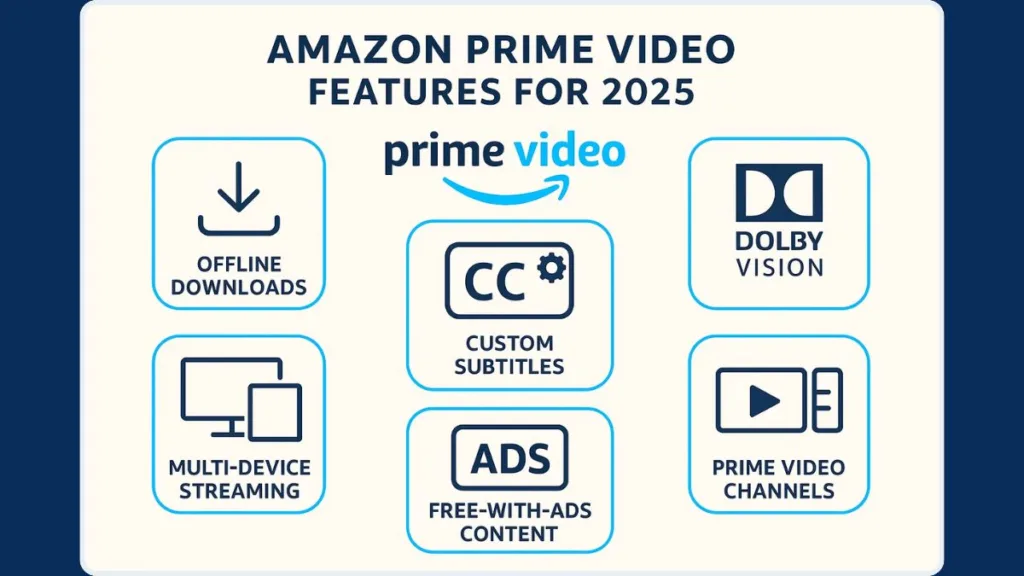
1. X-Ray: Know Who’s On Screen (And What Song’s Playing)
Ever paused a show and thought: “I know that actor — but where from?” or “What song is this?” That’s distracting.
The Feature: Prime Video’s X-Ray overlays cast info, characters, music details, and trivia while you watch.
Why You’ll Love It: No need to open a search engine mid-stream — everything shows within the same screen. It keeps immersion high and curiosity satisfied.
How to Use It: On mobile/tablet tap the screen, or on TV press the “Up” button while video plays
2. X-Ray Recaps (AI-Summaries for Pick-Up Shows Easily)
Ever revisit a series after a long break and struggle to remember where you left off?
The Feature: X-Ray Recaps — AI-generated summaries of past episodes or entire seasons.
Why You’ll Love It: Lets you refresh your memory fast so you can jump back in without re-watching the whole thing. Great for busy lives.
How to Use It: Look for “Recap” before you rewatch or continue a title.
3. Offline Downloads: Watch Anywhere, Even Without Net
Imagine: no Wi-Fi on a train or plane, but you really want to finish that show.
The Feature: Download episodes or movies to your device for offline viewing.
Why You’ll Love It: Great for travel, commutes, or unstable internet — entertainment that moves with you.
How to Use It: In the app, tap the “Download” button on your chosen title before you head out.
4. Customizable Subtitles: Read Comfortable, Watch Better
Bright TV in a dark room or fuzzy subtitles ruining the vibe?
The Feature: Adjust subtitle font, size, color, and background to suit your comfort or environment.
Why You’ll Love It: Makes binge-watching easier on the eyes — especially during late-night or long sessions.
How to Use It: Head to Settings > Subtitles and tweak as needed.
5. User Profiles: Everyone Gets Their Own Watchlist
Sharing one account can often mean random recommendations and mixed history.
The Feature: Up to six separate user profiles per account.
Why You’ll Love It: Each person gets their own watchlist, personalized suggestions, and clean viewing history — no crossover drama.
How to Use It: Go to account menu > Add Profile > choose Adult or Kids.
6. Kids Profiles & Parental Controls: Safe Viewing for Children
Worried about little ones stumbling into adult content?
The Feature: Create Kids profiles, set age restrictions, enable PIN locks and block purchases.
Why You’ll Love It: Peace of mind — your kids stay in a safe zone and you stay worry-free.
How to Use It: In profile settings, add a kids profile and configure controls accordingly.
7. Continue Watching Cleanup: Clean Up Your Dashboard
A bunch of shows you abandoned lurking in “Continue Watching”? It’s annoying.
The Feature: Manually remove titles from the Continue Watching row.
Why You’ll Love It: Keeps your home screen tidy — just shows what you really care about.
How to Use It: On TV or app, hover/long-press the title > choose “Remove From Continue Watching.”
8. Rent or Buy Movies: Watch Titles Outside Subscription Catalog
Missed a new release that isn’t included with your plan?
The Feature: Option to rent or buy select movies and shows.
Why You’ll Love It: Gives access to fresh releases or rare titles even outside the standard library.
How to Use It: Open a title, then choose “Rent” or “Buy,” and pick quality (SD/HD/4K).
Picture & Sound — For the Real Viewers
9. 4K Ultra HD: Crisp, Detailed Visuals on Big Screens
Watching action films on a big screen and getting blur instead of clarity? That ruins the mood.
The Feature: 4K Ultra HD streaming on many titles.
Why You’ll Love It: Sharp detail, vivid visuals — feels closer to the theatrical experience.
How to Use It: Use a 4K-capable device + set video quality to “Best.”
10. HDR10+ & Dolby Vision: Richer Colors, Better Contrast
Movies that look flat or dull don’t do justice to great cinematography.
The Feature: Support for HDR10+ and some titles with Dolby Vision.
Why You’ll Love It: Deep colors, better contrast — darker scenes look moody, bright scenes pop.
How to Use It: If your TV supports HDR and the title has the label, HDR activates automatically.
11. Dolby Atmos: Immersive, Cinematic Sound
Flat stereo audio makes even epic movies feel ordinary.
The Feature: Dolby Atmos surround sound on supported titles and devices.
Why You’ll Love It: Heightened sound — like rain around you, or footsteps coming from behind. Great for horror or action.
How to Use It: Play an Atmos-labeled title on a TV or sound system that supports Atmos.
12. Dialogue Boost: Hear Every Word Clearly
Soft-spoken conversations drowned by background noise or music? It’s frustrating.
The Feature: Dialogue Boost lifts speech volume above background sounds — helps you catch every line.
Why You’ll Love It: Less rewinding. No missing key dialogue. Better watching experience — especially late at night or with noisy background.
How to Use It: During playback → Audio/Subtitles menu → choose Boost mode (Medium/High).
Flexible Viewing — For Families, Groups & On-the-Go
13. Multi-Screen & Simultaneous Streams: Watch Together Without Conflict
Fights over what to watch? Ugh.
The Feature: Up to 3 devices streaming at once, and 2 devices can stream the same title together.
Why You’ll Love It: Parent watches a movie, kid watches cartoons, friend watches a documentary — all at once. No compromises.
How to Use It: Just sign in on different devices. No extra setup.
14. Prime Video Channels: More Content, One Place
Switching between multiple streaming apps is annoying and messy.
The Feature: Add extra subscriptions (like niche services or premium channels) directly through Prime Video.
Why You’ll Love It: One login, one payment, one app — no juggling between multiple accounts.
How to Use It: Go to “Channels” in the Prime Video store and subscribe to what you want.
15. Live Sports + Prime Insights: Real-Time Stats & Streaming Together
Watching live games and feeling like you’re missing the deeper story behind the plays?
The Feature: Live sports streaming plus real-time analytics and stats overlays via Prime Insights.
Why You’ll Love It: It’s not just a match — you get data, context, and better engagement when you can see stats like player speed, win probability, and more.
How to Use It: Stream the live sports event — stats overlay appears automatically if enabled.
16. Free Content Inside Prime Video (Former Freevee Zone): Watch Without Paying Extra
Want to watch without paying, but don’t want to install another app?
The Feature: The free, ad-supported library (formerly Freevee) is now built into Prime Video itself.
Why You’ll Love It: You get extra movies/shows without spending more — great for casual watchers or budget-conscious viewers.
How to Use It: Browse to the “Free with Ads” section inside Prime Video’s catalog.
Want to experience all these 16 Prime Video features yourself — from 4K HDR to AI Recaps and Dolby Atmos?
You can start watching in minutes. Get Prime Video & Start Streaming
Why This Mix of Features Matters (For You)
Because of all of these — from crisp 4K visuals and immersive audio to offline downloads and personalized profiles — Prime Video becomes a truly flexible system, tailored to different kinds of viewers:
- Movie lovers & cinephiles get cinematic quality and behind-the-scenes detail
- Busy people or travellers get offline access and subtitle flexibility
- Families and roommates get multiple profiles and simultaneous streams
- Budget watchers get free content and add-ons in one place
That’s what makes Prime Video more than just another streaming app — it’s a full-featured entertainment hub built for real people’s real lives.
Amazon Prime Pricing & Plans (Updated 2025)
Understanding what Prime Video costs in 2025 is much easier when everything is laid out clearly.
Whether you’re choosing between the full Prime membership, the standalone video plan, or the new ad-free upgrade, here’s exactly what each option looks like in the U.S. this year.
Prime Video Plans & Price
Current Pricing Breakdown
| Plan Type | Price (Monthly) | Price (Yearly) | Includes |
|---|---|---|---|
| Amazon Prime (Full Membership) | $14.99 | $139 | Prime Video + fast delivery + Music + Reading + more |
| Prime Video Standalone | $8.99 | Not available yearly | Movies, series, Originals, live events |
| Ad-Free Upgrade (Add-On) | +$2.99 | N/A | Removes ads + adds enhanced streaming formats |
What You Actually Get for the Price
Prime Video gives you access to a wide range of high-value features without stacking on extra tiers.
| Included Feature | Available In Base Plan? |
|---|---|
| 4K Ultra HD Streaming | Yes |
| HDR10+ / Dolby Vision | Yes (content-dependent) |
| Dolby Atmos Audio | Yes (device-dependent) |
| Offline Downloads | Yes |
| Multiple Profiles | Yes |
| Custom Subtitles | Yes |
| Live Sports Access | Yes (ads may appear) |
| Free With Ads Section | Yes |
| Prime Video Channels Add-Ons | Optional |
Why Prime Video’s Pricing Feels More “Worth It” in 2025
Prime Video stands out because:
- 4K, HDR, and Dolby Atmos come built into the base plan — no “Premium” tier required.
- The standalone video plan at $8.99/mo is one of the most affordable large streaming options in the U.S.
- The $2.99/mo ad-free upgrade gives viewers control, especially now that ads appear by default.
- If you already use Amazon for shopping, the full Prime membership often pays for itself through shipping + perks alone.
In short, you’re getting a premium streaming experience without paying premium add-on fees.
Now that you know the plans and perks… why not try it?
Prime Video starts at just $8.99/month and includes a huge library plus premium features. Subscribe to Prime Video
Before You Choose a Plan: A Few Things to Know
| Consideration | What It Means |
|---|---|
| Ad-Free upgrade | Removes ads for most content (live sports still include ads). |
| 4K/HDR availability | Depends on both the title and your device’s capabilities. |
| Rent/Buy titles | Cost is separate from your subscription. |
| Standalone Video Limitations | Does not include other Amazon services like Prime delivery or Music. |
FAQ Section (PAA-Optimized)
Does Amazon Prime Video still have Watch Party?
No — the built-in Watch Party was discontinued. You can use external tools instead (e.g. Teleparty, SharePlay, etc.) if you want to watch together online.
How many devices can watch Prime Video at the same time?
You can stream on up to 3 devices simultaneously. You can also watch the same title on 2 devices at most at the same time.
Is everything on Prime Video free with my subscription?
No — some content comes included with your subscription, but others are rent/buy titles or part of optional add-on Channels. Always look for labels like “Included with Prime” to know what’s free under your plan.
Why am I seeing ads on Prime Video in 2025?
Because the default plan now includes ads for some content. If you prefer ad-free viewing, there’s usually an upgrade option (where available) to remove ads.
Can I share my Prime Video with others?
Yes, you can share access using account sharing within limits. Do check device and region rules to ensure smooth streaming for everyone.
How do I download Prime Video movies on my laptop or device?
If you want to download content: you need the official Prime Video app on iOS, Android, macOS, or Windows. Downloads won’t work via a regular browser.
Does Prime Video support 4K, HDR, and high-quality streaming?
Yes — many titles stream in 4K UHD and HDR (with Dolby or compatible formats) when your device supports it. Quality depends on both the title and your hardware.
Final Verdict: Is Amazon Prime Video Worth It in 2025?
If you’re wondering whether Prime Video still deserves your time and money this year — the answer leans strongly toward yes, with a few caveats depending on what you want from streaming.
What Works in Prime Video’s Favor
Prime Video continues supporting 4K Ultra HD, HDR, and Dolby Atmos on many titles. This means if you have a compatible TV or sound setup, you get cinematic-level streaming without paying extra for a premium tier.
As of 2025 in the U.S., you can get standalone Prime Video for about $8.99/month, or opt for a full Amazon Prime membership for $14.99/month. The service also offers an ad-free upgrade, giving you control over how you prefer to watch.
Features like offline downloads, multiple profiles, customizable subtitles, and built-in free/ad-supported content add real everyday convenience. These tools make Prime Video useful for a wide range of viewers: travelers, binge-watchers, families, and casual watchers alike.
If you use Amazon for shopping, music, or reading, bundling all those perks with Prime Video can make the full Prime membership even more cost-effective compared to juggling several individual subscriptions.
What to Be Aware Of
With changes introduced across 2024–25, features like Dolby Vision or Dolby Atmos may be locked behind the ad-free add-on. If you stay on the basic plan with ads, you might lose some high-end picture or audio formats.
Not every title streams in premium quality — some movies or series may be available only in SD or HD depending on licensing and device compatibility.
Many regions now have ads enabled by default, which may affect the “premium streaming” feel unless you choose the paid upgrade.
Bottom Line
If you value flexibility, a strong content library, optional high-end streaming quality, and reasonable pricing, Prime Video remains one of the most worthwhile streaming choices in 2025.
However, if you want consistent top-tier audio/video quality without ads, double-check your plan and the titles you watch before committing.
In short: Yes — Prime Video still offers excellent value and versatility in 2025.
If you’re ready for smarter, easier, high-quality streaming, Prime Video is worth trying this year.
Enjoy a massive catalog, powerful features, and flexible plans. Sign Up for Prime Video Today
Visit Our Post Page: Blog Page