
Fix Discord Error 2007 fast. 7 easy solutions to solve unknown network error, connection, and login issues on any device.
If you are currently trying to join a voice channel to chat with friends or start a high-stakes game stream and suddenly encounter a roadblock, you are certainly not alone.
Many users report seeing the specific, frustrating message below:
“An unknown network error has occurred. (Error Code: 2007)”
This specific Discord error often strikes without warning. It can appear even when your internet connection seems strong and other apps like YouTube or Twitch are running perfectly.
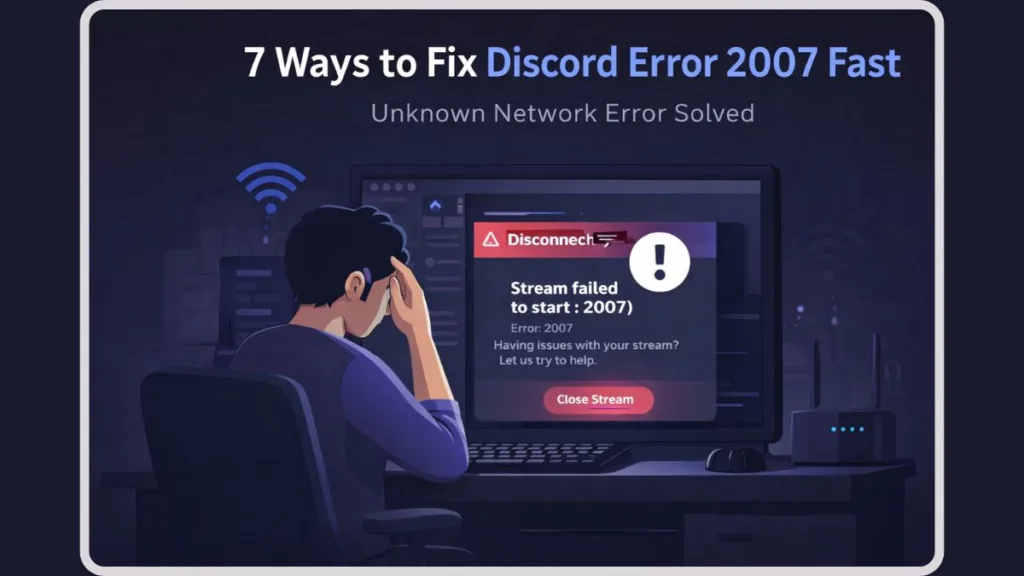
While it disrupts your gaming or study session, the good news is that this issue is usually temporary. Furthermore, it rarely results from a hardware failure, so you haven’t “broken” your headset or your computer.
In this comprehensive guide, we will walk you through exactly what this error means, why Discord’s connection might fail, and the specific steps you must take to fix it quickly.
What Does “Discord Error 2007” Mean?
To better understand the problem, we must first define what the error actually signals.
This message means the Discord client was unable to establish a stable WebSocket connection with the server at that exact moment. It does not automatically indicate an account ban or a permanent hardware failure.
Think of it like trying to join a physical room, but the door is jammed. The room is there, and you are there, but the “handshake” to let you in failed.
Technically, Discord relies on TCP port 443 for basic connectivity and a range of UDP ports (50000-65535) for voice and video data. When Error 2007 appears, it means the signaling layer (the part that tells the server “I am here”) failed to finalize. In most cases, the error points to one of the following specific triggers:
- A temporary handshake failure: The voice server is momentarily overwhelmed.
- A protocol conflict: Your network is trying to connect using a method (like IPv6) that the specific Discord server isn’t handling well.
- A blocked request: Your firewall or ISP received the data but refused to let it pass through to the app.
Why This Error Happens
Based on real usage patterns and technical analysis from the community, this error usually stems from one or more of the specific reasons below.
1. IPv6 and Routing Instability
The most common “hidden” cause is a conflict with IPv6. Many modern routers use this protocol, but Discord’s RTC (Real-Time Communication) servers occasionally struggle with it, leading to the 2001, 2007, or 2015 error loop.
2. Corrupted App Cache
If your stored session data becomes unstable or “cluttered,” Discord will reject the connection even if your internet is fine. This is common after a major Discord update or a sudden power outage.
3. Firewall or Security Software Interference
Aggressive security suites (like Windows Defender, Norton, or Avast) often flag Discord’s streaming packets as “suspicious” traffic, mimicking a server-side error.
4. VPN and Proxy Restrictions
VPNs frequently route traffic through flagged IP addresses. If Discord’s anti-spam systems detect too much traffic from your VPN’s IP, it may trigger an Error 2007 to protect the server.
5. CGNAT and ISP Routing (New for 2026)
Many modern budget ISPs use Carrier-Grade NAT (CGNAT). This shares one IP address among hundreds of users. If one person on your ISP is “misbehaving” on Discord, the server might temporarily throttle the entire IP, leading to a 2007 connection failure for you.
Quick Checks Before You Try Fixes
Before you dive deep into troubleshooting settings, run through this diagnostic checklist:
- Does the error happen in every server, or just one specific voice channel?
- Does the error still appear if you use the Discord Web Browser version?
- Does the same issue occur if you switch from Wi-Fi to a mobile hotspot?
- Did the problem start immediately after a Windows or Discord update?
- Regional Check: Try changing the Server Region in your voice channel settings (if you are an Admin) to see if a different cluster works.
If you find that the web version or a mobile hotspot works, the issue is likely rooted in your local network settings or your desktop app’s cache.
How to Fix Discord Error 2007: 6 Step Guide
To resolve this efficiently, follow these steps in order. We strongly recommend that you do not skip ahead, as the simpler fixes often work best.
Step 1: Refresh and Power Cycle
In many cases, the error resolves with a “clean slate.” * Completely close Discord. Right-click the icon in your System Tray and select “Quit Discord” to ensure it isn’t running in the background.
- Unplug your router for 30 seconds and plug it back in.
- Restart your PC. This re-establishes a fresh connection to your ISP and clears temporary system memory.
Step 2: Clear the Discord Cache
If the error repeats every time you try to join a call, clearing your cache eliminates corrupted data.
- For Windows: Press Win + R, type
%appdata%\Discord, and delete the Cache, Code Cache, and GPUCache folders. - For macOS: Navigate to
~/Library/Application Support/discordand remove the Cache folder. - For Mobile: Uninstall and reinstall the app to wipe the local storage.
Step 3: Disable IPv6 (The “Reddit” Fix)
This is the most successful fix for users stuck in an “RTC Connecting” loop, as discussed on Reddit.
To disable IPv6: Go to Control Panel > Network and Sharing Center > Change adapter settings > Right-click your connection > Properties > Uncheck Internet Protocol Version 6 (TCP/IPv6).
Step 4: Flush Your DNS and Use Public DNS
If your network “path” to Discord is blocked, clearing your DNS cache can find a new, open route.
- Open Command Prompt as Admin and type
ipconfig /flushdns. - Pro-Tip: Manually set your DNS to Google Public DNS (Primary:
8.8.8.8| Secondary:8.8.4.4) or Cloudflare (1.1.1.1) to avoid ISP-level routing errors.
Step 5: Whitelist Discord in Your Firewall
Ensure your security software isn’t “guarding” you into an error.
- Go to your Firewall settings and ensure Discord.exe has “Public” and “Private” permissions.
- Within Discord, go to User Settings > Voice & Video and toggle “Quality of Service High Packet Priority” to OFF if you have an older router.
Step 6: Try the Public Test Build (PTB)
If the stable version of Discord is failing, the Discord PTB (64-bit) often uses different network drivers and a more robust Electron framework that can bypass the 2007 handshake error. Download it from the official Discord website.
Advanced Troubleshooting for Power Users
If the standard steps fail, the issue may be buried in Discord’s advanced internal settings:
1. Toggle Hardware Acceleration
Go to User Settings > Advanced. If Hardware Acceleration is on, try turning it off. Sometimes the GPU handshake for streaming video can trigger a network timeout error like 2007.
2. Reset Voice Settings
At the bottom of the Voice & Video tab, there is a button labeled “Reset Voice Settings.” This clears all hidden configurations related to the RTC connection protocol.
3. Check for Discord “Zombies”
Sometimes a background process from a previous Discord session hangs. Open Task Manager (Ctrl+Shift+Esc), find any processes named Discord, and click End Task on all of them before restarting.
Is Discord Down Right Now? How to Tell
Discord can experience “partial” outages where chat works, but voice and streaming (the features linked to Error 2007) fail.
You should check the official Discord Status Page. However, remember that the status page may look normal if:
- The issue is specific to your geographic region.
- Only one specific voice cluster (e.g., US-East) is experiencing high latency.
- Your ISP is having routing issues that haven’t reached “outage” levels yet.
FAQs
Why does Discord keep saying “An unknown network error occurred”? Because the app’s request to join a voice/video stream was rejected by the server or blocked by your local network.
Will disabling IPv6 break my internet? No. Most modern websites and apps work perfectly fine (and sometimes more stably) on IPv4.
Why do I get Error 2015 alongside 2007? These are “sister errors.” They both signal that the real-time connection failed. The fix for one (like flushing DNS) usually fixes the other at the Discord Support level.
Does Error 2007 happen on mobile data? Yes. If your mobile signal is weak or switching between 4G and 5G, the WebSocket may drop, triggering the error. Switching to a stable Wi-Fi connection usually resolves this.
What to Do If Nothing Works
If you have tried every fix listed above and the error still appears, the best option is to switch to a wired Ethernet connection or wait.
Switching from Wi-Fi to a hardwired Ethernet cable is often the final “silver bullet” for Error 2007, as it eliminates packet loss and signal interference.
Repeatedly clicking “Join” during a network hiccup can sometimes trigger Discord’s rate-limiting, which will lock you out for longer. We recommend waiting 15–30 minutes for the server routing to stabilize. In the majority of cases, the error resolves without any further action required on your end.
Visit Our Post Page: Blog Page