
Facing the Pokémon GO “Failed to Get Friend List” error? Learn 9 proven fixes to solve friends list not loading, Error 0, blank screen, raid invite glitches, and server sync issues in 2026.
There is nothing worse than lining up a Lucky Trade, preparing for Raid Hour, or trying to send gifts during an event—and then Pokémon GO hits you with “Failed to get friend list.”
Your friends list goes blank. Names disappear. Raid invites won’t load. Sometimes you even see the dreaded Error 0. This is particularly devastating if you have just popped a Lucky Egg to farm XP from friendship level-ups, as the timer continues to tick down while you stare at a white screen.
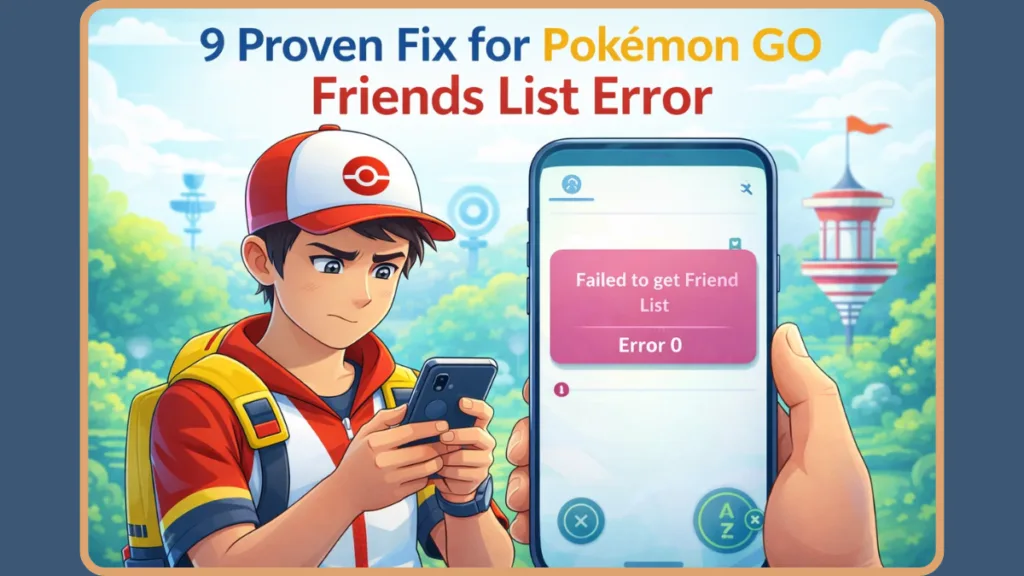
Take a breath. This problem usually falls into one of two categories: either your app failed to sync with Niantic’s servers, or Niantic’s servers are overloaded and struggling to sync your data.
The good news is that most cases are fixable in minutes. Below are 9 proven fixes that experienced trainers use to restore their Pokémon GO friends list.
What the Pokémon GO Friends List Error Actually Means
You might see this error appear as “Pokémon GO friend list not loading,” a “white screen,” or the specific “Error 0.”
Regardless of the message, the cause is the same: The app requested your social data from Niantic’s backend and didn’t receive it in time. Your friends list depends on real-time server sync to pull complex information, including your trainer code connections, friendship level progress (such as Lucky Friends), gift availability, and your raid invite queue.
If Niantic’s servers struggle to sync this specific packet of data, the request times out. When that happens, the list appears empty or fails to load entirely. Error 0 specifically is a generic catch-all code that often indicates the game client successfully reached the server but received “null” or empty data in return, usually due to a database timeout on the backend.
Before You Try Anything: Is Pokémon GO Down?
Sometimes the problem isn’t you.
The error frequently appears during major events like GO Fest, seasonal updates, or Community Days. During these moments, thousands of players are sending gifts and opening raid invites simultaneously, causing massive strain on the database.
If Niantic’s backend is struggling under heavy load, this becomes a server-side problem. In these situations, even repeatedly restarting the app won’t work because the “pipeline” for social data is clogged for everyone.
Before troubleshooting deeply, you should check Niantic Support on X (Twitter) or visit Downdetector . If others are reporting the friends list blank error, you simply have to wait it out until the server load decreases.
9 Proven Fix for Pokémon GO Friends List Error
Fix 1: Fully Close and Restart the App
This fixes the problem 80% of the time. Do not just minimize the app; you must force close it completely to ensure the current session ends. Minimizing the app keeps the “session token” active, which might be the very thing causing the glitch.
On an Android device, tap the recent apps button and swipe the Pokémon GO card away to close it. On an iPhone, swipe up from the bottom of the screen (or double-tap the home button on older models) and swipe the app upward.
Why this works: Restarting resets the app’s connection with Niantic’s servers, forcing a fresh data sync when you log back in. It also clears the device’s immediate RAM, which can help if your phone was struggling to render the graphics of the friend list.
Fix 2: Toggle Your “Online Status” Off and On
Sometimes the game fails to update your social presence, which causes the list to glitch. You can force a refresh without restarting the app.
Start by opening your Trainer Profile and tapping the Niantic Logo in the top right corner. Toggle your Online Status to OFF and wait roughly 15 to 20 seconds. Finally, toggle it back ON.
This process forces your account to re-authenticate with the social servers and often prompts a fresh fetch of your friends list immediately. It essentially tells the server, “I am here, send me my data,” which can wake up a stalled connection.
Fix 3: Switch Your Network Connection
Unstable internet—whether weak Wi-Fi or spotty mobile data—can cause “packet loss” during the sync process. If your phone drops even a single “packet” of information while downloading your friend list, the entire list may fail to render.
You should attempt to force a fresh connection by turning off Wi-Fi and switching to mobile data, or vice versa. Alternatively, you can toggle Airplane Mode on for ten seconds and then turn it off. This forces your device to re-establish its handshake with the network tower, potentially clearing up the lag causing the error. Be wary of public Wi-Fi networks (like at Starbucks or airports) which often have firewalls that can block gaming ports, causing this exact error.
Fix 4: Clear Cache (Android) or Offload App (iPhone)
Corrupted temporary files stored on your device can sometimes block your friends list from rendering correctly. Over months of gameplay, these cache files can build up and conflict with new updates.
Android users can navigate to their Settings, select Apps, find Pokémon GO, and choose to Clear Cache within the Storage menu. Be careful to select “Clear Cache” and not “Clear Storage” or “Clear Data,” as the latter will reset your battle teams and settings. iPhone users must go to General Settings, find iPhone Storage, select the app, and tap Offload App followed by Reinstall App.
Note: This removes temporary glitches but does not delete your Pokémon collection or account progress. It forces the app to download a fresh copy of the visual assets required to display your friends’ avatars.
Fix 5: Refresh Game Data (Settings Menu)
Niantic has a built-in “fix it” button for this exact issue. It is available on both iOS and Android devices and is often more effective than a standard reinstall.
To use this, open the Pokémon GO Settings menu, scroll down to tap Advanced Settings, and select Refresh Game Data. The game will close and restart automatically. This forces a deeper data refresh than a standard restart and is designed specifically to resolve consistency errors.
Important Veteran Tip: Using “Refresh Game Data” will often toggle off Adventure Sync. Make sure to go back into your settings and turn Adventure Sync back on after the game reloads, or you will miss out on walking distance.
Fix 6: Save Raid Logs (The “Secret” Workaround)
This is a community-discovered fix that isn’t in the official manual, but veteran trainers swear by it for clearing social glitches.
Navigate to Settings, open Advanced Settings, and tap Save Raid Logs. After doing so, close the app and reopen it.
Why it works: Triggering the log save forces a background “write” operation that often un-jams the social sync pipeline, allowing the friend list to load on the next boot. It seems to flush out stuck requests in the app’s background processes.
Fix 7: Update the App Immediately
If you are running an older version of the app while Niantic has pushed a server-side update, your API calls may fail due to version mismatch.
Check the App Store or Google Play Store immediately. If the button says “Update,” do it. This is particularly common when searches for “Pokemon Go friend list bug 2026” spike, as it usually indicates a forced update is pending that breaks older versions of the client. Niantic frequently updates the “Social” infrastructure of the game, and running an old version makes your app incompatible with the new friend list format.
Fix 8: Uninstall and Reinstall the App
If specific files are corrupted, a clean reinstall is the only way to fix them. Sometimes, the actual code required to display the friend list interface becomes corrupted on your phone’s storage.
Warning: Ensure you know your login method (Google, Facebook, Apple ID, or Trainer Club) and password before deleting the app, as you will need to log in again from scratch. Also, similar to refreshing game data, a reinstall will reset your local preferences, so you will need to re-enable Adventure Sync and re-create your Battle Parties.
Fix 9: Wait for Niantic (Server-Side Error 0)
If you have tried fixes 1 through 8 and the list is still blank, the issue is almost certainly Server-Side Error 0.
This means a database on Niantic’s end is timing out. No amount of reinstalling or troubleshooting will fix it. You must wait for server load to decrease. This usually resolves itself within 1–2 hours after an event starts. In the meantime, you can try to coordinate raids using third-party messaging apps like Discord or WhatsApp, as you won’t be able to see who is online in-game.
Additional: What Is the Friend Limit in Pokémon GO?
Many trainers assume their list is broken because it is full, but this is rarely the case unless you are a “power user.”
The current maximum number of friends you can have is 450. However, if you are near this cap, your list will take significantly longer to load. On older phones, a full list combined with a weak connection makes the “Failed to get friend list” error more likely to occur due to the sheer amount of data the app is trying to download. Every time you load the list, the game has to fetch the avatar, buddy Pokémon, and last caught status for hundreds of people; limiting your list to active players only can help speed up load times.
FAQ
Why does my Pokémon GO say failed to get friend list? It means the app timed out while trying to download your social data from Niantic’s servers, usually due to a connection drop or server overload. It is a safeguard to prevent the app from crashing entirely when data is missing.
How do I fix the friend list glitch in Pokémon GO? Start by restarting the app. If that fails, toggle your “Online Status” off and on. The next step is “Refresh Game Data” in Advanced Settings. If those fail, verify your internet connection isn’t blocking game ports.
Is Pokémon GO friends list down right now? If it is a Community Day or GO Fest, likely yes. Check Twitter or Reddit. If it’s a random Tuesday, it is likely just your connection or a localized ISP issue.
Why can’t I see my friends on Pokémon GO? If the list is blank, it is a sync error. If specific friends are missing, they may have removed you, or you may have accidentally filtered your list. Check the search bar at the top of the friend list to ensure you haven’t typed a letter by mistake, hiding your friends.
Final Thoughts from a Veteran Trainer
This bug is frustrating. It always seems to hit at the worst times—right before a Raid or a Lucky Egg session.
Our advice? Don’t panic and reinstall immediately. Try the Restart, then the Online Toggle, and finally Refreshing Game Data. If those three don’t work, put the phone down for 15 minutes. It’s almost certainly a server hiccup that will clear itself up. Good luck, and may your next trade be Lucky!
Visit Our Post Page: Blog Page