
Discover the best travel apps for planning in 2026. Find the ultimate travel itinerary planner app, offline travel planner apps, and free budget trackers here.
Planning a trip today is no longer just about booking a flight and packing a bag.
Modern travel involves comparing fares across multiple platforms, mapping routes between cities, tracking daily expenses, organizing confirmation emails, checking reviews, saving locations offline, and coordinating plans with friends or family members. Without the right tools, things can quickly feel overwhelming and disorganized.
“Research shows that the average traveler visits dozens of different websites and opens countless browser tabs before finally booking a trip. That is an exhausting amount of digital footprint just to take a vacation.”
In 2026, the travel landscape has shifted dramatically. With the rise of dynamic pricing models, complex airline fee structures, and the sheer volume of choices available, winging it is no longer a viable strategy for most. You need a digital command center.
The good news is that the best travel apps for planning can simplify everything. From building a detailed itinerary to finding the cheapest flights and tracking your travel budget in real time, these apps are designed to reduce stress and help you stay in control.
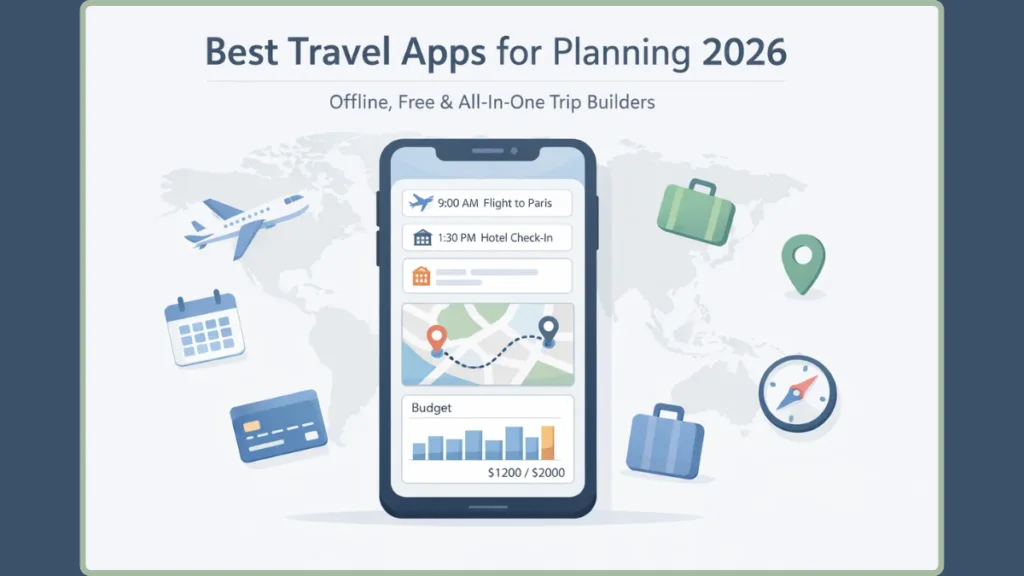
Simplification doesn’t just mean putting things in a digital list. Today’s top-tier applications leverage advanced algorithms, seamless API integrations, and intuitive designs to actively work for you.
They monitor price drops while you sleep, calculate the fastest transit routes across foreign cities, and ensure your confirmation numbers are always exactly where you need them.
In this complete guide, you’ll discover the top travel planning apps in 2026, organized by use case so you can choose what truly fits your travel style, whether you’re planning a solo adventure, a family holiday, or a cross-country road trip.
What Makes a Great Travel Planning App?
Before downloading just any travel app, it’s important to understand what separates a truly helpful one from an average tool that only adds clutter to your phone.
The app stores are flooded with platforms promising to revolutionize your vacation, but many suffer from bloated interfaces, excessive battery drain, or hidden paywalls that lock away basic functionality.
The Core Requirements
A powerful travel planning app should allow you to organize flights, hotels, and activities in one place so that all your details are centralized and easy to access.
- It should provide offline access to critical information, especially if you’re traveling internationally where mobile data may be expensive or unreliable.
- The ability to track expenses in multiple currencies is essential for managing budgets abroad.
- In addition, a good app should make it easy to compare travel options, collaborate with friends or family, and receive real-time alerts for delays, cancellations, or gate changes.
Security & Syncing
When evaluating these tools, also consider their cross-platform syncing capabilities. If you plan a complex route on your desktop at home, it needs to instantly appear on your mobile device at the airport.
Furthermore, robust data privacy is paramount; since you are uploading passports, flight records, and hotel addresses, the app must have stellar security protocols.
The Golden Rule: The best apps don’t just store information — they actively reduce travel stress and save you time.
With that in mind, let’s explore the best travel apps by category.
Best All-in-One Travel Planning Apps
If you want everything organized automatically in one place, these apps provide comprehensive planning support. These are the heavy hitters of the travel tech world, designed to act as your personal digital assistant from the moment you book until the moment you unpack.
TripIt – Best for Automatic Itinerary Creation
Quick Verdict: Best for busy travelers who want automatic organization with minimal manual input.
TripIt is ideal for travelers whose inboxes are filled with booking confirmations. Instead of manually entering details, you simply forward your flight, hotel, restaurant, or car rental confirmation emails to the app.
Key Features
- Automated Organization: It generates a clean, organized master itinerary for each trip just from forwarded emails.
- Pro Version Features: Enhances the experience with real-time flight alerts, notifications about delays and gate changes, and even suggestions for alternative routes in case of disruptions.
- Offline Access: One of its strongest features is offline access, which ensures you can review your itinerary even without internet service. This is particularly valuable when navigating airports abroad.
Deep Dive into TripIt’s Ecosystem
What makes TripIt truly remarkable is its parsing engine. You do not need to highlight or extract data; the app instantly reads the forwarded email, maps out the timeline chronologically, and even pulls in the check-in times and confirmation numbers.
If you upgrade to TripIt Pro (roughly $49/year), you unlock “Inner Circle” sharing, which automatically sends your travel updates to designated family members or colleagues. Pro users also get access to Point Tracker, which monitors your airline miles and hotel loyalty points in one central dashboard, ensuring they never expire unnoticed.
Wanderlog – Best for Collaborative Planning
Quick Verdict: Best for group trips and detailed travel planning with friends or family.
Wanderlog stands out for its flexibility and collaboration tools. You can research destinations, organize reservations by connecting your email, add notes and links, and build a structured day-by-day itinerary complete with start and end times.
Key Features
- Smart Routing: The app calculates travel time and distance between stops, which is especially useful for road trips or multi-city travel.
- Offline Storage: Everything can be stored offline, allowing you to access your plans without data access.
- Live Collaboration: Its collaborative features allow multiple travelers to edit and contribute to the same itinerary in real time.
How Wanderlog Premium Elevates the Experience
While the free version is phenomenal, Wanderlog Premium introduces powerful upgrades. The most notable is the “Optimize Route” feature. If you dump ten different tourist spots into a single day, hitting “Optimize” uses a mapping algorithm to instantly reorder them into the most logical, time-saving sequence based on walking or driving distances.
Premium also allows you to export your entire itinerary directly into Google Maps, and includes an AI Assistant that can suggest local hidden gems and instantly add them to your daily plan.
TripCase – Best for Real-Time Alerts
Quick Verdict: Best for frequent flyers and business travelers who rely on real-time updates.
TripCase helps consolidate flights, hotel stays, and car rentals into a single centralized itinerary. It keeps you updated with up-to-the-minute flight notifications, including delays, cancellations, and gate changes.
Key Features
- Real-Time Alerts: Customizable notification settings allow you to tailor alerts based on your preferences.
- Itinerary Sharing: Easily share your travel plans with others.
- Document Storage & Recommendations: Offers document storage for essential travel details, and nearby recommendations for restaurants and attractions.
The Corporate Edge of TripCase
TripCase is powered by Sabre, one of the massive backend reservation systems used by airlines and travel agencies worldwide. Because of this direct integration, TripCase often knows about a flight delay or a gate change before the gate agents even announce it over the airport loudspeaker.
This makes it an absolute essential for corporate road warriors who cannot afford to miss a tight connection.
Freeform – Best for Visual Trip Brainstorming
Quick Verdict: Best for Apple users who enjoy visual collaboration while planning trips.
Freeform functions as a digital whiteboard where users can add photos, website links, maps, and notes into a shared visual workspace. Stored in iCloud, boards can be accessed across Apple devices at any time.
Key Features
- Visual Mapping: Although it’s not a traditional travel planner, it’s incredibly effective during the inspiration and brainstorming phase.
- Shared Workspace: You and your travel companions can visually map ideas, compare destinations, and gradually refine your plan.
Making the Most of Freeform for Travel
Think of Freeform as a highly functional, private Pinterest board for your vacation. You can drag and drop TikTok video links of restaurants, paste screenshots of Airbnb listings, and draw arrows connecting different ideas.
If you aren’t in the Apple ecosystem, tools like Notion or Milanote offer fantastic cross-platform alternatives for visual and structural brainstorming before you commit to hard dates.
Best Apps for Flights & Price Tracking
Flights often represent the largest travel expense, making smart comparison tools essential. Because airline pricing fluctuates constantly based on complex algorithms, having an app that decodes these patterns is the easiest way to save hundreds of dollars.
Hopper – Best for Price Prediction
Quick Verdict: Best for budget-conscious travelers who want data-driven booking decisions.
Hopper analyzes billions of flight and hotel prices daily and predicts whether you should book immediately or wait for a better deal.
Key Features
- Color-Coded Calendar: Clearly displays the cheapest and most expensive days to fly.
- Custom Search & Alerts: You can customize search preferences to avoid long layovers or hidden fees, and the app sends notifications when prices drop to their lowest predicted point.
- Predictive Savings: Hopper’s predictive technology makes it especially valuable for international travelers seeking savings.
Key Hopper Features You Need to Use
Hopper boasts an incredible 95% accuracy rate for its price predictions up to a year in advance. One of its most powerful tools is “Price Freeze.” If you spot a great fare but need to coordinate with a spouse or employer before buying, you can pay a small deposit to lock that exact price in for a set window of time. If the price goes up, you pay the frozen lower price; if it drops, you pay the new lower price.
Additionally, every booking earns you “Carrot Cash,” Hopper’s native rewards currency that can be applied to future flights or boutique hotel stays.
Kayak – Best for Fare Comparison
Quick Verdict: Best for travelers who want to compare multiple options quickly and efficiently.
Kayak scans airlines, hotel chains, and travel agencies to find competitive pricing. While it does not process bookings directly, it redirects you to the provider offering the best deal.
Key Features
- Broad Coverage: The platform covers flights, hotels, rental cars, and experiences.
- Flexible Search Tools: Allows you to explore destinations based on your budget and travel dates.
Mastering Kayak’s “Explore” Feature
If you know you want to take a vacation in October but have no idea where to go, Kayak’s “Explore” tool is a game-changer.
You input your home airport and your budget, and Kayak populates a global map showing exactly where you can fly within that price range. It is an incredible way to discover affordable destinations you may have never considered.
Rome2Rio – Best for Multi-Modal Routes
Quick Verdict: Best for travelers exploring unfamiliar transportation systems.
Rome2Rio provides a comprehensive overview of transportation options between destinations.
Key Features
- All-in-One Transit: It includes flights, trains, buses, ferries, and driving directions.
- Detailed Estimates: The app displays estimated travel times, costs, and transfer requirements, making it easier to plan complex routes.
- Offline Routing: Offline access to previously searched routes is particularly helpful when navigating unfamiliar regions.
Why Rome2Rio is Essential for Backpackers
If you are trying to get from a small village in the Swiss Alps to a coastal town in Italy, Google Maps might fail you. Rome2Rio thrives here. It strings together a regional bus, a high-speed train, and a local ferry, showing you exactly where to transfer and linking you out to the local transit authorities to buy the tickets. It takes the anxiety out of complex, multi-leg international travel.
Best Apps for Road Trips
Road travel requires thoughtful route planning, scenic discovery, and reliable navigation. Whether you are driving a rented campervan across New Zealand or taking a weekend trip up the coast, these tools ensure you never miss a great stop or a gas station.
Roadtrippers – Best for Scenic Stops
Quick Verdict: Best for cross-country road trips and scenic travel experiences.
Roadtrippers helps you uncover hidden attractions along your route, including museums, roadside landmarks, camping sites, and restaurants. By entering your starting point and destination, the app builds a route with suggested stops.
Key Features
- Premium Features: Include offline maps and expanded stop limits, making it ideal for extended road journeys.
Unlocking the Open Road
The basic free version of Roadtrippers allows you to plot a route with up to a handful of waypoints. However, Roadtrippers Premium expands this to massive, multi-week itineraries.
You can filter for highly specific interests—such as “abandoned ruins,” “filming locations,” or “scenic overlooks”—ensuring your drive is just as exciting as the final destination. For RV travelers, it even offers customized routing to avoid low bridges or propane-restricted tunnels.
Google Maps – Best for Offline Navigation
Quick Verdict: Best for everyday navigation and location discovery globally.
Google Maps remains one of the most reliable navigation tools worldwide.
Key Features
- Comprehensive Data: It offers real-time traffic updates, public transit information, walking directions, and business reviews.
- Offline Maps: The ability to download offline maps ensures you won’t get lost even without mobile service.
- Custom Lists: You can also save locations and create custom lists for easy access.
Pro Tips for Google Maps Customization
Before you leave for a trip, utilize the “My Maps” feature on a desktop computer. This allows you to drop custom pins, color-code them (e.g., green for parks, blue for restaurants, red for museums), and add your own personal notes to each location.
When you arrive at your destination, you can open the regular Google Maps app, load your custom map, and have your entire personalized itinerary layered over the city streets.
AllTrails – Best for Outdoor Adventures
Quick Verdict: Best for nature enthusiasts and outdoor adventurers.
AllTrails provides detailed hiking and walking trail information, including difficulty levels, reviews, and photos.
Key Features
- Premium Upgrades: Offline map downloads are available through premium plans, and advanced subscriptions include live trail conditions and custom route creation.
Prioritizing Safety on the Trail
For those heading into national parks or remote areas where cell service is non-existent, AllTrails+ (the premium tier) is a vital safety tool.
Beyond just downloading the topographical maps, the “Lifeline” feature allows you to select safety contacts. Before you begin your hike, you set an expected finish time. If you do not check in by that time, the app automatically alerts your safety contacts with your planned route and your last known GPS coordinates.
Best Travel Budget & Expense Tracking Apps
Managing your spending during a trip is just as important as planning it. Overspending can ruin the post-vacation glow, especially when dealing with confusing exchange rates and foreign transaction fees.
TravelSpend – Best for Budget Control
Quick Verdict: If sticking to your travel budget is a priority, this app is a must-have.
TravelSpend allows you to enter expenses in any currency and automatically converts them to your home currency. This simplifies tracking costs abroad.
Key Features
- Group Finances: The app also supports shared expense tracking, bill splitting, and debt management for group travel.
- Budget Overview: Its structured budget overview helps you monitor daily spending so you stay within your limits.
How TravelSpend Prevents Financial Stress
You start by entering your total trip budget. Every time you buy a coffee, pay for a taxi, or book a tour, you log it in the app. TravelSpend visually breaks down your spending into categories (accommodation, food, transport) via clean, easy-to-read text interfaces and charts.
If you are traveling with friends, you can sync the app across multiple phones. It handles the complicated math of “who owes who,” so you don’t have to keep a messy spreadsheet or argue over the dinner bill.
If group splitting is your only need, apps like Splitwise or Tricount are also fantastic, specialized alternatives.
Best Apps for Booking Hotels & Vacation Rentals
After planning your itinerary, securing accommodations becomes the next priority. The right booking app can mean the difference between a cramped, noisy room and a peaceful, luxurious retreat.
Booking.com – Best for Hotel Variety
Booking.com offers extensive global listings with flexible filters and competitive pricing. It supports everything from budget stays to luxury hotels.
The Loyalty Advantage
By consistently using Booking.com, you automatically enroll in their “Genius” loyalty program. Reaching Level 2 or 3 unlocks permanent discounts (up to 20% off), free room upgrades, and complimentary breakfasts at thousands of participating properties worldwide, making it highly lucrative for frequent travelers.
Airbnb – Best for Unique Stays
Quick Verdict: Best for travelers looking for distinctive accommodations.
Airbnb provides access to private rooms, apartments, and villas, along with unique local experiences. It’s perfect for travelers seeking something beyond standard hotels.
Filtering for Perfection
To avoid subpar experiences, always utilize Airbnb’s “Guest Favorites” filter, which exclusively highlights homes with exemplary ratings, high reliability, and excellent host communication.
Furthermore, the platform’s “Experiences” tab is a brilliant way to book local cooking classes, guided historical walks, or photography tours led by actual residents.
Vrbo – Best for Entire Homes
Vrbo focuses exclusively on entire-property rentals, making it suitable for families and large groups who prefer privacy.
Why Families Prefer Vrbo
Unlike Airbnb, which lists shared spaces and single rooms, Vrbo only lists whole homes, cabins, and condos. This guarantees that you will never have to share a kitchen or bathroom with a host, providing peace of mind for parents traveling with young children or multi-generational families needing a massive, private space.
Expedia – Best for Bundled Deals
Quick Verdict: Best for travelers who prefer an all-in-one booking experience.
Expedia allows users to bundle flights, hotels, and rental cars into one purchase, often unlocking discounts and simplifying checkout.
The Power of Package Pricing
Airlines and hotels often offer “opaque pricing” to aggregators like Expedia. This means they can offer deeply discounted rates that they aren’t allowed to advertise publicly, as long as the rate is hidden inside a flight+hotel package.
If you need both, bundling them on Expedia is almost always cheaper than booking them separately.
Best Apps for Reviews & Local Recommendations
Choosing where to eat or what to explore can significantly impact your trip. The wrong restaurant can lead to a tourist trap experience, while the right translation tool can open doors to authentic local connections.
Tripadvisor – Best for Crowd Reviews
Tripadvisor features millions of user-generated reviews for hotels, restaurants, and attractions. It allows travelers to compare prices and make reservations directly within the platform.
Navigating the Reviews
Because Tripadvisor is so massive, it’s important to know how to filter. Always sort by “Recent” rather than “Highest Rated,” as a restaurant that was incredible in 2021 might have changed management recently.
Look for detailed, text-heavy reviews from users who have contributed heavily to the platform, as these are the most reliable indicators of quality.
Google Translate – Best for Language Barriers
Google Translate supports more than 200 languages and offers text, speech, and image translation.
Key Features
- Offline Capabilities: Offline language packs ensure accessibility even without internet service.
- Navigation Aid: It often becomes an essential tool for navigating menus, signage, and conversations abroad.
Mastering the Camera Feature
The most powerful tool inside Google Translate is the camera function. By tapping the camera icon and holding your phone over a foreign transit schedule, a restaurant menu, or a museum plaque, the app overlays the translated text directly onto your screen in real time.
It feels like magic and completely eliminates the stress of ordering food or finding the right train platform in a country where you don’t speak the language.
Best Apps for Packing & Preparation
A successful trip begins long before you head to the airport. Packing efficiently saves you from checked baggage fees and the stress of forgetting essentials.
PackPoint – Best for Smart Packing Lists
Quick Verdict: The smartest way to ensure you never forget an umbrella or a phone charger again.
Instead of writing a manual list, you tell PackPoint where you are going, when you are going, and what activities you plan to do (e.g., swimming, fancy dinners, hiking).
The app then checks the historical and current weather forecast for your destination and generates a highly customized packing list. It calculates exactly how many pairs of socks, shirts, and specialty items you need.
You can swipe to check items off as they go into your suitcase, ensuring absolute peace of mind before you lock your luggage.
Best Apps for Travel Safety & Security
Physical safety and digital security are paramount, especially when navigating unfamiliar environments or logging into public airport Wi-Fi networks.
NordVPN – Best for Digital Security
Quick Verdict: An absolute necessity for protecting your banking and passport data on public networks.
When you travel, you constantly connect to unsecured public Wi-Fi at airports, cafes, and hotels. These networks are prime targets for digital theft. A Virtual Private Network (VPN) like NordVPN encrypts your internet connection, making your data invisible to hackers.
Furthermore, a VPN allows you to mask your location, which can help you bypass regional streaming blocks so you can watch your home country’s Netflix library while relaxing in your hotel room.
Smart Traveler (STEP) – Best for International Safety
Quick Verdict: The official safety app for keeping informed during international emergencies.
Created by the U.S. Department of State (though useful for general information regardless of nationality), the Smart Traveler app provides detailed safety profiles for every country.
By enrolling your trip in the STEP (Smart Traveler Enrollment Program), you receive push notifications regarding natural disasters, civil unrest, or transit strikes at your destination. It also provides immediate access to local embassy and consulate contact information.
Free vs Paid Travel Planning Apps – Are Premium Features Worth It?
Most travel apps offer robust free versions that are sufficient for casual trips. However, premium subscriptions typically unlock offline maps, advanced alerts, ad-free experiences, booking protections, and enhanced collaboration features.
Frequent travelers and international adventurers often benefit from these upgrades, while occasional travelers may find free versions perfectly adequate.
If you are taking one major international trip a year, paying a one-month $5 or $10 premium subscription for an app like Wanderlog or Roadtrippers is a negligible cost compared to the immense convenience and time-savings it provides during your vacation. Just remember to cancel the subscription when you return home!
How to Choose the Right Travel Planning App
Selecting the right travel app depends on your travel style and priorities. Rather than relying on a single solution, many experienced travelers combine two or three complementary apps to cover planning, booking, and navigation.
| Travel Style | Best App Focus | Top App Recommendations |
| Solo Travelers | Itinerary builders & automation | TripIt, Google Maps |
| Families | Entire-home bookings & budget tracking | Vrbo, TravelSpend |
| Road Trippers | Mapping & scenic discovery | Roadtrippers |
| International Travelers | Offline capabilities & translation | Google Translate, Wanderlog |
A perfect “digital toolkit” might look like: Hopper for flights, Booking.com for hotels, Wanderlog for daily itinerary planning, and TravelSpend to keep the budget in check.
FAQs About Travel Planning Apps
What is the best free travel planning app?
TripIt and Wanderlog both provide strong free versions with effective itinerary management tools. Google Maps also remains a completely free, indispensable tool for routing and local discovery.
Which app is best for organizing trips?
TripIt’s automatic email parsing makes it one of the most convenient apps for organizing travel details. You simply forward your confirmation emails, and it does the rest.
Can I plan an entire trip using apps?
Yes. Flights, hotels, transportation, budgeting, and activity bookings can all be managed through mobile apps. In fact, doing so often gives you access to mobile-exclusive discounts.
Do travel apps work offline?
Many apps, including Google Maps and Wanderlog, offer offline access when maps and data are downloaded in advance. Always ensure you hit “download” while you are still on your home Wi-Fi.
Is it cheaper to book flights on my phone?
Sometimes. Certain platforms, like Hopper, offer “app-exclusive” pricing or mobile flash sales that are not available on their desktop websites to encourage app downloads.
Are travel budget apps secure to use?
Apps like TravelSpend that require manual entry are completely secure as they do not link to your actual bank account. If you use an app that links to your bank via an API (like Plaid), ensure they use bank-level encryption.
How do I manage group travel plans without arguing?
Use a collaborative app like Wanderlog for the itinerary and Splitwise or TravelSpend for the finances. Transparency and real-time syncing prevent miscommunication and ensure everyone has a voice in the planning process.
Final Thoughts: Plan Smarter, Travel Better
The right travel planning apps don’t just organize your trip — they provide confidence and clarity throughout the journey. A vacation should be a time to disconnect and recharge, not a time to stress over misplaced booking codes or unexpected train transfers.
Whether you’re tracking airfare with Hopper, organizing confirmations in TripIt, mapping scenic stops with Roadtrippers, or managing expenses with TravelSpend, each app addresses a specific travel need. They take the administrative burden off your shoulders, allowing you to focus entirely on the experience.
Start by identifying your biggest travel challenge, choose the tool that solves it, and build your personalized digital travel kit from there. When planning feels simple and structured, travel becomes what it’s meant to be — exciting, smooth, and unforgettable.
Visit Our Post Page: Blog Page