
Learn how to fix Black Ops 3 UI Error 77447, why it appears, and the quickest ways to stop the error loop without reinstalling.
If you’re trying to play a few rounds of Call of Duty Black Ops III and keep getting slapped with UI error 77447, we understand your frustration.
There is nothing quite as annoying as finishing a high-round Zombies run or a tough multiplayer match, only to get kicked back to the menu with an error message that simply won’t go away.
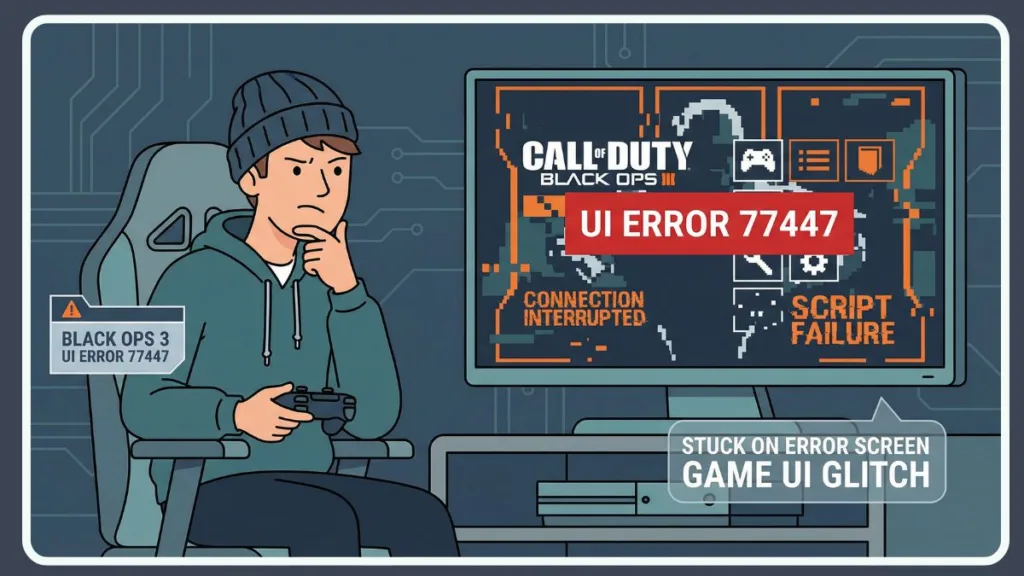
We have dealt with this specific bug many times. One minute you’re checking your stats in the lobby, and the next, you’re stuck in an infinite UI loop where dismissing the error just makes it pop right back up.
You aren’t banned, and your console isn’t broken. This is a classic BO3 script error that has lasted for years, but the good news is that it’s usually easy to fix without a total reinstall.
Here is a breakdown of why Black Ops 3 UI error 77447 happens and the specific steps to get rid of it on PS4, Xbox One, and PC.
What Is UI Error 77447 and Is It a Ban
First, take a breath. UI error 77447 is exactly what it sounds like: a User Interface glitch.
Simply put, the game’s menu system tried to load a script—like your post-match report, a GobbleGum animation, or a party lobby list—and failed.
Instead of crashing the entire game to the desktop or dashboard, BO3 tries to keep running. The problem is that the “bad” script keeps trying to run, resulting in a glitched menu that traps you in that annoying loop.
This is different from connection errors; it is strictly the game tripping over its own feet while trying to show information.
Common Triggers: When Does This Error Appear?
If you look closely, you’ll notice this doesn’t usually happen when you first start the game. It tends to show up after you’ve been playing for a while. You might notice specific patterns where the error is most likely to strike.
For instance, players often see this glitch right after loading into BO3 Zombies. You might hit “Start,” watch the loading screen spin, and then suddenly be kicked back to the menu; this is common when the game fails to sync your weapon kits or GobbleGum loadouts properly.
Another frequent trigger happens in post-match lobbies. Right after a Multiplayer match ends and the game tries to show the “After Action Report,” the UI can fail and trigger the code.
Split screen play is also a huge cause, as the UI struggles to handle two profiles at the same time, often leading to a Black Ops 3 split screen UI error.
Additionally, simply managing parties can set it off; joining a friend or changing the party leader can sometimes confuse the lobby scripts enough to stop your session.
How to Fix BO3 UI Error 77447: Step by Step
We have listed these from “quickest fix” to “last resort.” Try them in order so you don’t waste time downloading 100GB of data if you don’t have to.
1. The “Manage Party” Glitch Fix
Before you restart everything, try this in-game trick. It works surprisingly often for the Black Ops 3 UI error 77447 on both console and PC because it forces the lobby UI to refresh its settings.
To perform this fix, start by going to the Social menu, which you can open by pressing Triangle on PlayStation or Y on Xbox.
Once the menu is open, select the Manage Party tab to view your current lobby setup. Look specifically for the Player Limit setting.
You will want to change this limit to 1 to restrict the lobby, or alternatively, max it out to 18.
After making the change, back out to the main menu and attempt to launch your game mode again. Changing this value forces the game to reload the lobby script, which can sometimes “unstick” the error without needing a full restart.
2. The Hard Reset and Clearing the Cache
If the UI loop stays, your game’s temporary cache is likely holding onto corrupt data. A standard restart might not clear this if your console uses “Instant On” or “Rest Mode.”
For those on PS4, PS5, or Xbox, you must turn the console completely off rather than using sleep mode.
Once the system is powered down, unplug the power cord from the back of the unit and leave it disconnected for at least 30 minutes.
This process physically clears the cache. Afterward, plug the console back in and launch BO3 to see if the error is fixed.
If you are playing on PC, you should restart your computer completely, ensuring you do not just put it to sleep, to achieve a similar effect. This is often the most effective fix for UI error 77447 Xbox One and PS4 users who play for long sessions without fully powering down.
3. Check for “Glitched” Gunsmith Variants
This sounds weird, but it’s a known cause. Sometimes a specific custom weapon variant in Gunsmith gets corrupted. When the main menu tries to load your “Showcase Weapon,” it hits a bad file and throws the error.
To check for this, head into the Gunsmith menu and carefully look through your saved weapon variants.
You are looking for any variant that appears broken—specifically those with a missing icon, a blank name, or a generic, default look despite being a custom save.
If you find one of these corrupted files, delete it immediately.
It is also a good idea to remove any Showcase Weapon from your operator screen for a while to prevent the menu from trying to load the bad asset.
4. Verify Integrity of Game Files on PC Only
If you are seeing Black Ops 3 UI error 77447 PC warnings, it’s rarely a server issue—it’s usually a missing or broken file.
You can fix this directly through Steam. First, right-click Call of Duty: Black Ops III in your library and select Properties.
From there, go to the Installed Files tab and click the button labeled Verify integrity of game files.
Steam will then scan your entire installation. If it finds a broken UI script or missing asset, it will automatically re-download just that specific file—usually only a few megabytes—saving you from having to reinstall the entire game.
5. Disable Mod Menus and Workshop Content for PC and Zombies
If you play UI error 77447 BO3 Zombies on PC, mods are the #1 suspect. Even if you aren’t using a mod right now, a subscription from the Steam Workshop can conflict with the base game.
You should check for any Mod Menu Conflict by turning off any third-party tools or menus you might be running.
Furthermore, review your Workshop Maps and unsubscribe from any custom maps or mods you have recently added, especially if they might be old or not compatible with the current version of the game.
6. Avoid Split Screen in Online Lobbies
If you consistently get this error while playing split-screen, the simple truth is that BO3’s split-screen optimization is poor. The UI struggles to load assets for two players at once in online lobbies.
If you are stuck in a game crash loop during split-screen, try playing a few rounds Solo. If the error stops, you know the issue is the split-screen load, not your installation.
UI Error 77447 vs Error 28374
Don’t confuse these two.
Error 77447 is basically a script error, meaning the menu itself is broken and failing to run code properly.
In contrast, Error 28374 is a connection error, indicating that the server is unreachable or the network connection failed.
If you are seeing 77447, checking your router won’t help. You need to focus on the game files and the menu glitches listed above.
Final Thoughts
Getting hit with UI error 77447 in Call of Duty Black Ops III is annoying, but it’s rarely fatal for your game. It’s almost always a temporary “hiccup” in the code caused by memory leaks or bad cache data.
Start by adjusting the Party Limit, then move to a full cache clear. 90% of the time, that solves it. You don’t need to worry about your account safety; just clear the cobwebs out of the game’s memory, and you’ll be back to high rounds in no time.
Visit Our Post Page: Blog Page