
Facing NordVPN Error 901138? Learn what causes this connection issue and fix NordVPN error 901138 in 3 simple steps with this updated 2026 troubleshooting guide.
You are ready to secure your connection. You confidently hit “Log In” or “Pay Now,” and suddenly—you are stopped cold by a cryptic message: Error 901138.
This interruption not only halts your progress but also creates immediate confusion.
Unlike common VPN errors, which usually look like Error 1001 (authentication failure) or Error 900 (network issues), code 901138 is incredibly rare.
It doesn’t appear in most standard troubleshooting manuals or the official NordVPN knowledge base. This leaves many users confused about whether the problem lies with their internet service provider, their computer’s configuration, or their bank account.
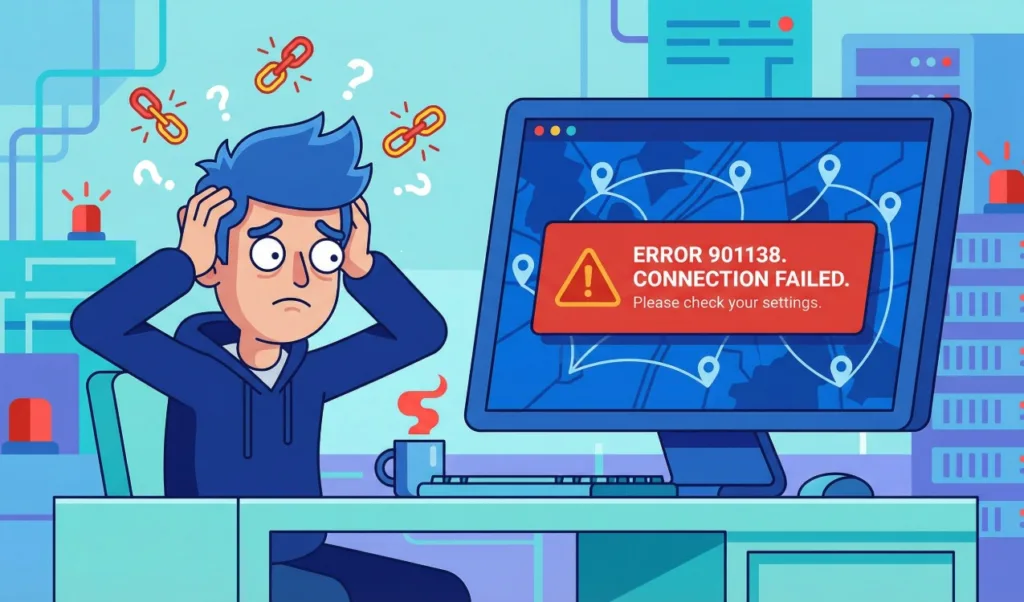
However, the situation is rarely as dire as it appears.
The good news is that this is almost always a payment processing glitch or a temporary app conflict, not a permanent failure of your account or a sign of a compromised system.
In fact, this error often stems from external systems communicating poorly with the VPN client.
In this guide, we will break down exactly what this code means. We will also walk you through the step-by-step fixes for both NordVPN payment failed scenarios and frustrating login issues.
What is NordVPN Error 901138?
To understand the solution, you first need to understand the source. Because 901138 is not a standard NordVPN protocol error, experts typically classify it as an “external” code passed on to the app from a third party. This means the NordVPN client simply displays the code it received from another system, such as a financial institution or your operating system’s security layer.
In our analysis, this NordVPN generic login error appears in two specific scenarios:
- During Checkout: It indicates a communication failure between NordVPN’s billing system (often handled by global gateways like Adyen, WorldPay, or local processors) and your bank. Consequently, the transaction hangs or terminates abruptly.
- During Login: It suggests a “handshake” failure where a background process—like an overly aggressive antivirus or a restrictive firewall—is preventing the app from verifying your credentials with the central authentication server.
Regardless of the cause, the path to resolution involves isolating the variable causing the blockage. Here is how to fix it, depending on where you see the error.
Solved: NordVPN Payment Failed Error 901138 (Checkout Fixes)
If you are trying to buy or renew a subscription and see “Transaction Failed: Error 901138,” the issue is likely with the payment gateway rejecting the request.
This essentially means the NordVPN transaction declined before it could fully process.
Method 1: Authorize 3D Secure to Fix Bank Transaction Declines
Modern banking regulations, especially those adhering to PSD2 standards in Europe and RBI guidelines in India, require 3D Secure verification for online purchases.
This security layer often sends a One-Time Password (OTP) to your phone or requires approval via a banking app.
The core issue arises if the pop-up verification window fails to appear, or if the connection times out before you can approve the request, prompting the gateway to return error 901138.
To fix this, you should immediately contact your bank and ask them to check if they are flagging the international transaction as “suspicious” or if their fraud detection system blocked the charge. Once you authorize the merchant, the payment usually clears instantly.
Method 2: Change Payment Methods to Resolve Gateway Failures
If your credit card is repeatedly declined with this error, the specific route between NordVPN’s merchant account and your bank might be blocked.
Sometimes, specific card networks (like Visa or Mastercard) experience regional outages or specific gateway rejections.
To resolve this, you can switch to an alternative method to bypass the specific gateway that is failing.
Services like PayPal or Google Pay act as “middlemen” by tokenizing your financial data. They often yield higher success rates than direct card entry and bypass strict bank filters that trigger a NordVPN renewal error.
Alternatively, if privacy is your primary goal, you can use Crypto (CoinGate) to pay via Bitcoin or Ethereum. This avoids traditional banking error codes entirely and eliminates the payment pending status often caused by fiat currency clearing houses.
Method 3: Clear Browser Cookies & Use Incognito for Recurring Billing
Sometimes, the issue isn’t the bank, but your browser. Old cookies or corrupted cache data from a previous failed attempt can “stick” to your session.
This confuses the server when it tries to initiate a new recurring billing request, causing the payment page to error out immediately.
- Open a New Incognito Window (Ctrl+Shift+N on Chrome) or a Private Window (Firefox/Edge) to ensure a clean session.
- Log in to your Nord Account dashboard and try the purchase again fresh to establish a connection without any legacy data conflicting with the NordVPN payment gateway.
Solved: NordVPN Unexpected Error Occurred 901138 (App Fixes)
If you have already paid but can’t connect or log in to the app because of this error, you are likely facing a software conflict on your device.
In this case, the NordVPN unexpected error occurred message masks a deeper configuration issue.
Method 1: Utilize App Diagnostics to Reset NordVPN Settings
NordVPN developers included a built-in self-repair tool designed exactly for these non-specific errors.
This tool flushes local configuration files that may have become corrupted during an update or a system crash.
- Open the NordVPN app on your Windows or macOS device to begin the process.
- Navigate to the Settings menu, which is usually represented by a gear icon.
- Select the General tab from the available options.
- Scroll down until you find the Run Diagnostics section.
- Click Reset App to restore the application to its default state.
- Note that this action will log you out and revert your settings to default, but it effectively clears the corrupted data causing the NordVPN service unreachable status, allowing you to log in fresh.
Method 2: Unblock NordVPN Background Processes from Antivirus Firewalls
Robust security suites like Norton, McAfee, Bitdefender, or Kaspersky sometimes identify the VPN’s encrypted tunnel as a “foreign background process” or a potential threat.
Consequently, they sever the connection during the TLS handshake, triggering unusual error codes like 901138.
- You must temporarily disable your antivirus or firewall protection to test if it is the source of the conflict.
- Restart NordVPN and try to connect to a server.
- If the connection succeeds, the antivirus was indeed the culprit, and you must add
NordVPN.exeandopenvpn.exeto your antivirus “Exclusions” or “Allow List” to prevent future conflicts without leaving your system unprotected.
Method 3: Clean Install the Latest NordVPN Client Version
If you are running an outdated version of the app, it may be trying to call a server API that no longer exists.
This version mismatch results in an undefined error like 901138 because the server doesn’t know how to interpret the old client’s request.
- Perform a clean installation by first uninstalling the app via your Control Panel (Windows) or moving it to Trash (Mac).
- Reboot your computer to clear any lingering NordVPN background process instances from the memory.
- Download the latest version fresh from the official NordVPN website and install it to ensure full compatibility.
FAQ: Common Questions on NordVPN Connection & Billing Failures
Q: Why does NordVPN keep saying payment failed?
A: NordVPN payment failed errors usually occur due to insufficient funds, an expired card, or your bank blocking international transactions to protect you from fraud.
Furthermore, using a VPN while attempting to pay can sometimes trigger fraud alerts on the payment gateway itself, as your location appears mismatched.
Q: Is NordVPN down right now?
A: It is rare for the entire service to go down globally. However, specific servers can go offline.
You can check the real-time status on third-party sites like Downdetector or the official NordVPN status page. If the server status is green, the issue is almost certainly on your local device.
Q: How do I contact NordVPN support for billing errors?
A: If the troubleshooting steps above don’t resolve the issue, you need human intervention.
Use the “Live Chat” bubble on the bottom right of the NordVPN Help page. To speed up the process, have your Transaction ID or the last 4 digits of the credit card you attempted to use ready for the support agent.
Conclusion: Summary of Fixing NordVPN Error Code 901138
While NordVPN Error 901138 looks intimidating due to its rarity, it is usually just a simple breakdown in communication—either with your bank’s security protocols or your computer’s local settings.
By systematically switching payment methods to bypass gateway errors or resetting the app diagnostics to clear corrupted cache, you can usually bypass this hurdle in under five minutes.
Ultimately, ensuring your software is up to date and your bank authorizes the charge will prevent this error from returning.
Visit Our Post Page: Blog Page