
Can’t download photos on Pinterest? Fix PHPhotosErrorDomain Error 3302 with real solutions. Discover why it happens and how to save images again.
Seeing PHPhotosErrorDomain error 3302 when saving images from Pinterest? If you are staring at an error screen right now, you are definitely not alone.
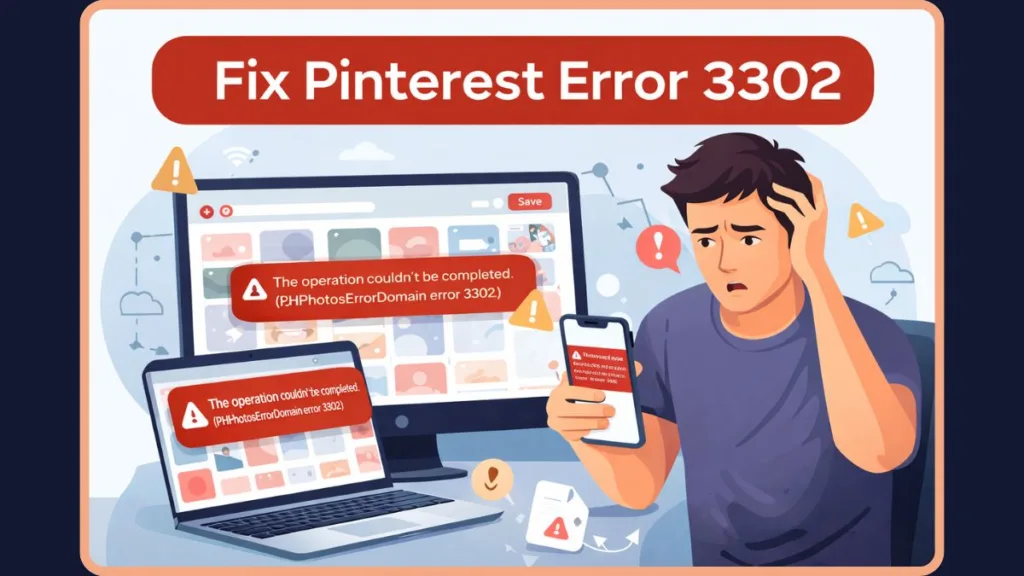
Recently, thousands of users have found that they suddenly can’t download photos from Pinterest, getting hit with the dreaded error 3302. Whether you are using the app for art references, wallpaper hunting, or project planning, a Pinterest download error on iPhone completely breaks the experience.
Based on real user reports, community testing, and technical troubleshooting, we at Izoate have put together this comprehensive guide to finally fix error 3302 when saving photos. Let’s dive into exactly what is causing this and the proven methods to bypass it.
What Is Pinterest Error 3302?
Pinterest error 3302 occurs when the app’s attempt to save an image to your device fails due to a breakdown in the Apple Photos framework.
When you hit download, you will typically see a prompt that reads: “The operation couldn’t be completed. (PHPhotosErrorDomain error 3302.)”
This is not just a standard app glitch; it is directly tied to iOS system-level errors. It belongs to the same family of iOS save photo failed 3302 errors as ph photos error domain error -1 and phphotoserrordomain error 1 iphone. Essentially, the Pinterest app is asking iOS for permission to drop a file into your Camera Roll, and iOS is firmly rejecting the request.
Why Does Pinterest Show Error 3302? (Real Causes)
If you are wondering, “why does Pinterest give error 3302 when saving images?”, it usually boils down to a communication failure between the app and your phone’s operating system.
1. iOS Photos Permission Conflict
The most common culprit. Even if you granted Pinterest permission to your photos months ago, iOS system updates can occasionally revoke or scramble these permissions behind the scenes, meaning the app cannot write to your Photos app.
2. Asset Validation Failure (Core Issue)
Sometimes the image format Pinterest is trying to download isn’t playing nicely with iOS. This triggers an invalidResource 3302 error or an asset resource validation failed message, which technically falls under a PHAssetChangeRequest error. Your phone simply doesn’t recognize the file as a safe, valid image.
3. Pinterest App Bug / Server Glitch
As seen in massive community threads, sometimes it really is the app’s fault. A poorly coded update pushed to the App Store can break the save function, leading to a widespread issue that affects thousands simultaneously.
4. iOS Update Compatibility Issues
Major Apple updates (especially moving between iOS 15+ versions) often change how third-party apps interact with core systems. If Pinterest hasn’t pushed an update to match the new iOS framework, bugs like this appear.
Quick Fix for Pinterest Error 3302 (Try First)
Before diving into the complex settings, run through this quick checklist to see if you can trigger a fast Pinterest error 3302 fix:
| Troubleshooting Step | Action & Reason |
| Restart device | A simple reboot clears temporary system glitches. |
| Update Pinterest app | Check the App Store. A patch might already be waiting for you. |
| Check internet | Ensure you have a stable connection. |
| Clear app cache (if Android) | While this is mostly an iOS issue, Android users should clear their app cache via device settings. |
| Check if Pinterest is down | Look at the official Pinterest Status page or status checker websites like Downdetector to ensure it isn’t a global server outage. |
How to Fix Pinterest Error 3302 (Step-by-Step)
If the quick fixes didn’t work, here is exactly how to fix PHPhotosErrorDomain code 3302 on iPhone, ranked by effectiveness.
Fix 1 – Reset Photo Permissions (Most Important)
Since PHPhotosErrorDomain 3302 is fundamentally an access issue, forcing iOS to reset permissions often clears the iOS save photo failed 3302 error.
- Open your iPhone Settings.
- Scroll down and tap on Privacy & Security, then Photos.
- Find Pinterest in the list.
- Toggle the access to “None”.
- Close the Settings app entirely.
- Go back in and change the permission to “Full Access” (or “All Photos”).
Fix 2 – Fix Asset Resource Validation Error
If you suspect an invalidResource 3302 or want to fix Asset resource validation failed on iOS 15+, try these steps:
- Free storage space: iOS will block photo saves if you are hovering near 100% capacity. Delete a few large files.
- Try saving a different image: Test if the issue is with one specific corrupted Pin or all Pins.
- Restart Photos app: Force-close the native Apple Photos app and reopen it to refresh its background processes.
Fix 3 – The “Top Right Dots” & Create “Pinterest” Album (Reddit-Proven Fix)
When standard fixes fail, the community finds a way. Reddit users recently discovered a massive workaround for error 3302 when saving photos.
The Top Right Dots Bypass:
- Tap the Pin you want to save so it fully opens.
- Instead of using the normal download button, tap the picture one more time to enter the isolated/similar pins view.
- Tap the three dots at the very top right of the screen and hit “Download Image”.
The Album Trick:
Alternatively, open your Apple Photos app, manually create a new album titled exactly “Pinterest”, and then retry the download. Sometimes the app fails to auto-create this destination folder itself.
Fix 4 – Reinstall Pinterest App (Clean Install)
A basic delete won’t always work, you need a clean install to clear deeply rooted corrupted data.
- Delete the Pinterest app from your home screen.
- Restart your phone (crucial step).
- Reinstall the app from the App Store and log back in.
Fix 5 – Use Pinterest Downloader (Alternative Method)
If the app is completely broken and you need images right now, use third-party tools to download images.
- Mobile Browser: Tap “Copy Link” on the Pin, open an Incognito tab in Safari/Chrome, paste the link, and save the image directly from the browser.
- Web Tools: Use a dedicated extension like Image Downloader Pro or bulk downloaders like PinBoard as a good temporary workaround until developers patch the app.
Pinterest Error 3302 on iPhone vs Android vs Desktop
Here is a quick breakdown of how this error impacts different devices:
| Platform | Issue Frequency | Details & Fixes |
| iPhone (iOS) | High | The vast majority of users affected by this are on iOS. Because of Apple’s strict privacy and photo storage frameworks, Pinterest download error iPhone problems and PHPhotosErrorDomain errors are highly common here. |
| Android | Rare | Android handles media storage differently. If it does happen, fixing it via cache clearing in the app settings usually resolves it instantly. |
| Desktop | None | Usually no issue at all. If the mobile app is failing you, logging into Pinterest.com via your Mac or PC browser will almost certainly let you right-click and save without any 3302 errors. |
Is Pinterest Down Right Now?
Before tearing your hair out over settings, ask: is there a problem with Pinterest right now?
- Check outage tools: Verify the current server status on the official Pinterest Status page.
- Social media signals: Check X (formerly Twitter) for real-time complaints.
- If widespread: It is a server issue, and you simply have to wait it out.
What Reddit Users Reveal About Error 3302
By analyzing community feedback, we’ve gathered crucial insights about why you can’t download photos on Pinterest due to 3302:
- Widespread issue: It comes in waves, usually following an iOS update.
- iPhone-specific: Almost zero Android complaints exist for this specific error code.
- Fixes inconsistent: What works for one person doesn’t always work for another.
- Album + permission fix works sometimes: But the “Top Right Dots” bypass mentioned earlier is currently the most celebrated community workaround.
What Doesn’t Fix Error 3302 (Avoid These)
Don’t waste your time on these placebo fixes:
Random cache clearing: Clearing your Safari browser cache won’t fix the standalone Pinterest app.
Logging out and logging back in: This only fixes account syncing issues, not local storage permissions.
Basic reinstall: Deleting and immediately redownloading without restarting your phone rarely clears the corrupted cache.
FAQs
What does error 3302 mean on Pinterest?
Error 3302 means the Pinterest app failed to communicate properly with your device’s photo gallery, resulting in a blocked image download.
How do I fix PHPhotosErrorDomain code 3302 on iPhone?
The most effective fix is to go to Settings > Privacy > Photos, switch Pinterest’s access to “None”, and then switch it back to “Full Access”. If that fails, try downloading the image using the three dots at the top right of the screen rather than the bottom menu.
Why can’t I save Pinterest images to my Photos app?
This is typically caused by a revoked permission setting in iOS, an app-specific bug from a recent Pinterest update, or a lack of available storage space on your device.
Is error 3302 a Pinterest server error or device issue?
It is almost always a localized device issue (specifically an iOS framework error), though a poorly optimized app update pushed by Pinterest’s servers can trigger it for a mass amount of users.
How to resolve asset resource validation failed when saving videos?
Clear up storage space on your device, ensure your iOS is updated to the latest version, and try restarting the Apple Photos app to clear background processes.
Why does my Pinterest keep showing error?
If errors persist across the whole app (not just downloads), it usually indicates a corrupted app cache or a conflicting operating system update. A clean reinstall (delete, restart device, reinstall) is the best solution.
What is PHPhotosErrorDomain error 3302?
It is a developer error code within Apple’s iOS ecosystem indicating that a third-party app was denied the ability to write a media file into the user’s native Camera Roll.
Is there a problem with Pinterest right now?
If you and many others are suddenly getting the 3302 error simultaneously, Pinterest may have pushed a buggy update. Check the Pinterest Status page or online outage monitors to see if others are reporting identical issues.
Why won’t Pinterest let me save photos?
If permissions are correct and you still can’t save, the specific Pin may be a restricted format, or your phone’s asset validation system is blocking the download. Try using a mobile browser to save the image instead of the app.
Final Thoughts
Encountering error 3302 can completely disrupt your workflow, but rest assured, this is a known issue and it is not your fault.
To resolve it efficiently, stick to this best fix priority:
- Reset permissions in your iOS settings.
- Try the Reddit bypass tricks (Top right dots & manual album).
- Clean reinstall the app.
If you have tried all the steps above and still face the error, your best bet is to use a mobile browser to save your images and simply wait for Pinterest to roll out a new app update to patch the bug.
Visit Our Post Page: Blog Page