
What does FreeStyle Libre error code 373 mean? Learn why it happens and how to fix error code 373 on FreeStyle Libre with our simple, step-by-step troubleshooting guide.
If you suddenly see FreeStyle Libre error code 373, it can be incredibly frustrating—especially when you rely heavily on your sensor for real-time glucose decisions. In many cases, this interruption happens at the worst possible moment, such as immediately after a heavy meal or during an intense exercise session. The good news? In most cases, error 373 is temporary and fixable, and it does not immediately mean your sensor has failed permanently.
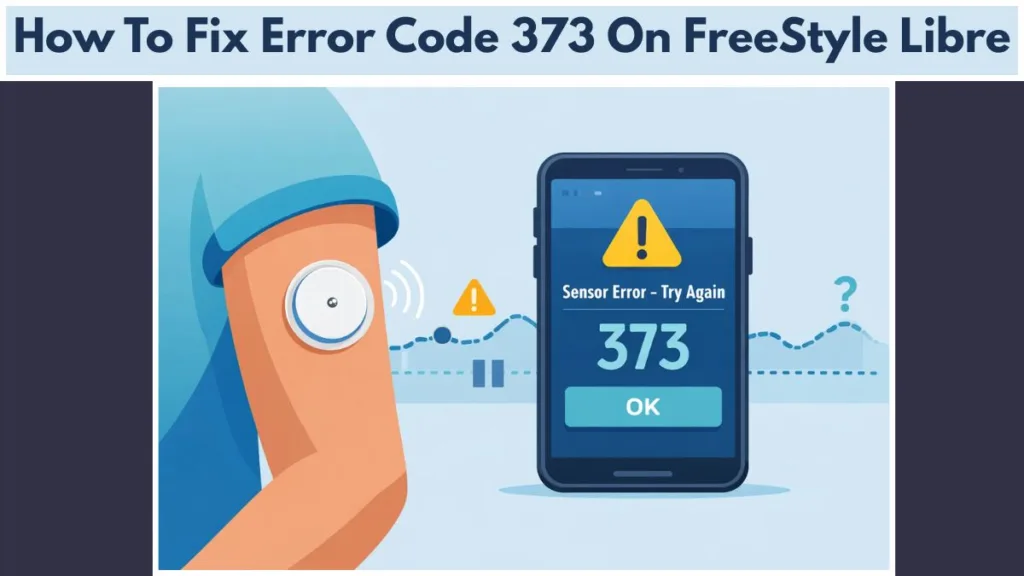
In this guide, we explain exactly what FreeStyle Libre error code 373 means for FreeStyle Libre 2 and Libre 3 users, why it happens, and the step-by-step actions we recommend you take to get your readings back as quickly and safely as possible. By the end, you’ll also know precisely when waiting is enough and when replacement becomes the smarter option.
Meaning of FreeStyle Libre Error Code 373
FreeStyle Libre Error Code 373 indicates that the sensor has detected a rapid change in glucose levels or a significant signal instability. It is technically a “soft error,” which prevents the display of potentially inaccurate data. In other words, the system detects a reliability issue and stops reporting rather than showing misleading values that could endanger your health.
In simple terms, the sensor is telling you:
“I’m not confident in this reading right now—please wait and try again.”
This acts as a protective quality-control behavior, not an immediate sensor failure. As a result, many users see readings return automatically without taking any drastic action. This pause ensures that you do not make insulin dosing decisions based on erratic data.
Identifying Error 373 in the Libre 2 and Libre 3 Apps
You’ll usually encounter sensor error 373 in one of two places, whether you are using the FreeStyle Libre 2 or FreeStyle Libre 3 app:
- On the scan screen after tapping or scanning the sensor.
- Inside the Event Log, where technical diagnostics are stored.
Note on Error Variants: You might see slight variations in your diagnostic log. Whether it is listed as 373, 373-I, or 373-P, the meaning stays the same: the sensor has paused readings temporarily to protect accuracy. These letter variations act as internal diagnostic flags used by Abbott engineers, but they do not change the troubleshooting steps you need to take.
You may also see messages like:
- “Sensor error”
- “Glucose reading unavailable”
- “Try scanning again in 10 minutes”
Common Causes of Error 373 on FreeStyle Libre Sensors
Understanding the root cause helps you prevent future interruptions.
Rapid Glucose Level Fluctuations
If your glucose rises or falls quickly—after large meals, insulin corrections, or intense exercise—the FreeStyle Libre 2 or 3 sensor may pause readings until values stabilize. For example, many users report seeing error 373 shortly after a high-carb meal (like pizza or pasta) or a post-workout correction when blood sugar drops rapidly. The sensor’s algorithm struggles to keep up with the rate of change (ROC) and triggers a pause to verify the trend.
Automatic Sensor Signal Validation Checks
FreeStyle Libre sensors continuously validate data against internal algorithms. Because of this, when readings appear inconsistent or noisy, the system pauses output to prevent unreliable numbers from influencing treatment decisions. This often happens during the first 24 hours of a new sensor, a period known as the “warm-up” phase where the filament is still settling into the interstitial fluid.
Physical Sensor Displacement and Compression Issues
Common physical triggers include:
- Bent or disturbed filament: If the flexible tip under the skin hits muscle or bends during insertion.
- Pressure on the sensor while sleeping (compression lows): Lying directly on the sensor restricts fluid flow, causing false lows or errors.
- Sensor movement due to poor adhesion: If the adhesive pad lifts, the filament may wiggle, disrupting the signal.
In practice, compression lows or side-sleeping often correlate with repeated “sensor error try again” messages in the middle of the night.
LibreLink App Connectivity and NFC Glitches
Sometimes the issue isn’t the sensor itself but the technology reading it:
- NFC scan interruption: Moving the phone away too quickly.
- App background restrictions: Phone settings that kill the app to save power.
- Temporary phone software issues: Bluetooth conflicts with other devices like headphones or smartwatches.
For instance, aggressive battery optimization on some Android phones can interrupt LibreLink communication, triggering a timeout error that looks like a sensor failure.
Potential Sensor Defects or Hardware Failures
If FreeStyle Libre error code 373 never resolves or repeats constantly, the sensor may be faulty and require replacement. Although uncommon, multiple back-to-back failures suggest more than a temporary pause, potentially indicating a manufacturing defect in the filament coating.
Step-by-Step Guide to Fix FreeStyle Libre Error Code 373
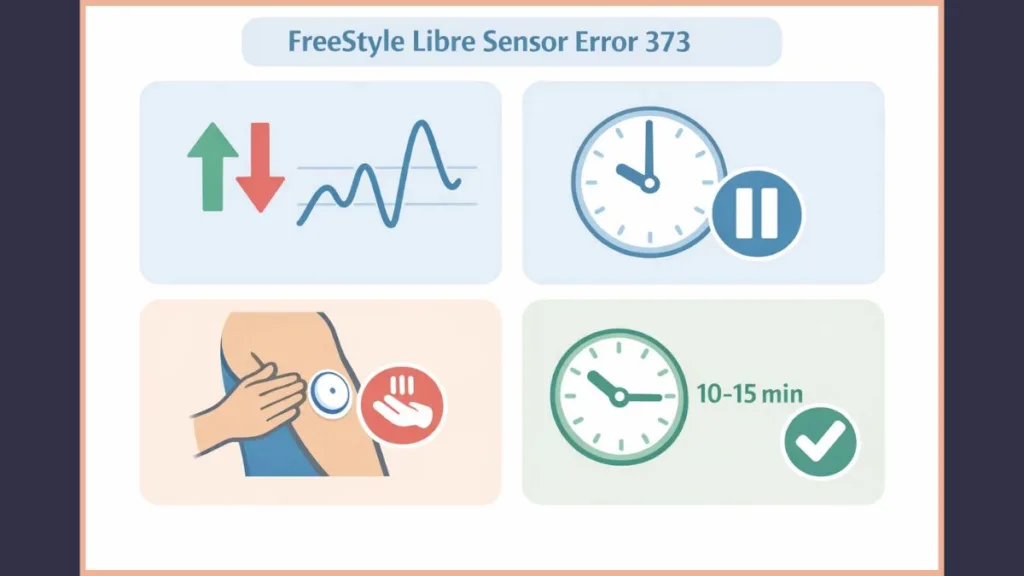
We recommend following these steps in order, from simplest to most effective. This approach prevents unnecessary sensor removal and saves you money.
Step 1: Wait 10 Minutes and Retest Glucose Levels
This resolves the majority of Libre error 373 cases. During this time:
- Avoid exercise: Let your heart rate and blood flow normalize.
- Avoid food: Stop adding glucose to your system.
- Avoid pressure on the sensor: Give the site room to breathe.
Often, stabilization alone restores readings. Think of this as the sensor taking a “breather” to catch up with your body’s changes.
Step 2: Ensure Sensor Stability and Adhesion
Do not press, rub, or sleep on the sensor. Because compression interferes with interstitial fluid flow, stability matters more than repeated scans. If you suspect the adhesive is loose, gently smooth down the edges or apply an overpatch to secure it without pushing down on the central filament.
Recommended Fix: If your sensor feels loose or is peeling, applying a dedicated Skin Grip Adhesive Patch can secure the sensor and prevent further signal interruptions.
Step 3: Reboot Your Phone or Restart the LibreLink App
A quick restart clears temporary communication or background issues. In many real-world cases, this step alone fixes repeated scan failures on both Android and iOS devices. It forces the Bluetooth and NFC services to reset, establishing a fresh connection with the transmitter.
Step 4: Verify Sensor Filament Position
Look for signs of:
- Loosened adhesive
- Physical impact (did you bump into a doorframe?)
- Discomfort or bending at the site (bleeding or bruising)
If the filament was disturbed, recovery may not occur. A sensor that has been partially pulled out cannot be reinserted.
Step 5: Confirm Levels with a Fingerstick Blood Glucose Meter
If you need an immediate value, use a fingerstick meter (BGM) as a temporary confirmation, not a calibration. Meanwhile, allow the Libre sensor time to recover on its own. Never dose insulin based on how you “feel” when an error code is present; always verify with a fingerstick.
Recommended Backup Alternative: When your CGM fails, accuracy is non-negotiable. If your current backup meter is old or unreliable, we highly recommend the Contour Next Gen Blood Glucose Monitoring Kit. It is widely considered one of the most accurate meters on the market and is an essential “Plan B” for when Error 373 strikes.
When to Replace Your Sensor After Error 373
You should consider replacement if:
- Error 373 lasts several hours without recovery.
- The error returns multiple times daily.
- The sensor never resumes readings.
- The app later displays a “Sensor Ended” or replacement message.
At this point, continued waiting rarely helps, and replacement becomes the safest option to ensure you have continuous monitoring.
Troubleshooting Recurring Error Code 373
If you experience repeated FreeStyle Libre sensor error 373:
- Note the time and activity: Does it happen only after gym sessions? Only at night?
- Observe whether it follows meals, exercise, or sleep: This points to physiological causes rather than technical ones.
- Avoid reusing the same sensor placement area: Rotate sites (arms, legs, torso) to prevent scar tissue buildup.
- Contact Abbott Diabetes Care support: Reach out for guidance or replacement eligibility.
Additionally, keeping screenshots of event logs (showing the 373, 373-I, or 373-P codes) can speed up service requests. Abbott often requires these codes to validate a warranty claim.
Frustrated with Libre Errors? Considering Alternatives
If you find that Error 373 is becoming a weekly occurrence despite your best efforts, it may be time to look into Freestyle Libre alternatives. While no CGM is perfect, different brands use different adhesives and algorithms that may suit your body better.
1. Dexcom G7 (Top CGM Competitor)
The Dexcom G7 System is the primary competitor to the Libre 3. Many users prefer it for its faster warmup time (30 minutes vs. 60 minutes) and slightly different adhesive properties, which can sometimes result in fewer “signal loss” errors for active users.
2. Reliable Traditional Glucometers (Essential Backup)
Even if you switch CGMs, technology can fail. To avoid being left in the dark during an error code, ensure you have a top-tier traditional meter handy.
- Best Overall Accuracy: Contour Next One
- Best for Travel: Accu-Chek Guide Me
Tips to Prevent Future Libre Sensor Errors
You can minimize future Libre error code 373 interruptions by:
- Applying sensors to recommended sites only: Sticking to the back of the upper arm usually yields the best accuracy.
- Avoiding compression while sleeping: Use a U-shaped travel pillow or arm band to protect the sensor.
- Scanning during relatively stable glucose periods: Avoid initializing a new sensor right after a huge meal.
- Keeping your Libre 2 or Libre 3 app and phone OS updated: Updates often contain bug fixes for Bluetooth connectivity.
- Allowing proper warm-up time: Some users find applying a sensor 12-24 hours before activating it (pre-soaking) helps the filament settle.
Over time, these habits significantly reduce sensor error frequency and extend the effective life of your sensors.
Comparison: Error 373 vs. Error 365 and Sensor Ended
- 373: Temporary pause due to data quality checks (Soft Error).
- 365 / 366: Communication or sensor reliability issues (Hard Error).
- Sensor Ended: Sensor lifespan completed or failed permanently.
Knowing this difference helps you avoid replacing a sensor that would otherwise recover on its own.
Frequently Asked Questions About Error 373
Is Error 373 Dangerous for My Health?
No. It’s a safety feature designed to prevent inaccurate readings. It protects you from making medical decisions based on bad data.
How Long Does the “Glucose Reading Unavailable” Message Last?
Usually 10–20 minutes. Longer durations suggest a deeper issue or a failed sensor.
Does Error 373 Indicate a Broken Sensor?
Not immediately. Most sensors recover on their own once glucose levels stabilize.
Can Intense Exercise Cause Error 373?
Yes. Rapid glucose changes and sweat can often cause temporary pauses or signal interference.
Will Abbott Replace a Sensor Showing Error 373?
If the error persists or leads to sensor failure (such as error 365), replacement is often approved. You can fill out their online sensor support form.
Conclusion: Managing FreeStyle Libre Error 373
In most cases, you don’t need to worry. FreeStyle Libre error code 373 signals a temporary, protective pause, not a malfunction.
We recommend patience first, structured troubleshooting second, and replacement only when recovery doesn’t occur.
Ultimately, if you understand why error 373 appears and follow the steps above, we guarantee you’ll know exactly how to respond—calmly, quickly, and with confidence—the next time it shows up.
Visit Our Post Page: Blog Page