
Want to use your FSA funds before they expire in 2026? Learn how to add an FSA card to Amazon using simple steps. From registering your card in Amazon Wallet to finding eligible items and avoiding payment declines. Stay in control of your healthcare spending today.
Your Flexible Spending Account (FSA) money is already yours, but it comes with a clock. Most plans follow a use-it-or-lose-it rule, meaning unused funds expire at the end of the plan year. If you’re standing at your computer deciding where to spend those dollars, Amazon is the fastest, least stressful way to use your FSA funds correctly without driving to multiple pharmacies or guessing what qualifies.
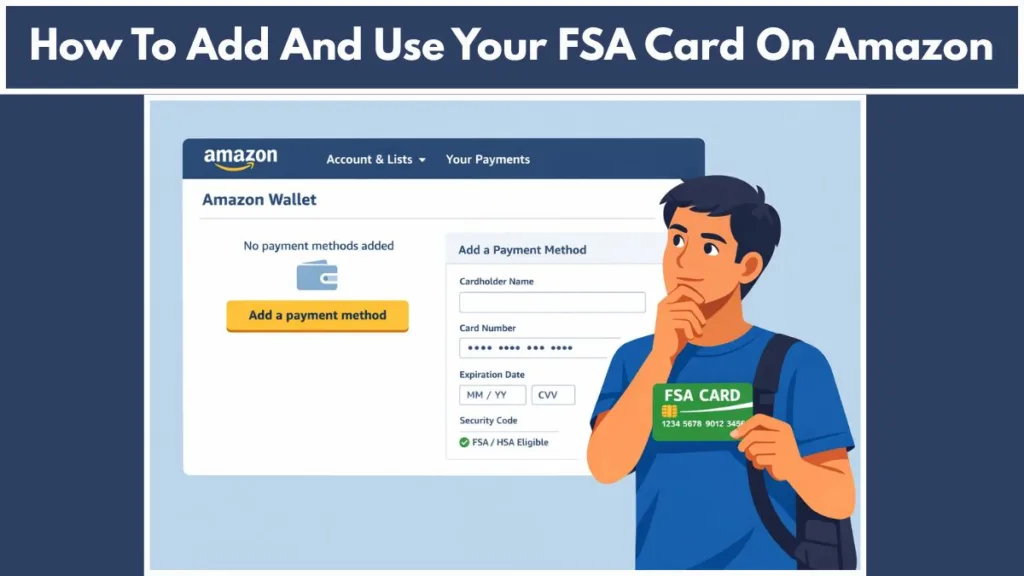
You are here because you want certainty. As you look at your screen, this guide walks you through exactly what to click, what to select, and what to expect at checkout so your FSA card works the first time.
What It Means to Use an FSA Card on Amazon
When you add an FSA card to Amazon Wallet, Amazon does not treat it like a normal debit or credit card. Your FSA is a restricted healthcare payment method. In simple terms, this means Amazon’s system checks every item in your cart against a medical eligibility list before allowing payment.
Amazon uses the SIG-IS (Special Interest Group for Inventory Information Approval System) standard to automatically verify if an item is medically necessary, which is why the ‘FSA Eligible’ badge is so accurate. Learn more about SIG-IS Eligibility Standards.
At this point, it helps to know one thing clearly:
“Your FSA card only works on eligible healthcare products. Everything else is blocked automatically.”
This is not a mistake or a decline. It is how Amazon protects your tax-advantaged account, which is money set aside before taxes to pay for qualified medical expenses like over-the-counter treatments, wellness devices, and certain healthcare supplies. [Resource: IRS Publication 502: Medical and Dental Expenses]
Can You Use an FSA Card on Amazon? What Amazon Allows
Yes, you can use an FSA card on Amazon, but only within specific rules.
As you shop, Amazon allows you to register your FSA card, shop the Amazon FSA Store, and split payments automatically when part of your order is eligible and part is not. This is one of the biggest advantages of Amazon compared to in-store shopping.
Here is a quick breakdown of exactly what is allowed versus what is blocked:
| Allowed on Amazon (Yes) | Not Allowed (No) |
| Registering FSA Card in Wallet | Shipping Costs |
| Shopping FSA Eligible Items | Taxes |
| Split Payments (FSA + Credit Card) | Prime Memberships |
| Approved OTC Medications | Subscribe & Save Orders |
Warning: “You cannot use FSA funds to pay for shipping, taxes, or Prime memberships.”
You also cannot rely on your FSA card for Subscribe & Save orders, even if the product itself is eligible. Amazon requires flexibility at checkout, and subscriptions remove that flexibility.
How to Add an FSA Card to Amazon (Step-by-Step)
This is the exact Amazon FSA card setup process. Follow it once, and you won’t need to repeat it.
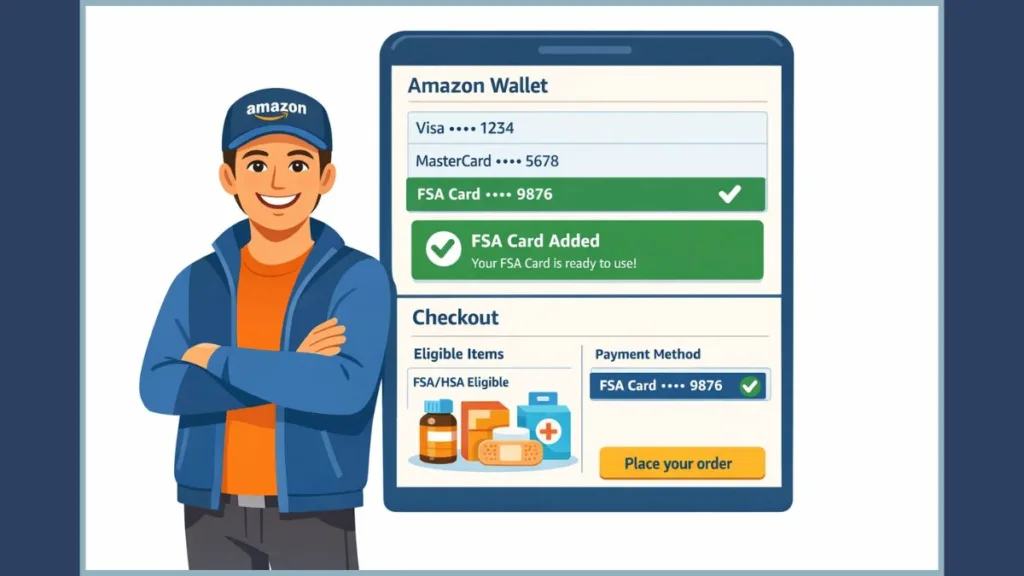
Step 1: Open Amazon Wallet and Payment Settings
Go to Account Settings. As you look at the menu, click Amazon Wallet or Your Payments. This screen shows every saved card, gift balance, and payment option tied to your account.
At this point, you may notice your regular credit card set as default. That’s fine. Leave it that way.
Step 2: Add Your FSA Card as a Payment Method
Click Add a payment method. Select Credit or Debit Card. Enter your FSA card details exactly as they appear, including the billing address provided by your benefits administrator (the company that manages your FSA).
If the address does not match, Amazon may save the card but block it at checkout later.
Step 3: Name and Save the Card Correctly
After saving, edit the card name and label it clearly as “FSA Card”. This matters when you reach checkout and need to identify the correct payment option quickly.
Short, clear names prevent mistakes when Amazon applies split payments.
Step 4: Do NOT Set the FSA Card as Default
This step prevents most problems. Do not make your FSA card the default payment method.
“If your FSA card is default, Amazon may try to apply it to non-eligible purchases, causing declines or checkout errors.”
Leaving a regular card as default allows Amazon to split payments cleanly without interrupting your order.
Where Your FSA Card Works on Amazon (Important Limitations)
Your FSA card works only on Amazon FSA eligible items. The easiest way to stay within the rules is to shop the FSA Store on Amazon, where everything is pre-filtered.
[Button: Shop the Official Amazon FSA Store Here]
As you browse, look for the “FSA/HSA Eligible” label on product pages. This label means Amazon’s system will allow direct payment using your FSA card.
If you don’t see the label, the item may still qualify under IRS rules, but Amazon may not allow direct checkout. In that case, you may need to pay with another card and request reimbursement from your FSA provider.
How to Use Your FSA Card at Amazon Checkout
As you reach checkout, Amazon automatically evaluates your cart.
If all items are eligible, your FSA card applies without intervention.
If your cart includes both eligible and non-eligible items, Amazon activates split payment. You will see two amounts:
| Charge Type | Payment Method Used |
| Eligible Portion | Charged to your FSA card |
| Remaining Balance | Charged to your backup payment method |
This answers a common question directly: yes, you can split payment with FSA on Amazon, and Amazon does the work for you. [Resource: Amazon Customer Service – Using FSA/HSA Cards]
Why Your FSA Card Is Not Showing at Amazon Checkout
If your FSA card is missing or declined, pause before retrying. This is where most frustration happens. In real use, this usually occurs because of one of the following reasons:
| Issue | Likely Cause | Solution |
| Card Declined | Non-eligible items in cart | Remove items or use another card |
| Card Missing | Address mismatch | Update billing address to match benefits plan |
| Payment Failed | Insufficient balance | Check funds; use split payment |
| Error Message | No backup card | Add a standard credit/debit card to wallet |
If this happens, remove non-eligible products, confirm your address, and retry. Most checkout issues resolve immediately once the cart is clean.
Using an FSA Card on Amazon Pharmacy
You can also use your FSA card with Amazon Pharmacy for eligible prescriptions and approved OTC items. As you look at the pharmacy checkout screen, Amazon will clearly show whether your FSA card is accepted for that purchase. Check Our Amazon Pharmacy FAQ.
Some items may still require documentation or plan approval. When in doubt, save your receipt.
FSA vs HSA Card on Amazon: What’s the Difference
Amazon treats FSA and HSA cards almost identically at checkout. The difference is behind the scenes.
| Feature | FSA (Flexible Spending Account) | HSA (Health Savings Account) |
| Expiration | Usually expires each year | Rolls over indefinitely |
| Ownership | Employer-owned (mostly) | Belongs to you permanently |
| Amazon Setup | Same (Add as Credit/Debit) | Same (Add as Credit/Debit) |
From your perspective on Amazon, setup, eligibility labels, and split payments work the same.
Amazon FSA Card Tips to Avoid Checkout Problems
Timing matters. Amazon charges your card when the item ships, not when you place the order.
Important: “If you shop on your deadline and the item ships later, the charge may apply to the next plan year or fail entirely.”
If you are close to your deadline, consider buying earlier or using a backup card and submitting for reimbursement to avoid losing funds.
Frequently Asked Questions About Adding an FSA Card to Amazon
Can I use my FSA card for anything on Amazon?
No. You can only use it for eligible healthcare products approved under FSA rules.
How do I find FSA eligible items on Amazon?
Shop the Amazon FSA Store, apply the FSA/HSA Eligible filter in search, or look for the eligibility label on product pages.
Can I split the payment between my FSA card and credit card on Amazon?
Yes. Amazon automatically splits eligible and non-eligible charges at checkout.
Why does Amazon keep declining my FSA card?
Most declines are caused by non-eligible items, address mismatches, missing backup cards, or low balances.
Can I use FSA for Prime membership?
No, you cannot. IRS rules do not regard shipping fees or subscription services like Amazon Prime as qualified medical expenses.
How do I filter for FSA eligible products?
Search for an item, then apply the FSA/HSA Eligible filter, or start directly from the FSA Store.
Final Check: Make Sure Your FSA Card Is Ready to Use on Amazon
If your FSA card is added to Amazon Wallet, clearly labeled, not set as default, and paired with a backup payment method, you are ready. Amazon becomes the most efficient way to spend FSA funds quickly and correctly, without last-minute panic or wasted money.
At this point, you are no longer guessing. You are in control of your FSA balance, your checkout, and your deadline.
Visit Our Post Page: Blog Page