
Blocked messages not stopping on Messenger? Learn how to block someone on Facebook Messenger the right way. Get clear step-by-step instructions for Android, iPhone, and desktop, plus what actually happens after blocking.
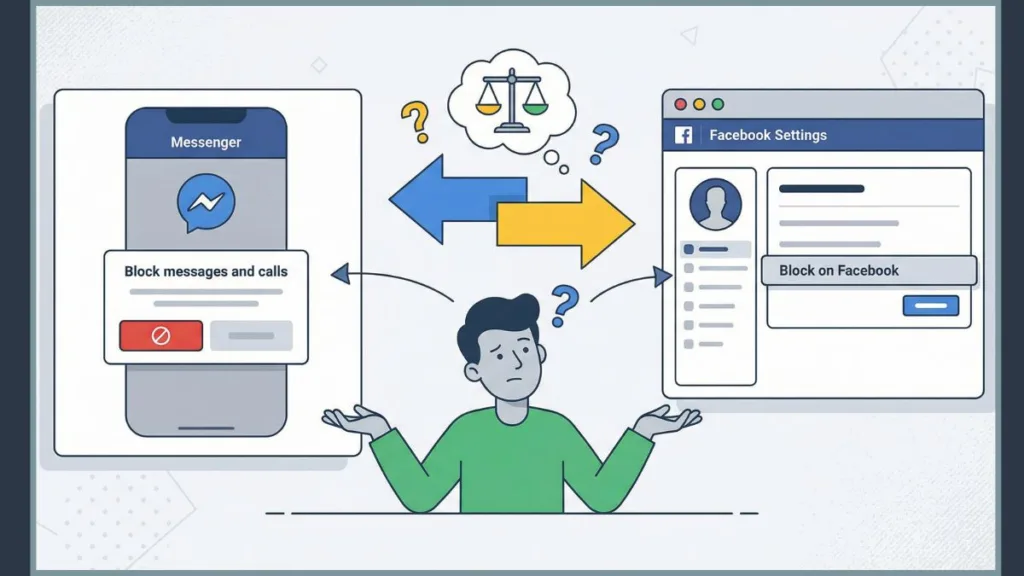
When you decide to block someone on Facebook Messenger, you are not triggering a single hidden switch. You are choosing how Messenger limits access to you, your messages, your activity indicators, and sometimes your entire Facebook presence. Messenger separates blocking messages and calls from blocking on Facebook, which explains why users often expect one result and see another.
As you follow this guide, you see exactly what appears on your screen, what Messenger changes in the background, and how each option affects delivery receipts, active status, and future contact. Every step maps directly to what you tap, select, or confirm inside the app.
What Blocking on Facebook Messenger Actually Does
When you block someone on Messenger, you control communication pathways, not conversation history or profile visibility by default. Messenger treats blocking as a messaging restriction first and a relationship cutoff only if you explicitly choose it.

You block incoming messages and calls immediately. You stop seeing typing indicators, ringing calls, and delivery confirmations from that person, and they stop seeing whether you are active. Messenger removes these signals because they belong to real-time communication, not profile data.
Blocking does not always affect Facebook visibility. If you choose Block messages and calls, the person may still see your Facebook profile, posts, comments, or reactions depending on your privacy settings.
“Blocking messages and calls limits Messenger only. Blocking on Facebook removes access everywhere.”
That distinction drives every outcome that follows.
How to Block Someone on Facebook Messenger (Step-by-Step)
Block Someone on Messenger on Mobile App (Android & iPhone)
- Open the Messenger app on your phone and open the conversation with the person you want to block. You tap directly into the existing chat because Messenger places blocking controls inside conversation settings.
- Tap the contact’s name or profile photo at the top of the screen. You open the conversation details panel where Messenger groups Privacy & safety and support tools.
- Scroll down and tap Block. Messenger now asks you to choose how much access you want to remove.
- Select Block messages and calls if you want to stop communication without blocking on Facebook, or select Block on Facebook if you want full account-level separation.
- Tap Confirm. Messenger applies the restriction immediately without notifying the other person.
- After confirmation, the chat remains visible but inactive. You still see message history, but you cannot send or receive messages from that contact.
How to Block Someone on Messenger on Desktop (Messenger.com)
- Open messenger.com in your browser and select the conversation you want to manage from the left sidebar.
- Click Options (three dots) or the information icon inside the chat window. You open the settings panel for that conversation.
- Under Privacy & safety, click Block. Messenger displays the same two blocking choices you see on mobile.
- Choose Block messages and calls or Block on Facebook depending on the level of restriction you want.
- Click Confirm to apply the block instantly.
- Once you confirm, the message input field becomes disabled, and Messenger stops routing messages or calls from that user across all devices.
Block Messages Only vs Block on Facebook (Important Difference)
How to block someone on Messenger without them knowing
When you select Block messages and calls, you cut off Messenger communication only. The person cannot message or call you, and they cannot see your active status or delivery receipts. Messages they send may appear undelivered or silently fail on their side.
This option does not unfriend them, does not remove profile access, and does not stop Facebook interactions allowed by your privacy settings. Many users choose this option when they want fewer interruptions without escalating the situation.
Block calls and messages everywhere
When you choose Block on Facebook, Messenger applies a full account-level block. You unfriend the person automatically, remove follows and likes, and prevent them from finding or contacting you anywhere on Facebook or Messenger.
“Blocking on Facebook breaks the friend connection and requires a new friend request if you unblock later.”
This option fits situations where you want complete separation, not just message control.
What Happens After You Block Someone on Messenger
After you block someone, Messenger enforces the restriction immediately. The other person receives no alert or notification. From your perspective, the chat remains visible but inactive. You stop receiving messages, calls, and notifications from that contact, and Messenger hides your active status and delivery receipts from them.
If you later unblock the person, Messenger restores messaging access only. You must send a new friend request to reconnect on Facebook.
Blocking Someone on Messenger in Group Chats
Group chats behave differently because Messenger treats them as shared spaces. When you block someone, Messenger hides their messages for you and stops notifications from that person inside the group. You can temporarily unhide messages if needed, but Messenger hides them again once you leave the chat.
“Blocking does not remove either of you from shared group chats.”
The blocked person can still see your messages and join group calls. Blocking protects your inbox, not shared group participation.
Blocking Someone With Multiple Facebook Profiles
Facebook allows multiple profiles and nicknames. When you block someone, Messenger blocks only the specific profile you selected. Other profiles owned by the same person may still appear unless you block them individually.
Messenger limits how those profiles interact with you, but it does not automatically block all associated accounts. This behavior explains why blocking sometimes feels incomplete even when it works correctly.
Block vs Mute vs Ignore on Messenger
Mute Conversations
When you mute a conversation, you silence notifications only. Messages continue to arrive normally, delivery receipts remain active, and the sender notices no change. Muting works best when you want fewer interruptions without changing access.
Ignore Messages (Account restriction behavior)
When you ignore a conversation, Messenger moves it to Message Requests. The sender cannot see read receipts or your active status, but they can still message you. Ignoring often confuses users because messages do not stop completely.
Block Someone
Blocking fully stops messages, calls, and activity signals. If muting or ignoring still allows unwanted contact, blocking gives you the clean cutoff.
How to Unblock Someone on Facebook Messenger
You unblock someone by opening Messenger, going to Privacy, selecting Blocked accounts, choosing the contact, and tapping Unblock. Messenger asks you to Confirm because unblocking restores communication immediately.
“Unblocking does not automatically restore friendship.”
You must send a new friend request manually.
Common Questions About Blocking on Messenger (FAQ)
When you block someone on Messenger, do they know?
No. Messenger does not notify users when you block them.
Can you block someone on Messenger but not on Facebook?
Yes. Select Block messages and calls instead of Block on Facebook.
What does a blocked person see on Messenger?
They cannot message or call you and cannot see your active status. Depending on your choice, they may still see your Facebook profile.
If you block someone on Messenger, can they still see your profile?
Yes if you block messages only. No if you block on Facebook.
What is the difference between “Block Messages and Calls” and “Block on Facebook”?
Blocking messages limits Messenger communication only. Blocking on Facebook removes access across Messenger and Facebook.
Can a blocked person still see your active status?
No. Blocking hides active status and delivery receipts automatically.
When Blocking Is the Right Choice
Blocking fits situations where messages become persistent or disruptive, ignoring no longer reduces interruptions, or privacy and safety matter more than discretion.
Messenger gives you precise control, but you need to choose the option that matches your intent, not just the strongest setting by default.
Visit Our Post Page: Blog Page