
Can’t find the option to block someone on TikTok? Learn how to block someone when the three dots are missing using updated methods that work.
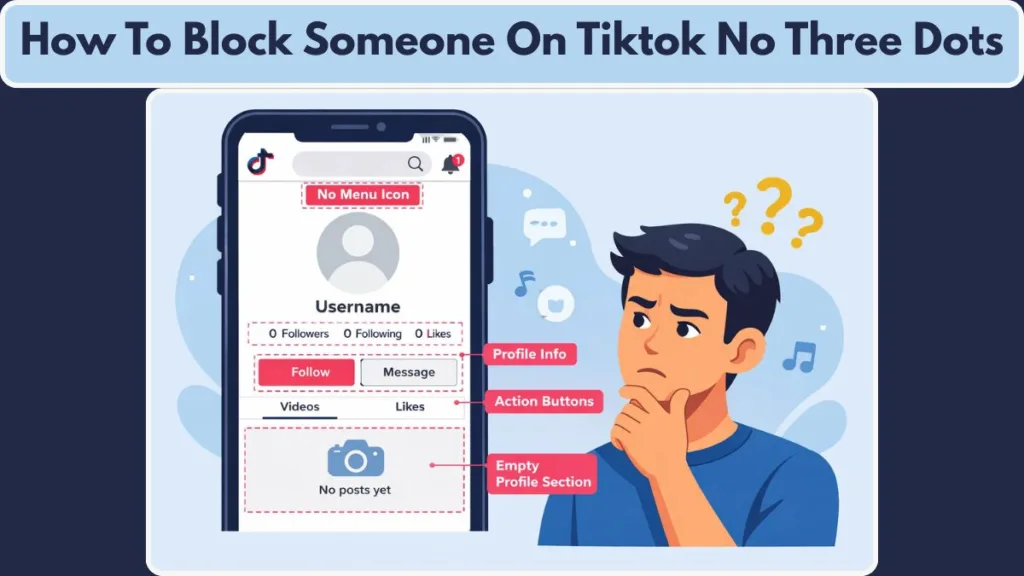
TikTok keeps changing how things look. One day the menu is there, the next day it’s gone. The biggest example of this is the three dots menu. On many profiles, it simply doesn’t show up anymore. That doesn’t mean TikTok removed the block option. It just means it’s no longer where you expect it to be.
If you’re dealing with harassment, spam comments, bot accounts, or someone you just don’t want interacting with you anymore, this guide walks you through every working way to block someone on TikTok—even when the three dots are missing. This is based on how the app actually behaves today, not how it used to work.
Why the TikTok Block Option Is Missing (No Three Dots Showing)
When the three dots disappear, it usually feels like something is broken. In most cases, it isn’t.
TikTok UI Changes and A/B Testing Explained
TikTok regularly tweaks its interface. On many accounts, the classic three dots have been replaced by a share arrow icon. This happens because TikTok runs ongoing UI tests to see what layouts people interact with more. Unfortunately, that also means familiar options get moved around without warning.
No Follow Relationship or App Issues
Another common reason is the relationship between accounts. If you don’t follow the person and they don’t follow you, TikTok sometimes hides certain profile menus. On top of that, app issues like cached data, partial updates, or using an older version of TikTok can cause menus not to load correctly.
The important thing to remember is this: the block feature still exists. You just access it in a different way now.
What Happens When You Block Someone on TikTok
Before blocking someone, most people want to know exactly what will change.
What a Block Does to Profile and Video Visibility
Once you block someone, they can no longer view your profile or any of your videos, whether those videos are public or private. From their side, it’s almost as if your account no longer exists.
What Happens to Messages, Comments, and Likes
At the same time, all past interactions disappear. This includes direct messages, comments they left on your videos, likes, and the follow relationship. If you were following each other, that connection is automatically removed.
Can a Blocked User Still Find You on TikTok?
They also won’t be able to find you through search, mentions, or TikTok’s recommendations, and you won’t see anything from their account anymore. TikTok does not notify users when they are blocked. That said, most people eventually figure it out when they can’t find your profile or their messages suddenly vanish.
Blocking isn’t permanent unless you want it to be. You can manage or reverse blocks anytime from your privacy settings.
How to Block Someone on TikTok Without Three Dots (Main Method)
How to Block on TikTok Using the Share Arrow Instead of Three Dots
This is the method most people miss because they’re still looking for the old menu.
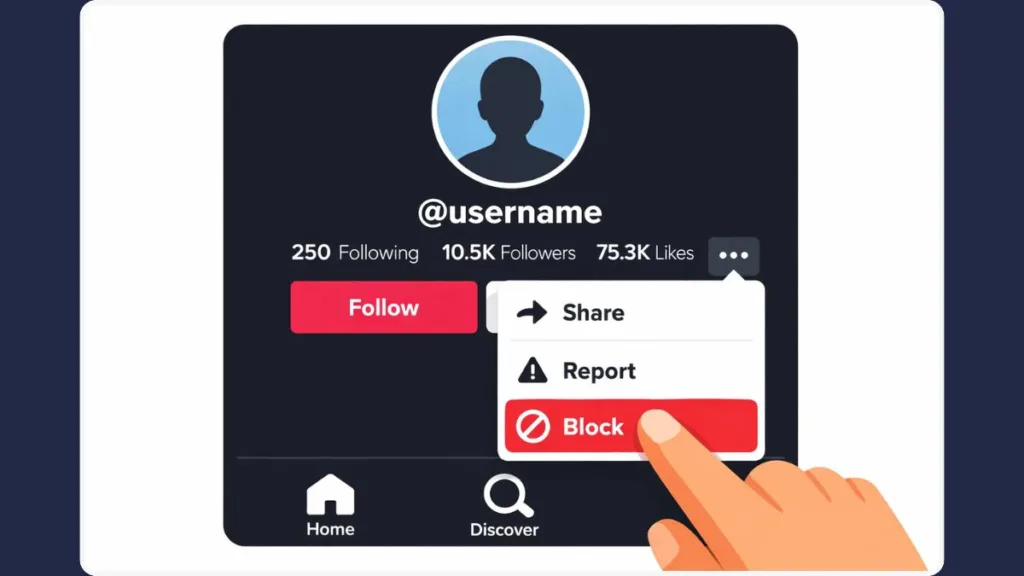
When you open someone’s profile and don’t see the three dots, look for the right-facing share arrow instead. It usually sits near the top of the profile.
Where the TikTok Block Button Is Now
Tapping that arrow opens a menu that looks like it’s only for sharing. Scroll through it. You’ll find Block there—sometimes shown with a shield icon. Tap it, confirm, and you’re done.
The block applies immediately. The person disappears from your followers, your messages, and your profile visibility. This works the same way on Android and iPhone, which is why it’s now the most reliable method.
Alternative Ways to Block Someone on TikTok Without Three Dots
If the share arrow doesn’t show the block option, TikTok still gives you backup routes.
How to Block Someone on TikTok From Direct Messages
This is especially useful if someone is messaging you directly.
Open your Inbox, find the conversation, and open the chat. In the top-right corner, tap the three dots inside the chat. From there, select Block and confirm.
Once you do this, the person can’t message you, view your profile, or find you on TikTok anymore.
How to Block Someone on TikTok From Comments
This method is common when someone leaves repeated or offensive comments.
Open the video where the comment appears and go to the Comments section. Long-press the comment, tap Manage, then choose Block user.
The user is blocked instantly, and you’ll stop seeing their comments on your videos.
How to Block Multiple Users at Once on TikTok (Bulk Blocking)
If you’re dealing with bots or coordinated spam, blocking one account at a time isn’t practical.
Open a video, go to Comments, and long-press any comment. Choose Manage multiple comments, select all the accounts you want to block, tap More, then select Block accounts and confirm.
TikTok will block all selected users at once.
What to Do If You Still Can’t Block Someone on TikTok
If you’ve tried all the methods and still can’t block someone, the problem is usually technical.
Fix TikTok Block Button Not Showing
Start with the basics. Update TikTok, then restart the app and your phone. This alone fixes most menu-related issues.
Clear Cache or Reinstall TikTok
If that doesn’t help, clear the TikTok cache or reinstall the app completely. In very rare cases, accounts that block large numbers of users may hit temporary limits.
If nothing works, try another device or reach out to TikTok support, especially if safety is involved.
TikTok Block vs Restrict vs Mute (Which One Should You Use?)
Blocking isn’t always the right tool for every situation.
Blocking completely cuts off access and interaction. Restricting limits how someone interacts with your content without alerting them. Muting simply removes their content from your feed while keeping the connection intact.
If privacy or safety is the concern, blocking is the right choice. For minor annoyances, restricting or muting may be enough.
How to View and Manage Your TikTok Block List
You don’t need to search for the person again to manage blocks.
Go to your Profile, tap the three-line menu, open Settings and Privacy, then tap Privacy and scroll to Blocked accounts.
This is where you can review or unblock users whenever you want.
Does TikTok Notify Someone When You Block Them?
No. TikTok does not send any notification when you block someone.
That said, people often realize it when your profile disappears, messages vanish, or they can’t find you in search anymore.
Can You Block Someone on TikTok Web?
Blocking on TikTok’s web version is inconsistent.
Some privacy options appear, but reliable blocking still requires the mobile app. If blocking doesn’t work on desktop, switch to the app.
TikTok Privacy Settings to Prevent Harassment and Spam
Blocking works best when combined with other privacy controls.
Important TikTok Privacy Settings to Enable
You can make your account private, limit who can send you messages, restrict who can comment, and enable keyword filters to automatically hide offensive language.
Control Who Can Mention or Tag You
You can also control who can mention or tag you and set individual videos to “Only me.” These settings help prevent problems before blocking becomes necessary.
How to Report a User or Content on TikTok
Blocking isn’t always enough when someone violates TikTok’s rules.
Open the profile, message, comment, or video, tap Report, select the reason, and submit. TikTok’s moderation team reviews reports and may remove content or suspend accounts.
For serious issues, blocking and reporting together is the safest approach.
How to Know If Someone Blocked You on TikTok
TikTok won’t tell you directly, but the signs are usually clear.
If you can’t find the user in search, they disappear from your followers or following list, their videos become unavailable, past messages vanish, and mentions stop working, it’s very likely you’ve been blocked.
FAQs: How to Block Someone on TikTok Without Three Dots
Can I still block someone if the three dots are gone?
Yes. You can block users using the share arrow, direct messages, comments, or Privacy → Blocked accounts.
Can a blocked user see my content?
No. They cannot see your profile, videos, comments, or search results.
Is blocking reversible on TikTok?
Yes. You can unblock users at any time from your privacy settings.
Is blocking someone on TikTok immediate?
Yes. The block applies instantly and syncs across devices within seconds.
Does blocking delete TikTok message history?
Yes. Messages, comments, and likes disappear for both users.
Take Control of Your TikTok Experience
TikTok’s layout will keep changing. That part is unavoidable. What doesn’t change is your ability to control who interacts with you.
Even without the three dots, blocking someone is still completely possible. When you combine blocking with privacy settings, comment filters, and reporting tools, you take back control of your space on TikTok.
You don’t have to tolerate unwanted interactions. The tools are there—you just need to know where TikTok moved them.
Visit Our Post Page: Blog Page