
Need a quick way to refill your LPG cylinder? Learn How to Book HP Gas Cylinder on WhatsApp using the official HP Gas WhatsApp booking number. With simple steps to place your refill request, confirm booking, and track delivery from your registered mobile number.
Realizing your stove flame is flickering out in the middle of preparing a meal is a situation we have all faced. In the past, this usually meant a frantic search for a distributor’s phone number or a long wait on hold with customer service. Thankfully, things have changed for the better. As one of India’s most trusted LPG providers, HP Gas has embraced digital services to make our lives much easier. Among these modern updates, hp gas whatsapp booking has emerged as a favorite for millions because it lets you handle your kitchen needs directly from your smartphone.
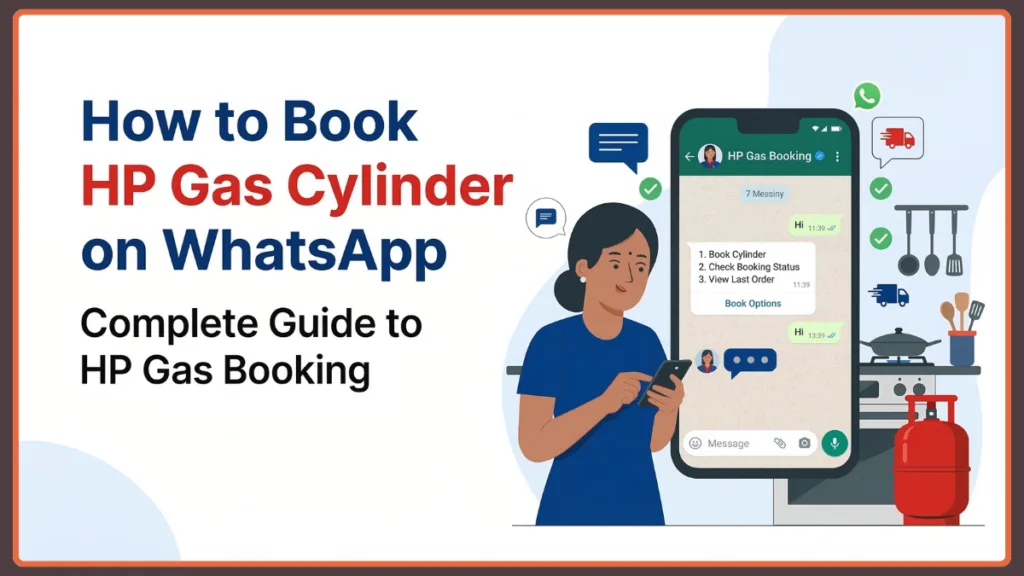
If you have been wondering how to book hp gas through whatsapp, the process is incredibly straightforward. With just a quick message, you can start a refill request, verify your account details, and even get live delivery updates without ever leaving the app. This guide is designed to walk you through every detail so you can secure your next cylinder with total peace of mind.
Quick Answer: Send a “Hi” to the official hp gas booking whatsapp number at 92222 01122 from your registered mobile number and follow the automated prompts.
What Is the Official HP Gas WhatsApp Number for Booking?
To start using this service, you first need to save the official hp gas whatsapp number for booking, which is 92222 01122. Think of this number as your direct line to an automated chatbot that is ready to help you twenty-four hours a day. It is much more than just a contact; it is a dedicated tool designed to guide you through the refill process without any of the traditional hassles.
The beauty of this system is how approachable it feels. You simply open your chat window and send a message like “Hi” or “Hello” to get things moving. The chatbot responds almost instantly, providing you with a menu of options to book hp gas via whatsapp or even check on the status of a previous order.
Key Benefit: hp gas cylinder booking on whatsapp offers convenience that old-fashioned methods cannot match. It is fast, provides instant confirmation, and feels natural to use.
Requirements Before Booking HP Gas Cylinder Through WhatsApp
Before you dive into the chat, ensure you have the necessary essentials ready. Meeting these requirements helps the automated system verify your account quickly.
| Requirement | Importance |
| Registered Mobile Number | The system identifies your account based on the phone number you are messaging from. |
| 16-Digit LPG ID | While usually detected automatically, it is used for manual account verification if needed. |
| Active WhatsApp Account | Ensure your app is updated to the latest version for the best experience. |
| Stable Internet | Required to send messages and receive immediate replies from the chatbot. |
| Correct Delivery Address | Ensure your address is updated with your distributor so the cylinder arrives correctly. |
Step-by-Step Guide on How to Book HP Gas Through WhatsApp
The process of how to book hp gas cylinder online whatsapp style is designed to be user-friendly for everyone. Once you have saved the number 92222 01122, you can complete your booking in just a few minutes.
Step 1: Start the Conversation with a Greeting
Begin by opening the chat and sending a simple “Hi” or “Hello.” This small step activates the hpcl whatsapp booking system, which will greet you with a friendly menu of services.
Step 2: Choose Your Service from the Menu
Once the chatbot responds, you will see a list of options. You should select the one related to booking an LPG cylinder or placing a refill request to move forward.
Step 3: Confirm Your Account Details
The system will then ask you to verify a few bits of information, such as your registered mobile number or your delivery address. This is a safety step to make sure the order is placed for the correct household connection.
Step 4: Submit and Finalize Your Request
After checking that everything is accurate, go ahead and confirm the refill. The system will then record your order and pass the instructions along to your local distributor for dispatch.
Step 5: Keep Your Booking Confirmation
Once the request is processed, you will receive a confirmation message in the chat. This note typically includes your booking reference number and an estimated timeline for delivery. You might also receive a separate delivery confirmation SMS for your records.
What Details Are Needed for HP Gas WhatsApp Booking?
While the chatbot handles most of the work, knowing which details might be requested can help you speed through the process. Usually, the system looks for the consumer name registered with the account and your 16-digit LPG ID.
You might also be asked to confirm your registered delivery address or specify if you need more than one cylinder, though most households stick to a single refill. Providing these details accurately ensures that the hp lpg gas booking whatsapp process remains efficient and your kitchen stays powered without delay.
Can You Pay for HP Gas Cylinder Through WhatsApp?
A common question many users have is whether they can settle the bill directly through the app. In many regions, the hp gas whatsapp booking process actually includes an option for digital payments.
Depending on your specific distributor and region, you might receive a secure link to pay hp gas bill online whatsapp. This often includes options for UPI, debit cards, credit cards, or digital wallets. If that is not yet available in your area, you can still choose the traditional cash on delivery method when the cylinder arrives at your home.
How to Check HP Gas Booking Status on WhatsApp
The convenience does not stop once the order is placed. You can also use the same chat to keep an eye on your delivery. By selecting the status check option in the menu, you can see where your order stands in the process.
Many distributors also send dispatch updates and an estimated arrival time. One important thing to watch for is the Delivery Authentication Code (DAC). This is a secure code sent to your phone that you will need to share with the delivery agent to confirm you have received the cylinder.
Pro Tip: Keep your chat history saved to have your tracking details and DAC codes ready when the doorbell rings.
HP Gas WhatsApp Booking Not Working? Try These Fixes
While the system is generally very reliable, technology can sometimes have its off moments. If you find the service is not responding, check these common fixes:
- Verify the Mobile Number: Ensure you are messaging from the mobile number linked to your HP Gas account.
- Check the Official Number: Ensure you are messaging the correct official number: 92222 01122.
- Connectivity Issues: Check for high server traffic or a weak internet connection on your end.
- App Updates: If the buttons are not appearing correctly, try updating your WhatsApp app to the latest version.
Alternative Ways to Book HP Gas Cylinder
Even though learning how to book hp gas cylinder online whatsapp is often the easiest route, it is always good to have a backup plan.
| Method | Contact Detail / Platform |
| Missed Call Booking | Give a missed call to 94936 02222 |
| IVRS Booking (HP Any Time) | Call 88888 23456 (Available 24/7) |
| HP Pay Mobile App | Available on Android and iOS |
| Online Portal | Visit the MyHPGas website |
| Digital Wallets | Use Amazon Pay, Paytm, or PhonePe |
Tips for a Smooth HP Gas WhatsApp Booking Experience
To make sure everything goes perfectly, always stick to the official, verified number to stay safe from scams. It is a smart habit to book your refill a few days before your current cylinder runs out to account for delivery schedules.
Always double-check your address before hitting the final confirm button, and remember that official services will never ask you for sensitive details like your bank PIN or OTPs over a chat message. Keeping your LPG ID written down somewhere handy can also save you a lot of time if the system needs extra verification.
Frequently Asked Questions (FAQs)
What is the official WhatsApp number for HP Gas booking?
The official number you need to save is 92222 01122. Simply send a “Hi” to begin the process from your registered mobile number.
How do I start a chat to book HP Gas on WhatsApp?
Save the number in your contacts and send a greeting message. The automated chatbot will take over from there and lead you through the steps.
Can I check my HP Gas booking status on WhatsApp?
Yes, the system is designed to provide you with confirmation messages and live updates on your delivery status directly in the chat.
How can I book HP Gas if my mobile number is not registered?
You will need to reach out to your local HP Gas distributor first to update and register your mobile number before the WhatsApp service can recognize your account.
Can I pay for my HP Gas cylinder directly through WhatsApp?
In many cases, you will be sent a secure payment link for UPI or cards. If not, you can always choose to pay during the delivery.
Conclusion
Switching to digital booking is one of the easiest ways to simplify your daily chores. Instead of the old-fashioned hassle of phone calls and visits, you can now manage everything with just a few taps on your screen. By saving the hp gas booking whatsapp number and sending a quick message, you get instant peace of mind knowing your kitchen is taken care of.
Whether you prefer the speed of WhatsApp, a quick missed call, or using a mobile app, HP Gas has made sure that getting a refill is faster and more transparent than ever. If you haven’t tried it yet, go ahead and send that “Hi” to 92222 01122 for your next booking—it really is as simple as it sounds.
Visit Our Post Page: Blog Page