
Are you unable to find your Fortnite Crew membership on Xbox? Learn how to cancel Fortnite Crew on Xbox and turn off its recurring billing quickly with this simple, step-by-step guide.
Why Canceling Fortnite Crew on Xbox Feels Confusing
If you’ve ever tried to cancel your Fortnite Crew membership on Xbox and felt stuck, you’re not alone. Many players expect a simple toggle inside their console settings, only to realize the option isn’t where they thought it would be. That’s where the confusion starts.
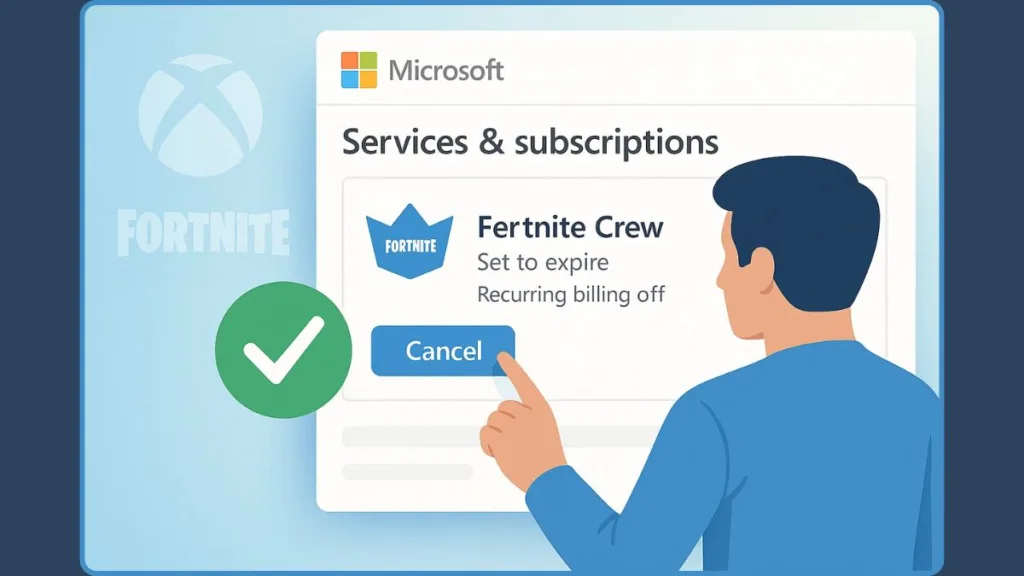
The real curveball? The cancellation path doesn’t follow the usual Xbox flow. Instead, the subscription is tied to your Microsoft account billing portal, not the Xbox console menu or in-game options.
Important: Fortnite Crew isn’t cancelled from your Xbox console settings — it’s handled through your Microsoft account.
Because of that — and because there are often multiple “Subscriptions / Services & Subscriptions” pages on Microsoft’s site — many users end up searching the wrong place and give up before they find the cancellation option.
Reddit Insight: Many players reported that the subscription “doesn’t show up on the console,” leading to hours of confusion.
With this guide, you’ll get a clear breakdown of exactly where to go and what to click — skipping the confusion and getting straight to turning off auto-renewal without losing previously claimed rewards.
Why the Fortnite Crew Subscription Doesn’t Show Up on Your Xbox Console
It Doesn’t Appear in the Console Subscription List
One of the biggest surprises for players is realizing the Fortnite Crew subscription doesn’t appear in the usual Xbox Subscriptions menu.
It feels like it should be there, but the console simply doesn’t list it — and that’s what creates the disconnect.
The Real Reason: It’s Managed Through Microsoft’s Online Billing
The reason is pretty simple: Fortnite Crew is managed through your Microsoft account’s online billing system, not the console interface.
This is confirmed by Microsoft’s own support documentation.
So even if you check every tab on your Xbox, the subscription won’t show up where your Game Pass or other recurring plans live.
Important: Fortnite Crew lives under the Microsoft “Services & Subscriptions” page — not inside your Xbox device menu.
Why This Catches Players Off Guard
This setup surprises a lot of players, especially if they’ve canceled other subscriptions directly from their Xbox before. Since Crew uses a different backend, it stays completely hidden on the console even though you’re paying for it monthly.
A New Reason for Extra Confusion
With the recent update — Xbox Game Pass Ultimate including Fortnite Crew as a perk (starting Nov 18, 2025) — some players now receive Crew through Game Pass instead of buying it directly.
This changes how the subscription appears in billing menus and makes the visibility even more inconsistent.
What This Means for You
Understanding this difference clears up the confusion quickly:
The cancellation option exists — just not on the device you’re holding.
The Correct Place to Cancel Fortnite Crew (Microsoft Services & Subscriptions)
Where Fortnite Crew Actually Appears in Your Microsoft Account
If you’ve been jumping between Xbox menus trying to find a cancellation option — here’s where you actually need to go: the “Services & Subscriptions” page on your Microsoft account. That’s the hub where recurring payments tied to your account are managed, including ones that may never show up on your Xbox console.
On that page, you’ll find your active subscriptions listed — including Fortnite Crew (if it’s tied to your account). There you’ll see details like the next billing date, renewal status, and a Manage button that unlocks billing controls.
Important: If Fortnite Crew isn’t appearing on your Xbox console, it’s because Microsoft lists it exclusively under your online Services & Subscriptions page.
Step-by-Step Guide: How to Cancel Fortnite Crew on Xbox
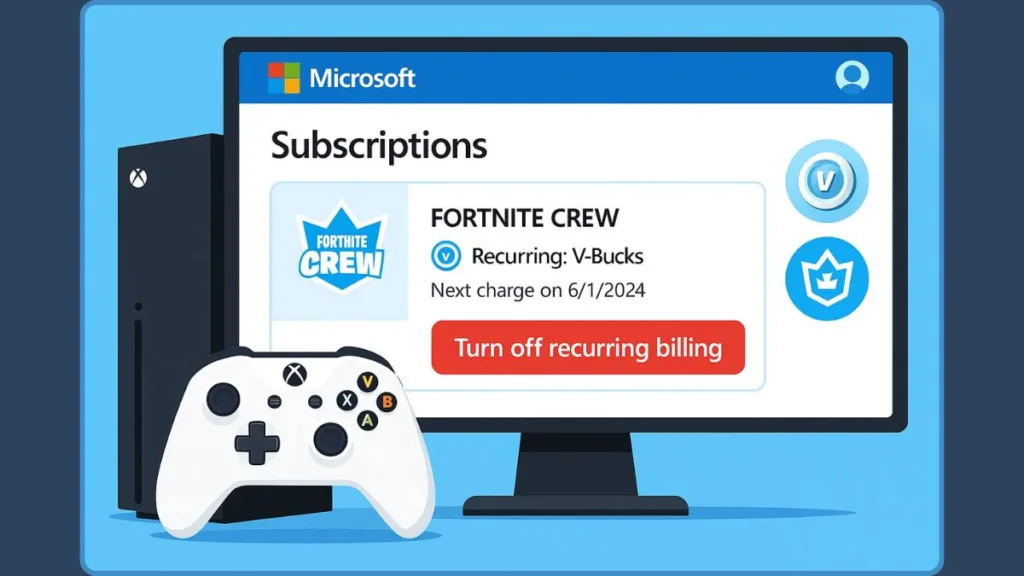
Step 1: Sign In to the Correct Microsoft/Xbox Account
Open a web browser (on PC, phone, or console), navigate to account.microsoft.com, and sign in using the same Microsoft/Xbox account that has Fortnite Crew.
Tip: Using the wrong Xbox profile is the #1 reason players can’t find their Fortnite Crew subscription.
Step 2: Navigate to “Services & Subscriptions”
Once logged in, click the “Services & Subscriptions” tab. This is where Microsoft lists all recurring services — including Fortnite Crew — even if they don’t show on your Xbox console.
Step 3: Locate Fortnite Crew in Your Active Subscription List
Scroll through your active subscriptions and look for “Fortnite Crew.” You’ll see the renewal date, billing frequency, and subscription amount listed clearly.
Step 4: Open the Billing Controls Using “Manage”
Next to Fortnite Crew, click Manage (or use the three-dot menu). This opens the billing control panel where cancellation options live.
Note: Both “Manage” and the three-dot menu lead to the same cancellation settings — choose whichever layout shows on your device.
Step 5: Select “Turn Off Recurring Billing” to Cancel
Inside the management screen, choose “Turn off recurring billing.”
This officially stops future charges without removing the benefits you’ve already paid for.
Good News: You keep your V-Bucks, Crew Pack items, and Battle Pass access until your billing period ends.
Step 6: Finalize Your Cancellation
Confirm the prompt that appears. Once done, the subscription will show as “set to expire,” ensuring no further charges will be applied.
Quick Check: Your benefits remain active until the exact end date shown in your subscription panel.
Alternative Method: Canceling Through a Web Browser on Phone/PC
Why Using a Web Browser Makes Cancellation Faster
If you’re not near your Xbox — or simply prefer to handle things on your phone or PC — you can cancel Fortnite Crew just as reliably using a web browser. This often makes the process faster and less confusing.
Using a browser gives you a cleaner layout, easier navigation, and direct access to your billing controls without dealing with console menus.
Good to know: Cancelling via the web portal is an official, fully supported method and works the same as cancelling on Xbox.
Step 1: Sign In to the Correct Microsoft Account
Head to account.microsoft.com and sign in using the same account linked to your Fortnite Crew subscription.
Most players miss the subscription because they log into the wrong Microsoft profile.
Step 2: Open the “Services & Subscriptions” Page
Once logged in, tap or click Services & Subscriptions.
This page displays every active service tied to your Microsoft account — including Fortnite Crew.
Step 3: Look for Fortnite Crew in the Active Subscription List
Scroll down until you find Fortnite Crew.
You’ll see details like your billing date, renewal schedule, and payment method.
Step 4: Use the “Manage” Button to Access Billing Options
Click Manage (or the three-dot menu).
This opens the subscription dashboard where you can control renewal settings.
Note: Both “Manage” and the three-dots lead to the same cancellation options.
Step 5: Turn Off Recurring Billing to Stop Charges
Inside the subscription panel, select Turn off recurring billing.
This stops future charges while letting you keep your benefits until the cycle ends.
You keep your Crew Pack, V-Bucks, and Battle Pass perks even after turning off auto-renew.
Step 6: Confirm Cancellation on the Final Prompt
Follow the confirmation prompt. Once done, your subscription switches to “set to expire”, ensuring no more billing occurs.
Common Issues Players Report (Reddit Insights) — with Some Verified Realities
Even though canceling Fortnite Crew for Xbox has a legit path, players often run into headaches and weird quirks.
Below are recurring issues — now backed up with official info and community reports — plus what you should watch out for.
Why Doesn’t Fortnite Crew Show Up on My Xbox?
“The fortnite crew subscription doesn’t actually appear in your subscriptions in your settings on your console…”
This is the top complaint. Many users open all the menus on their Xbox expecting to find Crew — but see nothing.
Reality check: On Xbox, Crew subscriptions aren’t displayed through the console’s subscription list. Instead, management is done via your Microsoft Services & Subscriptions page.
So if you don’t see Crew on the console — you’re probably looking in the wrong place, not facing a bug.
Why Does It Show on Epic but Not on My Xbox Billing?
Some players see their Crew status in-game or on their Epic account but not under Microsoft billing.
Why that happens:
- If the subscription was bought on Xbox, billing goes through Microsoft, not Epic.
- Epic only shows the active perks, not the billing source.
Bottom line: always check your Microsoft account, not Epic, for billing accuracy.
Which Account Even Has My Crew Subscription?
Shared consoles or multiple sign-ins cause tons of confusion.
If you’re logged into a different Microsoft account, you simply won’t see the subscription — even though it’s active on another profile.
Several Reddit users confirmed this is one of the biggest roadblocks.
Why Was I Charged Again After Cancelling?
A lot of players think cancellation works instantly — but that’s not how it functions.
When you cancel, you’re actually turning off recurring billing for the next cycle.
If your billing date is close, the next charge may have already processed.
This is a common frustration shared across Reddit threads.
Why Can’t I Update Payment or See the Manage Button?
Some users run into missing buttons, errors, or half-loaded subscription panels.
This happens due to:
- Wrong account sign-in
- Payment info not syncing
- Layout issues that hide the Manage button (especially on mobile)
Microsoft’s documentation highlights checking you’re on the correct account and using the platform where the subscription was originally purchased.
Why Is Game Pass Ultimate Making Things More Confusing Now?
Since Fortnite Crew became a perk with Xbox Game Pass Ultimate (Nov 18, 2025), things got trickier.
Players may now have:
- A Crew subscription through Game Pass
- OR a separate standalone Crew subscription
- OR both at once (yes, it happens)
This leads to overlapping perks and mixed billing signals.
Why Is There No Clear Menu Anywhere?
Many players try the obvious options — the Xbox console, Epic settings, in-game menu — long before finding the right spot.
The system’s design makes it look like a glitch, when it’s really just:
- Unclear UI paths
- Mixed info across platforms
- Hidden billing menus
All of this fuels the confusion consistently seen in Reddit discussions.
What Happens After You Cancel Fortnite Crew?
Once you turn off recurring billing, your subscription doesn’t disappear instantly — and that’s actually good. You still retain what you’ve already paid for until the current cycle officially ends.
Here’s how things play out, based on official policy and community reporting:
You Keep All Previously Acquired Rewards and Content
Even after canceling, your Crew Pack cosmetics, V-Bucks, and any perks unlocked while your subscription was active remain with you.
According to the official faq for Fortnite, if you pause or cancel your membership, you “retain all unlocked Stages, Battle Pass progress, cosmetics and V-Bucks.”
What this means: Cancelling doesn’t “delete” your stuff. What you’ve earned — you keep.
Your Subscription Status Switches to “Set to Expire”
After cancellation, the subscription is flagged as “not renewing.” You won’t be charged again.
During this “grace period,” you still get to use everything you had — the Crew Pack, skins, V-Bucks, Battle Pass access — until the next billing date arrives.
You Lose Access to Future Crew-Based Perks Once Cycle Ends
Because the subscription is no longer active, you won’t receive new Crew Packs, monthly V-Bucks grants, or future Battle Pass bonuses tied to Crew.
Also: starting December 2024, the rules changed. For players who cancel Crew and then try to claim premium Battle Pass rewards — those rewards only remain available while Crew is active. After the billing cycle ends, you lose premium-tier access.
Refunds Are Generally Not Available Once Billing Is Processed
Officially, Epic Games states that subscriptions “cannot be refunded” once charged — cancellation only prevents future renewals.
So if you cancel after the charge has processed, you won’t get a refund — but you retain all items granted for that subscription period.
You Can Re-Subscribe Anytime — Your Old Unlocks Stay Safe
If you ever decide to return to Crew, you can resubscribe and pick up from where you left off. Previously earned cosmetics and V-Bucks remain in your account through the break.
When You Should Request a Refund (and When You Can’t)
Canceling Fortnite Crew stops future charges — but refunds are handled under strict rules. Here’s when refunds are sometimes possible (or not), based on official policy and real user experiences:
When You Should Request a Refund
- If you were charged but didn’t intend to subscribe or forgot to turn off recurring billing. Mistakes happen — in those rare cases, you can try a refund request.
- If you got charged but never received the monthly perks (like V-Bucks, Crew Pack, or Battle Pass access) — that counts as “service not delivered,” which may make a refund request valid.
- If you were double-billed (for instance, you got Crew via standalone subscription and via Xbox Game Pass Ultimate) — you might have grounds for partial refund or dispute.
When Refunds Are Usually Denied
- According to the official policy: “Fortnite Crew subscriptions cannot be refunded.” Once the monthly fee is processed, it’s considered final.
- If you already redeemed or used the perks (V-Bucks, Crew Pack cosmetics, Battle Pass bonuses) — that counts as “benefit received,” making refunds unlikely.
- If the charge was processed and you cancelled after renewal — turning off auto-renew only stops future billing, doesn’t reverse a completed payment.
Where to Request Refunds (If Eligible)
- For Xbox/Microsoft — you can visit the Microsoft account’s billing portal and use its refund request workflow for digital subscriptions. But note: refunds for subscription products (like Crew) are generally treated as non-refundable per Microsoft’s digital-purchase refund policy.
- For issues like “no content received” or double charges, you may reach out to support — either through Xbox support or through the official refund/contact support link for Fortnite.
Friendly Tips Before You Try Requesting Refund
Check immediately after you see a charge. The faster you act, the better your odds (especially before perks get delivered).
Clearly document — date of charge, lack of perks, or double-billing evidence. That strengthens your request.
Understand that requests after perks are claimed are almost always denied, as both Microsoft and the maker treat subscriptions as non-refundable digital services.
FAQs
Why can’t I find the Fortnite Crew cancel option on my Xbox?
Because Crew billing is managed through the Microsoft Services & Subscriptions page, not the Xbox console menus.
Does canceling Fortnite Crew remove my rewards?
No. All earned items — Crew Pack, V-Bucks, and cosmetics — stay in your account permanently.
How do I know if my cancellation actually went through?
Your subscription will show as “set to expire” in Microsoft’s billing portal, meaning no future charges and perks until the end date.
Can I cancel Fortnite Crew without using my Xbox?
Yes. You can cancel via a web browser by signing in to your Microsoft account and accessing Services & Subscriptions.
Will I lose Battle Pass access if I cancel?
You’ll keep Battle Pass access until the current billing cycle ends; after that, you’ll need an active subscription or separate purchase.
Why is Fortnite Crew showing on my Epic account but not in Microsoft billing?
Because Epic shows perks — not billing. If you subscribed via Xbox, payments are managed and shown only in Microsoft billing.
Can I switch Fortnite Crew billing from one account to another?
No. The subscription stays tied to the original Microsoft account used to purchase it.
What happens if I cancel right after being charged?
You keep all benefits for the paid month; cancellation only stops future billing — refunds aren’t guaranteed.
Why did I get billed twice for Fortnite Crew?
Double billing often happens when a user has both a standalone Crew subscription and Crew via Game Pass Ultimate.
Can I rejoin Fortnite Crew later without losing my cosmetics?
Yes — you can re-subscribe any time. All previously earned items remain safe in your account.
Final Wrap-Up: The Fastest Path to Cancel Fortnite Crew on Xbox
Canceling Fortnite Crew doesn’t have to feel like a guessing game. Once you know where everything lives, the process becomes quick, clean, and completely stress-free. The key is remembering that the cancellation doesn’t happen on your console — it happens through your Microsoft account.
Here’s the simplest path to follow anytime:
- Sign in at account.microsoft.com
- Open Services & Subscriptions
- Find Fortnite Crew in the list
- Select Manage
- Turn off Recurring Billing (or “Cancel Subscription / Turn off auto-renewal”)
That’s it — no hidden menus, no console confusion, and no extra steps. Once you do this, your subscription will stay active until the end of the current billing cycle, and then it ends automatically.
Quick Reminder: After cancellation, your subscription switches to “set to expire”, and you keep all the perks you’ve already earned — Crew Pack items, V-Bucks, Battle Pass access — until the cycle ends.
Whether you’re trimming subscriptions or just taking a break, this method is the most reliable way to stay in control of your billing. And if you ever want to rejoin later — your items and progress remain safe.
Visit Our Post Page: Blog Page