
Can’t find the button? Learn how to cancel Netflix subscription in 2026 on any device (iPhone, Android, or Web). Follow these quick steps to stop auto-renewal and avoid future charges immediately.
Ready to move on from Netflix? Whether it’s the recent price hikes, a need to cut monthly expenses, or you simply aren’t watching enough, the Netflix cancellation process is actually easier than subscribing.
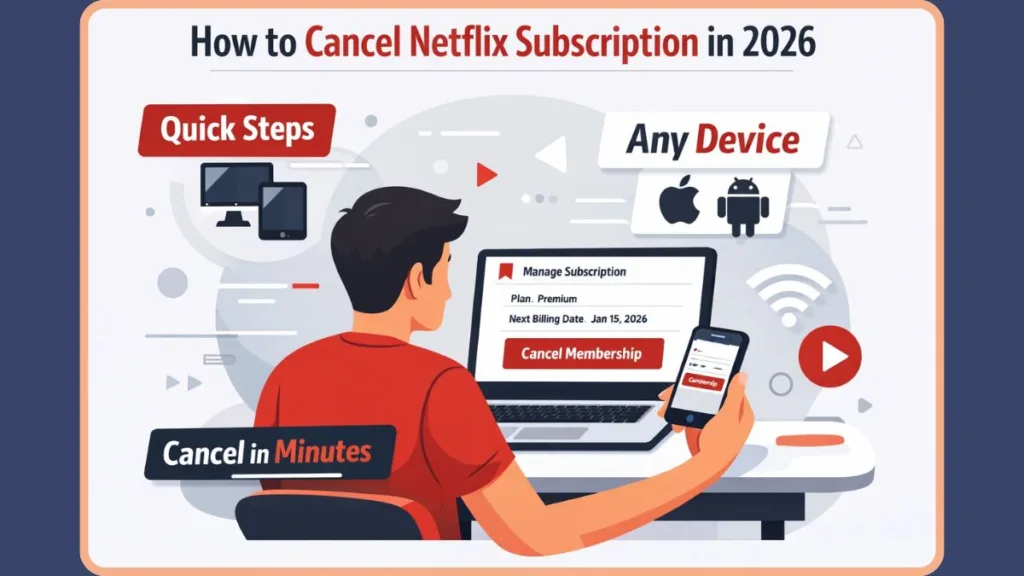
The good news is that learning how to cancel a Netflix subscription is straightforward, and you can always restart your membership later without losing your history. This guide walks you through exactly how to delete your Netflix account access, how the billing cycle works after cancellation, how pausing differs from canceling, and what happens to your viewing history.
How to Cancel Netflix Quickly: The 30-Second Version
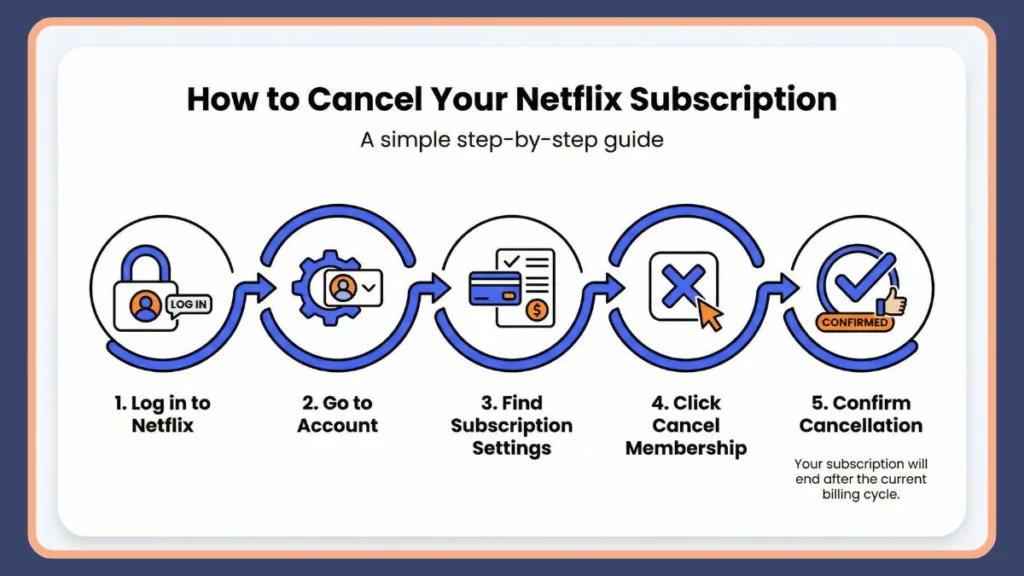
If you just want the fastest way to cancel your membership and turn off auto-renewal, follow these steps:
- Sign in to your Netflix account (use a web browser, not the app).
- Click your profile icon in the top-right corner.
- Select Account.
- Click Cancel Membership under the ‘Membership & Billing’ section.
- Choose Finish Cancellation to confirm.
That’s it. Once confirmed, your streaming service will not renew at the end of your current billing period.
Important: Simply logging out or deleting the Netflix app does not cancel your subscription.
How to Cancel Netflix on Desktop or Web Browser
Canceling through a browser is the most reliable method to manage your account settings and works on Windows, Mac, and Chromebook.
- Start by visiting Netflix.com and logging in.
- Hover over your profile icon in the upper-right corner and click Account.
- Under the Membership & Billing section, select Cancel Membership.
- Netflix will guide you through a confirmation screen. Click Finish Cancellation to complete the process.
You may be asked to provide a reason for canceling. This step is optional and does not affect your cancellation. Your account will remain active until the end of your billing cycle.
How to Cancel Netflix on iPhone or iPad
If you’re using the Netflix app on iOS, the cancellation process depends on how you originally subscribed.
If You Billed Directly Through Netflix
- Open the Netflix app and tap My Netflix at the bottom-right.
- Tap the menu icon (hamburger menu) in the top-right corner and choose Account.
- This will redirect you to your account settings in a mobile browser.
- Select Cancel Membership and confirm.
If You Subscribed via Apple – App Store
You must cancel through your Apple Subscriptions settings. Netflix cannot cancel this for you.
- Open your iPhone Settings.
- Tap your Apple ID at the top.
- Select Subscriptions.
- Find Netflix in the list and tap Cancel Subscription.
Note: If you don’t see a cancel option inside the Netflix app, it usually means your payment method is handled by Apple.
How to Cancel Netflix on Android
The process on Android is similar to iOS for ending your monthly fee.
If You Billed Directly Through Netflix on Android
- Open the Netflix app and tap My Netflix.
- Tap the menu icon in the top-right, then select Account.
- You’ll be redirected to your account page in a browser.
- Choose Cancel Membership and select Finish Cancellation.
If You Subscribed via Google Play Store
- Open the Google Play Store.
- Tap your profile icon.
- Choose Payments & Subscriptions > Subscriptions.
- Find Netflix and cancel from there.
Note: If the cancel button is missing inside Netflix, third-party billing is usually the reason.
How to Cancel Netflix If You Subscribed Through Apple, Google Play, or Roku
Many users sign up through third-party platforms. In those cases, Netflix does not control the billing. To confirm how you’re billed, check the Membership & Billing section of your Netflix account page.
- Apple: Cancel via Apple Subscriptions in settings.
- Google Play: Cancel via the Google Play Store subscriptions menu.
- Roku: Cancellation must be completed through your Roku account settings (usually by pressing the
*button on the channel or visiting my.roku.com).
New: How to Cancel Netflix on T-Mobile
If your Netflix is included in your “Netflix on Us” T-Mobile plan, you cannot cancel via Netflix.com.
- Log in to your T-Mobile account.
- Go to Manage Add-ons.
- Uncheck the Netflix service to stop the benefit. Warning: If you cancel your T-Mobile line entirely, your Netflix access stops immediately.
New: How to Cancel Netflix on Xfinity – Comcast
- Log in to your Xfinity account or use the X1 TV Box.
- Navigate to Apps & Subscriptions > Manage Services.
- Find Netflix and select Unsubscribe.
How to Remove an Extra Member: Instead of Cancelling
If you are paying for an Extra Member slot (due to the password sharing crackdown) and want to remove just that person to save money without cancelling your whole account:
- Go to your Account page in a browser.
- Scroll down to the Extra Members section.
- Click Manage Extra Members.
- Select Remove member (to keep the slot open) or Cancel Slot (to stop paying for it entirely).
- Confirm the change. The extra member will lose access immediately, and your bill will be lower next month.
Alternatives: Pausing or Downgrading
Before you leave, consider if a cheaper plan or a temporary break is a better fit for your budget.
Option 1: Pause Membership
Netflix offers a pause subscription option for up to 3 months. When you choose to pause, you continue watching until your current billing period ends. After that, your membership is paused, and you won’t be charged.
Limitations: Pausing is not available on the Standard with Ads or Basic plans, or if you pay via third-party partners.
Option 2: Downgrade to Standard with Ads
If price is the main issue, you can switch to the Ad-supported tier which is significantly cheaper.
- Go to your Account page.
- Select Change Plan.
- Choose Standard with ads.
- The change takes effect at your next billing date.
What Happens After You Cancel Netflix?
Many users worry about immediate loss of access. That doesn’t happen.
Once you cancel your subscription, you can continue streaming until the end of your current billing cycle. For example, if your billing date is the 25th and you cancel on the 10th, you can still watch until the 25th.
After that date:
- Your membership stops.
- You are no longer charged.
- Streaming access ends.
Note: If you paid with a gift card, you can continue using Netflix until the balance runs out. Netflix generally does not provide refunds for partial billing periods.
Does Netflix Delete Your Viewing History After Cancellation?
No, not immediately.
Netflix keeps your viewing activity, recommendations, ratings, and game saves for 10 months after cancellation. This allows you to restart your membership without losing your “Continue Watching” list.
If you rejoin within this timeframe, your account will look exactly as you left it. However, if your account remains inactive for longer than 10 months, you may need to start fresh with a new account.
How to Restart Your Netflix Membership
Rejoining is simple and instant.
- Sign in using your existing email and password.
- Click the Restart Membership button on your account page.
- Confirm your plan and update payment details if required.
Your previous profiles and recommendations will be restored if you are within the 10-month retention window.
Why Can’t I Cancel Netflix? Common Fixes
Can’t find the cancel button? You aren’t crazy—Netflix often hides it to avoid App Store fees or because of third-party billing.
- Check the Account: Verify you are logged into the correct email (many households have multiple).
- Check the Biller: Look at your bank statement. If it says “Apple” or “Roku” or “T-Mobile,” you must cancel through their portal, not Netflix.com.
- Check the Plan: Certain features like “Pause” are hidden on Ad-tier plans.
Frequently Asked Questions
Can I cancel Netflix anytime?
Yes. There are no long-term contracts. You can cancel anytime you choose.
Will Netflix refund me after canceling?
Generally, no. Netflix does not offer partial refunds for unused time within a billing period. Exception: If you signed up recently and haven’t streamed anything yet, customer support may grant a one-time refund upon request.
Can I cancel Netflix without the password?
You need account access to cancel. If you forgot your password, use the “Forgot Password” link to reset it before proceeding.
Can I cancel from the Netflix app?
Technically yes, but on iOS and Android, tapping “Account” will usually kick you out to a web browser to finish the process.
How long does Netflix keep my account data?
Netflix retains your history and recommendations for 10 months after cancellation.
Final Thoughts
Canceling Netflix is straightforward and takes only a few minutes. You remain in full control: stream until your billing period ends, pause if you’re eligible, and return anytime within 10 months to find your watchlist waiting for you.
When you’re ready to come back for the next season of your favorite show, restarting is just a click away.
Visit Our Post Page: Blog Page