
Can’t access your old email on Facebook? Discover the safest way to update your email in 2026, with step-by-step instructions for desktop and mobile.
Changing your email address on Facebook is one of the most important account management tasks you can perform. Your email is directly connected to your login credentials, account recovery options, and overall security settings. Whether you are switching to a new email, recovering from a compromised account, or simply updating your contact information, understanding how to change email on Facebook correctly is essential.
This guide provides detailed, step-by-step instructions for both desktop and mobile users, along with important precautions, troubleshooting solutions, and answers to commonly asked questions.
Why You Might Need to Change Facebook Email Address: Security, Access, and Account Recovery Explained
Your email address plays a central role in how your Facebook account functions. It is not just used for logging in, but also for receiving important notifications, password reset links, and security alerts.
There are several situations where you may need to change Facebook email address:
- If your current email has been hacked or compromised, updating your email ensures that unauthorized users can no longer access your account through it. Many users also change their email when they stop using an old provider or switch to a more secure or professional email address.
- In other cases, users simply want to keep their account details up to date or separate personal and work communications. Since your email is part of your account settings and primary contact information, keeping it current helps avoid future access issues.
Important Before You Start: Key Warnings Before You Change Email on Facebook
Before making any changes, it is important to understand a few key points to avoid losing access to your account.
Do not remove your old email address until your new email has been fully verified. Removing it too early can lock you out of your account if something goes wrong during the process.
When you receive a confirmation email, make sure it is sent from the official facebook.com domain. This helps you avoid phishing attempts or fake emails designed to steal your login credentials.
You will need your current Facebook password to confirm any changes. This is part of Facebook’s security settings to ensure that only the account owner can make updates.
Finally, your new email will not work for login until it has been verified through the confirmation link or code sent to your inbox.
How to Change Email on Facebook Desktop: Step-by-Step Instructions Using Account Settings
If you are using a desktop or laptop computer, the process is straightforward and can be completed in a few minutes.
- Start by opening Facebook in your web browser and logging into your account using your current email and password.
- Once you are logged in, locate the down arrow icon in the top-right corner of the screen. Clicking this will open a dropdown menu. From there, select “Settings & Privacy,” and then click on “Settings.”
- You will be taken to the General Account Settings page. In this section, look for “Contact info,” where your current email address is listed. Click the “Edit” option next to it to expand the section.
- Next, choose “Add another email or mobile number.” A new window will appear asking you to enter your new email address. Type in the new email carefully to avoid errors, and then click “Add.”
- Facebook will ask you to enter your account password to confirm the change. After entering your password, submit the request.
- At this point, Facebook will send a confirmation email to your new address. Open your email inbox, locate the message, and click the confirmation link provided.
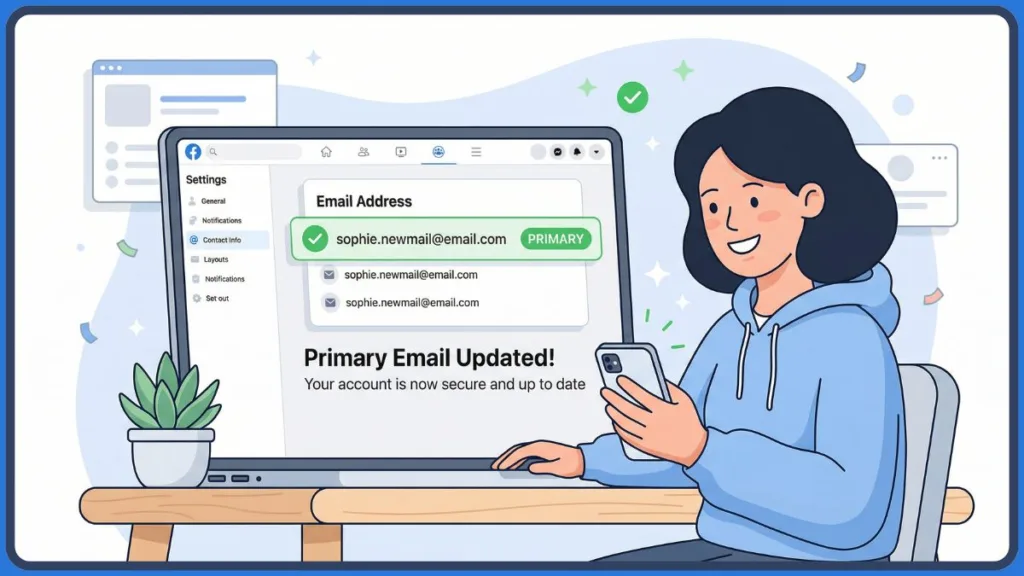
- Once the verification is complete, your new email will be added to your account and typically set as your primary contact automatically.
This method is ideal for users looking for how to change facebook email on desktop with clear and controlled navigation.
How to Change Email on Facebook App: iPhone & Android Step-by-Step Guide
If you prefer using your smartphone, Facebook allows you to update your email directly through the mobile app.
- Begin by opening the Facebook app on your device. After the app loads, tap the menu icon, which appears as three horizontal lines. On Android devices, this is usually located in the top-right corner, while on iPhone, it appears in the bottom-right corner.
- Scroll down and tap on “Settings & Privacy,” then select “Settings.”
- Within the settings menu, look for the section labeled “Personal details” or “Account settings.” Tap on it, and then select “Contact info.”
- Here, you will see all email addresses and phone numbers linked to your account. Tap on “Add email address.”
- Enter your new email address in the provided field, along with your Facebook password. Then tap “Add Email” to proceed.
- For security verification, Facebook may ask you to enter your password again. After this step, a confirmation code will be sent to your new email address.
- Open your email inbox, find the message from Facebook, and copy the confirmation code. Return to the app, enter the code in the required field, and tap “Confirm.”
- Once the code is verified, your new email will be successfully added to your account.
This process works for users searching for how to change email on facebook app, how to change email on facebook iphone, and how to change facebook email on android.
How to Change Primary Email on Facebook: Set Your New Email as Primary Contact
After adding a new email address, you may want to set it as your primary email. The primary email is the one Facebook uses for login, notifications, and account recovery.
- To do this, go back to the Contact info section in your account settings. Locate your newly added email address and select the option to make it your primary contact.
- Save your changes to confirm the update. Once this is done, all future communications from Facebook will be directed to this email.
How to Remove Old Email from Facebook: Safely Update Your Contact Info
Removing an old email address is recommended once your new email is fully verified and set as primary.
- Navigate to the Contact info section again, find the email address you no longer want to use, and click “Remove.”
- This step helps improve your account’s security and ensures that outdated or unused emails are no longer linked to your profile.
What to Do When You Can’t Change Email on Facebook
Sometimes, users encounter issues while trying to change their email. If that happens, the following checklist can help resolve common problems.
- If you are not receiving the confirmation email, check your spam or junk folder. Email providers sometimes filter automated messages incorrectly.
- If the email is still not found, use the option to resend the confirmation email from Facebook. Ensure that you entered the correct email address without any spelling mistakes.
- If you cannot remember your password, use Facebook’s account recovery process to reset it before attempting to change your email.
- If the confirmation code was sent to the wrong email, remove the incorrect email and add the correct one again. Then request a new confirmation code.
- If the issue persists, try accessing your account from a different browser or device, as temporary glitches can sometimes interfere with settings changes.
FAQ: Changing Facebook Email Address
How do I change my email address on Facebook?
You can change your email by going to Settings, selecting Contact info, adding a new email, verifying it, and setting it as your primary contact.
Why can’t I change my email on Facebook?
This issue usually occurs due to incorrect password entry, unverified email, or temporary technical problems. Verifying your details and trying again usually resolves it.
Can I change my Facebook email without logging in?
No, you must log in to your account or use the account recovery process to update your email address.
How long does it take to change email on Facebook?
The process is completed immediately after you verify your new email address using the confirmation link or code.
What happens if I remove my email from Facebook?
If you remove your email without adding another contact method, you may lose access to your account. Always add and verify a new email first.
Why am I not receiving Facebook confirmation code?
Check your spam folder, confirm that you entered the correct email address, and request the code again if necessary.
Can I use multiple emails on Facebook?
Yes, Facebook allows multiple email addresses, but only one can be set as your primary contact.
What is Meta Accounts Center?
Meta Accounts Center is a centralized place where you can manage your personal details, contact info, and login credentials across connected platforms.
Final Thoughts
Understanding how to change email on Facebook is essential for maintaining control over your account. By following the correct steps and verifying your new email properly, you can ensure uninterrupted access and improved security.
Always take your time when entering a new email address, confirm it before removing the old one, and regularly review your account settings. Keeping your contact information updated is one of the simplest yet most effective ways to protect your online presence.
Visit Our Post Page: Blog Page