
Learn how to change your last name on Facebook in 2026. Follow the latest Meta Accounts Center steps, understand the 60-day rule, and safely update or remove your surname without errors.
Quick Answer: Facebook only allows single-name profiles in specific regions like Indonesia where mononyms are culturally common. In most other countries, you cannot simply remove your last name. To do so, you must either submit an official mononym request (requiring ID) or use region-based access to trigger the specific naming rules that allow single names.
You cannot normally remove your surname on Facebook. The platform requires both a first and last name in most countries as part of its real-name policy. However, there are limited exceptions based on regional naming systems, and there is also an official mononym request process in rare cases. If your goal is privacy, anonymity, or cultural accuracy, you do have options — but they come with rules, risks, and restrictions.
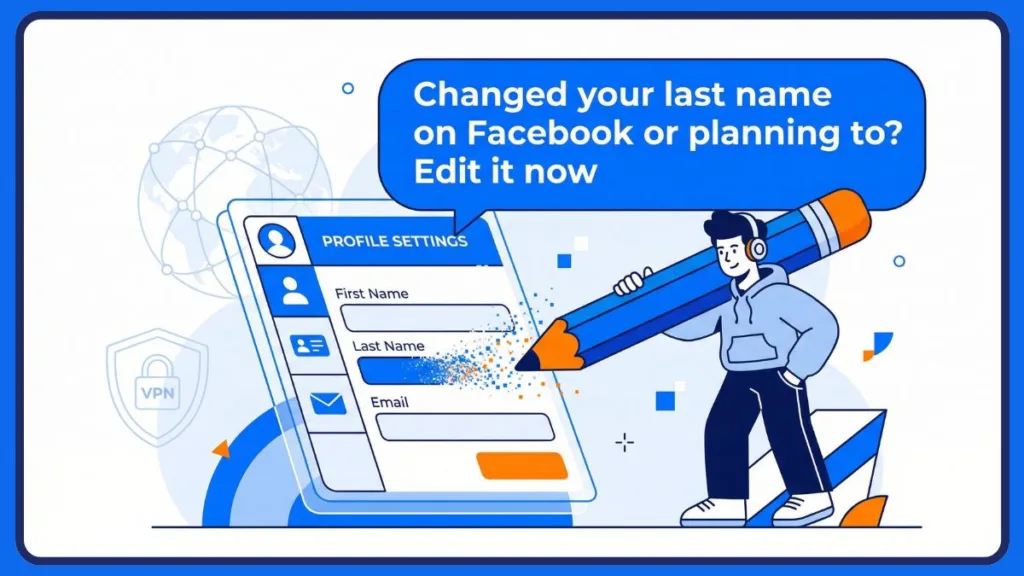
This guide explains exactly how Facebook handles single-name profiles, what actually works right now, what no longer works, and what happens after you make the change. The steps below reflect the current interface inside the Meta Accounts Center, not the outdated “General Settings” layout from older versions. We will also cover essential tools like VPN services and specific browser configurations needed to access regional naming rules.
Why Facebook Enforces the Real-Name Policy and Surname Requirement
Facebook enforces a real-name policy to reduce impersonation, fraud, and abuse. According to the platform’s name standards, profiles must reflect the name you use in everyday life. The system restricts the use of symbols, numbers, unusual capitalization, or multiple languages in ways that appear misleading. It also does not allow phrases, titles, or descriptions in place of a proper name. Offensive or misleading names can result in account review or temporary restrictions.
For example, names that include titles like “Dr.,” “Sir,” or “Queen” are often flagged immediately. Similarly, attempting to use a nickname combined with symbols (e.g., “J@ne D0e”) triggers automated filters designed to maintain platform authenticity.
The requirement for a surname exists primarily to strengthen identity verification processes, ensuring users are real people. It also improves search accuracy so friends can find you among thousands of “Johns” or “Sarahs,” reduces duplicate accounts created for spam or scraping, and prevents the impersonation of public figures or private individuals.
When both first and last names are present, it becomes easier for Facebook to distinguish between millions of users with similar first names. That is why most users in countries like India, the United States, and the United Kingdom cannot simply leave the last name field blank. This rule is enforced at the system level, meaning the name field validation is automated and region-aware.
Is It Possible to Have a Single Name on Facebook?
Yes — but only in specific regions where mononyms are culturally common.
In countries such as Indonesia, many individuals traditionally use a single name without a surname (e.g., “Suharto” or “Sukarno”). Because of this cultural difference, Facebook’s regional system allows single-name profiles there. In most other countries, however, the system blocks attempts to remove the surname because the platform expects a two-name structure.
This is not random. Facebook’s backend applies naming rules based on your detected region, IP address, and account signals. That is why your physical or detected location matters when editing your Facebook name. It is similar to how streaming services restrict content libraries based on your geographic location; your display name settings are geo-fenced.
Official Method: How to Request a Mononym on Facebook
If you genuinely do not have a surname, Facebook provides a formal request process through its help system. This is often relevant for users from specific cultures or celebrities with established mononyms (like Cher or Madonna), though the latter usually requires a verified page status.
You can submit a request explaining that you legally use only one name and that you do not have a last name. In most cases, Facebook may ask you to provide identification documents that reflect a single-name structure. Examples of accepted ID might include a passport, driver’s license, or national identity card where the surname field is explicitly blank or absent. If the review team is satisfied that your name is legitimate and matches your identification, Facebook may approve your request and allow your profile to display only one name.
Note: It is important to understand that approval is rare and usually reserved for users whose legal documents clearly support a mononym structure. If the name on your account does not match official documents, your request may be rejected. This remains the safest and most policy-compliant option available.
If your account is tied to other services inside Meta’s ecosystem (like Instagram or Messenger), the review may also consider cross-platform consistency. For instance, if your Instagram is linked and uses a full name, the discrepancy might cause the request to fail.
Regional Method: Using Location-Based Validation to Remove Surname
Because Facebook’s system adapts based on region, some users temporarily access Facebook from Indonesia in order to remove their surname. This method relies on location-based validation rules rather than exploiting a technical bug. The system recognizes Indonesia as a region where single-name identities are common, which makes the surname field less rigid.
This approach typically involves using a VPN service to obtain an Indonesian IP address. Reliable options like OpenVPN Connect (often used with specific config files) are popular for this purpose. The key detail is timing: you must connect before opening Facebook. If Facebook loads while connected to your original region, the name validation rules will not change.
Warning: Before proceeding, you should understand that after changing your name, you cannot change it again for 60 days. Facebook may also review your profile later if the system flags unusual changes. In certain cases, you could be asked to verify your identity to confirm that the name on your profile is legitimate.
Step-by-Step Guide: Change Facebook Name Without Surname on Mobile (Android & iPhone)
To begin, connect your device to a VPN server located in Indonesia. Ensure your connection allows for secure HTTPS traffic. Once the connection is stable, follow these steps:
- Initial Connection and Login: Open the Facebook app and log into your account. Note that using Facebook Lite or a mobile browser is often more effective if the main app caches your location. Tap the Menu icon (the three horizontal lines), then navigate to Settings & Privacy and open Settings.
- Navigating the Interface: Do not look for “General Account Settings” as older guides suggest. Instead, scroll to and tap Meta Accounts Center, which is now the central location for profile details across Facebook and Instagram. Inside Accounts Center, select your Facebook profile and tap on the Name section.
- Applying the Change: In the Last Name field, delete your surname completely. Press the space bar once so that the field is not technically empty. This prevents the field from being treated as empty by the interface validation. Tap Review Change and confirm the update using your Facebook password.
- Finalizing the Update: Save the changes. Once processed, your profile should display only your first name. If the VPN disconnects during this process, the system may reject the edit. Users on iOS devices should ensure that Location Services are disabled for the Facebook app to prevent GPS data from conflicting with the VPN IP.
Desktop Guide: Hide Your Last Name on Facebook via Browser
On a desktop browser, the process follows the same structure but through the web interface. This method is often preferred by advanced users who want to inspect element code or clear cookies easily:
- Setup and Access: Connect your browser to an Indonesian VPN server or a secure proxy that provides an Indonesian IP address. Go to facebook.com and log into your account. Click your profile picture in the top-right corner and select Settings & Privacy, followed by Settings.
- Locating the Setting: Access Meta Accounts Center rather than staying in the standard settings panel. Choose your profile and click on the Name option.
- Executing the Change: In the last name field, remove your surname and insert a single space to satisfy the field requirement. Click Review Change, confirm your password, and save the changes. The update typically reflects immediately on your profile page. If the system shows a validation error, refresh while still connected to the Indonesian server and retry. Some users also find success using the mobile-optimized site (m.facebook.com or mbasic.facebook.com) on their desktop browser to simplify the interface.
Consequences of Using a Single Name on Facebook
This is where many users misunderstand the process and overlook important consequences regarding account health and discoverability.
Understanding the 60-Day Name Change Restriction
Facebook allows name changes only once every 60 days. After removing your surname, you must wait two months before making another modification. If you attempt to change your name frequently, Facebook’s automated system may extend the waiting period to 120 days or even apply temporary restrictions. This lock is enforced at the account level and cannot be overridden manually.
Risk of Identity Verification and Account Checkpoints
Single-name profiles can sometimes trigger automated review systems. If your account is flagged, you may receive a notification requesting verification (often called a “checkpoint”). Facebook may ask for government-issued identification to confirm that the name on your profile reflects your real identity. During this review, your profile name may temporarily revert to your previous name or remain pending approval. This is more likely if your account previously had multiple name changes or recent suspicious login activity.
Impact on Search Visibility and Profile Discoverability
Removing your surname can make it more difficult for friends, colleagues, or family members to locate your account. Many people search by combining first and last names, and without a surname, your discoverability may decrease significantly. While this increases privacy, it can also create confusion if multiple users share the same first name. You are trading search precision for anonymity. Consider updating your About section or profile picture to help friends recognize you.
Patched Methods: Old Facebook Single Name Tricks That Failed
Over the years, several tricks circulated online that claimed to remove the surname requirement. Most of these methods are now patched due to security updates.
- Tamil Language Method: Previously, users could change the Facebook language to Tamil and remove the surname through older interface versions. That method relied on an older validation logic that no longer exists.
- Apostrophes: Others attempted to use an apostrophe (e.g., “John ‘”) in place of a surname or leave the last name field completely blank.
- Language Switching: Some switched interface language to Bahasa Indonesia without changing their IP region.
- JavaScript Injection: Old tutorials often suggested pasting specific JavaScript code into the browser console to force the “Save” button to activate. Facebook has patched these client-side vulnerabilities.
Facebook’s current name validation is server-side, not just interface-based, which is why these older workarounds rarely succeed today.
Can You Use a Single Letter as a Facebook Surname?
Technically, Facebook may accept a single letter or symbol (like “K” or “.”) in certain situations. However, doing so often increases the likelihood of identity verification. A single-letter surname may violate name standards depending on the region, and Facebook may later revert the change if the system detects irregular formatting.
Using symbols or numbers as substitutes for a surname also increases the chance of account review. While it may temporarily work, it is not considered stable or fully compliant under Facebook’s naming standards.
Troubleshooting: Why You Can’t Remove Last Name on Facebook
If the change fails, several issues could be responsible. Use this checklist to diagnose the problem.
Sometimes the VPN or proxy is not properly connected before Facebook loads, which causes the system to apply your original regional rules. Ensure your IP address actually shows as “Indonesia” on a site like WhatIsMyIP. In other cases, you may receive an error message stating that the name does not follow Facebook guidelines. Logging out, reconnecting to the Indonesian server, and attempting the process again can sometimes resolve this issue.
If your last name is restored automatically after some time, your profile may have been flagged for review by Facebook’s automated systems. Finally, if you are unable to save changes at all, log out completely, reconnect to the regional server, clear your browser cache and cookies, and then log back in before editing the name field again.
If Facebook consistently rejects your changes, submitting a formal mononym request remains the safest alternative.
Critical Limitations and Risks of Modifying Name Configuration Outside Standard Regional Rules
Before deciding to remove your surname, consider the long-term implications. Facebook policies change frequently, and regional detection systems may tighten without notice. Repeated name edits can increase the risk of account restrictions. You may also be required to verify your identity unexpectedly if your profile is flagged.
This method works due to regional name recognition rather than a global removal of the surname requirement. Stability depends on Facebook’s current validation logic, which can change at any time. Furthermore, if you lose access to your account, recovering it without a last name on your ID can be complicated.
FAQ About Changing Facebook Name to One Word
Removing Last Name Without a VPN
In most regions, no. Facebook requires a regional exception for single-name profiles, and without that regional context, the system will block the change.
Legitimacy of Single-Name Accounts
Using a single name is allowed only in regions where mononyms are culturally recognized. Outside of those areas, Facebook expects both a first and last name.
Account Safety and Ban Risks
Facebook typically requests verification before applying severe penalties. However, repeated violations of name standards or failure to provide identification could lead to restrictions or an account lock.
Creating New Mononym Accounts
The same regional restrictions apply to new accounts. Creating a new profile does not automatically bypass surname requirements because validation rules are region-based.
Bypassing the 60-Day Rule
No. The 60-day rule is strictly enforced once you confirm a name change. You must wait for the cooling-off period to end.
Summary: Key Takeaways on Facebook Mononyms
Facebook requires a surname in most countries to maintain identity verification and reduce impersonation risks. Single-name profiles are allowed in regions like Indonesia where mononyms are culturally common. The official mononym request is the safest approach for users who legally have only one name. Regional access through a VPN or proxy can sometimes enable surname removal, but a 60-day name change restriction applies immediately after editing. Identity verification may also be required later depending on account review systems.
Final Thoughts on Facebook Privacy and Naming Standards
Changing your Facebook name without a surname is possible under certain conditions, but it is not universally supported. If privacy is your primary concern, consider reviewing your overall profile visibility settings alongside your name configuration inside Meta Accounts Center.
Before making changes, weigh the trade-off between anonymity and account stability. Understanding Facebook’s regional policies, server-side validation, and name standards ensures you make informed decisions rather than risking unnecessary account issues.
Visit Our Post Page: Blog Page