
Being in the wrong Roblox age group can instantly limit what you can do on the platform. Let’s learn how to change your age group on Roblox. And unlock the features you should already have — from chat and voice access to joining 13+ or 17+ experiences. Updating your age group is simply about getting your account to reflect your real age, so you can enjoy the tools and content meant for you.”
Why Your Roblox Age Group Matters More Than Ever
Changing your age group on Roblox has become a major concern for players — especially with Roblox rolling out stricter age-based controls, upgraded AI age detection, and expanded categories like Under 13, 13+, 17+, and 18+ access. These groups determine what you can do on the platform, including chat, voice chat, mature experiences, game access, and detailed privacy settings.
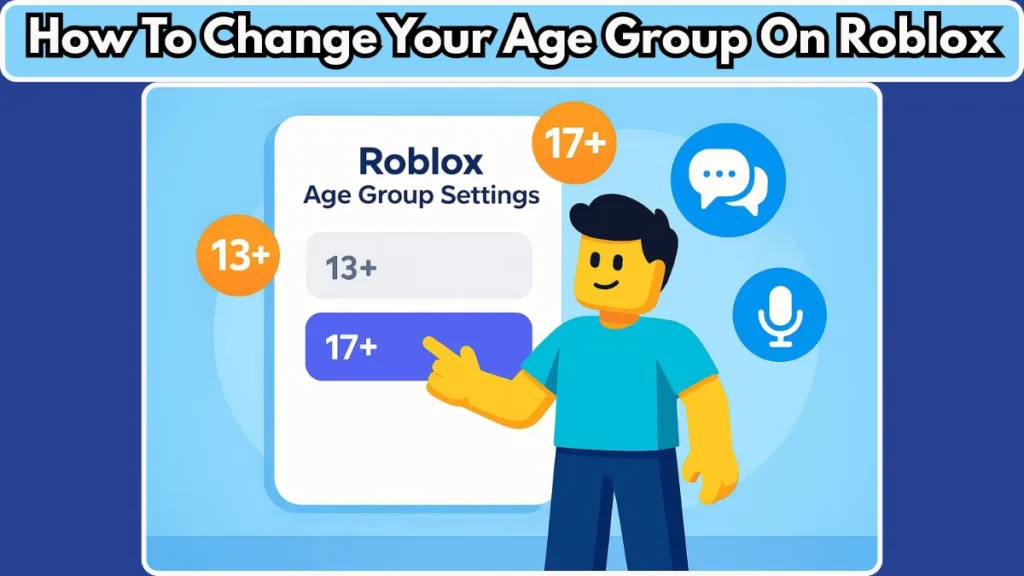
So when your account lands in the wrong age category, it can instantly limit your gameplay and overall experience.
How Players End Up in the Wrong Roblox Age Group
Many players report that Roblox placed them in an incorrect age group, often due to a birthday mistake, a misread face scan, or the system auto-assigning an age group that doesn’t match their real age.
This issue has grown since Roblox introduced AI age estimation, which predicts whether someone is under 13, 13–16, 17+, or 18+ using facial analysis. While meant to improve safety, it’s not always accurate — causing players to lose features they previously enjoyed.
Why So Many Players Are Searching for an Age Group Fix
Because of these changes, thousands of players try to figure out how to change Roblox age group, unlock age-restricted settings, or fix a misclassified account. Being placed in the wrong category can block your ability to:
- Enter 17+ experiences
- Access 13+ chat features
- Use voice chat
- Join friends in certain games
Understanding how Roblox’s system works becomes essential when these restrictions get in the way.
This guide lays everything out clearly, helping you understand what determines your age group, how these restrictions affect your account, and what real options you have to update or correct your age placement.
The goal is simple: make sure your Roblox account reflects your actual age, so you can unlock the features and experiences you’re supposed to have.
How Roblox Age Groups Actually Work (Important Foundation)
Understanding how Roblox age groups are assigned helps you clearly see why certain features are locked — and what changes when you update your age status. Roblox doesn’t rely on just one method. It combines birthday data, age-verification, and a newer AI-based age-estimation system to decide whether you belong to Under 9, 9–12, 13–15, 16–17, 18–20, or 21+.
This structure is part of Roblox’s updated safety model.
Birthday: The Original Basis for Your Age Group
When you first create a Roblox account, the birthdate you provide determines your initial age group. This information shapes your immediate access to chat, friend interactions, and experience eligibility.
Because of privacy and safety rules, Roblox locks your birthday after it’s saved, which means it can’t be freely edited later.
This becomes a common issue when players mistype their birthdate or when their real age no longer matches the restrictions on the account.
Age Verification: The Official Method That Updates Your Age Group
Roblox offers age verification to confirm your real age and, if valid, automatically update your content category. This verification uses government-issued ID such as a passport, driver’s license, or residency card.
Passing age verification unlocks additional features for users over 13, including:
- Access to direct messaging
- Ability to send and receive connection requests
- Use of voice chat
- Fewer restrictions on content maturity levels
This is the formal way to correct or confirm your age so your age group reflects your actual age.
AI Age-Estimation: Automated System That Assigns Age Brackets
Roblox also uses AI age-estimation technology, where users take a selfie or short video scan. The system analyzes facial features to estimate your age range and assigns your account to one of the brackets: Under 9, 9–12, 13–15, 16–17, 18–20, or 21+.
While this system is useful for large-scale safety checks, it isn’t perfect. Lighting, facial structure, or camera quality can cause incorrect estimates, which may place users in the wrong age group.
Roblox allows players to fall back to ID verification if this automated estimate seems inaccurate.
What Each Roblox Age Group Unlocks
Roblox uses age groups to determine which communication tools, content maturity levels, and features a player can access.
Under 9 / 9–12: Limited chat, stricter privacy rules, and restricted game access.
13–15 / 16–17: Expanded chat options, ability to add email/phone, join group chats, use voice features (after verification), and access more varied experiences.
18–20 / 21+: Full adult-level access, including mature content, unrestricted communication tools, and advanced privacy controls.
Knowing how birthday, ID verification, and AI age estimation combine to determine your age group helps you understand why features may be locked or unavailable.
This foundation also prepares you for the next steps on how to correct or change your Roblox age group if it isn’t aligned with your real age.
Why You Might Be in the Wrong Age Group
Landing in the wrong Roblox age group is more common — and often more complicated — than many users expect. Because Roblox uses several overlapping systems to set your age category, even a small mistake or mismatch can push your account into the wrong bracket.
Here are the main ways this can happen, along with accurate details based on Roblox’s updated age-assurance tools and user reports.
Mistaken Birthday Entry at Signup
Sometimes the issue starts from day one. If you accidentally enter the wrong birthdate during account creation, Roblox will categorize you incorrectly from the beginning.
Once saved, that birthday becomes the baseline for all age-dependent permissions — and Roblox locks your birthday, meaning you cannot freely edit or update it later.
For many players, this explains why they never gained access to chat, voice features, or age-restricted experiences, even though their real age should qualify them.
AI Age-Estimation or Face Scan Misclassifies You
In 2025, Roblox expanded its age-assurance tools by introducing AI age-estimation, often referred to as a “face scan” or “video selfie check.”
This system analyzes your facial features to estimate whether you fall into Under 9, 9–12, 13–15, 16–17, 18–20, or 21+.
Because facial AI isn’t perfect, factors like poor lighting, camera quality, or natural facial structure can cause a wrong age group assignment.
Some players report being placed in a younger bracket, while others are unexpectedly categorized as older. This misread can instantly limit key features such as messaging, chat, or content access.
Unverified Account Defaulting to Stricter Restrictions
If your account has no ID verification or face-scan verification, Roblox tends to assign a safer, more restrictive age bracket by default.
This means that even if your birthday suggests you are eligible for 13+ or 17+ features, Roblox may still block access until you complete a verification step.
This default system explains why many players, especially teens, suddenly notice missing communication or content features.
Parent or Guardian Account Restrictions Affecting Your Age Group
For younger users, a connected parent or guardian account may enforce Account Restrictions. These settings can override your age bracket and restrict access to certain features, even if your real age qualifies you for a higher tier.
Parents can limit privacy settings, block chat, or restrict content maturity, which can make it appear as though your age group is incorrect when the restriction actually comes from parental control settings.
System Errors, Verification Failures, or Incorrect Data Handling
In some instances, users encounter problems caused by technical issues. Documented cases include:
- Valid ID submitted for age verification, but Roblox assigns an incorrect birthdate anyway.
- Face-scan verification failing due to facial visibility issues, lighting, or camera angle.
- Age verification completing successfully, yet the account does not receive verified status, leaving the age group unchanged.
These technical issues can leave players stuck in restrictive brackets with no clear reason.
Why Recognizing the Root Cause Matters
Being aware of these different causes — incorrect birthday entry, AI misreads, skipped verification, guardian restrictions, or system glitches — helps you understand exactly why your Roblox account shows the wrong age group.
Once the exact cause is clear, you can choose the correct solution in the upcoming sections, saving time and frustration while restoring the features you should have access to.
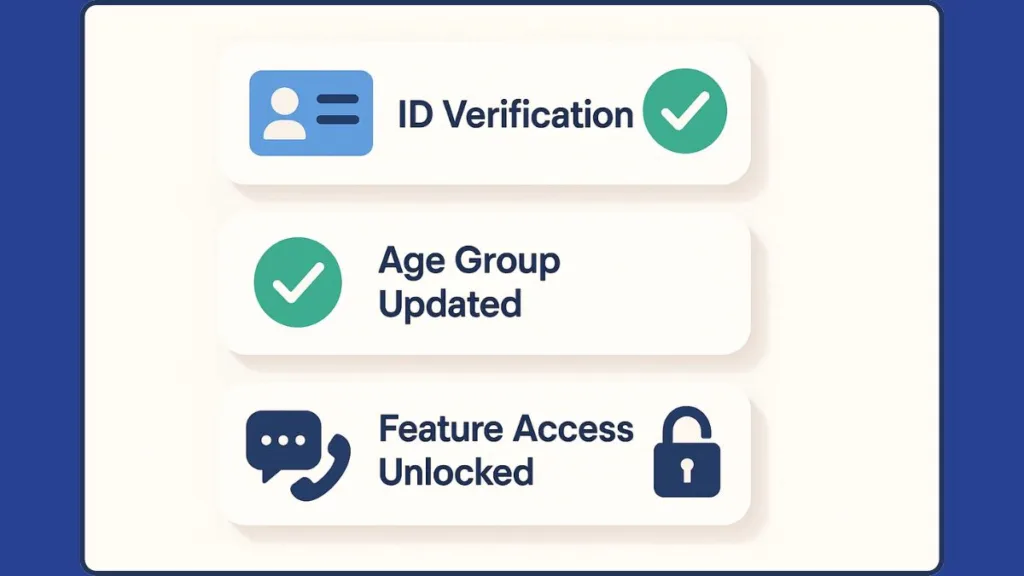
Best Way to Change Roblox Age Group: ID Verification (Fastest & Most Accurate Method)
Using ID verification is the most accurate and officially recognized way to correct your Roblox age group, especially if your account was placed in the wrong bracket by mistake or through AI estimation. Roblox partners with a trusted third-party provider to securely verify identification documents and confirm your age.
Roblox accepts a variety of government-issued IDs, including:
- Passports
- Driver’s licenses
- State ID cards
- Residency permits
- National identity cards
These document types are listed in Roblox’s official verification support guidelines.
How Roblox ID Verification Works to Update Age Group
The verification process uses a combination of document scanning and selfie matching to confirm identity and age. Here’s the detailed step-by-step flow:
- Open Settings > Account Info, then select Verify My Age.
- Scan the QR code with your mobile device, which opens the secure verification portal.
- Upload or scan your supported government ID.
- Take a selfie to prove the ID belongs to you.
- Submit the verification for review.
Roblox stores only the verification result — the actual ID photos and biometric data are handled by the third-party service and deleted according to their policy immediately after the check. This aligns with Roblox’s privacy assurance guidelines.
Most verifications are completed in under five minutes, though some may take longer depending on document clarity or regional requirements.
What ID Verification Unlocks in Roblox
Once your age is verified, Roblox updates your age group automatically. This unlocks:
- 13+ chat features (voice, text, invites)
- Access to Mature (17+) experiences
- Use of voice chat and additional communication tools
- Expanded content maturity settings
- Ability to join specific games restricted by age
- Better personalization features tied to age-appropriate access levels
Players who were misclassified by AI age-estimation often regain full access instantly once ID verification completes.
Fixing Wrong Roblox Age Group Without ID: How Roblox Support Can Help
If you cannot complete ID verification — whether due to lack of documents, technical issues, or age-estimation failures — contacting Roblox Support is the next practical solution. Support agents can review unique cases individually and correct your age group when automated systems fail.
This is particularly useful when:
- A face scan misread your age
- You entered a wrong birthday and cannot change it
- Your verification completed but age group did not update
- System glitches caused your age bracket to shift unexpectedly
- You are a minor without legal ID
Multiple user reports indicate that support has fixed age misclassification without requiring ID in cases involving technical errors or AI inaccuracies.
How to Submit Roblox Age Group Correction Request
- Visit the Roblox Support page.
- Fill in your account information (username, email, device).
- Choose Account Information or Age Verification under the “Type of Help” section.
- Clearly describe the issue — for example, “My age group is incorrect due to an AI estimation error” or “Support needed to correct wrong age group”.
- Attach optional screenshots showing your current age classification or verification attempt.
- Submit your request and check your email for updates.
Roblox may ask for additional details depending on your situation. In cases involving minors, support may require parental confirmation.
What Roblox Support Can Fix for Age Group Problems
Roblox Support can:
- Correct wrong age group assignments
- Restore missing chat, voice, or game access
- Remove incorrect restrictions placed by AI
- Update age classification after system errors
- Provide alternative verification paths for users without ID
If you were affected by misclassification, this method helps restore your account to the correct age category even when ID is not available.
How Parents Can Change Roblox Age Group for Kids (Supervised & Child Accounts)
For players under 18 using supervised accounts, a parent or guardian has full control over the child’s safety and content settings. This means a parent account can influence — and in many cases fix — a child’s Roblox age group or content access level.
Roblox’s Parent Account / Supervised Accounts system allows adults to manage safety tools, privacy controls, and experience permissions for minors. Sometimes a child appears to be in the wrong age group simply because these restrictions are activated.
How Roblox Parent Controls Impact Age Group & Access
Roblox allows parents to manage:
- Account Restrictions (locks all settings to the safest level)
- Who the child can chat or interact with
- What content maturity level they can access
- Whether the child can join 13+ or Mature experiences
- Ability to modify privacy and communication tools
In supervised accounts, these settings may override automatic age-group placement.
How Parents Can Correct Their Child’s Roblox Age Group
If your child is in the wrong age category or missing features appropriate for their age:
- Log into the parent account.
- Open the child’s profile under Supervised Accounts.
- Review and adjust Account Restrictions if they’re limiting age-appropriate features.
- Complete Age Verification on behalf of the child if Roblox requires it. Parents can legally verify their child’s age using their own documentation when applicable.
- Ensure the child’s birthdate (if editable) or age status reflects the correct information.
- If the wrong age group persists, contact Roblox Support to request manual correction.
Roblox may require parental consent or identity confirmation for any age-related change involving minors.
Why Parental Oversight Matters for Roblox Age Group Accuracy
Children often lose access to age-appropriate features because of strict parental controls rather than incorrect age classification. By reviewing these settings, parents can ensure their child safely accesses the right experiences, communication tools, and content categories based on real age.
Troubleshooting Roblox Age Group Not Updating After Verification
Even after completing Roblox age verification, some users find that their age group still isn’t updating. This can lock you out of 13+ chat, voice features, or mature experiences, even though you followed every required step.
Below is a more detailed breakdown of the most common reasons this happens, along with accurate solutions based on Roblox’s verification system, user reports, and official support documentation.
Verification Pending or Stuck — Common Causes in Roblox Age Updates
If your ID verification or face scan is still showing as “pending,” Roblox may be waiting for clearer document or facial data before confirming your age group.
This delay often happens when:
- The ID photo is blurry or not fully visible
- The text on your ID is unclear or obstructed
- The uploaded image doesn’t meet the quality requirements
- The selfie used for matching does not align with the ID
Roblox states that verification may take longer when documents cannot be properly read by their third-party verification system.
What to do: Retake the photo of your document in bright, even lighting. Make sure all corners are visible, the text is crisp, and nothing is covered. When taking a selfie, remove hats, glasses, or anything that hides your face. This can significantly speed up your Roblox age update.
Verification Approved but Roblox Age Group Not Syncing
It’s possible for verification to show “approved” while your age group remains unchanged. This can happen due to syncing delays or internal review queues. Reports from the Roblox DevForum note that users sometimes receive successful verification, yet do not get the verified badge or updated permissions.
This issue can appear when:
- Roblox’s servers are experiencing heavy load
- Your age verification result hasn’t synced with your Account Info page
- Your account is flagged for an additional backend review
What to do: Log out of Roblox, clear cache, and log back in. On mobile, fully force-close the app before restarting it. Sometimes, waiting a few hours allows the age-check system to finalize and update your group placement.
Roblox Face Scan Failed — AI Age Estimation Issues
If you used the AI age-estimation option instead of ID verification, your Roblox age group may not update correctly when the scan fails. Roblox’s system can deny a scan if your face is not clearly detected.
Failure is common when:
- You’re in low lighting
- Your face is partially covered
- You move during the scan
- The camera’s quality is too low
- The system triggers a “face not visible” or “try again” error
These issues are frequently reported by users on DevForum who attempted AI age checks multiple times.
What to do: Redo the scan in bright lighting, with your face centered and fully visible. Hold the camera steady and avoid shadows. If the AI continues to misread your age, switch to ID verification, which gives a more reliable Roblox age correction.
Parental Restrictions Blocking Age Group Update
If your account is tied to a parent account under Roblox’s Supervised Account System, your new age group may not appear because parental settings override certain permissions. This is especially common for teens who completed verification but still see child-level restrictions.
This happens when:
- Account Restrictions are enabled
- Parents limited communication or content settings
- Parental controls were applied before verification
What to do: Ask the parent or guardian to log into their parent dashboard and review all restrictions. If the child is eligible for 13+ features, the parent must manually adjust the supervision settings for the age update to take effect.
Roblox Software Bugs or Verification Failures
In rare cases, a technical error prevents the age verification status from syncing with your account. DevForum reports show:
- Verification completes normally but does not grant verified status
- The age group remains locked despite correct documents
- Verification loops or resets unexpectedly
These bugs can result from temporary issues in Roblox’s verification systems.
What to do: If refreshing your account doesn’t work, contact Roblox Support. Attach screenshots showing your verification completion so support can manually correct your Roblox age group.
Why Troubleshooting These Issues Helps Before Moving Forward
Reviewing these possibilities helps you pinpoint exactly why your Roblox age group isn’t updating. Whether the issue is tied to verification quality, AI misreads, parental restrictions, or system delays, resolving these first ensures your account unlocks the correct age-based features without unnecessary downtime.
Once these issues are addressed, your Roblox age group should update smoothly, restoring access to the experiences and communication tools meant for your real age.
Safety & Privacy Tips Before Updating Your Age
Updating your Roblox age group often requires identity checks such as ID verification or AI age estimation, so it’s essential to understand how to protect your personal information.
Roblox has strengthened privacy standards in response to global regulations and safety policies, and knowing how these systems work helps you verify confidently and securely.
Understand How Roblox Handles Your Personal Data
Roblox uses a trusted third-party age-verification provider to process government IDs and selfies, including providers such as Veriff (publicly referenced in Roblox trust and safety announcements).
The verification partner handles:
- Document scanning
- Facial-matching
- Age-estimation
According to Roblox’s documented privacy principles, images used for verification are not stored on Roblox servers. The verification partner deletes the ID images and biometric data shortly after verification is complete, retaining only a yes/no verification result that Roblox receives.
This aligns with privacy laws such as GDPR, COPPA, and CCPA, which restrict how companies process personal data for minors and adults.
This means your sensitive documents are not permanently stored and are not accessible to Roblox employees.
Avoid Using Someone Else’s ID or Fake Documents
Roblox’s verification tools include strong fraud-detection systems. Third-party verification partners commonly use:
- Hologram detection
- Barcode checks
- Machine-readable zone scans (MRZ)
- Security pattern recognition
Attempting to use someone else’s ID or a digitally altered document typically results in automatic rejection.
Worse, repeated attempts may cause your verification to be temporarily blocked or trigger a manual review.
Always use your own, valid government ID to prevent account restrictions or failed attempts.
Be Cautious When Sharing Screenshots or Verification Details
If you contact Roblox Support, they may ask for screenshots showing:
- Your verification status
- A visible error message
- Your Account Info page
However, they will never ask for full photos of your ID, passwords, or sensitive personal data.
Roblox warns users (in their safety guidelines and phishing awareness articles) to only communicate through the official support portal and to avoid sharing information through email addresses or chat messages not directly linked to Roblox.com.
Sharing too much information, especially screenshots containing identifying details, can expose you to impersonation or phishing attempts.
Use a Secure Device and Private Network During Verification
For the best results and highest security when verifying your age:
- Use your own phone or a trusted personal device
- Avoid cafes, schools, hotels, or public Wi-Fi networks, which can expose data packets
- Ensure your device’s browser is up-to-date
- Close unnecessary apps to prevent camera interference
- Make sure your camera lens is clean and unobstructed
Roblox’s help articles note that blurry images or unstable connections can cause verification to fail, forcing you to redo the process.
These steps improve both security and accuracy, reducing the risk of failed scans or repeated attempts.
Review Parental Controls Before Updating a Child’s Age
Parents managing supervised accounts may need to adjust settings before age verification works properly. Roblox allows parents to manage:
- Account Restrictions
- Allowed content maturity levels
- Communication permissions
- Access to 13+ or Mature experiences
If these controls are enabled, they may block the account from updating its age group or prevent verification prompts from completing.
Ensuring parental controls are correctly set reduces the chance of an incorrect age category persisting after verification.
Know When to Switch from AI Age Estimation to ID Verification
The AI age-estimation tool analyzes facial features to assign an estimated age bracket, but like any automated system, it can misread images due to:
- Low lighting
- Shadows
- Poor camera quality
- Obstructed facial features
- Unusual angles
If the system repeatedly misjudges your age, switching to ID verification avoids further errors and gives Roblox a precise, legally recognized confirmation.
ID verification is also necessary for unlocking some features — such as voice chat — regardless of AI estimation results.
Be Aware of Age-Related Policy Updates
Roblox frequently updates its trust and safety guidelines in alignment with global regulations, including:
- United States privacy regulations
- Europe’s GDPR requirements
- Growing age-assurance standards in the UK and EU
These updates may affect:
- What counts as acceptable ID
- Whether facial estimation is allowed in your region
- Additional parental consent requirements
Reviewing Roblox’s Safety, Community Standards, and Privacy pages helps ensure you understand the latest rules before verifying your age.
Why These Privacy Steps Matter Before You Update Your Age
Taking time to understand these safety guidelines ensures your Roblox age verification is both successful and secure.
By protecting your personal data, avoiding verification pitfalls, and preparing your account settings, you give yourself the best chance of updating your Roblox age group accurately — unlocking the features, communication tools, and content that match your real age without risking privacy or account integrity.
FAQ: Roblox Age Group Fix
These frequently asked questions help clear up common confusion around Roblox age groups, age verification, and fixing accounts placed in the wrong age bracket.
Why can’t I change my birthday on Roblox?
Roblox locks your birthday to protect minors and prevent users from bypassing age restrictions. If it’s wrong, you must use age verification or ask Roblox Support to correct your age group.
Do I need ID to change my Roblox age group?
No, but ID verification is the most accurate method. If you don’t have ID, you can try AI age estimation or contact support to request a manual review.
How long does Roblox age verification take?
Most verifications finish in a few minutes. Reviews take longer if images are unclear, the text on your ID is hard to read, or the system needs extra checks.
Why is my age group still wrong after verification?
It may be due to syncing delays, parent controls, face-scan errors, or verification bugs. Logging out and back in often fixes it. If not, support can adjust it manually.
Can I access 17+ games without verification?
No. Roblox requires age verification for all 17+ experiences to comply with safety and regional regulations.
Why did Roblox put me in the wrong age group after a face scan?
AI estimation can misread your age if lighting is poor or your face isn’t clearly visible. Retake the scan or switch to ID verification.
Can parents update a child’s age group?
Parents can manage supervised accounts, adjust restrictions, and verify age on behalf of their child through the Parent Dashboard.
Will I be banned for entering the wrong birthday?
No. Roblox doesn’t ban users for birthday mistakes. You’ll just need verification or support to correct your age group.
Why can’t I use voice chat even though I’m 13+?
Voice chat requires age verification, proper privacy settings, and hardware that supports the feature. Missing any of these will keep it locked.
How do I check my Roblox age group?
Go to Settings > Account Info. Your birthday, verification badge, and restrictions will show your assigned age category.
Can I undo age verification?
No. Once verified, your status stays. If something was assigned incorrectly, only Roblox Support can fix it.
Does Roblox store my ID or biometrics?
No. Roblox’s verification partners delete ID photos and selfie data after processing. Roblox only receives a simple verification result, not the original files.
Final Thoughts: Updating Your Roblox Age Group the Right Way
Fixing your Roblox age group can feel complicated at first, but once you understand how Roblox’s age systems, verification tools, and safety policies work together, the path becomes much clearer. Roblox now relies on a mix of birthday data, ID verification, and AI age estimation to keep users safe and ensure that features like chat, voice, and mature experiences are only available to the correct age groups. Knowing this helps you choose the right steps to correct your account without confusion.
If your age was misclassified because of a sign-up mistake, an AI scan error, or missing verification, Roblox provides several official methods to help you regain access to the features that match your real age. Using ID verification remains the most accurate way to update your age group, but Roblox Support and parent-managed settings also give reliable alternatives when ID isn’t available.
With Roblox continuing to expand age-specific features—especially with stricter checks for chat, voice, and mature content—making sure your age group is correct is more important than ever.
Correct age verification not only unlocks features, but also ensures your account follows Roblox’s latest safety laws and content rules.
Accurate verification ensures your account aligns with Roblox’s global privacy rules, regional safety laws, and its evolving content maturity system.
By following the steps in this guide, reviewing your privacy settings, and choosing the verification method that fits your situation, you can confidently update your Roblox age group and enjoy a safer, more personalized experience on the platform.
Your account will reflect your true age, your privacy stays protected, and you’ll gain access to the full range of features intended for you.
With the right approach, updating your Roblox age group becomes simple — and you can enjoy Roblox exactly as intended.
Visit Our Post Page: Blog Page