
Learn how to chat with Amazon customer service in 2025, skip the bot, and reach a real person fast with easy Amazon live chat steps and support tips.
Why Amazon Live Chat Is the Fastest Way to Get Help
When something goes wrong with an order or your Amazon account, waiting on a phone line can feel like the last thing you want to do. That’s exactly where Amazon Live Chat steps in. It gives you a quick, on-screen way to sort out common issues without dealing with hold times or voice menus.
What makes it stand out is how instant and accessible it is. You can open the chat in your browser, type what you need, and get support moving right away — all while continuing with your day.
Whether you’re checking on a delivery, asking about a refund, or fixing a login issue, the chat option keeps everything clear, convenient, and stress-free.
Its real strength lies in how it blends speed, simplicity, and real-time guidance, making it one of the most reliable support tools Amazon offers when you just want answers fast.
Step-by-Step: How to Start an Amazon Live Chat
Getting into Amazon Live Chat is surprisingly simple once you know where everything is located in the Help Center.
Where to Find Amazon Live Chat (The Exact Location on Amazon’s Help Center)
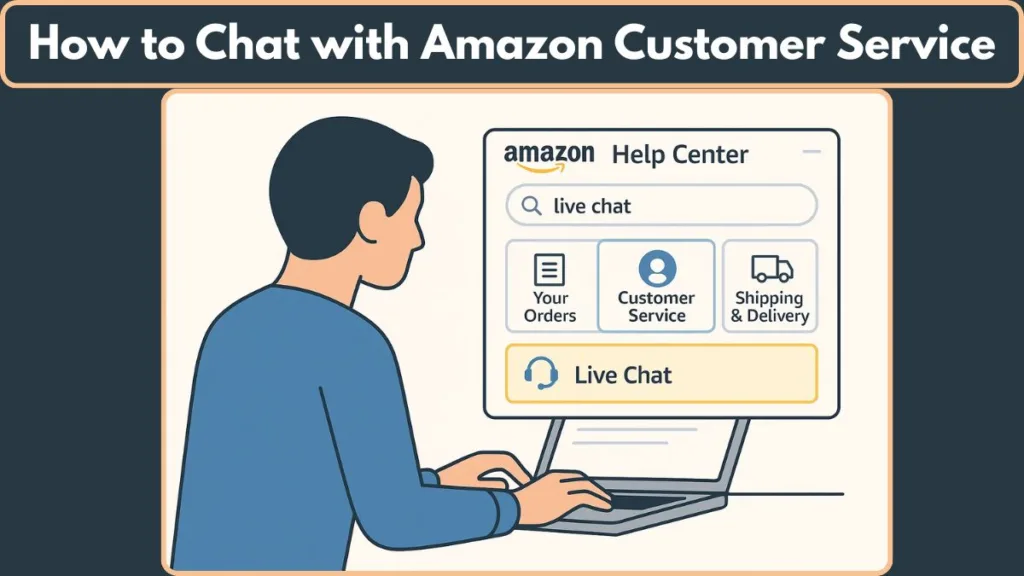
To begin, head over to the Amazon Customer Service / Help Center. This is where all of Amazon’s support tools live, including the chat option.
You’ll usually find the chat through the Help / Customer Service menu, the “Need More Help?” section, or Amazon’s dedicated Live Chat page, which opens directly in your browser.
Once you’re on the Help page and logged in, you’re only a few taps away from starting a real conversation.
How to Start the Live Chat (Simple, Step-by-Step Guide)
- Log in to your Amazon account so support can access your order history and account details.
- Navigate to the Help / Customer Service section through the menu, footer, or your account page.
- Click “Need More Help” or similar options like “Something Else.”
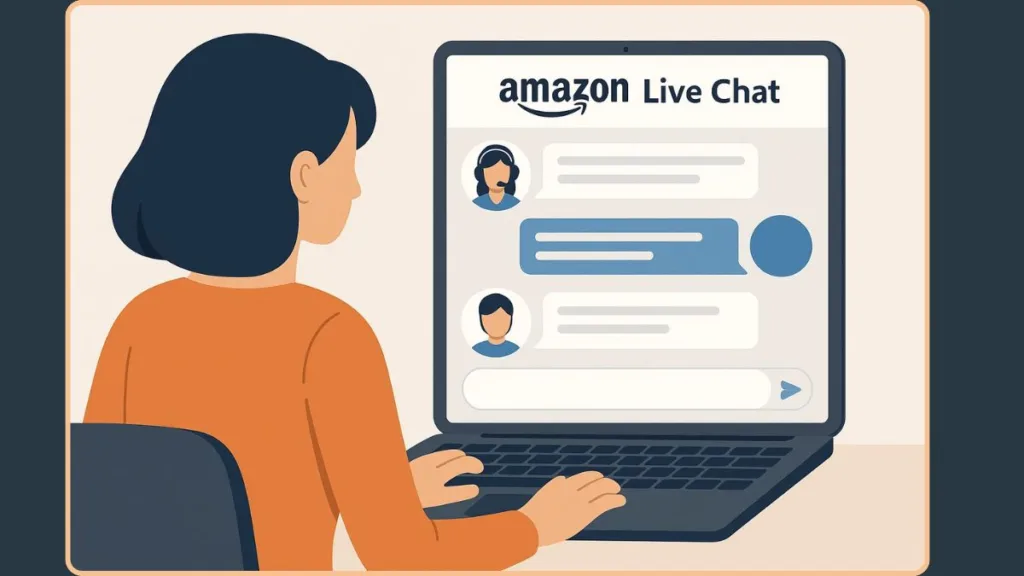
- The chat window opens with Amazon’s automated assistant.
- Type a short explanation of your issue so Amazon can route your request properly.
- If you prefer a human agent, simply type “talk to a representative.”
This ensures your chat escalates to a real person who can take action on your account.
Tips to Make Your Chat Conversation Smoother
Keeping your Amazon Live Chat conversation effortless really comes down to a few simple habits. Having your order ID, tracking number, or a quick screenshot ready can speed things up right from the start.
It also helps to share a clear, short explanation of what went wrong and what you’re hoping to fix — this sets the tone and reduces unnecessary back-and-forth.
Staying calm and friendly keeps the conversation flowing, especially since agents handle so many chats each day. If you ever feel stuck, you can politely ask to be connected to someone who can help further.
And once the conversation wraps up, don’t forget to save the chat transcript in case you need to reference it later.
How to Escalate Past the Amazon Chat Bot for Real Human Support
The automated assistant is great for quick questions, but it doesn’t always understand detailed issues.
To reach a human agent, type:
- “representative”
- “customer service agent”
- “talk to a representative” (most effective)
The system will then transfer you to a live agent who can help with account-specific or complex concerns.
When Using Live Chat Works Best for Amazon Support
Live Chat is incredibly helpful when you want fast, on-screen assistance, especially for:
- Delivery issues such as delays or missing packages
- Refund or return questions
- Account or login problems
- Device troubleshooting for Kindle, Fire TV, or Echo
- Order adjustments before items ship
Because everything is on-screen, you can follow steps instantly and keep a written record of your conversation — making Live Chat one of the most convenient support options Amazon offers.
FAQ About Amazon Live Chat
Is Amazon Live Chat available 24/7?
Yes — Amazon offers customer support 24/7, and Live Chat is one of the support options available around the clock.
How do I talk to a real person instead of the bot?
When the chat begins with the automated assistant, type “talk to a representative.” This is the quickest way to reach a human agent.
Can I use Live Chat on my phone?
Yes — you can open Live Chat through the Amazon app or your phone’s browser, and it works smoothly on both.
Can Live Chat help with refunds, returns, or delivery issues?
Absolutely. Live Chat is great for refund updates, return questions, and delivery concerns like delays or missing packages.
Is Live Chat better than calling Amazon support?
Often, yes — especially when you want fast replies, easy multitasking, or a written record of the conversation. For more complex issues, calling may still be helpful.
Does Amazon provide a record of the chat?
Yes — you can usually save or copy the chat transcript once your conversation ends, which is handy for follow-ups.
Closing: Choosing Live Chat When You Need Quick Answers
Wrapping up your Amazon issue doesn’t have to feel stressful or time-consuming.
When you’re looking for fast, on-screen help, Amazon Live Chat is one of the easiest tools to rely on.
It gives you a direct way to clarify questions, share details, and move toward a solution without waiting on hold or switching between devices.
Because Amazon offers 24/7 support through its customer-service system, you can reach help at nearly any hour — which is a big plus if an issue pops up late at night or during busy shopping seasons.
What makes this option especially helpful is how flexible it is.
Whether you’re checking on an order, sorting out a membership concern, or trying to fix a minor account issue, Live Chat keeps everything simple and accessible.
“Because it’s all written out, you always have a clear record of the conversation.”
Many users appreciate this — it makes follow-ups and proof of communication easier if things need more attention.
Choosing Live Chat is all about convenience — the ability to get answers quickly, stay in control of the conversation, and resolve things on your own terms.
Visit Our Post Page: Blog Page