
Want to check your Facebook activity in 2026? Learn how to check Facebook history using simple steps. From viewing your Activity Log and search history to checking login devices and recently visited pages, stay in control of your Facebook privacy and account activity today.
Scrolling through Facebook has become second nature for millions of people around the world. It’s fast, entertaining, and filled with endless content. But sometimes, tracking your own digital footprint matters more than the feed. Whether you want to find a post you liked, check your search history, review recently visited pages, or verify where your account has been logged in, Facebook provides built-in tools to track this information.
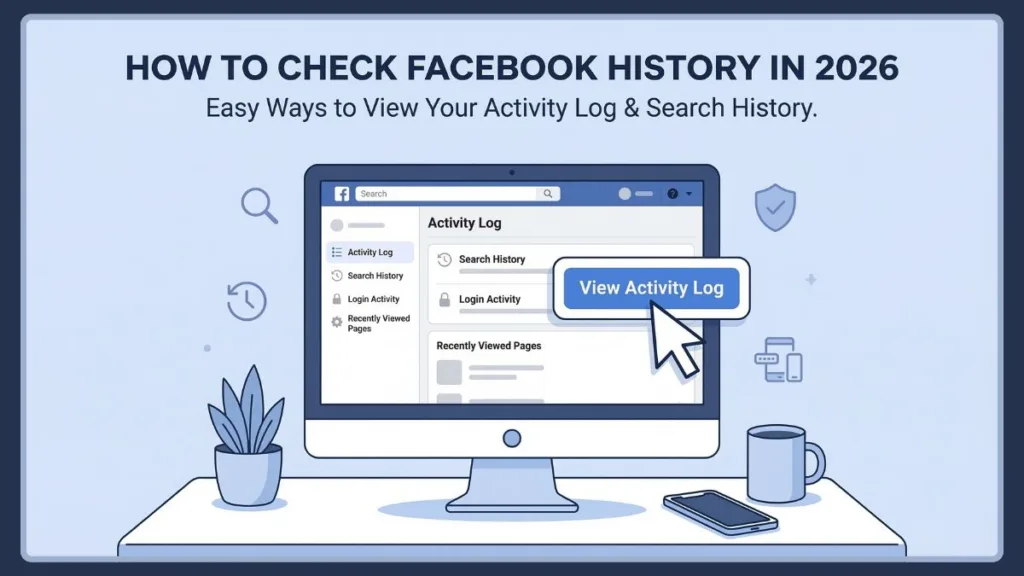
Understanding how to check Facebook history can help you manage your account activity, improve your privacy settings, and quickly locate posts or pages you may have forgotten about. The main place where Facebook stores this information is called the Facebook Activity Log, which acts as a detailed record of your actions on the platform.
In this guide, you will learn how to view Facebook activity log, check Facebook search history, review login devices, and find recently visited pages on both mobile and desktop to safeguard your privacy and stay organized.
Why You Might Want to Check Your Facebook Activity Log
There’s nothing wrong with wanting to maintain a little control over your digital presence. Facebook history refers to the record of actions associated with your account. Every time you interact with content, search for something, or adjust account settings, Facebook stores that information so you can review it later.
Here are the most common reasons people want to check or manage their Facebook history:
- Nostalgia and Curiosity: Finding a video you watched, or revisiting posts you created or shared, as well as likes, reactions, and comments.
- Account Management: Reviewing friend requests and connections, or pages you followed or unfollowed.
- Digital Privacy: Clearing search history and visited pages, or managing tags from other users.
- Security: Reviewing login activity and security information to ensure no unauthorized devices are accessing the account.
This record helps users manage their digital footprint and monitor their account activity. Although the Activity Log is visible only to you, the content within it may still appear elsewhere on Facebook, such as on your timeline or in friends’ feeds.
Where Is the Facebook Activity Log Located?
The central hub for this information is the Facebook Activity Log. This feature displays your activity in chronological order, allowing you to review everything from recent interactions to older account actions. It is available on both the Facebook mobile app and desktop website.
Step-by-Step Guide to Access the Activity Log
To locate it quickly:
- Click your Profile icon on Facebook.
- Select Settings and Privacy from the menu.
- Click Activity Log.
- Open Activity History from the left panel.
Once inside the Activity Log, you will see a list of actions arranged in chronological order. From here, you can browse, filter, or manage your Facebook activity. The Activity Log includes different sections such as interactions, search history, login information, and preferences.
How to Check Facebook History Using the Activity Log Tool
The easiest way to check Facebook history is through the Activity Log because it records almost every action performed on your account.
When you open the Activity Log, you will find detailed records of activities such as:
- Posts you published
- Comments you left on posts
- Likes and reactions
- Photos and videos uploaded
- Tags from other users
- Pages you interacted with
- Searches you performed
These activities are displayed in a timeline format, with the most recent activity appearing first.
The Activity Log also allows you to manage or remove certain actions. For example, you can delete search history, change privacy settings for posts, or remove tags from photos. Because of these capabilities, the Activity Log works as both a history viewer and activity management tool.
Key Points to Remember
- The Activity Log is visible only to you.
- It acts as a comprehensive record of almost every action on your account.
- Activities are always displayed in chronological order.
Filter Your Facebook Activity Log by Date or Type
If you have a lot of activity recorded, scrolling through the entire log can take time. Facebook provides filters that help you narrow down results and locate specific actions faster. Inside the Activity Log, you can filter activity by date or category.
How to Filter Facebook Activity by Date
Filtering by date allows you to review activity from a specific period. To do this:
- Click the Date filter.
- Select the year you want to review.
- Choose a specific month if needed.
- Save your changes.
This option helps you quickly locate posts, searches, or interactions from earlier years.
How to Filter Facebook Activity by Category Type
Another useful feature is filtering by activity type. Facebook organizes activities into several categories, including:
- Your activity across Facebook – posts, likes, comments, and interactions
- Personal information – details you provided when creating your account
- Connections – friend requests, page follows, and other social interactions
- Security and login information – login devices and access activity
- Apps and websites – activity connected to third-party apps
- Preferences – customization settings and account adjustments
- Logged information – data such as search history and location information
Using these filters makes it easier to find a specific action without searching through the entire history.
How to See and View Facebook Search History
Facebook stores your previous searches so you can quickly revisit pages or profiles you looked up earlier. This is called Facebook search history. You can access this history directly from the search section.
To view Facebook search history:
- Open Facebook on your phone or computer.
- Tap or click the Search icon.
- Select See All near recent searches.
- Browse the list of previous searches.
This section shows profiles, pages, and topics you recently searched for. It can be helpful if you are trying to find a page or profile you viewed earlier but cannot remember the name.
How to View Recently Visited Pages on Facebook Easily
Sometimes users want to return to a Facebook page they recently visited. Instead of searching again, you can review the pages you accessed through the Visits tab in your search activity.
To view recent pages visited on Facebook:
- Open the Facebook app.
- Tap the Search icon at the top.
- Select See All beside recent searches.
- Open the Visits tab.
This section shows pages you recently viewed. It is a convenient way to revisit posts, communities, or information you previously explored.
How to Check Facebook Login History and Active Devices
Facebook also tracks where your account has been accessed. Reviewing login activity can help identify suspicious access or unknown devices.
To check Facebook login history:
- Open Settings on Facebook.
- Select Activity Log.
- Tap Security and Login Information.
- Choose Where You’re Logged In.
This section displays important details including:
- Devices used to access your account
- Locations of login attempts
- Dates and times of recent logins
If you notice a device or location you do not recognize, it is recommended to change your password and log out of suspicious sessions immediately.
How to Delete Facebook Search History for Privacy
If you prefer not to keep a record of your searches, Facebook allows you to delete them easily.
To clear Facebook search history:
- Open the search section on Facebook.
- Tap See All next to recent searches.
- Select Clear Searches.
- Confirm the deletion.
You can also remove individual search entries by tapping the X icon beside a specific search. Clearing your search history removes stored search suggestions and helps maintain privacy.
How to View Facebook Activity Log on Mobile (App Guide)
The Activity Log can also be accessed directly from the Facebook mobile app. Follow these steps:
- Open the Facebook app.
- Tap the Menu icon (three horizontal lines).
- Select Settings and Privacy.
- Tap Activity Log.
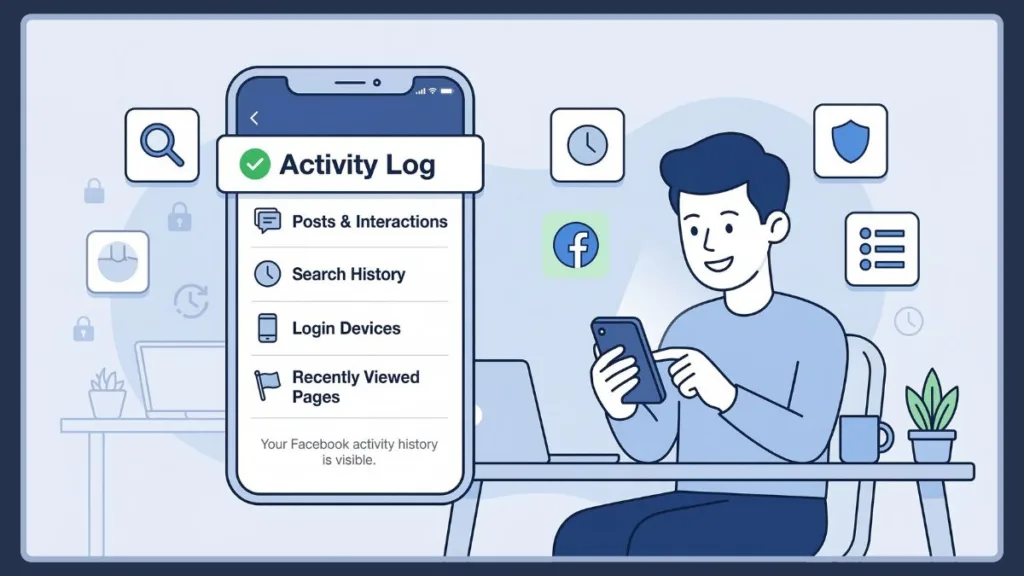
From there, you can browse activity categories such as posts, interactions, tags, and search history. The mobile version also allows filtering by year and category, making it easier to locate specific activities.
How to View Facebook Activity Log on Desktop (Browser Guide)
If you are using Facebook on a computer, you can access the Activity Log from your profile. Steps:
- Open Facebook in your browser.
- Click your Profile picture.
- Select Activity Log under your profile.
The desktop version provides a sidebar with filters that allow you to quickly browse posts, comments, reactions, and other account activity.
Troubleshooting Common Facebook History Issues
Sometimes users may experience issues when trying to access their activity history. Common problems include:
- Facebook Activity Log not showing: This may happen due to temporary server issues or an outdated app version. Updating the Facebook app often resolves the problem.
- Facebook search history missing: Search history may disappear if it was previously cleared or if Facebook has refreshed stored data.
- Activity log not loading properly: Clearing the app cache or logging out and back in can help resolve loading issues.
Final Thoughts on Checking Your Facebook History
Learning how to check Facebook history makes it much easier to track your activity, revisit pages, and monitor account security. Keeping track of your Activity Log can help maintain better control over your online presence.
To summarize why you should regularly check it:
- It helps you find content you interacted with previously, such as posts, videos, or pages.
- It allows you to manage your privacy settings and remove unwanted activity.
- Checking login history helps ensure that no unauthorized devices are accessing your account.
By using the Facebook Activity Log, search history tools, and login activity settings, you can quickly review everything you have done on the platform. Whether you want to find a post you liked, see recently visited pages, or check login devices, these features help you stay organized and maintain control over your Facebook activity. Regularly reviewing your history can also help improve privacy and keep your account secure.
Frequently Asked Questions (FAQ)
Q1: How do I see my search history on Facebook? Open Facebook and tap the search icon. Then select See All to view recent searches and activity.
Q2: Where is Facebook Activity Log? You can find it in Settings and Privacy → Activity Log inside your Facebook profile settings.
Q3: Can others see my Facebook search history? No. Your Facebook search history is private and visible only to you.
Q4: How do I clear Facebook search suggestions? Open the search section, select See All, and tap Clear Searches to remove stored search suggestions.
Q5: How can I see my recent activity on Facebook? Open your Activity Log to view posts, comments, reactions, and other actions in chronological order.
Q6: How do I check what devices are logged into my Facebook? Go to Security and Login Information → Where You’re Logged In to see all active sessions and login devices.
Visit Our Post Page: Blog Page