
Easily verify your name in the Voter List 2025 with this complete SIR guide. Learn how to check your voter list in 2025. Learn the how to fill details online, download the electoral roll PDF, fix errors, and get your e-EPIC digital voter ID before the elections.
With the Special Intensive Revision (SIR) 2025 ongoing, now is the time for every eligible citizen to verify their details on the voter list. This year, the exercise is especially crucial — updated electoral rolls ensure fair representation and smooth elections.
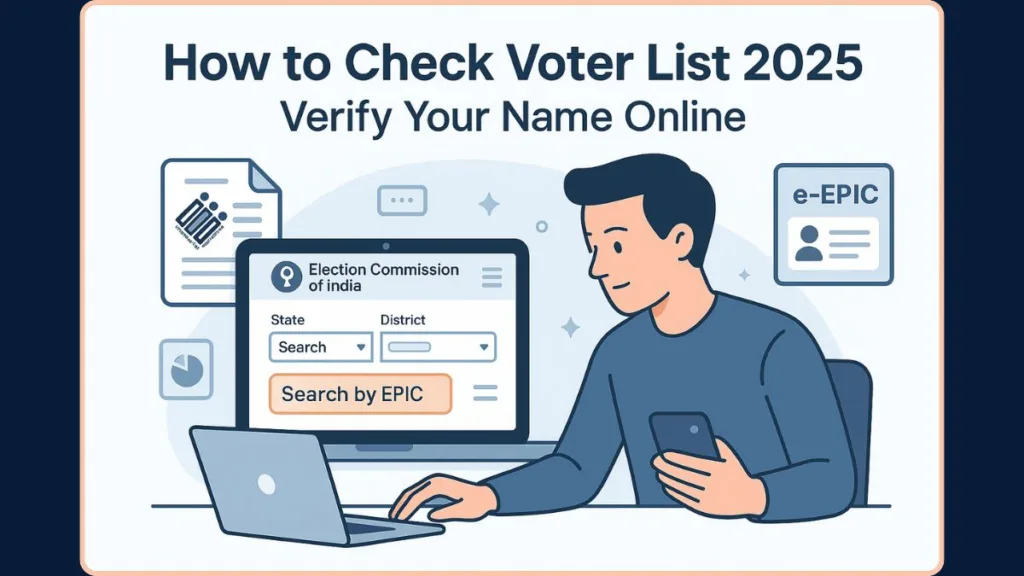
Whether you’re checking your name for the first time, downloading your electoral roll, or updating your voter ID, this post walks you through every step.
What Is the 2025 Voter List & Why Checking It Matters During SIR?
The “2025 voter list” refers to the electoral roll being updated under the SIR process. The SIR aims to bring the voter database in line with current demographics and ensure accuracy before upcoming elections.
It’s critical that you check your name because:
- Only those listed on the final electoral roll can vote.
- Errors in name, age, address, or missing entries can prevent you from voting.
- It helps avoid last-minute issues on polling day.
Tip: Verifying your status now gives you time to correct mistakes or request inclusion.
So verifying your status now gives you time to correct mistakes or request inclusion.
Understanding SIR 2025: How the Special Intensive Revision Updates the Electoral Roll
SIR 2025 is a nationwide electoral roll update overseen by the Election Commission of India (ECI). The purpose is to:
- Add new eligible voters (turned 18, recently moved, etc.)
- Remove duplicate, outdated, or ineligible entries (relocated, deceased, etc.)
- Correct voter details like name, address, age, gender through citizens’ requests.
During SIR, citizens may receive pre-printed enumeration forms via their local Booth Level Officer (BLO) or fill them online if they wish to update or confirm their details.
SIR is more than a routine update — it’s a full verification drive that affects final voter registration.
Latest Electoral Roll Update 2025: Draft Roll, Final Roll & Key SIR Deadlines
- For several states and union territories, SIR 2025 started in late 2025 under an official ECI order.
- The SIR enumeration includes distribution and collection of forms by BLOs, and an online submission option via official portals.
- Once verification is complete, electoral rolls are updated. For example, in Bihar — SIR concluded on 30 September 2025, and the updated roll reflects new entries, corrections, and deletions.
- For most states, after claims and objections are processed, the final voter list — the version that will be used for upcoming polls — is published.
Important: If you don’t verify your details now, you risk being omitted even if you were previously registered.
How to Check Your Name in the Voter List 2025 Online (ECI Portal Method)
The official electoral roll maintained by the ECI can be checked using the publicly available PDF files. Here’s how:
Steps to Check via ECI’s Roll PDF
- Visit the ECI or your State Chief Electoral Officer (CEO) website. For many states, updated SIR-final rolls are available for download.
- Navigate to the Electoral Roll / E-Roll PDF section.
- Select your State > District > Assembly Constituency > Part Number (Polling Station).
- Download the relevant PDF (often labelled “SIR Final Roll – 2025”).
- Once downloaded, open the PDF and use “search” (Ctrl + F) to look for your name, father’s or husband’s name, and EPIC number.
- Check whether your details — name spelling, address, polling station — are listed correctly as per your records.
Tip: Use the EPIC number or the combination of name + parent’s name to speed up searching inside large PDFs.
If you find your details correct, you’re good to go. If not — see the correction steps below.
How to Search Your Name in Voter List 2025 via NVSP Portal (Details, EPIC & Map Search)
An easier, more direct method is through the official National Voters’ Service Portal (NVSP) / Voter Services Portal.
Search options on NVSP
- Search by Details: Provide your name, father’s/husband’s name, date of birth or age, gender, state, district, assembly constituency, and part number.
- Search by EPIC Number: Enter your 10-digit EPIC number and select your state. This is faster if you already know your voter ID.
- Search by Mobile Number: Some states/roll versions support lookup via registered mobile number.
How to do it
- Go to voters.eci.gov.in or directly to the NVSP search page.
- Choose “Search in Electoral Roll.”
- Pick one of the search methods listed above.
- Enter all required fields correctly and submit the search.
- If your name appears, confirm all details (address, polling station, EPIC number) to ensure accuracy.
Tip: The NVSP search is user-friendly when you don’t want to download large PDFs — use EPIC search if possible for the fastest result.
This method is particularly user-friendly when you don’t want to manually download large PDFs.
How to Download Voter List 2025 PDF With Photo (State-Wise Electoral Roll Guide)
Some states publish voter lists with photographs for easy verification. Here’s how to access them:
- Visit your State CEO website or use the ECINet portal when available.
- Navigate to the “Downloads > Electoral Roll PDF” section.
- Choose the latest SIR final roll (2025) and your relevant “Part / Polling Booth / Page Number.”
- Download the PDF. It will include voter names along with photographs, EPIC numbers, and polling station details.
Important: Checking the photo PDF lets you cross-verify the photo on file — very useful if you suspect a mismatch.
This helps you cross-verify not just your name, but also your photograph and other credentials — ensuring everything matches before election day.
How to Download Your Digital Voter ID (e-EPIC) Online in 2025
If your voter registration is valid, you can get your digital Voter ID — the e-EPIC — instantly through the official portals, without waiting for the physical card.
Steps to download e-EPIC:
- Visit the Voter Services Portal (voters.eci.gov.in) or the NVSP website.
- Log in using your registered mobile number (OTP verification).
- Go to “Download e-EPIC”.
- Enter your EPIC number (or application reference number if recently applied).
- Confirm the details and click “Download”. Save the PDF.
- You can print it or store it digitally (for example, in DigiLocker).
Tip: Save your e-EPIC in DigiLocker or as a password-protected PDF on your phone to avoid losing it.
Now you have a valid voter ID — usable at polling booths or for verification when required.
How to Correct Your Name, Address or Age in the Voter List 2025 (Form 6/7/8 Explained)
If you find any error or missing information, you can use the SIR period to request corrections. The ECI accepts these updates via forms:
- Form 6 – For first-time voters (new registration) or adding missing names.
- Form 7 – For deletion (if someone has moved away, passed away, or duplicate record).
- Form 8 – For correction of details: name, address, age, sex, etc.
How to submit corrections:
- Log in to NVSP or use the online SIR form link (SIR Online Form) for your state.
- Fill in the form with correct details, attach a valid proof (address proof, identity proof).
- Submit the form — it will be reviewed by your local Booth Level Officer (BLO).
- Once verified, your details will reflect in the next update of the electoral roll.
Important: The BLO verification step is essential — most corrections are applied only after local verification.
If corrections are not made, you risk being omitted from the final voter list.
How to Check Old Voter Lists Offline (2003 Electoral Roll & Past Records)
If you want to verify old records or find out if older family members were registered:
- Visit your District Election Officer (DEO) office or local electoral office.
- Bring relevant details: previous address, parent/spouse name, previous polling booth, part number.
- Request access to old electoral rolls (for example, from 2003 or earlier). The ECI archives past SIR records.
- Verify the name — if found and details match, you can request a photocopy or update.
Tip: Carry as many identity/relationship documents as possible (old ration cards, school certificates) to speed up archival searches.
This method is useful for legal or documentation purposes — especially when tracing voter history across generations.
Why You Must Check Your Name in the Voter List 2025: Common Removal Reasons & Prevention
Even if you were a registered voter earlier, your name may be removed due to:
- Change of address or relocation
- Errors in name, age, gender, or address during previous roll updates
- Duplicate entries or invalid data
- Death being reported, or voters migrating out of the constituency
Important: For many first-time or young voters, omission happens simply because they never verified the draft roll. Checking now ensures you’re ready to vote without surprises.
Also, during SIR, the ECI is conducting door-to-door verification through Booth Level Officers (BLOs) to update records accurately.
State-Wise Links to Check Voter List 2025 Online (UP, Bihar, WB, Maharashtra & More)
Electoral roll maintenance is state-wise, so you might need to visit the respective State’s Chief Electoral Officer (CEO) portal. Here are a few examples:
- State CEO portals (e.g. Uttar Pradesh, Bihar, West Bengal, Maharashtra) provide updated PDF downloads and search options.
- The same NVSP portal works for all states — just choose your state when searching or downloading.
If you reside in a different state, a quick online search “[Your State] CEO voter list 2025” will help you locate the correct portal.
FAQ: Quick Answers to Popular Voter List 2025 Questions
How can I check my name in the voter list 2025?
Use the ECI electoral roll PDF method or search via NVSP by details or EPIC number.
What is the official website for voter list 2025?
Primary portals:
- ECI official website / State CEO portals
- National Voters’ Service Portal (NVSP) / Voter Services Portal (voters.eci.gov.in)
How to download voter list 2025 PDF with photo?
Visit your state CEO website or ECINET (if your state supports it), navigate to “Electoral Roll PDF”, choose your polling booth/part number, and download the list.
How do I find my polling station for 2025?
Your polling station details appear in the final roll PDF or on the NVSP search result.
How to search my name using EPIC number?
Go to NVSP > Search in Electoral Roll > choose “Search by EPIC”, enter the 10-digit EPIC number plus state, and click “Search”.
Can I still vote if I lost my Voter ID card but my name is on the voter list?
Yes — your name in the electoral roll is what counts. You may need alternate identity proof like Aadhaar, PAN, etc.
Final Checklist: Ensure Your Voter Details Are Updated Before the 2025 Elections
Before the upcoming election, make sure you:
Final Checklist — Do this before elections:
- Check your name in the final Voter List 2025
- Confirm your polling station and part number
- Download your e-EPIC and save/print it
- Request corrections if needed (Form 6 / 7 / 8)
- Download or save PDF voter list (with or without photo) for reference
A few minutes now can prevent last-minute hassles and ensure your vote counts.
Your vote matters — make sure you’re ready for 2025.
Visit Our Post Page: Blog Page