
Reddit history won’t disappear on its own in 2026? You’re not imagining it. Learn how to delete Reddit history, hide past searches and posts, and manage your activity across PC, iPhone, and Android.
If you’ve been using Reddit for a while, chances are you’ve built up a long trail of searches, viewed posts, comments, and interactions. Whether you’re concerned about privacy, sharing your device with others, or simply want a clean digital slate, learning how to delete Reddit history is essential.
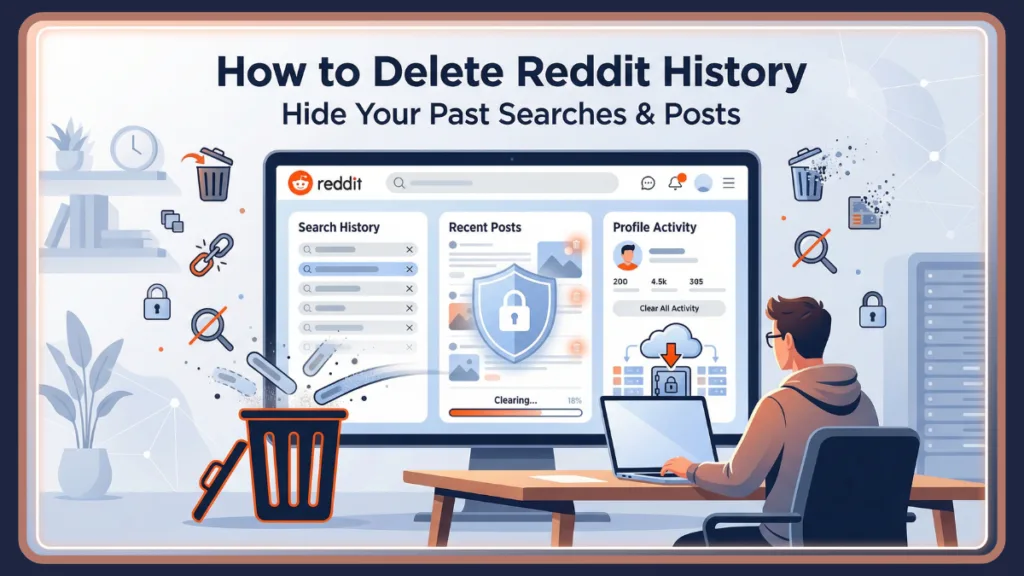
Reddit stores different types of activity depending on how you use the platform. Your search terms, recently viewed posts, upvotes, comments, and even browser visits can leave traces in different places. Because of this, clearing everything properly requires a step-by-step approach. This guide explains how to delete Reddit history on PC, Android, iPhone, and even from your web browser, while also clarifying what gets removed and what remains visible.
Why You Might Want to Delete Reddit History for Better Privacy and Control
Reddit tracks multiple layers of activity. Over time, your account may accumulate search queries, recently viewed posts, upvoted or downvoted content, hidden posts, comments, and full threads you’ve created. If you share your device, browse sensitive topics, or simply prefer maintaining a clean digital footprint, removing this data can help protect your privacy.
Clearing Reddit history also helps improve search suggestions. Old keywords can keep resurfacing in the search bar, and previously visited communities may continue appearing in recommendations. Regular cleanup keeps your feed more relevant and prevents outdated content from cluttering your experience.
Important Tip: It’s important to understand that not all history is stored in the same place. Some data is device-specific, some is tied to your Reddit account, and some may exist in your browser’s cache. Knowing the difference ensures you remove the right data correctly.
Types of Reddit History Explained: Before You Delete Anything and Why It Matters
Before taking action, it helps to understand exactly what “Reddit history” includes. Many users assume it’s all stored together, but that isn’t the case.
Search History: What You Type in the Search Bar
Search history includes every keyword, subreddit name, or user profile you’ve typed into Reddit’s search bar. This data is stored locally on the device you’re using.
Important Tip: Search history is not synced across platforms. If you clear search history on your PC, it will not automatically clear on your phone.
Search history mainly affects autocomplete suggestions. Clearing it removes past entries from appearing when you tap or click the search field.
Recent / Browsing History: Posts and Communities You Visited
Browsing history shows posts and communities you’ve recently visited. On desktop, this appears in the “Recent Posts” section. On mobile devices, you can access it through your profile’s History section. This history helps you revisit posts quickly, but it can also reveal what you’ve been reading if someone else uses your device.
Engagement History: Upvotes, Downvotes, and Hidden Content
Engagement history includes posts you have upvoted, downvoted, or hidden. This information is linked to your Reddit account rather than your device. You can filter these interactions through your profile. Although not all engagement details are publicly visible, your voting behavior can still influence what others see on your profile.
Posts & Comments: Public Activity Visible on Your Profile
Every post and comment you create is stored on Reddit’s servers and displayed on your public profile.
Important Tip: Clearing search or browsing history does not remove your posts or comments. If you want to delete content permanently, you must remove it manually or use a bulk deletion tool.
This distinction is important for users concerned about reputation or long-term online presence.
Browser History: Desktop Only and Stored Separately
If you use Reddit through a web browser like Chrome, Edge, or Firefox, your visits may also be stored in your browser history. Clearing Reddit’s internal settings does not delete browser-level history. That requires separate action within your browser.
How to View Your Reddit History Across Devices: Step-by-Step
To review your activity, start by logging into your Reddit account. Click your profile icon in the top-right corner and select History. This section displays your recent interactions.
You can filter your history by categories such as Recent, Upvoted, Downvoted, or Hidden. On mobile, the process is similar. Tap your profile icon and select History to view your activity.
Reviewing this section helps you identify which content you may want to remove or hide.
How to Delete Reddit Search History on PC, Android, and iPhone
Search history removal is straightforward, but it must be done on each device individually.
On PC: Website Version
Open Reddit.com and log into your account. Click the search bar at the top of the page. You will see a list of recent search terms. Click the X icon next to each entry to remove it individually.
Pro Tip: If you want to ensure no Reddit searches remain stored in your browser, you should clear your browser cache and history. In Google Chrome, type chrome://history into the address bar. Search for “reddit,” select the entries shown, and delete them. This ensures that Reddit URLs and search traces are removed completely.
On Android: Using the Reddit App
Open the Reddit app and tap the search icon. A list of recent search queries will appear. Tap the X beside each query to delete it. Since search history is device-specific, repeat these steps on any additional devices where you use Reddit.
On iPhone: Clearing Search and Local History
Launch the Reddit app and tap the search icon to remove individual entries using the X icon. Alternatively, tap your profile icon, go to Settings, scroll to Advanced, and tap Clear Local History. This option clears both search and browsing history together.
How to Delete Reddit Recent / Browsing History on Desktop and Mobile
Browsing history removal depends on the device you are using.
On PC: Clearing Recent Posts and Privacy Settings
You can clear recently viewed posts by locating the Recent Posts section on the right side of the homepage and clicking Clear. Alternatively, click your profile icon, open Settings, navigate to the Privacy tab, scroll to Advanced, and select Clear History. This method removes recently visited posts from your visible browsing list.
On Android: Removing Recent History from Profile
Open the Reddit app, tap your profile icon, select History, tap the three-dot menu, and choose Clear. This deletes your recent browsing history on that device.
On iPhone: Using Clear Local History Option
Tap your profile icon, open Settings, and select Clear Local History. This removes recently viewed posts and communities from your device.
New for 2026: How to Use “Hide All” for Profile Privacy
If you want to clean up your public footprint without permanently destroying your data, Reddit recently rolled out a helpful “Curate your profile” feature. Found under Settings > Profile, this allows users to “Hide All” content from their public profile view.
Privacy Tip: This is a massive timesaver if you want to keep your past posts and comments for your own reference, but don’t want anyone else snooping through them. Just toggle the feature on, and your public-facing history goes blank while keeping your data perfectly intact behind the scenes.
How to Delete Reddit Posts & Comments Permanently or Manually
Clearing search or browsing history does not delete your public contributions.
Manual Deletion: Removing Posts and Comments One by One
To remove posts or comments, click your profile icon and select Profile. Navigate to the Posts or Comments tab. Under each item, click the three dots and choose Delete. This process must be repeated for each post or comment individually, as Reddit does not provide a built-in bulk deletion feature.
Hide vs Delete: Important Difference You Should Know
Important Difference: Hiding a post removes it from your personal view but does not delete it publicly. Deleting a post or comment permanently removes it from Reddit threads. However, moderators may still have records depending on community rules.
Understanding this distinction ensures you take the correct action based on your privacy goals.
How to Delete All Reddit History at Once: Bulk Method for Full Cleanup
If you want to remove large amounts of content quickly, third-party tools may help.
Using Redact: Bulk Deletion Tool Overview
Download and install Redact on your computer. After launching it, link your Reddit account. Choose a date range and select whether you want to delete Posts or Comments. Redact allows you to preview changes before finalizing them. Once satisfied, switch to Deletion Mode and confirm.
The tool offers two actions. Edit replaces your original content with placeholder text, while Delete removes it completely.
Other tools such as Shreddit and PowerDeleteSuite are also available. Some require technical setup or payment. Always review permissions carefully before granting account access.
Important Note: Reddit frequently updates its API to limit scraping, which can occasionally break these third-party bulk deletion tools. If a tool isn’t working right now, check their support subreddits or GitHub pages for the latest updates.
How to Clear Reddit History from Browser: Chrome Example for Complete Removal
To remove Reddit activity stored in Chrome, type chrome://history in the address bar. Use the search bar to find entries containing “reddit.” Select the results and delete them.
You can press Ctrl + A to select all filtered results at once. If you want to remove visits to a specific subreddit, type the subreddit name into the history search bar and delete those entries.
This ensures that Reddit-related URLs are removed from your browser records.
Can People See Your Reddit History? Privacy Explained Clearly
Other users cannot see your browsing or search history. However, your posts and comments remain visible on your profile unless deleted. Engagement actions such as upvotes and downvotes are not fully public, but your interactions may still influence visibility in certain communities.

Important Tip: Deleting your Reddit account does not automatically delete all posts and comments. These must be removed separately.
Search history is not synced across devices, meaning clearing it on one device does not remove it elsewhere.
Reddit History Not Clearing: Troubleshooting Common Issues
If your Reddit history does not clear properly, try clearing your app cache or reinstalling the Reddit app. On desktop, clearing your browser cache may resolve persistent history entries. Ensure you are logged into the correct account and check your internet connection before attempting deletion again.
Sometimes cached data makes it appear as though history remains when it has actually been removed.
FAQ About Deleting Reddit History
How do I clear my Reddit history?
You can clear search history from the search bar, browsing history from Settings, and manually delete posts or comments from your profile.
How do I delete Reddit history on PC?
Use the Recent Posts section or go to Settings and select Clear History under Privacy. Also clear browser history if needed.
How do I clear Reddit history from mobile?
Open the app, go to Profile, select History, and choose Clear. On iPhone, use Clear Local History in Settings.
Can you delete Reddit history without account?
If browsing without logging in, you only need to clear your browser history.
How do I delete Reddit recent communities?
Clear recent browsing history from your profile or use the Clear Local History option.
How do I erase Reddit history completely?
Remove search history, browsing history, posts, comments, and browser records. For large-scale deletion, consider a bulk deletion tool.
Final Thoughts: Take Control of Your Reddit Activity and Online Privacy
Deleting Reddit history involves understanding what type of data you want to remove. Search history, browsing history, engagement records, posts, comments, and browser data are all managed differently.
By regularly clearing search terms, reviewing recent activity, removing outdated posts, and cleaning browser records, you maintain control over your online presence. If you’re seeking a full reset, bulk deletion tools provide a faster option.
Taking a few minutes to manage your Reddit history can significantly improve your privacy, security, and overall experience on the platform.
Visit Our Post Page: Blog Page