
Want to join the viral cartoon trend on Facebook? This 2026 guide shows how to use AI to turn your photo into a funny caricature instantly. Step-by-step steps included!
If your Facebook feed is suddenly full of cartoon-style portraits — big heads, exaggerated facial features, bright colors, and “me vs AI me” captions — you’re not imagining things.
The cartoon trend on Facebook is one of the biggest viral AI trends of 2026, and it’s surprisingly easy to join once you know how it works.
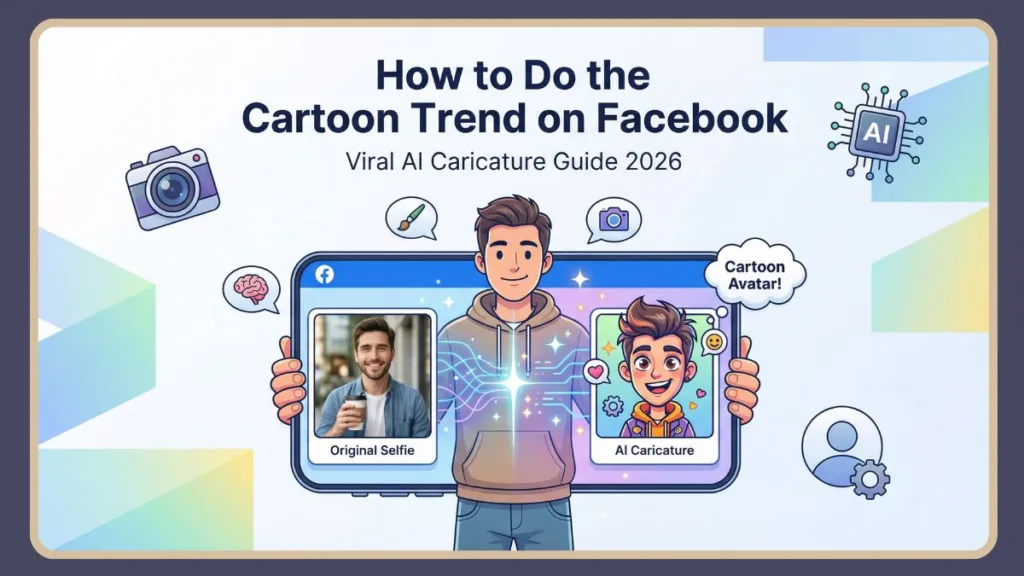
This guide walks you through exactly how to do the cartoon trend on Facebook, step by step. You’ll learn what the trend actually is, how people are creating these images with AI (especially ChatGPT), what to do if it doesn’t work for you, and how to post it correctly on Facebook so it looks sharp and on-trend.
What Is the Facebook Cartoon (AI Caricature) Trend?
The Facebook cartoon trend refers to a viral AI caricature trend where users turn a normal selfie into an exaggerated cartoon or caricature version of themselves. These images usually feature a larger-than-life head, sharper or cuter facial features, bright stylized colors, and a playful 2D or 3D art style (often resembling Disney or Pixar-style animation) that immediately stands out in the feed.
Why It Feels Personal
Many people add a personal twist by asking the AI to represent their job, personality, or hobbies. That’s why you’ll often see captions like “AI version of me at work” or “Me and my job, cartoon edition.” This personalization is a big reason the trend feels fun rather than generic.
Once created, users upload the cartoon image to Facebook as a profile picture, a regular feed post (often paired with a before-and-after collage), or a Facebook Story. The same images are frequently reused on Instagram and TikTok, but Facebook is where the trend has gone most mainstream and widely adopted.
How to Do the Cartoon Trend on Facebook Using ChatGPT: Step-by-Step
The most talked-about method uses ChatGPT with image generation (specifically the DALL-E 3 model). This is the approach behind the viral “me and my job” caricatures that you’ve likely seen filling your feed.
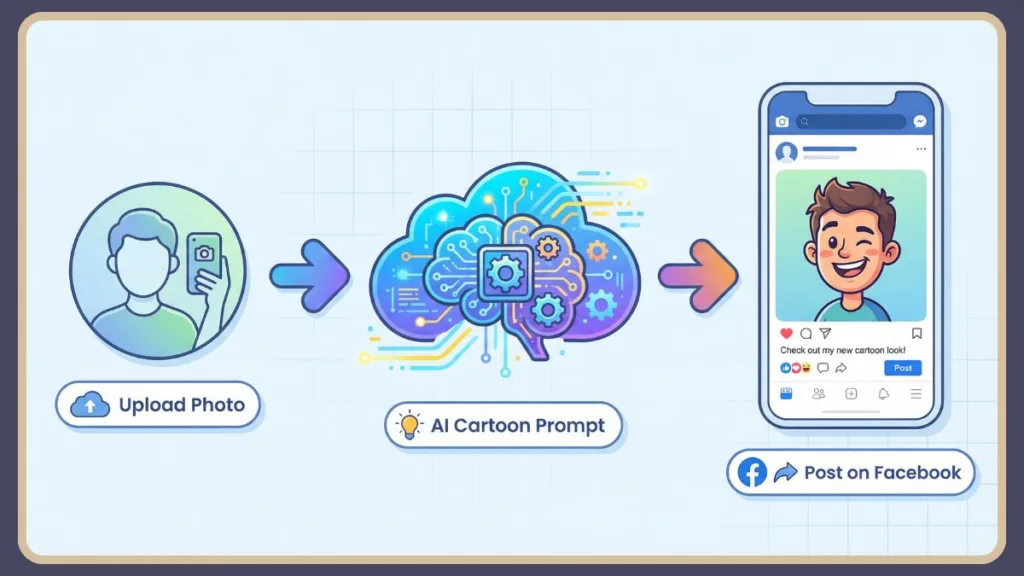
Step 1: Open ChatGPT and Log In
Start by opening ChatGPT either on the website or through the mobile app. Make sure you are logged into your account, as image uploads require an active session.
It’s also important that image upload is available to you, since this feature is essential for the cartoon trend. You don’t need any advanced AI knowledge here — the process is designed to be beginner-friendly.
Step 2: Upload a Clear Photo of Yourself
Next, click the Attach or Upload image option and select a selfie from your device. For the best results, use a clear, close-up photo where your face is well-lit and easy to see.
Avoid heavy shadows, extreme angles, or cluttered backgrounds, as these can confuse the AI. Keeping the background simple helps the AI focus on your facial features rather than unnecessary details. A good-quality photo makes a huge difference in how accurate and cartoon-like the final image looks.
Step 3: Use the Viral Cartoon Trend Prompt
Once your photo is uploaded, type the following prompt into the chat box:
“Create a caricature of me and my job based on everything you know about me.”
This is the exact prompt driving the trend across Facebook. ChatGPT uses your uploaded photo along with your past ChatGPT activity, if available, to generate a personalized cartoon image that reflects both your appearance and your identity.
Step 4: Generate and Review Your Cartoon Image
After sending the prompt, wait a few seconds while ChatGPT generates your cartoon or caricature image.
If the result looks too generic, you can regenerate the image or add more details to the prompt. If something feels slightly off, trying a different selfie often helps. And if the image isn’t exaggerated enough, you can ask for more playful or exaggerated features. You can continue refining the image by chatting further with ChatGPT until you’re happy with the result.
What If the Cartoon Trend Doesn’t Work in ChatGPT?
This is where many people get stuck, and it’s completely normal. The viral prompt tends to work best if you’ve used ChatGPT a lot in the past. In many cases, ChatGPT relies on your conversation history to understand your personality, job, or interests.
Why It Might Not Work
If you’re a new or infrequent ChatGPT user, the tool may not have enough information about you to generate a detailed or personalized caricature. In simple terms, ChatGPT doesn’t “know” much about you yet, so the result may feel basic.
The Fix: Use a Custom Prompt
If that happens, you can fix it easily by telling ChatGPT exactly what to include.
For example, you might say:
“Create a caricature of me and my job. I work as a nurse in a children’s hospital.”
OR
“Create a funny 3D caricature of me. I’m a software developer who loves coffee and late-night coding.”
The more descriptive you are, the more accurate and engaging the cartoon will be.
Alternative Way: Do the Cartoon Trend Using AI Caricature Apps
If ChatGPT image generation isn’t available to you, or if you want more visual styles to choose from, you can still join the trend using AI caricature tools and apps. These include browser-based AI caricature generators, mobile apps like ToonMe, and other photo-to-cartoon or AI avatar tools.
Want more style options or better results than ChatGPT?
If you want cleaner cartoons, 3D avatars, or watermark-free exports, explore the best photo-to-cartoon AI tools that work especially well for the Facebook cartoon trend.
When choosing a tool, it’s important to check whether it adds watermarks to the image, whether it allows high-quality downloads like PNG or high-resolution JPG files, and how many style options it offers, such as 2D, 3D, sketch, or avatar-style designs. These tools work especially well for profile pictures and quick trend participation.
How to Choose the Best Photo for the Cartoon Trend
Photo quality matters more than the app or prompt you use. A good selfie should have even lighting on your face, a clear angle where you’re looking toward the camera, minimal background clutter, and only one face in the frame.
Think of it as giving the AI a clean reference image. The cleaner and clearer the input, the better the caricature output will be.
How to Post the Cartoon Trend on Facebook
Once your cartoon image is ready, it’s time to post it in a way that fits the trend and looks good on Facebook.
Post It as a Facebook Feed Post
You can upload the cartoon image as a regular Facebook post. Many users also add a before-and-after collage to show their real photo next to the AI version.
Popular caption ideas include phrases like “AI version of me 👀,” “Jumping on the cartoon trend,” or “Me vs AI me,” which clearly signal that you’re joining the trend.
Use It as a Profile Picture
Another popular option is to use the cartoon as your profile picture. Simply go to your profile, choose “Update profile picture,” and upload the image.
Cropping it into a square usually works best. If you only want it for a short time, Facebook also lets you set it as a temporary profile picture.
Share It as a Facebook Story
You can also upload the cartoon image to your Facebook Stories. Adding text like “Cartoon trend” or “AI caricature me,” along with stickers or emojis, helps the image stand out and makes it clear you’re participating in the trend.
Why the AI Cartoon Trend Is So Popular on Facebook
This trend has taken off because it combines low effort with high visual impact. All it takes is uploading a photo and typing a single prompt, yet the result feels highly personal because every image looks different.
It’s creative without requiring any design skills and easy to reuse across Facebook, Instagram, and other platforms. For many people, it feels like getting a custom illustration without paying an artist, which makes it very easy to share.
Pros and Cons of the Facebook Cartoon Trend
One of the biggest advantages of the trend is that it’s fun, creative, and accessible even for beginners. It works especially well for profile pictures, and many tools offer free or low-cost options.
On the downside, results depend heavily on photo quality, some tools lock high-resolution downloads behind paywalls, and certain styles can occasionally distort facial features in odd ways.
Quick Checklist Before You Post
Before posting, make sure you’ve chosen a clear selfie, generated the cartoon image successfully, and saved it in high quality as a PNG or JPG file. Decide whether you want to post it as a feed post, profile picture, or story, and add a caption that clearly signals you’re participating in the cartoon trend.
FAQ: Facebook Cartoon / Caricature Trend
How do I do the cartoon trend on Facebook?
You can do the cartoon trend by uploading a selfie to ChatGPT or an AI caricature app, generating a cartoon version of yourself, and posting it on Facebook as a profile picture, feed post, or story.
What app is everyone using for the cartoon face?
Most viral examples use ChatGPT image generation, while others use apps like ToonMe or similar AI cartoon tools.
What is the prompt for the AI caricature trend?
The most popular prompt is: “Create a caricature of me and my job based on everything you know about me.”
Is the AI cartoon generator free?
Some tools are free or freemium. ChatGPT availability depends on your access to image generation features.
Can I do the cartoon trend without ChatGPT?
Yes. AI caricature apps and browser-based tools work well as alternatives.
If you’ve been seeing cartoon portraits everywhere on Facebook and wondering how people are making them, now you know. With the right photo, a simple prompt, and a few minutes, you can jump into the Facebook cartoon trend and create your own AI caricature that fits right into the viral wave of 2026.
Visit Our Post Page: Blog Page