
Learn how to download TikTok drafts to your gallery without posting publicly. This updated 2026 guide covers saving to iPhone and Android, removing watermarks, and moving drafts to a new phone. Don’t lose your content—save your drafts today!
TikTok’s drafts folder is like a digital vault—great for keeping ideas safe, but notoriously difficult to get out. Whether you’re looking to edit a video in another app, back up your content before getting a new phone, or simply share a clip without the TikTok watermark, you’ve probably noticed there isn’t a “Download” button for drafts.
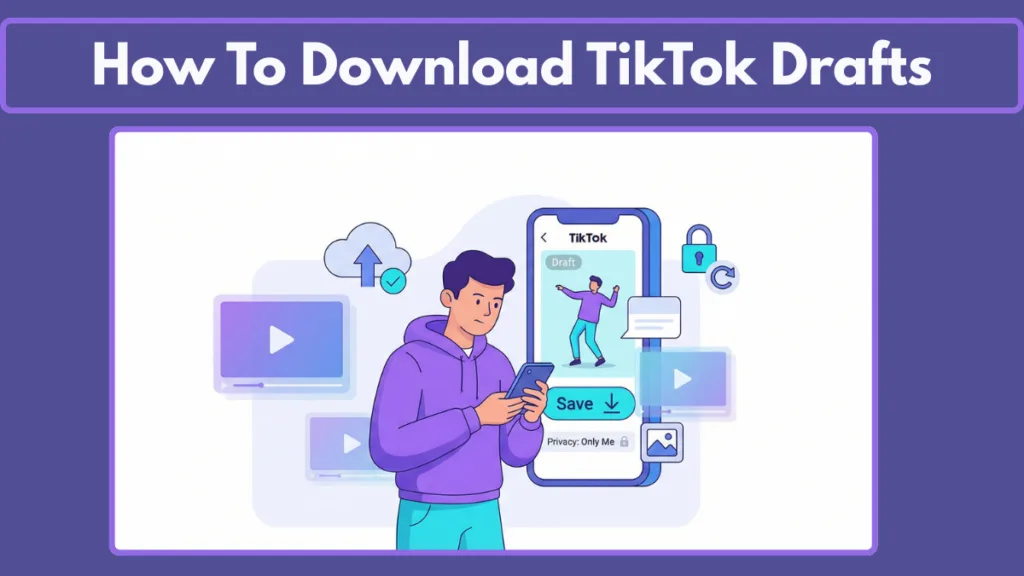
In this 2026 updated guide, we’ll show you exactly how to retrieve your TikTok drafts and save them to your gallery or PC without ever having to post them publicly. We will dive into the technical reasons why drafts are hard to manage and provide professional workarounds to keep your creative assets safe.
How to Save Video from TikTok Draft Without Posting: The Ultimate Workaround
The most reliable method in 2026 remains the “Post to Private” workaround. This is the industry-standard way to force the TikTok app to process your video, apply all your transitions and effects, and trigger the “Save to Device” feature without alerting a single follower.
Step-by-Step: The “Only Me” Method for Private Saving
- Open TikTok and Navigate to Your Profile: Tap the person icon in the bottom right corner.
- Access the Drafts Folder: Tap on the Drafts square at the top of your video grid.
- Select Your Video: Choose the specific draft you wish to export to your gallery.
- Enter the Post Screen: Tap Next to move past the editing stage.
- Configure Privacy Settings: Look for the section labeled “Who can watch this video.” Tap it and select “Only me.” This ensures the video remains hidden from the public feed.
- Enable Saving Options: Scroll down to More options. It is critical that you verify the “Save to device” toggle is turned ON (highlighted in green).
- Post the Video: Tap the red Post button.
- Automatic Download: Once the upload reaches 100%, TikTok will automatically save a processed copy of that video to your phone’s native gallery or camera roll.
NEW in 2026: Using the Direct “Save” Icon in the Editor
Recent updates in the 2026 version of the TikTok app have introduced a native “Save” button directly within the editing interface for select regions. To check if you have this:
- Open your draft.
- Look at the right-side menu (where Filters and Audio are).
- If you see a Down Arrow icon labeled “Save,” tap it. This will download the raw draft directly to your gallery without posting.
Pro Tip: Managing Your Private Feed and Cleaning Storage
After you have successfully saved the video to your device, you can choose to keep it in your private tab (lock icon) or delete it from the app. Since you already have the file in your gallery, deleting the private post won’t remove the version on your phone.
Do TikTok Drafts Save to Your Phone? Understanding Local Storage
No. This is a common misconception that leads to massive data loss. By default, TikTok drafts are stored in the app’s local cache on your device, not in your phone’s Photo Gallery or Camera Roll.
Understanding Local vs. Cloud Storage Constraints
Unlike your posted videos, which are stored on TikTok’s global servers (the cloud), drafts exist only on the hardware where they were created.
- Encrypted App Data: Drafts are essentially instruction sets and temporary files bundled inside the app’s internal storage. In 2026, TikTok uses a proprietary encryption format for these files.
- Account vs. Device: Even though you are logged in, logging in on a different phone will not show your drafts.
- The Risk of Uninstallation: If you uninstall the TikTok app or clear your app data, your drafts will be permanently deleted. Always back up important videos immediately.
How to Save Draft Videos on TikTok in Gallery (Watermark-Free Methods)
If you use the standard “Save to Device” toggle, your video will likely have a TikTok watermark. To download TikTok drafts without a watermark, use one of these two professional methods:
The “Post to Private” + Downloader Trick for Clean Exports
This is the most popular method for high-quality, watermark-free exports.
- Post Privately: Follow the “Only Me” steps to post your draft privately.
- Get the Link: Go to your private video tab, open the video, tap the Three Dots (…) and select Copy Link.
- Use a 2026 AI-Powered Downloader: Open your browser and navigate to a reputable downloader. In 2026, these tools use advanced AI to reconstruct pixels behind the watermark:
- SnapTik: The gold standard for speed and 4K output.
- SSSTik: Now features a “Bulk Download” option for multiple posts.
- SaveTik: Best for mobile users with minimal ads.
- HitPaw FotorPea: A premium AI tool that tracks the bouncing logo for a blur-free removal.
- Download: Paste your link and hit “Download.” The resulting file will be a clean, high-resolution video.
The Screen Record Method: A Quick Built-in Solution
If you don’t want to use third-party websites, use the built-in tools on your smartphone.
- Open the Draft: Tap on it to enter the editing screen.
- Preview Mode: Tap the “Full Screen” or “Preview” icon to see the video without buttons.
- Capture: Swipe down and start your phone’s Screen Recorder. (Tip: On iPhone 17 and Android 16, ensure “System Audio” is on).
- Play and Trim: Play the video from start to finish. Use the Crop tool in your Photos app to remove UI elements and Trim the ends.
How to Download TikTok Drafts on PC for Professional Editing
Since the desktop version doesn’t sync mobile drafts, you can’t access them directly on your computer. Here is the 2026 workflow:
- Export via Mobile: Follow the “Post to Private” steps to get the video into your camera roll.
- Cloud Transfer: Use a cloud service like Google Drive, Dropbox, or iCloud. Upload the video from your gallery.
- Desktop Access: Open the cloud service on your PC browser and download the file.
- Direct Browser Method: Once the video is on your private profile, open TikTok.com on your PC. Go to your profile, click the Private tab, and right-click the video to select “Save video as…” Note that this usually retains the watermark unless you use a tool like Dzine AI.
How to Save Your Drafts on TikTok When You Get a New Phone: Migration Tips
Drafts do not transfer to a new phone automatically. When you upgrade, TikTok treats the new installation as a blank slate.
To move your drafts safely:
- Manual Export: You must “Post to Private” every draft you want to keep so they save to your old phone’s gallery.
- Bulk Management: Prioritize the most important clips; there is no “Download All” feature.
- Cloud Sync: Ensure iCloud or Google Photos is set to back up your “TikTok” folder.
- Device Migration Issues: Switching to iPhone 17 or Pixel 10? Standard transfer tools (Quick Start/Smart Switch) often omit the App Data folder. Do not rely on these tools.
- Re-upload: On the new device, re-upload videos from your gallery back to TikTok to continue editing.
How to Save Pictures and Slideshows from TikTok to Gallery
If you have a photo-mode draft or a slideshow:
- The Direct Method: Tapping the “Share” icon while previewing a photo draft sometimes offers a “Save Image” option.
- The Posting Method: Post to “Only Me.” Once posted, tap the share icon and select “Save Video” or tap and hold images to “Save Image”.
- 2026 Photo Extraction: Use Pixelbin to extract high-quality stills from a video file.
- Screenshotting: Enter preview mode and take a high-resolution screenshot.
Advanced Troubleshooting: Why Can’t I Save My TikTok Draft?
1. Storage Space and Cache Issues
If your phone has less than 500MB of free space, TikTok may prevent saving. On newer devices, 4K drafts can take over 200MB each. Clear your trash and try again.
2. App Permissions and Privacy Settings
Check Settings > TikTok > Photos. Ensure TikTok has “Full Access.” If set to “None,” the app cannot write files to your gallery.
3. The “Save to Device” Toggle Verification
If you forgot to toggle it green during posting, open the private video on your profile, tap the three dots, and manually select “Save Video.”
Summary FAQ: Quick Answers for TikTok Draft Downloads
- Is there any way to retrieve deleted drafts? No. Once deleted or if the app is uninstalled, they are gone forever.
- Can I download drafts without posting? Not directly. You must post to “Only Me” or use the new native “Save” button if available.
- Why is my “Save” button missing? This usually happens during high server traffic or when device storage is full.
- Do drafts affect my phone’s performance? Yes. Thousands of drafts can bloat the app’s size and slow down your OS.
- Can I edit a draft after saving it to gallery? Only if you re-upload it to TikTok as a new project.
Final Thoughts for Creators: Protecting Your Content
Your TikTok drafts are the raw materials of your digital identity. Get into the habit of exporting your best drafts to a cloud service like Dropbox or Google Drive weekly. This keeps your phone storage clean and ensures your creative legacy is safe from accidental deletions.
Visit Our Post Page: Blog Page