
Are you unable to find a registry on Amazon and want to know why search doesn’t work? Learn how to find wedding, baby, and gift registries on Amazon in 2026 using methods that actually work.
If you’re trying to find a registry on Amazon, the issue is rarely that it doesn’t exist. More often, you’re either looking in the wrong place or selecting the wrong registry type. Amazon’s registry search works — but only if you follow its exact paths.
Below is the fastest, no-guesswork way to find wedding registries, baby registries, and gift lists on Amazon using the app or desktop. You’ll also learn why registries sometimes don’t show up and how to fix that.
This guide also incorporates useful tips Amazon provides for gift givers, including how to filter by city or date, and the extra benefits you get with certain registry types.
Where to Find a Registry on Amazon: Exact Menu Path That Works
Amazon does not surface registries through normal product search. Instead, everything starts from the registry hub.
On desktop or a mobile browser, open Amazon and head to Accounts & Lists, then choose Find a List or Registry. You’ll reach the Registry & Gift List tool where you can start your search.
On the Amazon app, tap the ☰ menu, open Gifting & Registry, and then select Registry & Gift List — the same hub optimized for mobile search.
That’s the only official entry point where registry search works. You don’t even need to sign in to look someone up.
How to Search a Registry on Amazon by Name: The Correct Way
Once you’re on the Registry & Gifting page, the process is straightforward — if you do it in the right order.
Start by selecting Find a registry. Enter the person’s name, then pause for a moment and choose the registry type before searching. After that, tap or click Search to see the results.
Amazon’s official search lets you optionally filter results by location, city, or event date, which is especially helpful when multiple people share the same name.
Choose the Right Registry Type First: Where Most People Fail
Amazon separates registries by purpose, and it won’t mix results across categories.
Wedding Registry > engagements and weddings
Baby Registry > baby showers and newborns
Gift List > birthdays, graduations, holidays, housewarming
If you choose the wrong category, Amazon returns nothing — even if the registry exists.
Also note: Wish Lists are not searchable. If someone created a Wish List instead of a registry, they’ll need to send you the link directly.
How to Find a Registry on the Amazon App: Android, iPhone, and iPad
Most failed searches on mobile happen because people stop one menu too early.
Open the Amazon app and tap the ☰ menu. From there, go into Gifting & Registry, then tap Registry & Gift List. Once that page opens, select Find a registry.
Now enter the person’s name, choose the correct registry type, and tap Search. If you see multiple results, use the location or event date filters to narrow it down.
Tip: On mobile, Amazon sometimes displays quick registry links for Baby and Wedding at the top of the Gifting & Registry screen, so you can jump straight to what you need without scrolling.
How to Look Up a Registry on Amazon Desktop: Web Browser Method
On desktop, registry search is hidden under account navigation.
Move your cursor over Accounts & Lists, then click Find a List or Registry. On the next page, select Find a registry. Enter the name, choose the correct registry type, and click Search.
You can complete this entire process without logging into an Amazon account.
Amazon’s registry search also shows you the location and event date for results, which helps when there are multiple matches.
How to Find a Wedding Registry on Amazon
To locate a wedding registry, open Find a registry, select Wedding Registry, and search using the couple’s name. If several results appear, refine them using the wedding date or location.
Amazon’s wedding registry offers extras like 180-day free returns on most items and the ability to organize items by priority or category — things gift buyers appreciate.
Can You Find a Wedding Registry by Email or Link
Amazon does not allow public email-based registry searches. However, if the couple shared a direct registry link, that link will always work.
If a wedding registry doesn’t appear in search, it’s usually because it’s set to private. In that case, the only solution is to request the registry link directly.
How to Find a Baby Registry on Amazon: Even If It Doesn’t Show
Baby registries are searchable, but naming and timing matter.
When searching, always use the parent’s name, not the baby’s. Make sure Baby Registry is selected before searching. If the registry was just created, give it time to appear.
Amazon also allows filtering baby registries by estimated due month and year alongside name and location — a helpful tool if the name alone doesn’t bring results.
Baby Registry Search Timing Rules
New baby registries can take anywhere from one to six hours before they show up in Amazon search results. If it was created recently, waiting is often the fix.
How to Find a Gift Registry or Gift List on Amazon
Gift registries are used for non-wedding and non-baby events.
To find one, choose Gift List as the registry type, search by name, and refine results by occasion if available. If nothing appears, confirm whether the person actually created a registry and not a Wish List, since Wish Lists don’t show up in search.
Amazon’s registry tool helps guests see what’s been already purchased versus what’s still needed, so you don’t accidentally duplicate gifts.
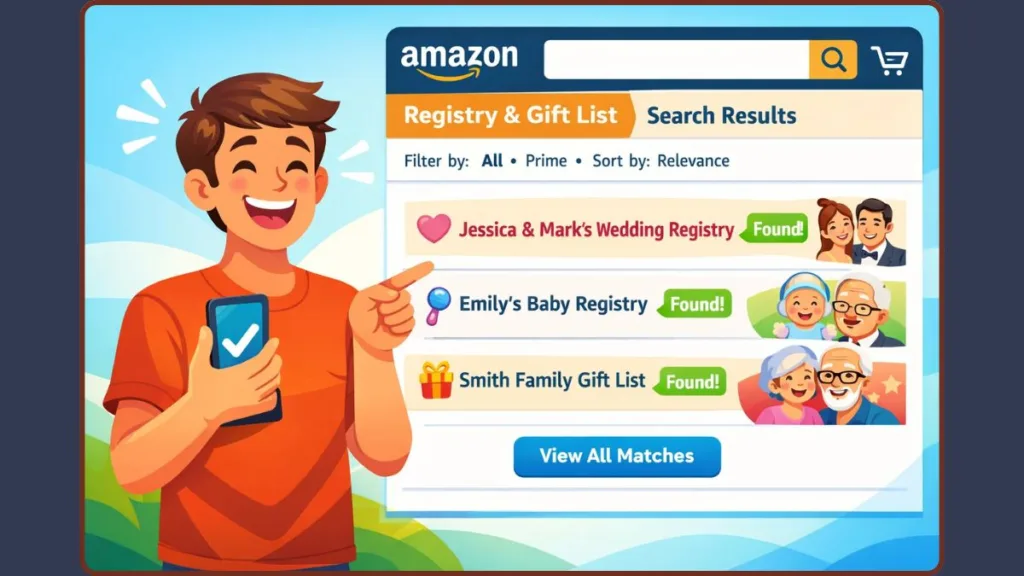
Why You Can’t Find a Registry on Amazon: All Real Reasons
If Amazon returns no results, one of these reasons explains it.
The Registry Is Too New
Amazon doesn’t index registries instantly.
- Wedding registries usually appear after about 15 minutes
- Baby registries can take up to six hours
- Gift lists may take as long as 24 hours
This delay is normal and temporary.
The Registry Is Private or Shared Only
Private or shared registries are invisible to public search. In those cases, you must use a shared link.
You’re Looking for a Wish List
Wish Lists are private by default and cannot be searched. Only direct links work.
Wrong Registry Type Selected
Selecting the wrong registry category guarantees zero results, even if the registry exists.
How to Find Your Own Registry on Amazon
If you created a registry and can’t find it, open Accounts & Lists, go to Find a List or Registry, and look under Your Lists. Your baby, wedding, or gift registries will appear there.
This is also where Amazon shows gift tracking, returns, and registry management tools.
How to Get an Amazon Registry Link When Search Fails
If registry search doesn’t work, the owner can bypass it completely.
They just need to open their registry, select Invite or Share, copy the registry URL, and send it to you. That link opens the registry instantly, regardless of privacy or search delays.
Registry links can be shared via text, email, or social media, which is especially useful for weddings and baby showers.
FAQ: Amazon Registry Search
How do you find a registry on Amazon?
Go to Accounts & Lists > Find a List or Registry > Find a registry, then search by name and registry type.
How do you find a baby registry on Amazon?
Choose Baby Registry, search using the parent’s name, and allow up to six hours if it’s new.
Can you search an Amazon registry without an account?
Yes. Registry search works even if you’re not logged in.
Why can’t I find someone’s Amazon wish list?
Wish Lists aren’t publicly searchable. You need a shared link.
Can you search a registry by email?
No. Amazon registry search works using names, locations, and dates only.
If you follow Amazon’s registry hub and select the correct registry type, searches work. When they don’t, the cause is almost always privacy settings, timing delays, or Wish List confusion — not a missing registry.
Visit Our Pos Page: Blog Page