
Wondering who unfriended you on Facebook? Learn 4 easy ways to find out who deleted you using step-by-step methods that actually work in 2026.
It’s a bit of a sting when you realize your friend count has dropped, but let’s face it—it’s just part of the modern social media experience. Whether someone isn’t vibing with your daily workout selfies, they’re tired of seeing unsolicited life advice, or they just want to clear their feed of over-filtered dinner photos, people will occasionally hit that unfriend button.
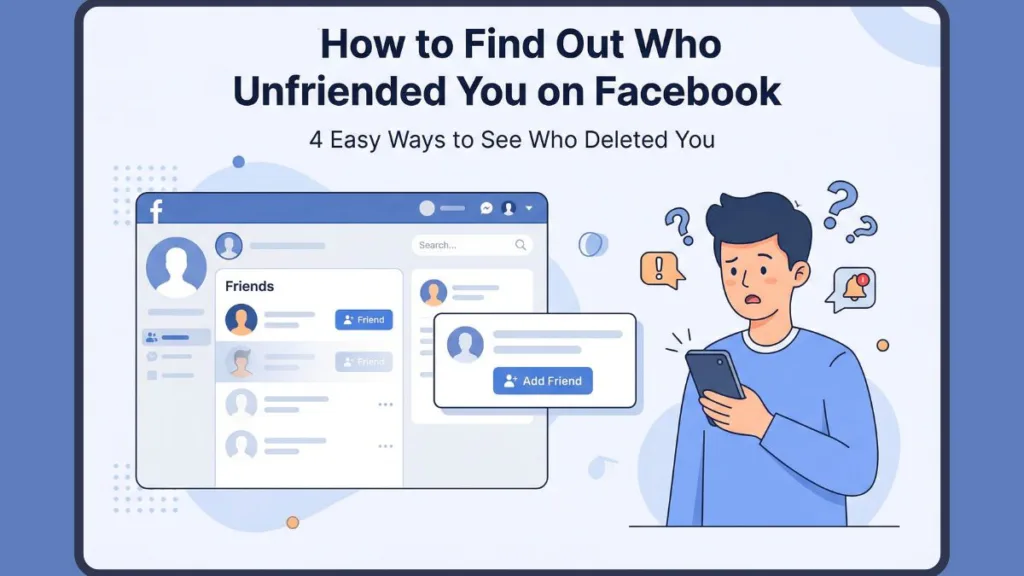
The tricky part is that Facebook doesn’t actually notify you when a connection is severed. Thanks to the way the algorithm constantly reshuffles your feed, a close contact could go silent for months before you even suspect you’ve been dropped.
If you’re curious about a specific person—be it an old classmate, an ex, or a neighbor—we’ve done the heavy lifting. We consulted social media expert Amber Mac, author of Power Friending, to uncover the most reliable ways to see who deleted you on Facebook without the stress or guesswork.
Can You Really See Who Unfriended You?
Technically, no official tool exists. You won’t find a “Who Logged Out of My Life” notification in your settings. According to Amber Mac, this is a deliberate move by the platform to prioritize user privacy and prevent digital awkwardness.
“Facebook intentionally makes it difficult to track unfriends because of past complaints that making this public felt like an invasion of privacy,” Mac explains. “The idea is that you should be able to curate your circle without the other person receiving a ping that you’ve moved on.”
Because of this policy, there is no official Facebook unfriend checker. However, by looking for specific digital footprints and using manual checks, you can learn how to know who deleted you on Facebook with high certainty.
Before You Panic: Understanding the Terms
Before you assume there’s drama, remember that a missing post doesn’t always equal a burnt bridge. Sometimes, it’s just a technicality or a different privacy setting.
Unfriend vs. Unfollow vs. Block vs. Restricted
| Action | Can you see their profile? | Are you still “Friends”? | Can you message them? |
| Unfriend | Yes (Limited visibility) | No | Yes (via Message Requests) |
| Unfollow | Yes (Full visibility) | Yes | Yes |
| Block | No (Profile is “gone”) | No | No |
| Restricted | Yes (Public posts only) | Yes | Yes |
Key Takeaway: Unfriending is a total break in the link. Unfollowing is much softer—you stay connected, but their updates simply stop cluttering your feed.
4 Reliable Ways to Check Who Unfriended You
If you want to check who unfriended you on Facebook without risking your data on shady websites, stick to these four manual strategies.
1. The Direct Profile Search
If you have a specific individual in mind, this is the most definitive path.
- Step 1: Type their name into the search bar.
- Step 2: Click on their profile page.
- Step 3: Check the primary button status.
If you see an “Add Friend” button, you have definitely been unfriended. Also, if the profile doesn’t appear in search at all, they may have blocked you or permanently closed their account.
2. The Friends List Audit
This is the most efficient way to scan your connections if you notice your total friend count has dipped.
- Step 1: Navigate to your own profile and open the Friends tab.
- Step 2: Use the “Search Friends” filter to find their specific name.
- Step 3: If the search returns “No Results,” that person has removed you.
Expert Tip: If a name appears with a blank silhouette and you can’t click it, they’ve likely deactivated their account. If they ever come back to the platform, you will still be friends automatically.
3. The “Timeline Clue” Method
You can often spot a change in your status by looking at the small icons on their posts.
- Globe Icon: This means the post is Public. Anyone on the internet can see it.
- Two-Person Icon: This means the post is restricted to Friends only.
If you visit a profile and can only see posts with the globe icon—especially if you used to see their private updates—it’s a major red flag that you’ve been unfriended or placed on a restricted list.
4. The Message & Mutual Friend Cross-Check
Still feeling unsure? These two “safety checks” can confirm your suspicions:
- The Message Test: Try to send them a quick DM. If you see an error like “This person isn’t available right now,” or the message simply won’t send, you have likely been blocked.
- The Mutual Friend Check: Ask a shared friend to look up the profile. If they can see it but you can’t, you are confirmed as blocked.
Can You Use an App to See Who Unfriended You?
You’ll find plenty of ads for a who deleted me on facebook extension or an app to see who unfriended you on facebook. While these sound convenient, they often come with a high price in terms of privacy.
“Facebook frequently bans these third-party trackers because they violate the platform’s security rules,” Amber Mac warns. “Even if you find one that works today, they are often inaccurate or, worse, a front for malware.”
The Major Risks:
- They demand full access to your login credentials.
- They can lead to identity theft or account hacking.
- Using them can get your account flagged or suspended by Facebook.
What to Do If You’ve Been Unfriended
Once you’ve verified that a contact has moved on, you have a few ways to handle the situation with grace.
- Send a New Request: If you think it was an accidental click, just hit “Add Friend” again. It happens more often than you think!
- Interact with Mutual Friends: Sometimes, commenting on a mutual friend’s post will put you back in that person’s “People You May Know” suggestions, sparking a re-connection.
- Refresh Your Presence: Updating your Profile Photo or Bio can sometimes trigger the algorithm to suggest your profile to others, giving them a chance to follow you back.
- Utilize Groups: If you share an interest, stay active in the same Facebook Groups. You can still communicate there without needing a formal friend connection.
Final Thoughts: While it’s tempting to keep score of your followers, social circles are always in flux. If someone decides to disconnect, don’t take it personally. Focus your energy on the people who show up for your posts and keep your digital life positive.
FAQs: Quick Answers to Your Questions
Does Facebook notify you when you’re unfriended? No. To minimize social conflict, the platform keeps unfriending entirely silent.
Can I block someone even if we aren’t friends? Absolutely. You can block anyone at any time. Just visit their profile, click the three dots, and select Block.
Can I message someone if they unfriended me? Yes, but the message won’t go to their main inbox. It will be filtered into the “Message Requests” folder, which many people rarely check.
How do I find a profile I removed by accident? Take a look at your Activity Log. Navigate to Settings > Activity Log > Connections. You can review a chronological history of your friend requests and removals there.
Visit Our Post Page: Blog Page