
Getting “Online Services Unavailable” or Error ARAU0287 in Arc Raiders? Learn how to fix Arc Raiders online connection error with proven solutions for PC, Xbox, and PS5.
If you are staring at an online connection error in Arc Raiders instead of looting Speranza, you are not alone. Since the game’s latest updates in late 2025 and early 2026, players have reported a spike in connectivity issues, ranging from infinite loading screens to abrupt disconnects.
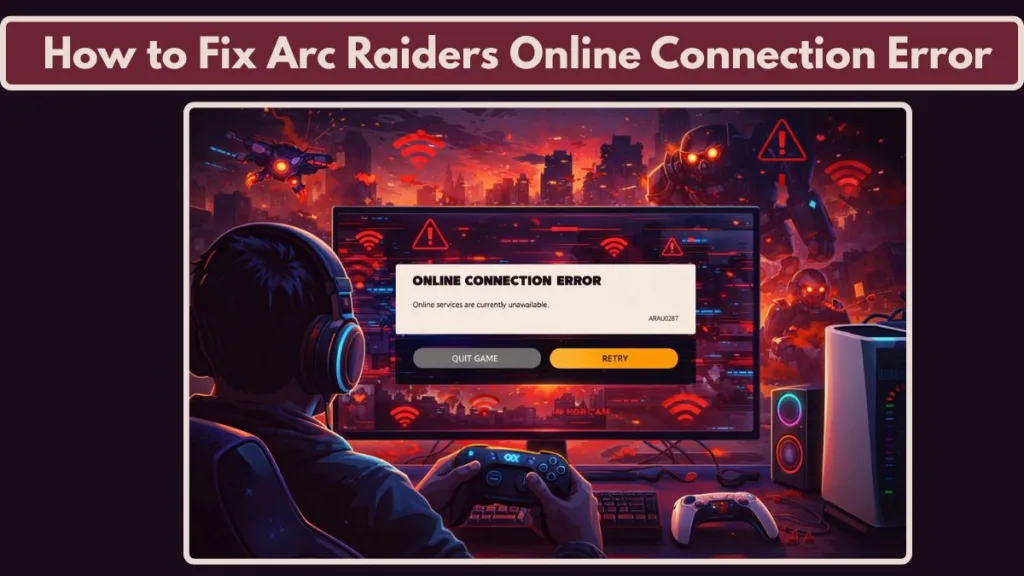
Because Arc Raiders is an always online game, even a micro-stutter in your network or a momentary hiccup on Embark Studios’ backend can kick you back to the lobby. Unlike single-player games where a small lag spike is unnoticed, in a high-stakes extraction shooter, a disconnect means losing your hard-earned loot. Whether you are seeing “Arc Raiders online services unavailable,” getting stuck on “unable to connect,” or facing specific error codes, this guide breaks down why it’s happening and how to fix it.
Why Is Arc Raiders Not Connecting? (Common Causes Explained)
When you ask, “Why is Arc Raiders not connecting?” the answer usually falls into one of three buckets. Understanding which one applies to you can save you hours of troubleshooting.
1. Server-Side Issues
The most common culprit is simply that the Arc Raiders servers are down. High player traffic during events, emergency hotfixes, or scheduled maintenance can take the backend offline. If thousands of players are reporting Arc Raiders downtime simultaneously, no amount of router resetting on your end will fix it.
Server instability often occurs during “Peak Hours” (usually 6 PM – 10 PM local time) when the login queues (Error ARRT0003) become overwhelmed. Additionally, Embark Studios uses cloud-based load balancers; if a specific regional node (e.g., EU-West or NA-East) fails, you might get disconnected even if the global status is green.
2. Network & ISP Routing Problems
Sometimes your internet works fine for browsing but fails for gaming. A network timeout often happens when your ISP takes a “bad route” to the game server, causing high latency or packet loss. Additionally, local conflicts like strict firewall settings on Windows or outdated DNS caches can prevent the game from shaking hands with the server.
Modern shooters like Arc Raiders are sensitive to “Jitter”—variance in your ping. Even if your speed test shows 500 Mbps, a jitter of 30ms+ can trigger the game’s anti-cheat or stability protocols to disconnect you to preserve match integrity.
3. Platform Authentication Problems
If you are seeing “login failed” or “online services unavailable” on Xbox or PS5, the issue is often related to your platform account failing to sync with Embark ID. This “handshake” failure is a known cause for the Arc Raiders connection error on PS5 and Xbox Series X/S. This often happens after a major console firmware update, where the cached “token” your console uses to talk to Embark’s servers becomes invalid.
What Do ARAU0287 and ARAU0297 Mean in Arc Raiders?
You may have encountered specific alphanumeric codes during your login attempts. Here is what they mean:
- Error ARAU0287: This is a backend authentication error. It typically means your client cannot establish a secure session with the server. It is frequently caused by SSL decryption blocks, strict VPN settings, or a desynchronized system clock. It basically means “We don’t trust your connection’s timestamp or identity.”
- Error ARAU0297: This code often signals a region routing failure. It appears when the game tries to match you into a server region that is currently unresponsive or when your local network restrictions prevent the connection.
- Error AREX0024: Known as the “Heartbeat Failure,” this occurs when the server stops receiving data from your client for too long. This is common on Wi-Fi connections prone to packet loss.
- Error ARMR0002: A specific matchmaking failure code. This usually means the matchmaking service is live, but it cannot place you into a specific lobby instance due to version mismatches (you need to update the game).
If you see these codes, the issue is rarely a total server outage; it is usually a configuration clash between your specific setup and the game’s security protocols.
Is Arc Raiders Down Right Now? How to Check Server Status
Before you start changing settings, confirm that the problem isn’t on Embark’s end. Currently, there is no in-game “traffic light” system, so you must rely on external sources.
Where to check:
- Official Discord: The most reliable source for real-time Arc Raiders server status updates. The “Announcements” channel usually pins active outages. Look for the “Server Status” role pings on the official Discord server.
- Social Media: Check the official Arc Raiders X (Twitter) account. They often post about “Emergency Maintenance” roughly 15 minutes before servers go dark.
- Community Threads: Search “Arc Raiders servers down” on Reddit or check DownDetector.
- Pro Tip: On DownDetector, don’t just look at the big number. Read the comments. If everyone says “I can’t log in on PS5,” but PC players are quiet, you know it’s a platform-specific outage.
- SteamDB: For PC players, checking the “Concurrent Players” graph on SteamDB can be a clue. If the line graph drops vertically to near zero, the servers have crashed globally.
If others are posting about Arc Raiders servers down, put the controller down and wait it out. If the status is green, proceed to the fixes below.
How to Fix Arc Raiders Connection Error (Step-by-Step Guide)
If the servers are up, the problem is local. Follow the steps for your specific platform to resolve the Arc Raiders network error.
Fix Arc Raiders Connection Error on PC
PC players face the widest variety of issues, but also have the most tools to fix them.
- Sync Your System Clock (Critical Fix): This sounds strange, but it is the #1 fix for Error ARAU0287. If your Windows clock is even a minute off, the server’s security certificate will reject your connection.
- Go to Settings > Time & Language > Date & time.
- Toggle “Set time automatically” OFF and then ON again.
- Click “Sync now.”
- Restart the game.
- Verify Game Files: Corrupted files can trigger an Arc Raiders login error.
- Steam: Right-click Arc Raiders > Properties > Installed Files > “Verify integrity of game files.”
- Epic Games Store: Click the three dots next to the game > Manage > Verify.
- Check Firewall & Antivirus Settings: Ensure
ArcRaiders.exeandDiscovery.exe(the anti-cheat process) are allowed through Windows Firewall.- Search “Allow an app through Windows Firewall” > Change Settings > Check both “Private” and “Public” for Arc Raiders.
- Tip: If you use Bitdefender or Norton, temporarily disable “Advanced Threat Defense” to see if it’s blocking the game’s connection.
- Disable VPNs and Proxy Services: VPNs often trigger the “Arc Raiders unable to connect” message because the anti-cheat system flags the IP change as suspicious. Turn it off and try again. If you must use a VPN to bypass strict ISP throttling, try gaming-optimized services like ExitLag or LagoFast, which use multipath routing that is less likely to trigger security flags than standard VPNs.
- Disable IPv6: Arc Raiders (like many Unreal Engine 5 games) often struggles with IPv6 addresses.
- Network & Internet > Advanced network settings > Change adapter options.
- Right-click your Ethernet > Properties > Uncheck “Internet Protocol Version 6 (TCP/IPv6)”.
Arc Raiders Connection Error PS5 Fix
If you are stuck on the title screen on PlayStation 5:
- Change DNS Settings: Switching to a faster public DNS can bypass ISP routing issues.
- Go to Settings > Network > Settings > Set Up Internet Connection.
- Select your network > Advanced Settings > DNS Settings > Manual.
- Primary:
8.8.8.8(Google) or1.1.1.1(Cloudflare). - Secondary:
8.8.4.4(Google) or1.0.0.1(Cloudflare).
- Clear Console Cache:
- Turn off the PS5 completely (hold power button).
- Boot into Safe Mode (hold power button until second beep).
- Select “Clear Cache and Rebuild Database” > “Clear System Software Cache.” This forces the console to fetch a fresh authentication token.
- Adjust MTU Settings: If DNS doesn’t work, lowering your MTU (Maximum Transmission Unit) can help packets get through.
- In Network Settings > MTU Settings > Manual.
- Change the value from
1500to1473or1450. This is a common fix for “fragmented packet” errors.
Fix Arc Raiders Online Services Unavailable Xbox
Xbox users frequently face the “Online Services Unavailable” loop (often Error ARAU0137).
- Join the Xbox Insider Program (The “Omega” Fix): A known bug on Xbox requires a specific OS update to handshake with Arc Raiders servers properly.
- Install “Xbox Insider Hub” from the store.
- Go to Previews > Join “Xbox Update Preview” (Omega ring).
- Update your console and restart.
- Clear Alternate MAC Address:
- Settings > General > Network settings > Advanced settings > Alternate MAC address > Clear.
- Allow the console to restart. This is the Xbox equivalent of flushing your DNS.
- Enable QoS Tagging:
- Settings > General > Network settings > Advanced settings > QoS tagging settings.
- Enable “DSCP Tagging Policy”. This tells your router to prioritize Xbox packets over other traffic in your house.
Matchmaking Failed in Arc Raiders? Here’s Why
If you can log in but get kicked when searching for a game, you are dealing with a matchmaking error.
- Session Timeout (Error ARMR0002): The lobby you tried to join closed before you arrived. This is common during peak hours.
- Regional Congestion: If you are playing on a server region far from your location, the ping limit may kick you out to preserve match quality.
- Crossplay Conflicts: Occasionally, disabling crossplay in the settings can resolve a matchmaking failed loop if the issue is specific to communicating with other platforms. To test this, go to Settings > Gameplay > Crossplay and toggle it OFF to see if you can find a match with only players on your platform.
Will Restarting My Router Fix Arc Raiders Connection Error?
People often ask, “Will restarting my router fix Arc Raiders connection errors?” The answer is: Yes, but only for specific issues.
Restarting your router (power cycling) does two things:
- Refreshes your IP: If your ISP assigned you a “stale” or flagged IP, a restart can give you a fresh one.
- Clears NAT Tables: This can fix the Arc Raiders network timeout fix if your router’s memory was clogged, preventing open ports.
Advanced Router Fix: Port Forwarding If a restart doesn’t work, you may need to open specific ports to get “Open NAT” (Type 1).
- TCP: 80, 443, 8080
- UDP: 3074, 27015-27030 (Common Unreal Engine Ports)
- Note: Enable UPnP (Universal Plug and Play) in your router settings first; this often handles port forwarding automatically and is safer for most users.
However, if the issue is server downtime or a corrupted game file, restarting your router will do absolutely nothing.
How to Flush DNS or Reset Winsock for Arc Raiders (Windows Guide)
If you are on PC and suspect your network settings are corrupt, running these commands is the “nuclear option” for connectivity.
How to flush DNS:
- Press
Windows Keyand typecmd. - Right-click “Command Prompt” and select Run as Administrator.
- Type the following command and hit Enter:
ipconfig /flushdns - (Optional but recommended) Type
ipconfig /renewto refresh your local IP address.
How to reset Winsock: In the same Administrator Command Prompt window, type: netsh winsock reset
Restart your computer immediately after running these commands. This clears out any “junk” data in your network adapter that might be blocking the connection.
What If Nothing Works? (When It’s a Server-Side Issue)
Sometimes, you can do everything right—flush DNS, sync clocks, verify files—and still see “Arc Raiders online connection error.”
If you have tried all the steps above and still cannot connect, the issue is likely a backend service interruption that hasn’t been publicly announced yet. This is common after large updates like the 2026 content patches. In this case:
- Do not reinstall the game yet. It rarely fixes server-side auth errors and wastes bandwidth.
- Wait 1-2 hours. Most temporary routing glitches resolve themselves.
- Submit a ticket. If the issue persists for 24 hours, contact Embark Studios support via their official help desk with your specific error code (e.g., ARAU0287). Be sure to attach your
DxDiagfile if you are on PC.
Final Thoughts: Fixing Arc Raiders Online Connection Error the Right Way
To summarize your troubleshooting path:
- Check server status on Discord, X, or SteamDB first.
- Sync your system clock (PC) or check for OS updates (Xbox/PS5).
- Flush DNS, disable IPv6, and verify game files if the servers are green.
- Be patient if you see widespread reports of Arc Raiders downtime.
Visit Our Post Page: Blog Page