
Facing a dE error code on your LG washing machine? Learn why the door won’t lock and follow step-by-step fixes for front-load and top-load LG washers.
Imagine you have just loaded a week’s worth of dirty laundry, added your detergent, and pressed start, only to hear an annoying beep followed by a flashing code on the display.
If your LG washing machine currently displays the dE error code, it typically indicates a malfunction within the door or lid locking system. Although this error appears frequently across various LG front-load and top-load washing machine models, manufacturers designed it as a critical safety feature. Primarily, it prevents the washer from operating when the door remains unsecured.
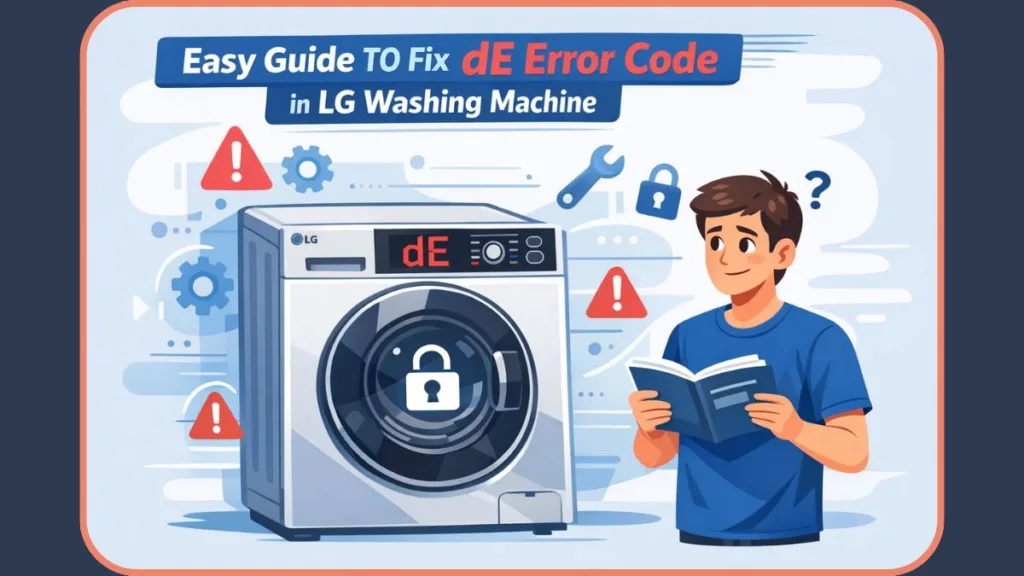
Fortunately, the dE error often proves simple to diagnose and repair, especially once you grasp what triggers the mechanism. In many instances, you will not need to replace the entire washing machine or immediately contact a professional appliance repair service.
Consequently, this guide clarifies what the dE error signifies, why it occurs, and exactly how you can fix it. We will walk you through the process step-by-step, whether you are troubleshooting a standard dE code or specific variations like dE1 and dE2.
What does dE mean on an LG washing machine?
Technically, the dE error code on an LG washing machine stands for Door Error. In simple terms, this means the washer’s central processor cannot verify that you have locked the door or lid properly.
Before any wash cycle initiates, the machine performs a rigorous safety check to confirm that the door or lid is fully closed and the lock bolt has engaged. If the machine cannot confirm this mechanical lock, it halts operations immediately and projects the dE error code on the digital display.
Furthermore, this locking mechanism serves several vital functions:
- Leak Prevention: It stops water and hot detergent from spilling onto your floor.
- Mechanical Safety: It prevents the high-speed drum from spinning while the door is ajar.
- User Protection: It protects users, particularly small children, from accidental contact with moving parts.
- Contamination Control: It ensures foreign objects do not enter the drum during a wash cycle.
Therefore, if the washer senses that the door or lid is not securely locked—even if it looks closed to the naked eye—the system triggers the dE error.
Common Variations: dE vs. dE1 vs. dE2
While older models typically display a generic dE code, newer LG Smart Washers often provide more granular diagnostic codes to help you pinpoint the specific failure:
- dE: This indicates a general door error where the system believes the door is unlocked.
- dE1: This specifically signals that the door is not closed properly. For example, a heavy wet towel might be pushing against the glass, or a slightly bent hinge could be causing misalignment.
- dE2: This implies the door is closed physically, but the lock release has failed. Technicians often identify this as a faulty door lock assembly or a disrupted electrical circuit.
Common symptoms of dE error
Beyond the code itself, you can identify the issue through physical cues. When your LG washer experiences a genuine dE error, you will likely observe the following:
- The washer refuses to start the wash cycle despite having power.
- The door or lid closes shut but fails to produce the characteristic “click” of the lock engaging.
- You hear repeated clicking or buzzing sounds as the solenoid tries to engage before the error appears.
- The washer powers down or stops immediately after you press the “Start” button.
- On top-load models, the lid sits flush but does not engage the internal safety latch.
These signs confirm that the washer is unable to validate a secure lock and, as a result, intentionally prevents operation to maintain safety standards.
Why does my LG washer have a dE error code?
The dE error manifests when an external or internal factor interferes with the door or lid locking system. To help you troubleshoot, we have categorized the most common reasons below.
1. Faulty Door Lock Assembly (Front-Loading Washers)
Front-load LG washers utilize an electrical door lock assembly, often containing a wax motor or solenoid, which automatically engages when a wash cycle begins. Once the system activates the lock, the door remains sealed until the cycle concludes and the water drains completely.
How it fails:
- Component Fatigue: Internal electrical components wear out over years of daily use.
- Mechanical Jam: The lock fails to engage physically, even though you pushed the door closed.
- Signal Loss: The washer’s computer (PCB) does not receive the “Locked” return signal from the switch.
Consequently, this remains the most frequent cause of the dE error on front-load LG washing machines.
2. Failed Lid Lock (Top-Loading Washers)
Conversely, top-load LG washers rely on a lid lock mechanism rather than a door seal lock. This component must align precisely with the lid strike to engage the magnetic reed switch or mechanical latch.
How it fails:
- Physical Damage: The lid lock becomes worn or damaged from users slamming the lid repeatedly.
- Misalignment: The lid is slightly misaligned or bent, often causing the striker to miss the lock slot.
- Obstruction: Detergent residue or lint in the lock slot prevents the latch from inserting fully.
3. Failed Main Control Board
In less common scenarios, the Main Control Board (PCB) bears responsibility for the dE error. This board acts as the brain of the appliance, managing communication between all washer components.
If a specific relay or circuit on the board burns out, the washer may incorrectly interpret the door status as “unlocked.” Generally, technicians consider this cause only after they have ruled out the door/lid lock assembly.
LG Washer dE Error Fix: Step-by-Step Guide
To permanently resolve the dE error, you must repair or replace the specific faulty component. While performing a system reset serves as a good initial step, it will not fix a physically broken latch.
Tools You Will Need
- Phillips head screwdriver
- Small flathead screwdriver (for prying)
- Needle-nose pliers
- (Optional) Digital Multimeter for testing electrical continuity
How to fix dE error on Front-Load LG Washer
Estimated Cost: $50–$100 (DIY Parts) vs. $200+ (Professional Service) Time Required: 30–45 minutes
- Safety First: Immediately turn off the washer and unplug it from the power source to avoid electric shock.
- Inspect the Latch: Examine the door latch area for debris, clothing fibers, or hardened detergent buildup. For instance, a small sock stuck in the gasket can prevent the sensor from reading “closed.”
- Access the Lock: Open the door fully. Locate the wire retainer band wrapped around the rubber door seal (boot). Use a small flathead screwdriver to gently pry the spring on the band and remove it.
- Peel Back the Seal: Carefully peel back the rubber door seal near the lock mechanism to reveal the underlying door lock assembly.
- Remove the Lock: Unscrew the two Phillips screws that secure the door lock assembly to the front panel.
- Disconnect Wiring: Reach inside the panel, grasp the lock assembly, and pull it out slightly. Squeeze the tabs to disconnect the wire harness connectors attached to the lock.
- Install the New Lock: Snap the wire harness into the new door lock assembly until it clicks.
- Secure the Assembly: Position the new lock inside the panel and fasten it securely using the two original screws.
- Reassemble the Seal: Reposition the rubber door seal over the lip of the front panel. Reinstall the wire retainer band carefully, ensuring you seat the spring at the bottom (6 o’clock position).
Pro Tip: Frequently, simply cleaning the latch contacts with rubbing alcohol and tightening loose hinge screws can fix dE1 errors without requiring you to purchase new parts.
How to fix dE error on Top-Load LG Washer
- Disconnect Power: Unplug the washer completely to ensure safety.
- Open the Console: Remove the screws securing the rear or top control panel. You may need to insert a putty knife under the front of the console to release the hidden spring clips.
- Access Internal Components: Detach the control housing to reveal the internal lid lock mechanism.
- Disconnect the Lock: Trace the wires from the lid lock to the control board and unplug the wire connector.
- Remove the Old Lock: Lift the washer’s top panel (if necessary) and unscrew the bolts holding the failed lid lock assembly.
- Install the New Lock: Screw the replacement lid lock into the exact same position.
- Route Wires: Route the wires through the original clips and reconnect them to the control board.
- Reassemble: Snap the panels back into place. Ensure the lid aligns perfectly with the new lock; even a millimeter of misalignment can re-trigger a dE error.
Fix dE error caused by Control Board Failure
If you verify that the door or lid lock works correctly and the wiring remains intact, the main control board likely requires replacement.
- On front-load washers, you will find the board behind the top panel.
- On top-load washers, manufacturers locate it inside the rear control console.
Note: When replacing the control board, we strongly recommend taking a photo of the wire positions before disconnecting anything. You cannot repair the board easily; usually, you must replace it entirely. Due to the complexity and high cost of parts, we suggest contacting an LG authorized service center for this specific repair.
How to Clear the dE Error Code (Master Reset)
Once you have replaced the faulty part, you must reset the washer to clear the error code from the system memory. Technicians refer to this process as a Master Reset.
- Power Down: Turn the washer off completely.
- Unplug: Remove the plug from the wall outlet or switch off the circuit breaker.
- Discharge Power: Press and hold the Start/Pause button for 5 seconds while the machine remains unplugged. This action dissipates any residual static electricity stored in the control board’s capacitors.
- Restore Power: Plug the washer back into the outlet.
- Test: Turn the washer on and run a short “Rinse & Spin” cycle to verify that the dE code has disappeared.
Important: Resetting the machine without fixing the physical cause (such as a broken latch) will only clear the error temporarily. The code will return as soon as you attempt another cycle.
How to Test Your LG Washer After Repair
After completing repairs, it is crucial to confirm that everything functions correctly. You can perform this verification using the LG Diagnostic Mode.
- Enter Diagnostics: Ensure the washer is off but still plugged in.
- Press Combo Keys: Press and hold the Spin Speed and Soil Level buttons simultaneously.
- Power On: While holding those buttons, press the Power button. You should hear two distinct beeps, indicating that Diagnostic Mode is active.
- Run Tests: Press the Start/Pause button repeatedly to cycle through different component tests (door lock, water inlet valves, drum spin).
- Verify Lock: Listen for the sharp “click” of the door locking. If the dE code does not appear during the test, you have successfully repaired the unit.
FAQ about LG Washing Machine dE Error
Q: Can I bypass the door lock on my LG washer temporarily? A: No. Modern LG washers utilize complex electrical locks that communicate data to the main board. Attempting to bypass them is dangerous and can short-circuit the main control board, leading to more expensive repairs.
Q: How much does it cost to fix a dE error? A: If you choose the DIY route, a new door lock assembly typically costs between $50 and $100 from parts suppliers like Amazon. However, if you hire a professional technician, the total cost (including parts and labor) usually ranges between $150 and $300.
Q: Is the dE error dangerous?
No, the error itself is not dangerous. In fact, it acts as a safety feature designed specifically to prevent accidents, household flooding, and user injury.
Q: Does the dE error affect both top-load and front-load washers?
Yes. While the physical parts look different, the underlying cause—a failure to confirm “Locked” status—remains the same for both machine types.
Conclusion
In summary, the LG washing machine dE error represents a common issue stemming from a door or lid locking malfunction. In most situations, replacing the faulty lock assembly restores normal operation and prevents the error from returning.
By distinguishing between dE, dE1, and dE2, identifying the specific cause, and following proper repair steps, you can fix the issue safely. Furthermore, by handling this repair yourself, you avoid unnecessary service costs and get your laundry routine back on track faster.
Visit Our Post Page: Blog Page