
Getting an ESO login error like “Error 201 login failed”? Don’t worry. Here’s a complete step-by-step guide to fix ESO Error 201 quickly and get back to Tamriel.
If you’re stuck on the ESO login screen—whether it’s endlessly loading or throwing the dreaded “Error 201 login failed”—you’re not alone. This is one of the most common issues players encounter in The Elder Scrolls Online, and it usually appears when the game fails to connect properly to its authentication servers.
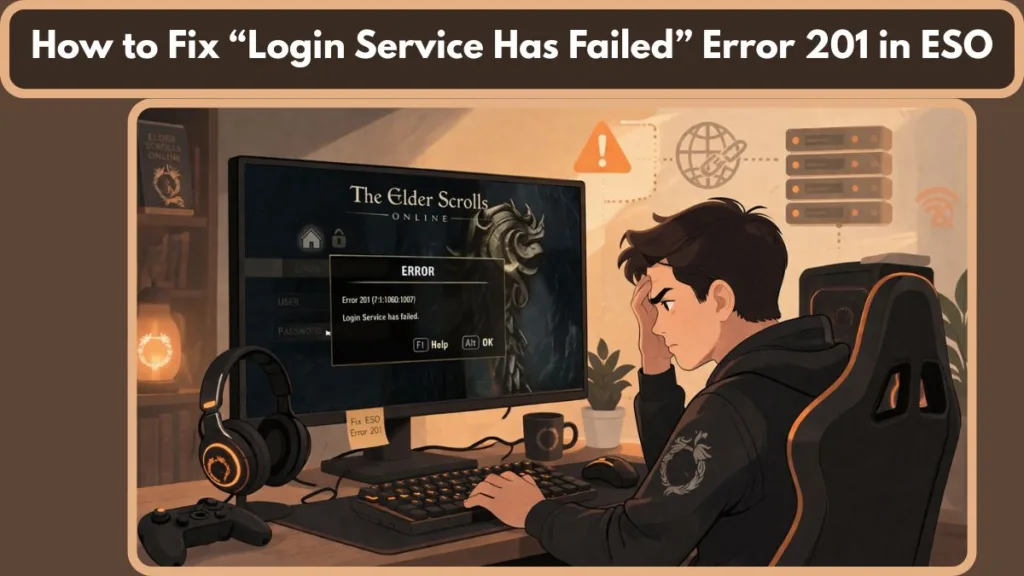
In 2026, with the increasing complexity of megaserver architecture and ISP security protocols, this error typically signifies a handshake failure between your local game client and the ZeniMax authentication backend.
Here’s the truth upfront: If you’re seeing Error 201, it means you’re essentially locked out of the game, even if your credentials are correct. While frustrating, it is rarely permanent. In most cases, it’s caused by either a temporary server issue or a fixable problem on your device or network.
This guide walks you through every possible cause, real-world error patterns, and proven solutions for PC, PlayStation, and Xbox, so you can fix the problem quickly or confidently identify when it’s time to wait.
Why is ESO Error 201 Not Logging In? (Common Causes)
Understanding the root cause saves you hours of guesswork. Based on real-world player reports and Bethesda technical support documentation, ESO Error 201 typically falls into four categories:
1. Server Downtime or Maintenance (Most Common)
This is by far the most frequent cause. It typically occurs during scheduled maintenance (usually Monday mornings for NA and Tuesday mornings for EU), new content updates, or unexpected outages. During these periods, ZeniMax Online Studios may disable or destabilize login services.
Key insight: If this is the cause, there’s nothing you can do locally to fix it. You simply need to wait until the servers are back online. Error 201 often appears specifically when the authentication gate is closed but the megaserver itself is still technically “up.”
2. Network / Connectivity Issues
Your internet connection plays a critical role in communicating with ESO servers. If your connection is unstable, slow, or improperly routed, the login request may fail before reaching the server. Common culprits include DNS conflicts, ISP routing problems (especially in the UK and Australia), or a weak Wi-Fi signal.
3. Outdated or Corrupted Game Client
An outdated or corrupted game installation is a major cause. If your game files are missing, damaged, or not synced with the latest version, the login process can fail. This is especially common after major Chapter updates or incomplete patch downloads.
4. Firewall or Antivirus Blocking
Security software can mistakenly flag the game or launcher as a potential threat. In Windows 11 and beyond, Ransomware Protection or Controlled Folder Access can prevent the Bethesda launcher from modifying the temporary files needed for login. Without proper exception rules, essential files like the launcher or game executable may be prevented from accessing the internet.
Quick Fixes for ESO Error 201 (Start Here First)
Before diving into advanced troubleshooting, try these simple steps. They solve a large percentage of login issues in minutes.
Quick Answer: The 60-Second Fix
Important: Restart your ESO launcher, check the official server status, and ensure your firewall isn’t blocking the connection. If you’re in a hurry, these three steps cover the majority of real-world cases.
- Refresh the Launcher and Game: Completely close the game and the taskbar icon for the launcher. This forces the system to refresh its connection and check for updates.
- Check Official Server Status: Before troubleshooting your device, visit the official ESO Server Status page or the @BethesdaSupport Twitter (X) account to confirm whether the issue is global. If the servers are down, you will continue to see the error no matter what you try.
- Restart Your Router: Power cycle your hardware. This helps eliminate temporary network glitches, stale IP addresses, or local ISP congestion.
- Log Out and Back In: Refresh your session by logging out of your ESO account entirely on the official website and then signing back in through the game client.
How to Fix ESO Error 201 on PC
If the servers are working properly and quick fixes failed, move on to these platform-specific steps.
Repair Game Files
Use the launcher’s built-in repair tool to fix corrupted or missing files. This is vital after a patch failure:
- Open the ESO Launcher.
- In the center of the screen, look for the Game Options dropdown menu (located above the news feed).
- Select Repair and wait for the verification process to finish. Note: This may take 15–30 minutes depending on your SSD speed.
Allow ESO Through Firewall
Ensure the game can communicate freely with the servers. You must manually add exceptions in Windows Defender or your third-party antivirus for:
eso.exe(Typically found in:C:\Program Files (x86)\Zenimax Online\The Elder Scrolls Online\game\client\)Bethesda.net_Launcher.exe(Typically found in:C:\Program Files (x86)\Zenimax Online\Launcher\)
Flush DNS & Reset Network
Cached network data can interfere with connections. This is a primary fix for users in Canada and the US experiencing routing loops.
Tip: Open Command Prompt as Administrator, type
ipconfig /flushdnsand press Enter. For a deeper reset, follow up withipconfig /releaseandipconfig /renew. Restart your browser and launcher afterward.
Optional: Port Forwarding
For persistent connection issues, configure port forwarding on your router to allow smoother communication between your device and the ESO megaservers. Ensure the following ports are open:
- TCP: 80, 443, 24100-24131, 24500-24507
- UDP: 1000-1002
Fix ESO Error 201 on PS4, PS5 & Xbox
Console players often encounter variations of this error, such as “login failed to find primary.”
Tip: A full power cycle (restarting your console) can clear temporary cache issues. To do this, turn off the console, unplug the power cord for 30 seconds, and then restart.
- Check PSN/Xbox Live Status: Outages on PlayStation Network or Xbox Live can affect your ability to reach ESO servers, even if the game servers are fine.
- Re-Sign In: Sign out of your console account (PSN ID or Gamertag) and log back in to refresh your session.
- Restore Licenses (PlayStation Only): Go to Settings > Users and Accounts > Other > Restore Licenses. This often fixes authentication errors on PS5.
Advanced Fixes (If Error Still Persists)
If the quick fixes didn’t solve your problem, move on to these deeper troubleshooting steps.
- Reinstall the Game: This is the last resort but eliminates deep-seated file corruption issues that the Repair Tool might miss.
- Change Steam Download Region: If you are on Steam, go to Settings > Downloads and change your region to a nearby city. This can bypass local server routing issues.
- Disable VPNs or Proxies: While some users use VPNs to improve routing, they often interfere with ESO’s authentication. Turn them off entirely, refresh the login page, and try again.
- Contact Your ISP: In regions like Australia, certain ISPs have aggressive transparent proxies. Contact them to see if there is a routing issue between your network and the ZeniMax data centers in Texas (NA) or Frankfurt (EU).
Common ESO Error Messages (Explained Clearly)
Error 201 is often linked to other connectivity-related issues:
- ESO Error 307: Usually indicates a disconnection or being kicked from the server (often caused by addon spam or lag).
- ESO Error 108: Another login-related issue specifically involving the authentication handshake.
- ESO Error 200: Points to an authentication timeout, where the server took too long to respond.
Key insight: All of these errors share a common theme: connection instability between your device and ESO servers. If you see these errors in sequence, your local network is likely the culprit.
FAQ: ESO Error 201 Login Failed
What does ESO error 201 mean? It is a connectivity code indicating that your game client cannot reach the ZeniMax Megaservers due to server issues, network problems, or client errors.
How do I fix ESO error 201 on PC? The most effective fixes are repairing game files, updating the launcher, allowing ESO through your firewall, and flushing your DNS.
Is ESO down when I get error 201? Sometimes, yes. Always check official service alert pages or social media updates from the developers first. If a patch just launched, expect Error 201 for the first hour.
Why does one account get error 201 but another works? This can happen due to session cache issues, account sync problems, or temporary server glitches specific to an account’s data routing.
Does repairing game files fix error 201? Yes—if corrupted or missing files are preventing the authentication flow, the repair tool will resolve it.
Pro Tips to Avoid ESO Error 201
To minimize the chances of encountering this error again:
Tip: Keep your game and launcher updated at all times and use a wired Ethernet connection if possible to avoid switching networks while playing. Wi-Fi 6 is better, but wired is the only way to guarantee a stable handshake.
- Whitelist the Game: Always keep ESO and its launcher whitelisted in your antivirus software.
- Avoid Peak Load: Try to avoid logging in immediately after a major update (like the 2026 Q1 Chapter release) when servers are under extreme stress.
- Disable Addons: If you can reach the character select screen but get Error 201 when loading a character, try disabling all addons first.
Final Thoughts
ESO Error 201 login failed can feel frustrating, but once you understand the pattern, it becomes much easier to handle. If quick fixes like clearing your cache or checking server status don’t work, and the issue affects multiple devices, it’s almost always a server-side problem. At that point, the smartest move isn’t more troubleshooting—it’s patience.
Next Step: Head over to the official ESO Server Status page to see if the team is actively investigating an outage. If the status is Green, start with the DNS Flush and Firewall Exceptions listed above.
Visit Our Post Page: Blog Page