
Stuck on Marvel Rivals Error Code 270? Don’t panic—it’s just a handshake failure, not a ban. Here are 5 proven fixes for PC, PS5, and Xbox to bypass the 2026 update glitch and get you back in the match fast.
Fresh off its first anniversary celebration, Marvel Rivals is kicking off 2026 strong with a massive new patch. But unfortunately, many rivals looking to jump into the Timestream Entanglement are hitting a major roadblock: Error Code 270.
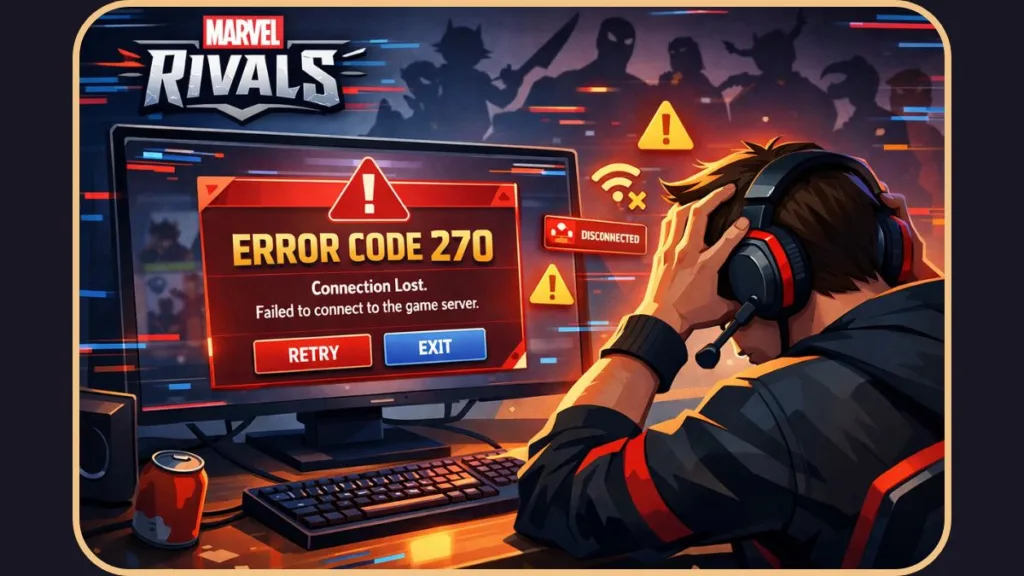
There is nothing worse than clearing your schedule for a gaming session only to be stared down by a cryptic error message. If you are seeing this code, you aren’t alone. It is currently putting a severe cramp in many players’ plans.
However, you don’t need to panic or worry about a permanent account ban. Here is why this is happening and the proven ways to fix it immediately.
Why Error Code 270 Usually Appears After Big Updates
Based on extensive server data and community feedback, Error Code 270 is a network handshake failure.
This error almost exclusively appears whenever Marvel Rivals releases a “chunky” update, like the recent Anniversary patch. Consequently, when thousands of players try to log in simultaneously to check out the new content, the NetEase Games authentication servers get clogged.
To understand this better, imagine trying to enter a crowded stadium through a single revolving door. Your game client is effectively trying to “shake hands” with the server to verify your identity.
However, because the server is overwhelmed processing other requests, it fails to shake back. The result is a connection timeout that displays as Marvel Rivals error code 270. It is a temporary traffic jam, not a fatal car crash.
What Players Are Saying About Error Code 270
The community reaction has been a mix of initial confusion followed by collective relief. On Reddit and the official Marvel Rivals Discord server, players were discussing this glitch as far back as March of last year, confirming it is a recurring side effect of high traffic rather than a unique system failure.
The Consensus: Most players agree that this is a temporary instability issue related to server congestion.
The Discovery: Many console users found that the error message is often “soft.” This means it isn’t a hard block like a ban, but rather a hurdle you can bypass with persistence (see Method 2 below).
The Vibe: Once players realized their accounts were safe, the mood shifted from panic to a “wait it out” approach. One user even noted that spamming the login button felt like “brute forcing” the door open.
5 Proven Methods to Fix Error Code 270 in Marvel Rivals
If you don’t want to wait for the servers to clear up on their own, you can take action now. Here are the five most effective ways to troubleshoot the connection manually and bypass the Marvel Rivals login error.
1. The “Wait and Retry” Method (Most Effective)
Since Error 270 is directly tied to server traffic, sometimes the best fix is simply waiting for the traffic to settle down.
If you are hitting the glitch, close the Marvel Rivals application completely. Furthermore, resist the urge to immediately reopen it.
Wait about 5 to 10 minutes—grab a drink, stretch, or check the Marvel Rivals Twitter for updates—and then try to log back in. This brief pause clears your previous “failed” session and gives the server queue a chance to breathe, increasing your success rate significantly.
2. The “Brute Force” Trick (Best for PS5 & Xbox)
If patience isn’t your strong suit, the community has discovered a more aggressive workaround specifically for console players.
Many PS5 and Xbox Series X users have reported bypassing Error 270 simply by spamming the Login button (Square on PlayStation, X on Xbox) repeatedly for about 30 seconds.
While it sounds chaotic, persistent attempts can sometimes slip you through a momentary opening in the server queue. Think of it as repeatedly knocking on the door until someone finally lets you in.
3. The Connection “Jumpstart”
If the game still refuses to connect, your local network might be holding onto bad data or a “stale” cache from the previous update. You need to “jumpstart” your connection to force a fresh handshake.
Don’t just restart the game; fully shut down and restart your computer or console.
Please ensure you do not use “Sleep Mode” or “Rest Mode.” A full reboot forces your system to drop all active network threads and establish a brand-new connection path to the modem. This simple step often clears up lingering handshake failures that cause Error 270.
4. Switch Your Connection Type (Wired vs. Wireless)
This is a unique fix that has worked for players stuck in the “Timestream” update loop who are experiencing packet loss or specific port blocks.
- If you have a wired (Ethernet) connection, try unplugging it and switching to Wi-Fi.
- Conversely, if you are already on Wi-Fi, try connecting to a mobile hotspot temporarily.
Why this works: Sometimes the error is tied to a specific network port or ISP route that is currently congested. Switching connection types forces the game to take a new “road” to the NetEase servers, potentially bypassing the blockage entirely.
5. Flush DNS (For PC Users)
If you are playing on PC via Steam or Epic Games Launcher and none of the above worked, you likely have corrupted network files. You should try clearing your internet cache (DNS).
- Press the Windows Key on your keyboard and type
cmd. - Right-click Command Prompt and select “Run as Administrator.”
- Type
ipconfig /flushdnsand hit Enter. - Restart your PC and launch the game.
This process removes outdated IP addresses from your system, ensuring your computer tries to connect to the most current Marvel Rivals server address.
What to Do If Error Code 270 Still Doesn’t Go Away
If you have diligently tried all five methods and still cannot get into the game, odds are Marvel Rivals is experiencing a major server outage on their end.
At this point, the issue is out of your hands. Here is what you should do next using available third-party services:
Check Official Sources: NetEase puts a lot of effort into keeping players informed. Check the official Marvel Rivals Twitter/X page or their Discord server for “Known Issues” announcements.
Use Downdetector: Visit Downdetector to see if other players are reporting a spike in login failures. If the graph is spiking vertically, you simply have to wait for the developers to deploy a hotfix.
Error 270 is annoying, but it is usually temporary. Just be a little patient, and you should be back to dominating the Marvel Universe in no time.
FAQs Players Are Asking About Error Code 270 in Marvel Rivals
What is Error Code 270 in Marvel Rivals? Error Code 270 is a network handshake failure that occurs when your game client cannot verify its version with the NetEase Games servers, usually due to high traffic after an update.
Is Marvel Rivals Error Code 270 a ban? No, this error is a temporary connection timeout and is not a permanent ban or suspension of your account.
Is Marvel Rivals down right now? You can check if the servers are officially down by visiting the Marvel Rivals Discord or by viewing real-time player reports on Downdetector.
How do I fix Marvel Rivals Error Code 270 quickly? Most players can fix the issue by waiting 10 minutes for traffic to clear, restarting their router, or using the “Brute Force” method of spamming the login button on consoles.
Does reinstalling fix Error Code 270 in Marvel Rivals? Reinstalling is rarely necessary and takes too long; instead, you should verify the integrity of your game files on Steam or Epic Games to fix any corruption.
Can a VPN cause Error Code 270 in Marvel Rivals? Yes, VPNs can sometimes block the specific ports required for the connection handshake, so we recommend disabling your VPN or switching to a different server location to resolve the timeout.
Visit Our Post Page: Blog Page