
Getting a Claude login error like “There was an error logging you in” or “internal server error”? Don’t worry. Here’s a complete step-by-step guide to fix Claude AI login error quickly and get back to using it.
If you’re stuck on the Claude login screen—whether it’s endlessly loading, throwing an “internal server error,” or simply refusing to sign you in—you’re not alone. Many users encounter this issue, and the frustrating part is that even after trying multiple fixes, the problem often persists.
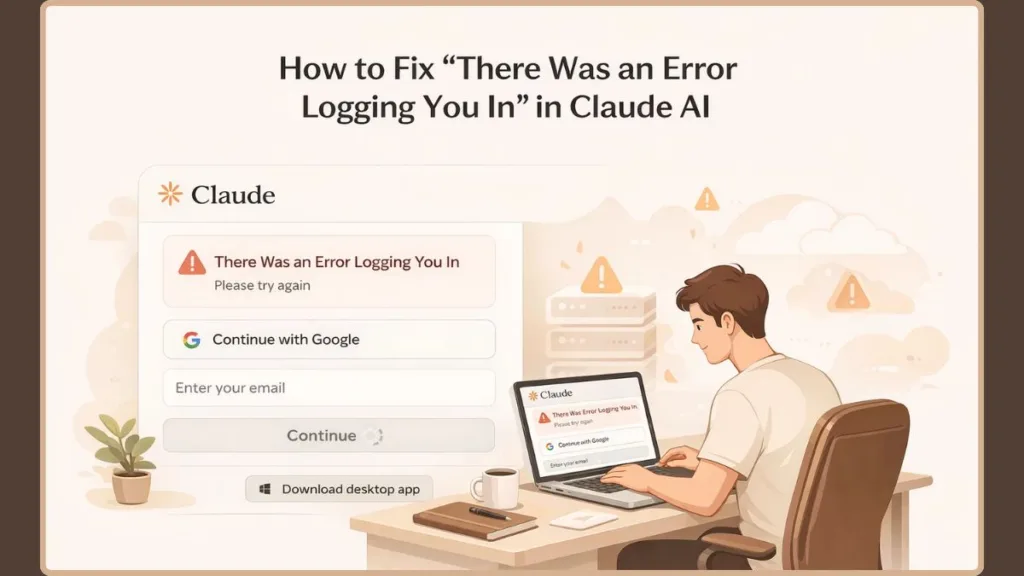
Here’s the truth upfront: If Claude won’t let you log in across multiple devices or browsers, the issue is often server-side—not something you can fix locally.
That said, there are situations where a quick fix works instantly. This guide walks you through every possible cause, real-world error patterns, and proven solutions, so you can either fix the problem quickly or confidently identify when it’s time to wait.
Why is Claude AI Not Logging In? (Common Causes for Login Errors)
Understanding the root cause saves you hours of guesswork. Based on real-world user reports and platform behavior, Claude login errors typically fall into five categories.
Claude Server Outage or Platform Issue (Most Common)
This is by far the most frequent cause—and also the most misunderstood. When Claude’s infrastructure is hit with massive traffic spikes, backend failures, or routine maintenance, you’ll likely notice the login failing on both the web and mobile app. Switching devices won’t help here, and you’ll probably see repeated “Internal server error” or “Rate exceeded” messages.
Key insight: If thousands of users are trying to log in at the same time, the authentication system can fail before anything else. This explains why login issues often appear suddenly and simultaneously across users.
Claude Authentication and OAuth Failures
Claude uses external authentication systems like Google sign-in or email-based magic links. When these systems fail or miscommunicate, your login breaks. You might experience Google sign-in loops, the login page refreshing without progress, or error messages like “OAuth request failed (500).” This usually happens due to token validation failures, expired sessions, or backend authentication service outages.
Rate Limiting or Claude Capacity Errors
Claude applies strict rate limits to prevent abuse and manage heavy traffic. During peak hours, attempting to log in too many times may trigger an automatic block. The system will return a “rate exceeded” message and temporarily lock you out.
Claude Session or API Errors
Sometimes everything works fine—until it doesn’t. Users often report getting logged out suddenly, seeing an API error, and then being unable to log back in. This indicates session corruption, backend instability, or expired tokens on your browser.
Browser or Network Issues Causing Claude Login Failures
These are the issues you can control. Corrupted cookies, VPN interference, heavy ad-blocking extensions, or outdated browser versions can all interfere with the login script. While less common than Anthropic’s server issues, these can still cause login failures in isolated cases.
Quick Fixes for Claude Login Error (Start Here First)
Before diving into advanced troubleshooting, try these simple steps. They solve a large percentage of login issues in minutes.
Refresh the Claude Login Page and Try Again
This might sound basic, but it’s surprisingly effective. If the issue is caused by a temporary server overload or a minor backend glitch, simply wait 2–5 minutes, refresh the Claude login page, and try logging in again.
Tip: Avoid repeatedly clicking the login button, as this can worsen rate limits.
Check if Claude AI is Currently Down or Experiencing an Outage
Before troubleshooting your device, confirm whether the issue is global. If your login fails everywhere (web + app) and errors appeared suddenly without changes on your end, it’s likely a platform outage. If Claude is down, no local fix will work.
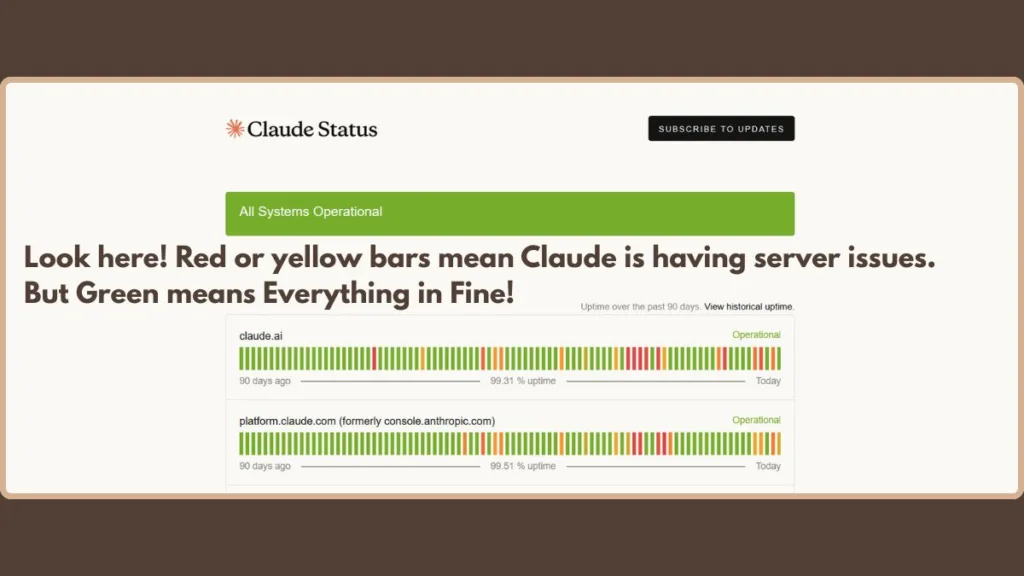
You can verify this by checking the official Claude server status page or by seeing if others are reporting similar issues in the Anthropic Reddit community.
Clear Browser Cache and Cookies for Claude
Corrupted browser data can easily block authentication.
- How to fix it quickly: If you are on Chrome or Edge, press Ctrl + Shift + Delete (or Cmd + Shift + Delete on Mac) to open your “Clear browsing data” menu. Select “Cookies and other site data” and “Cached images and files,” clear the data, and restart your browser. This resets your session and removes conflicting files.
Does Using a VPN Block Claude AI Login?
Yes, it frequently does. Claude may block or flag certain IP addresses for security reasons, especially those coming from VPNs or proxies. If you’re using one, turn it off entirely, refresh the login page, and try again.
Try a Different Browser or Device for Claude Login
Switching environments helps you figure out exactly where the problem lives. Try moving from Chrome to Firefox or edge, or switch from your desktop to your smartphone. If the login works elsewhere, the issue is definitely specific to your original browser.
Advanced Fixes (If Claude AI Login Still Fails)
If the quick fixes didn’t solve your problem, move on to these deeper troubleshooting steps.
Disable Browser Extensions Interacting with Claude
Extensions like strict ad blockers, privacy shields, and script blockers can interfere with Claude’s login scripts. To test this, temporarily turn off all your extensions (in Chrome, type chrome://extensions/ in the URL bar and toggle them off). Reload the page and try again. If it works, turn them back on one by one to find the culprit.
Use Incognito or Private Browsing Mode
Incognito mode disables most extensions and ignores stored cookies, making it the perfect testing environment. Press Ctrl + Shift + N (or Cmd + Shift + N on Mac) to open a private window, visit Claude, and try logging in.
Check Email Login Delays and Magic Links
If you’re using email-based login, check your spam or junk folder for the link. During high-traffic periods, Anthropic’s email delivery can be significantly delayed. Wait a few minutes before requesting a new login link so you don’t accidentally invalidate the previous one.
Switch Your Claude Login Method
If one method is broken, try another. Switch from your Google login to a direct Email login, or vice versa. This often bypasses specific backend OAuth issues.
Restart Your Network Connection
A stale IP address or network instability can ruin a login attempt. Restart your Wi-Fi router, or disconnect your phone from Wi-Fi to force it onto mobile data, and try logging in again.
When Nothing Works: It’s Likely a Claude Outage
This is the part many users overlook. If you’ve tried all the fixes, switched devices, disabled your VPN, and you still can’t log in, the issue is almost certainly on Claude’s servers.
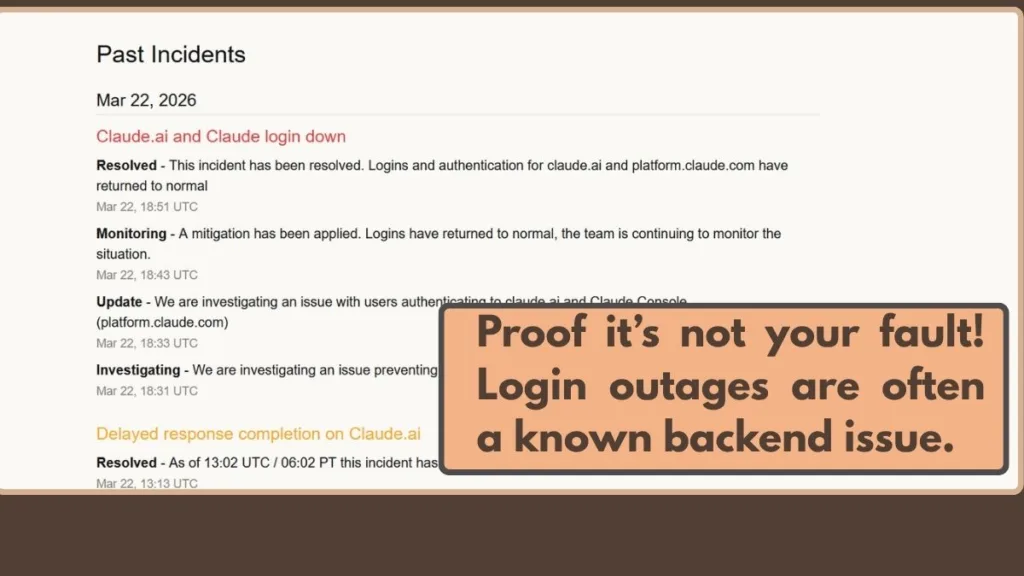
This is especially true if your errors include “internal server error,” “rate exceeded,” or if the login fails on both the web and the app simultaneously. At this point, the best approach is to stop retrying so you don’t trigger a temporary account lock.
Common Claude Login Error Messages (Explained Clearly)
Let’s decode the most common developer jargon so you know exactly what is happening:
- “There was an error logging you in”: A generic message usually linked to widespread server issues or authentication failures.
- “Rate exceeded”: You’ve made too many requests, or the servers are completely overloaded. Solution: Wait and try again later.
- “Internal server error”: This is a backend failure on Anthropic’s side. There’s nothing to fix on your end.
- “OAuth request failed (500)”: The Google or email authentication system is failing to communicate. Solution: Try switching your login method.
- “Login stuck loading”: Indicates corrupted session data, a broken authentication flow, or browser extension conflicts.
FAQs About Claude Login Issues
Why can’t I log into Claude AI?
Most commonly, this is due to Anthropic server outages, third-party authentication failures (like Google login being down), or rate limits hitting your account.
How do I fix the Claude AI secure link not working?
If your email magic link isn’t working, ensure you are opening it in the exact same browser you requested it from. If it still fails, your email provider might be delaying the message, causing the link to expire before you click it.
Why is Claude not sending my login email?
This usually stems from email delivery delays on Anthropic’s end, overactive spam filtering in your inbox, or exceptionally high server load.
How long do Claude login issues last?
Most minor glitches resolve within a few minutes, while major backend outages can take a few hours for the engineering team to fix. You can monitor official updates via the Anthropic Support Help Center.
Final Thoughts
Claude login errors can feel confusing because they often appear without warning and don’t respond to typical fixes. But once you understand the pattern, it becomes much easier to handle.
If quick fixes like clearing your cache or turning off your VPN don’t work, and the issue affects multiple devices, it’s almost always a server-side problem. At that point, the smartest move isn’t more troubleshooting—it’s patience.
Next Step: Head over to the official Anthropic Status Page to see if their team is actively investigating an outage. Try the solutions in this guide, identify the root cause, and you’ll save yourself time, frustration, and unnecessary guesswork.
Visit Our Post Page: Blog Page