
Wondering how to get notified when Amazon prices drop in 2026? Discover the best free tracking tools, real-time alert setups, and simple steps to monitor price history and save big on every order.
Introduction: How to Get Notified When Amazon Prices Drop Automatically
If you’ve ever added something to your cart only to see the price drop later, you know how frustrating waiting for a better deal can feel. What if you could stop checking manually and let Amazon do the work for you? In this guide, you’ll learn how to get notified when Amazon prices drop automatically, so you never overpay again.
Stop refreshing product pages and let Amazon track price drops for you automatically.
Today’s Amazon shopping experience gives you powerful ways to track price changes — whether you want a price drop alert on a single product, want to track Amazon price history, or receive broader Amazon deal alerts during major events like Prime Day and Black Friday. With these tools, you turn passive browsing into smart deal hunting.
Here’s the good part: you don’t need to stare at your screen all day or reload pages hoping for a discount. Instead, you’ll learn how to use features like Rufus price alerts — Amazon’s AI-powered price tracker — to help you get push notifications and price drop alerts right when a product hits your target price.
Set your price once, wait patiently, and buy only when the deal is right.
Whether your goal is to save on a high-end TV, grab a budget gadget under a specific price threshold, or catch exclusive Prime deal alerts before they’re gone, this guide walks you through everything clearly and confidently. By the end, you’ll know how to automatically track prices on Amazon and shop smarter — without stress, guesswork, or missed deals.
This is the easiest way to make sure you never overpay on Amazon again.
Can Amazon Notify You When the Price Drops?
The Short Answer: Yes, Amazon Can Send Price Drop Notifications
If you’re wondering, “Can Amazon notify me when a price drops?” the short answer is yes — but with a couple of important details.
Amazon doesn’t always make this obvious, but it now offers built-in ways to get notified when Amazon prices drop automatically using tools like Rufus price alerts and deal notification features available inside the Amazon app. This means you no longer have to refresh product pages constantly — you can simply set up alerts and let Amazon track price changes for you.
Amazon can notify you when prices drop — but only if you enable price alerts or deal notifications first.
How Amazon Price Drop Alerts Actually Work
The most powerful option available today is Amazon’s AI shopping assistant, Rufus. It allows you to set a price drop alert for a specific product while also showing price history, helping you understand whether a discount is truly worth it.
Once the product hits your target price, Rufus sends you a notification. If you choose to go a step further, the Auto Buy option can even purchase the item automatically for you when that price is reached.
Rufus tracks prices for you and alerts you the moment your target price is hit.
Amazon Deal Alerts vs Product Price Alerts
In addition to individual product tracking, Amazon also offers a broader deal alert system. These alerts notify you about discounts, deals, and price drops on items you’ve searched for, viewed, or saved — especially during major shopping events.
You’ll typically receive these updates through Deals Notifications in the app’s message center, making it easier to stay informed without manually checking offers.
You can receive alerts for single product price drops and wider deal-based discounts.
What You Need to Do for Alerts to Work
So yes — Amazon can notify you when the price drops, but it won’t happen automatically unless you take action. You need to enable price tracking and notifications so Amazon knows which products or deals you care about.
Once set up correctly, these alerts work quietly in the background, helping you buy at the right time — without stress, guesswork, or missed savings.
Set the alert once, and let Amazon handle the tracking from there.
Understanding Amazon Price Drop Notifications and Deal Alerts
What Amazon Price Drop Notifications Really Mean
When you hear terms like Amazon price drop notification, Amazon price alert, or price tracking on Amazon, they all revolve around one core idea: getting informed instantly when a product’s price falls to the level you want. Whether it’s a gadget, home essential, or something on your wishlist, understanding how these alerts work is the first step to smarter shopping.
At the heart of Amazon’s system is Amazon’s AI shopping assistant, Rufus, which can show price history over the past 30–90 days and help you decide whether a discount is truly a deal or simply a temporary drop. Rufus not only tracks prices for you, it can set price drop alerts and even automate buying when your target price is reached.
Price drop notifications are Amazon’s way of letting you track real price movement — not guesswork.
You might also see deal alerts, which are broader notifications about discounts, promotions, and sale events across categories. These aren’t tied to one specific product price point but are designed to help you spot opportunities like seasonal deals, Prime Day discounts, or Lightning Deals for items you may have viewed or saved.
Why Historical Price Tracking Matters
One reason price alerts are powerful is that they’re based on historical pricing data — not just the current sale price. When Rufus shows you a price history chart, you’re seeing a trend of how prices have changed over time, giving you real context for whether today’s deal is genuinely good.
Historical price insight helps you separate real deals from temporary pricing tricks.
This type of price tracking — whether through Amazon’s Rufus or third-party tools like Keepa — builds a bigger picture of price behavior so you can make informed decisions about when to buy.
Difference Between Price Drop Alerts and Deal Alerts
Here’s the distinction in simple terms:
- Price Drop Alerts: These are tied to a specific product and notify you when its price falls below your chosen price threshold. Amazon’s Rufus can monitor this continuously, checking price changes as often as every 30 minutes.
- Deal Alerts: These are more general notifications about discounts across Amazon — including recommendations based on what you’ve searched for, viewed, or added to lists.
Think of price alerts as precision tracking and deal alerts as broader opportunity spotting.
Together, they create a powerful combination: exact product tracking when you know what you want, and wide-net deal discovery when you’re open to savings.
How Amazon Tracks Prices Behind the Scenes
Amazon’s system continuously checks prices, and Rufus leverages this data to spot price changes and trends without you lifting a finger. The result is a dynamic price alert ecosystem that adapts to flash sales, seasonal discounts, and changing market prices.
Amazon tracks prices for you — but only if alerts are enabled.
Once price alerts and deal notifications are turned on, Amazon handles the rest, sending push notifications or emails so you never miss a deal that matches your buying goals.
Before You Start: What You Need to Enable Amazon Price Drop Notifications
Before you dive into setting up Amazon price drop alerts or deal notifications, there are a few simple preparations you should take care of first. This ensures that when you set a price alert on Amazon or tell Amazon to notify you when a price drops, you actually receive those alerts — instead of missing them because a setting was turned off.
Have the Amazon App Installed and Logged In
To get automatic notifications when an item’s price drops, you’ll need the Amazon app installed on your smartphone or tablet. Most of the built-in alert features — especially Rufus price alerts and deal notifications — work from inside the app.
Without the Amazon app, you can’t receive push notifications for price drops.
Make sure you’re signed into the app using your Amazon account. That way, when Amazon tracks the price for you or sends you a price drop alert, it’s tied to your account and preferences.
Enable Notifications in the Amazon App and Phone Settings
Once the app is installed and you’re logged in, the next step is to turn notifications on — both inside the app and at the system level on your phone.
Inside the Amazon app:
- Go to Settings
- Find Notifications
- Enable the types of alerts you want, like Deals Notifications or price drop alerts
Then, in your phone’s system settings, make sure that the Amazon app is allowed to send push notifications. If app notifications are off, Amazon can track prices, but you’ll never hear about the drop.
If notifications are disabled, alerts may be tracked but you won’t ever see them.
This is one of the most commonly missed steps — and an easy one to fix before moving forward.
Understand Which Alerts Require Prime Membership
Most deal alerts and basic price notifications are available with a free Amazon account. However, features like Auto Buy — where Amazon automatically purchases an item for you once it hits your target price — typically require an Amazon Prime membership.
Prime unlocks exclusive perks like Auto Buy and early deal notifications.
If your goal is to have Amazon automatically buy items when they hit your set price, or to get deals earlier than other shoppers during events like Prime Day, being a Prime member makes this process smoother.
Decide What You Want to Track Before You Start
Before setting alerts, take a moment to decide what you actually want to track:
- Individual items (e.g., a TV or a pair of headphones) — set a price drop alert
- Categories or wishlist items — set a deal alert
- High-priority purchases — enabled with Auto Buy if using Prime
Having a clear target in mind ensures that your price tracking and notifications are focused and easy to manage.
A clear goal makes your alerts more effective and keeps notification overload at bay.
By taking these simple preparation steps — installing the app, enabling notifications, understanding Prime benefits, and deciding what you want to track — you ensure that your Amazon price alerts work exactly as intended.
Method 1: How to Get Notified When a Product Price Drops on Amazon Using Rufus
Why Rufus Is the Best Way to Track Amazon Price Drops
One of the simplest and most effective ways to get notified when a price drops on Amazon is by using Amazon’s AI shopping assistant, Rufus. This feature works like a built-in Amazon price tracker, monitoring price changes so you don’t have to.
Rufus can send you a price drop alert, show price history, and support advanced features like Auto Buy, making it ideal when you’re waiting for the right deal on a specific product.
Rufus tracks prices for you, notifies you when they fall, and helps you buy at the right time — automatically.
Where to Find Rufus in the Amazon App
To start setting up Amazon price alerts, you first need to find Rufus inside the Amazon app. Look for the Rufus icon, usually displayed as a chat bubble, near the bottom of the screen or at the top of a product page.
Before proceeding, make sure you’re on the exact product page and have selected the correct variation — such as size, color, or model. Price alerts are tied to that specific version, so choosing correctly ensures the alert works as expected.
Price alerts only track the exact product version you select.
How to Set a Price Drop Alert Manually Using Rufus
Follow these steps to create a reliable Amazon price drop notification:
- Open the Amazon app and go to the product you want to track.
- Tap the Rufus icon to open the AI assistant.
- Type a command like “Set a price alert” or “Notify me when this drops below $499.”
- Rufus displays the current price and often a 30-day price history to help you judge the deal.
- Enter your target price — the amount you’re willing to pay.
- Review the alert details Rufus shows you.
- Tap Create price alert to activate it.
Set your target price once, and let Rufus watch for the drop in the background.
How to Set Amazon Price Alerts Using Voice Commands
If you prefer hands-free setup, you can talk to Rufus instead of typing. After opening the product page and tapping the Rufus icon, use the microphone button and say things like:
- “Set a price alert if this drops below $500.”
- “Let me know if the price falls by 15%.”
- “Set a price alert at $249 and enable Auto Buy.”
Rufus will confirm the product, target price, and whether Auto Buy is enabled before completing the setup.
Voice commands turn price tracking into a quick conversation.
How Rufus Tracks Amazon Price Drops Automatically
Once your price drop alert is active, Rufus continuously monitors the product’s pricing behind the scenes. It checks for price changes regularly and sends you a notification the moment your target price is reached.
This matters because Amazon prices can fluctuate frequently, and manual checking often leads to missed opportunities.
After setup, Rufus handles all the tracking — no refreshing, no guessing.
Auto Buy Explained: Automatically Buy on Amazon When the Price Drops
What Auto Buy Does and Why It Matters
When you’re tracking prices on Amazon and setting alerts, one of the most powerful features you can use — especially if you’re an Amazon Prime member — is Auto Buy. Instead of only receiving a notification when a price hits your target, Auto Buy allows Amazon to automatically purchase the item for you once that price threshold is reached.
Auto Buy doesn’t just notify you about a price drop — it acts on it automatically.
This elevates standard Amazon price drop alerts into a fully automated buying system. Rather than racing to place an order before a deal disappears, Amazon uses your default payment method and default shipping address to complete the purchase on your behalf.
How Auto Buy Works with Amazon Price Alerts
Here’s how the Auto Buy process works from start to finish:
- You set a price alert on a product using Rufus, Amazon’s AI shopping assistant.
- You enter the target price you’re willing to pay.
- You choose to enable Auto Buy while creating or editing that alert.
- When the price drops to your set level (or lower), Amazon automatically places the order for you.
- You receive a notification confirming the purchase, and in most cases, a grace period to cancel before the item ships.
With Auto Buy enabled, Amazon watches the price and completes the purchase at the right moment.
This is especially useful during flash sales, seasonal discounts, and limited-time deal events where prices can change quickly.
Why Auto Buy Saves Time and Stress
Think of Auto Buy as a combination of an Amazon price tracker and an instant checkout system. While normal price alerts keep you informed, Auto Buy executes the purchase automatically when your conditions are met.
This helps you avoid:
- Repeatedly refreshing product pages
- Monitoring notifications all day
- Missing deals because you weren’t online at the right moment
Instead, the purchase happens exactly when your price target is reached — without any manual effort.
Auto Buy turns waiting for a deal into a hands-off experience.
Important Things to Know Before Using Auto Buy
Before enabling Auto Buy, keep these key points in mind:
- Amazon Prime membership is usually required to use Auto Buy.
- Amazon places the order using your default payment method and default shipping address, so make sure those details are correct.
- You’ll receive order confirmation notifications immediately after the purchase.
- There is typically a cancellation window, allowing you to cancel if you change your mind.
- Auto Buy requests usually remain active for up to six months or until you cancel them manually.
Auto Buy automates the purchase — but you always stay in control.
This feature works best for high-demand items, frequently sold-out products, and deals where timing matters more than anything else.
How to View, Edit, or Cancel Amazon Price Alerts in the Amazon App
Why Managing Your Amazon Price Alerts Matters
If you’ve already set up Amazon price drop alerts, knowing how to view, edit, or cancel those alerts is just as important. Prices change, buying priorities shift, and some alerts may no longer be useful. Amazon’s price tracking system gives you full control, so you’re never locked into an alert you don’t want.
Price alerts are flexible — you can manage them anytime inside the Amazon app.
How to View Your Amazon Price Alerts in the App
Inside the Amazon app, there’s a dedicated place where all your active price alerts live. This is where you can review which products Amazon is currently tracking for you.
Most users can find their alerts by:
- Opening the Amazon app
- Going to Account
- Navigating to Your Price Alerts or Manage Price Alerts
This section displays every alert you’ve created, making it easy to see which products are being monitored and at what target price.
This area acts as your control center for all Amazon price alerts.
Manage Price Alerts Faster by Asking Rufus
If you don’t want to dig through menus, there’s a faster option. You can simply ask Rufus to manage your alerts for you.
After tapping the Rufus icon in the Amazon app, say:
“Manage my price alerts.”
Rufus will instantly show you your price alert dashboard, where you can view, update, or cancel alerts without navigating through multiple screens.
Using Rufus is the quickest way to access your price alerts.
How to Edit an Existing Amazon Price Alert
Once you open your list of alerts, you can make changes easily. Editing a price alert allows you to:
- Adjust the target price if you want to wait for a deeper discount or catch a deal sooner
- Turn Auto Buy on or off depending on whether you still want automatic purchasing
- Review the product variation you selected to ensure it’s the right size, color, or model
Editing keeps your alerts aligned with your budget and buying goals.
How to Cancel an Amazon Price Alert
If an alert is no longer needed — maybe you’ve already bought the item or lost interest — canceling it is simple:
- Open your price alert list
- Select the alert you no longer want
- Tap Cancel or Delete
Once canceled, Amazon stops tracking that product’s price, and you’ll no longer receive notifications for it.
Canceling alerts reduces notification clutter and keeps your tracking list clean.
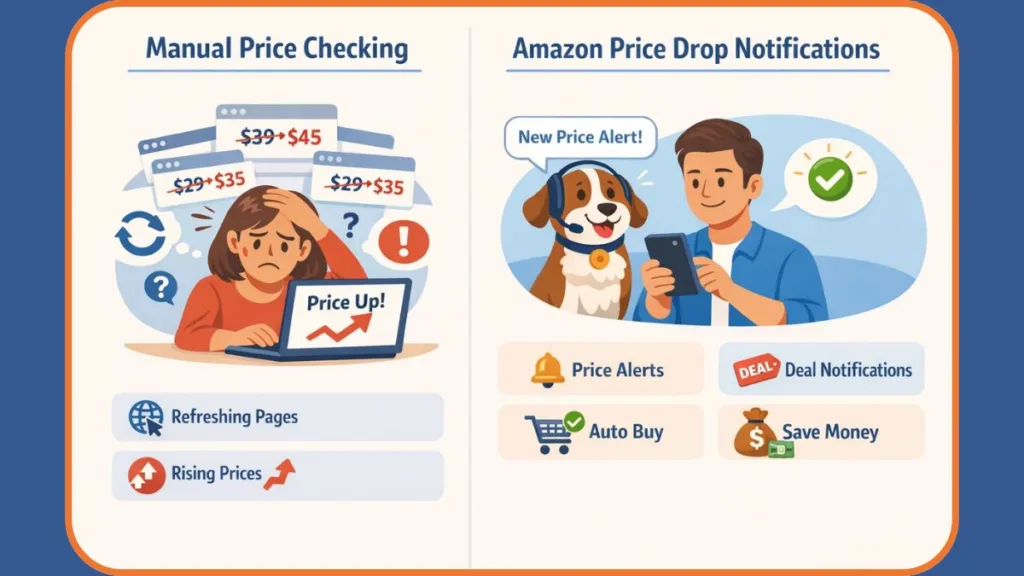
Method 2: How to Set Up Amazon Deal Alerts and Prime Deal Alerts
Amazon Deal Alerts vs Product Price Alerts: What’s the Difference?
If you want to catch discounts, price drops, and special offers beyond tracking a single product, Amazon deal alerts are a powerful option. While Rufus price alerts focus on one specific item, deal alerts help you discover broader Amazon deals, category-wide discounts, and Prime-exclusive offers automatically.
Deal alerts are designed to surface savings opportunities across Amazon — not just for one product.
These alerts send push notifications or deal suggestions based on items you’ve viewed, searched for, or shown interest in, making them ideal for staying ahead during sales.
How to Enable Amazon Deal Alerts in the Amazon App
To start receiving Amazon deal notifications in the app:
- Open the Amazon app on your phone.
- Tap the Menu, then go to Account.
- Find Message Center or Deals Notifications.
- Subscribe to deal alerts based on recent searches or viewed products.
Once enabled, Amazon automatically notifies you about relevant deals and discounts, without needing to set individual price alerts.
The app personalizes deal alerts based on what you browse and shop for.
How to Set Up Amazon Deal Alerts on the Website
If you prefer using a browser, Amazon also lets you manage deal alerts on the website:
- Sign in to your Amazon account.
- Go to the Today’s Deals section.
- Look for the Deal Alerts option.
- Choose the categories or products you want alerts for.
This helps Amazon understand what deals matter to you so notifications stay relevant and useful.
Website deal alerts help you track categories and offers without manual searching.
How Prime Deal Alerts Work for Amazon Prime Members
Amazon Prime members get additional benefits through Prime deal alerts, including early notifications for major events like Prime Day, Lightning Deals, and seasonal sales.
Prime deal alerts often arrive earlier, giving members a head start on popular discounts.
These alerts are typically delivered via the Amazon app or email, helping Prime members secure deals before stock runs low.
Tips to Get Better Results from Amazon Deal Alerts
Once deal alerts are enabled, you can make them more effective by:
- Choosing specific categories you’re interested in, such as electronics, fashion, or home essentials
- Paying attention to alerts based on viewed, searched, or wish-listed items
- Adjusting notification settings so alerts are helpful, not overwhelming
The more you tailor deal alerts, the more relevant your savings become.
How to Customize Amazon Deal Alerts for Better Price Drop Notifications
Why Customization Matters for Amazon Deal Alerts
Now that you understand what Amazon deal alerts are and how they work, the next step is making them more relevant and precise to your shopping goals. Customizing your deal notifications ensures you’re not bombarded with every sale on the platform — instead, you get alerts that match your interests, budget, and shopping habits.
Customization turns generic deal alerts into smart savings signals that matter to you.
Whether you’re tracking discounts for electronics, fashion, home goods, or everyday essentials, adjusting alert settings helps you spot price drops and exclusive offers faster — without noise.
Choose the Right Categories for Deal Alerts
To get the most useful Amazon deal alerts, start by selecting the categories that matter most to you. Maybe you care about tech gadgets and accessories, or perhaps home essentials and beauty products are your priority.
By focusing on specific product categories, Amazon can tailor its push notifications or deal suggestions to what you actually want.
Alerting only on the categories you care about helps filter out irrelevant deals.
This is especially helpful during major sales events — like Prime Day or seasonal promotions — when Amazon pushes thousands of deals.
Fine-Tune Deal Alerts Based on Your Interests
Amazon often personalizes deal suggestions based on what you’ve viewed, searched for, or added to your lists. This isn’t a generic “site-wide deals” list — it’s a curated feed that reflects your shopping behavior.
To help the system learn what you want:
- Spend a bit of time searching for products you care about
- Open product pages for items you might want to buy
- Add important items to your wishlist or shopping lists
Each of these actions signals to Amazon which types of discount notifications you’re most interested in.
Your browsing and wishlist activity teaches Amazon what deals to send you.
This personalized approach means you’ll see alerts for deals that actually match your interests, instead of broad sale spam.
Adjust Notification Frequency to Avoid Overload
While deal notifications can be valuable, too many alerts can feel like clutter. Thankfully, you can adjust how often you receive deal alerts so that you’re informed without being overwhelmed.
Pick a frequency that fits your shopping style:
- Instant alerts during big sale events
- Daily summaries for general deal browsing
- Weekly updates if you prefer a low-noise approach
Choosing the right alert frequency keeps notifications useful and manageable.
This way, you stay informed about price drops and hot deals while still keeping focus on what matters most.
Set Price Thresholds for Better Deals
Another great way to customize deal alerts is by setting price thresholds. Instead of responding to every minor discount, you only get notified when a product’s price falls below a specific amount you’ve decided is worth your attention.
For example:
- Electronics under a certain budget
- Fashion items discounted by a certain percentage
- Everyday essentials at their best price
Price thresholds make sure alerts are high-quality — only relevant discounts reach you.
This approach stops unnecessary notifications and helps you focus on meaningful savings.
Combine Deal Alerts With Wishlists and Browsing Habits
Finally, pairing deal alerts with your wishlist items creates a powerful savings strategy. When you save an item you really want to a wishlist, Amazon often uses that signal to send tailored notifications when deals or price drops occur.
By combining:
- Wishlists
- Search history
- Viewed items
Amazon’s recommendation and notification system becomes smarter — meaning more relevant price drop alerts and deal notifications for the products you actually care about.
Use wishlists and browsing signals to make deal alerts more precise and valuable.
Amazon Rufus vs Amazon Deal Alerts: Which Is Better for Price Drop Alerts?
Understanding the Difference Between Rufus and Deal Alerts
When it comes to getting notified when Amazon prices drop, you actually have two distinct tools at your disposal — and each serves a slightly different purpose.
On one hand, there’s Amazon’s AI assistant Rufus, which acts as a precise product-level price tracker right inside the app. On the other, you have Amazon deal alerts, which are broader notifications about discounts, price drops, and offers across categories.
Choosing between Rufus price alerts and deal alerts depends on what you’re tracking and how deep you want your price notifications to be.
Amazon Rufus: Precision Price Drop Alerts
Rufus is Amazon’s AI shopping assistant that lives in the Amazon app and helps you with detailed, product-specific price tracking. It shows price history trends, lets you set customized price targets, and can even automatically notify you when the price hits the number you chose. Rufus can go beyond basic alerts by also offering Auto Buy, historical context, and personalized suggestions — all tailored to exactly the item you care about.
Rufus is ideal when you want exact notifications for the specific product you’re watching.
Because it understands your query and intent — like “notify me if this drops below X” — Rufus becomes a powerful Amazon price tracker that saves you time and helps you avoid constantly refreshing product pages.
Amazon Deal Alerts: Broader Discount Notifications
By contrast, deal alerts are more generalized notifications that Amazon sends when there are wide-range price drops or promotions that match your interests, categories you view often, or products you’ve saved to lists.
Instead of watching one exact item, deal alerts help you catch site-wide savings, seasonal sales, and category-level price drops across electronics, fashion, home goods, everyday essentials, and more.
Deal alerts are best when you want wide coverage across many items instead of precise tracking for one product.
These alerts don’t always let you set specific price thresholds the way Rufus does, but they help you stay informed about the bigger picture of Amazon’s pricing behavior.
When Rufus Outperforms Deal Alerts
Here are the scenarios where Rufus price alerts clearly shine:
- When you want an alert at a specific price point
- When you want price history context first
- When you plan to use Auto Buy to automatically purchase at your target price
- When you’re focused on one product and don’t want to miss even small drops
Rufus gives you granular control over price notifications at the item level.
This kind of precision is especially useful for high-value purchases, limited-stock products, or items that frequently fluctuate in price.
When Deal Alerts Are More Useful
Deal alerts are more effective when:
- You’re exploring multiple categories
- You want notifications about broad price drops, seasonal deals, or sales events
- You’re interested in finding general discounts without setting exact price points
In these cases, deal alerts help you discover opportunities across Amazon instead of just at the individual product level.
Deal alerts act like a wide net — you see lots of savings signals across categories and deals.
Using Both Together for Maximum Savings
Here’s the smart strategy many experienced Amazon shoppers use:
- Use Rufus to set detailed price drop alerts on the specific products you really want.
- Enable deal alerts to catch broader discounts and site-wide price reductions at the category or interest level.
Using Rufus for precision and deal alerts for breadth gives you a complete picture of Amazon price drops.
Smart Ways to Use Amazon Price Drop Notifications to Save Money
Turn Alerts Into Savings Across All Your Favorites
Once you’ve set up your Amazon price drop alerts and deal notifications, the real value comes from using them strategically. Instead of simply receiving notifications, you can turn these alerts into a consistent way to save money on Amazon.
When used correctly, price alerts help you make informed buying decisions rather than emotional or rushed purchases.
Smart use of price alerts turns passive tracking into active savings.
Whether you’re monitoring an expensive TV, electronics, accessories, or everyday essentials, the objective stays the same: maximize value while paying the lowest possible price.
1. Track Items Before Big Sale Events
One of the most effective strategies is setting Amazon price alerts well before major sale events such as Prime Day, Black Friday, or seasonal sales. By doing this early, Amazon’s price tracking system — including Rufus price alerts — gets enough time to monitor price fluctuations and identify meaningful drops.
Setting alerts early gives you the longest window to catch the deepest discounts.
This approach is far more reliable than manually checking prices during sales and helps you avoid buying too soon before the best deal appears.
2. Use Price History to Avoid Bad Deals
Not every price drop represents real savings. Some discounts only appear attractive on the surface. That’s where price history tracking becomes extremely valuable. Reviewing past price trends allows you to understand whether the current deal is genuinely good or simply a short-term fluctuation.
Price history helps you distinguish real discounts from misleading price drops.
By using this insight, your Amazon price drop notifications guide smarter purchasing decisions instead of encouraging impulse buys.
3. Combine Alerts With Strategic Purchase Timing
Rather than purchasing immediately after receiving a notification, price alerts can help you observe broader pricing patterns. Watching how prices behave over several days or weeks allows you to choose the most favorable buying moment.
This strategy turns Amazon price alerts into a timing advantage, helping you secure better deals instead of reacting too quickly.
4. Focus on Multiple Categories You Care About
Limiting alerts to just one product can restrict your savings potential. If you regularly shop across categories such as electronics, fashion, or household items, expanding your alerts across these areas increases your chances of finding valuable discounts.
Tracking multiple categories increases your overall savings opportunities.
This broader approach ensures you benefit from price drops wherever they occur, rather than waiting on a single product.
5. Avoid Notification Overload With Smart Filters
Too many alerts can reduce effectiveness. When every small price change triggers a notification, it becomes harder to spot meaningful deals. Keeping alerts focused on high-priority items and realistic price targets ensures notifications remain useful.
Smart alert management keeps your price drop notifications actionable instead of overwhelming.
This helps you stay attentive to important deals without unnecessary distractions.
6. Pair Price Alerts With Broader Deal Hunting
Price drop alerts are most effective when combined with Amazon deal alerts and regular deal browsing. Using both allows you to benefit from precise product tracking while also staying aware of category-wide discounts and limited-time sales.
This balanced strategy ensures you never miss either targeted savings or broader discount opportunities.
7. Review Alerts Regularly and Adjust Targets
Price tracking should not be a “set and forget” process. Prices evolve, budgets change, and priorities shift. Regularly reviewing your alerts allows you to refine target prices, remove irrelevant alerts, and keep your tracking aligned with your goals.
Regular review keeps your Amazon price alerts effective and financially smart.
By adjusting alerts over time, you ensure your savings strategy stays relevant and continues delivering value.
Common Problems With Amazon Price Drop Alerts (and How to Fix Them)
Why Don’t Amazon Price Alerts Always Work as Expected?
Even the best systems hit a few bumps along the way, and Amazon price drop alerts are no exception. Whether you’re using Rufus price alerts, broader deal notifications, or push notifications in the Amazon app, you might encounter situations where alerts don’t appear, show inaccurate data, or don’t behave as expected.
The good news is that most of these issues are fixable, and understanding why they happen helps you get more reliable price notifications and better savings.
Alerts not triggering doesn’t mean they’re broken — it often means a setting or app state needs attention.
Are Notifications Turned Off or Misconfigured?
A very common reason Amazon price alerts don’t reach you is that notifications are disabled in your app or phone settings. If your device isn’t allowing the Amazon app to send push notifications, you won’t see alerts even if the price drop or deal alert has triggered.
To fix this, open your Amazon app settings and make sure notifications are enabled both inside the app and in your phone’s system settings.
If notifications are off, price alerts may be tracked — but you won’t ever see them.
Does the Amazon App Need an Update or Restart?
Another frequent issue is using an outdated version of the Amazon app or running into a temporary app glitch. Since price tracking features rely on the latest app version, outdated software can cause alerts to stop working properly.
Updating the app to the latest version and restarting it often resolves these silent issues and restores proper alert behavior.
Refreshing or updating the app often fixes alerts that aren’t firing as expected.
Is the Price History Information Inaccurate or Missing?
Some users notice inconsistencies in price history data, especially when using Rufus price tracking. When historical pricing information appears incomplete or inaccurate, alerts may not behave as expected.
Re-checking price history inside the Amazon app or asking Rufus to show the price history again can help realign the alert system.
Price history issues can make alerts feel unreliable — resetting or rechecking often helps.
Is Your Alert Threshold Set Too Low?
Sometimes alerts don’t trigger simply because the target price you set is too low and never actually reached. In this case, the alert is still active — the price just hasn’t hit your chosen level.
Adjusting your price alert threshold to a more realistic amount increases the chances of receiving a notification when the price drops.
Alerts won’t trigger if your target price never occurs — adjust based on real pricing patterns.
Are You Expecting the Same Alerts on App and Desktop?
Not all Amazon price drop alerts behave the same way. Some deal notifications are based on categories or browsing behavior rather than exact price changes. In addition, certain alert features work best — or only — in the Amazon app, not on the desktop website.
Understanding which alerts apply to which platform helps avoid confusion and missed expectations.
Knowing which alerts work on mobile versus desktop prevents misunderstandings.
Could Temporary System Delays Be Affecting Alerts?
Occasionally, alerts may be delayed due to system sync issues, especially during high-traffic sale events. Even when this happens, the alert may still be active behind the scenes.
Manually checking your price alert list in the app can confirm whether an alert triggered even if the notification arrived late or didn’t appear.
Temporary delays happen — manual checks can confirm alerts are still working.
FAQ: Amazon Notify When Price Drops
Here are some of the most commonly asked questions about how to get notified when Amazon prices drop and how to use price drop alerts, deal notifications, and price tracking tools most effectively!
Can Amazon Notify Me When a Price Drops?
Yes — with the right setup, Amazon can notify you when a price drops. You can activate price alerts using Amazon’s AI shopping assistant Rufus inside the Amazon app. Once you set a target price, Rufus will monitor that item and send you a notification when the price hits or falls below your chosen amount. This is how you can get notified automatically when a price drops on Amazon.
Does Amazon Have a Built-In Price Alert Feature?
Amazon doesn’t use the traditional term “price alert” for all price drops, but it does offer built-in tools that let you track and notify yourself when prices change. Rufus can do this directly inside the Amazon shopping app by evaluating historical price trends and alerting you when your target threshold is reached.
Some broader deal notifications also act like price alerts by telling you about discounts, promotions, and deals in categories you care about.
Do I Need Any Third-Party Tools to Get Notified About Price Drops?
For Amazon’s built-in experience, you do not need third-party tools. Rufus and Amazon’s own deal alert notifications inside the app and message center can handle price tracking. However, many shoppers also use third-party price trackers like Keepa or CamelCamelCamel as alternatives because they provide browser extensions, long-term price history, and cross-device alerts.
Can Amazon Notify Me on My Phone When a Price Drops?
Yes. As long as push notifications are enabled for the Amazon app, you’ll receive price drop alerts directly on your phone. This allows you to stay informed about price changes even when you’re not actively browsing Amazon.
Do I Have to Be a Prime Member to Get Price Drop Notifications?
You do not need to be an Amazon Prime member to receive basic price drop alerts or deal notifications. Any Amazon account can use Rufus price alerts. However, Prime members often receive additional benefits, such as early deal notifications and exclusive discounts during events like Prime Day.
Can Amazon Automatically Buy Items When the Price Drops?
Yes. Rufus offers an Auto Buy feature that allows Amazon to automatically purchase an item once it reaches your set target price. After enabling Auto Buy, Amazon completes the order using your default payment and shipping details. You typically receive confirmation and have a short window to cancel if needed.
Why Didn’t I Get Notified Even After Setting a Price Alert?
There are several common reasons this can happen. Notifications may be disabled in your phone or app settings, your target price may be set too low, or you may be checking alerts on desktop when the feature works best in the Amazon app.
Most missed alerts are caused by settings, not system failure.
Final Verdict: The Best Way to Get Notified When Amazon Prices Drop
After walking through every method — from Amazon price drop alerts to broader deal notifications — it’s clear there’s no single “best” way for everyone. Instead, the smartest approach combines tools so you never miss a discount and always buy at the right moment.
The best setup catches price drops automatically and helps you save without ongoing effort.
If your goal is to get notified when Amazon prices drop automatically on a specific item, then Amazon’s AI shopping assistant, Rufus, is the most powerful tool available today. It allows you to set precise price alerts, view recent price history, and even use Auto Buy so Amazon can purchase the item for you once it hits your target price. This is the closest experience to having Amazon track prices on your behalf.
At the same time, Amazon deal alerts act as a valuable supplement by notifying you about price drops and discounts across products and categories you’ve shown interest in. If you’re tracking multiple products or waiting for sale events, deal alerts help surface site-wide offers you might otherwise miss.
Precision tracking with Rufus plus broad deal alerts creates complete price drop coverage.
For the best results, here’s a practical strategy that works for most shoppers:
- Use Rufus price alerts to track exact products where price matters most to you and receive a push notification when your target price is reached, without manual checking.
- Enable Amazon deal alerts to stay informed during sale seasons, flash deals, and category-wide discounts, giving you broader savings visibility.
- Customize alert settings so notifications stay meaningful instead of overwhelming.
- Turn on push notifications on your phone so you’re notified instantly when prices drop.
Combining precision and breadth gives you both accuracy and opportunity.
With this approach in place, you’re set up to catch deep discounts, avoid overpaying, and save money across a wide range of categories — all without constantly monitoring prices.
In short, the best way to get notified when Amazon prices drop is to rely on Amazon’s built-in tools paired with smart alert management. That way, you spend less time watching prices and more time enjoying real savings.
Visit Our Post Page: Blog Page