
Searching for the Rockstar Games Social Club download? Learn the correct way to get Social Club on PC, fix missing errors, and play offline in 2026.
If you clicked Play on Grand Theft Auto V or Red Dead Redemption 2 and instead got a frustrating error like “Social Club failed to initialize” or “Social Club connection failed”, you’re not alone.
Millions of PC players search for “Rockstar Games Social Club download” thinking they need a specific legacy file to fix the game. But here’s the truth: The standalone Social Club app doesn’t exist as a separate download anymore — and chasing that old term is the reason you’re stuck.
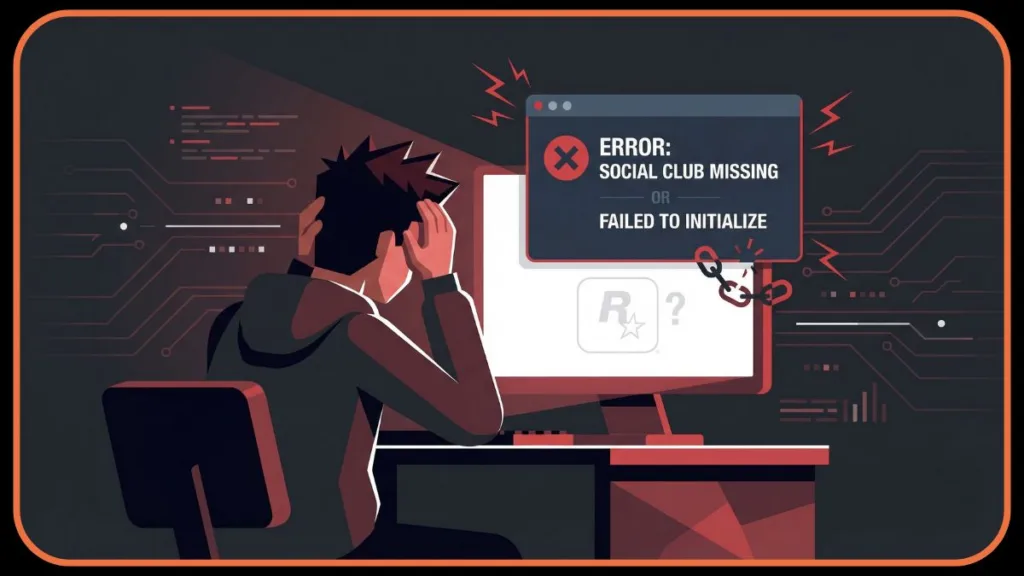
This guide will take you from confusion to a working game in the right way — without redundant reinstalls, unsafe third-party files, or confusing command-line hacks.
Rockstar Games Social Club vs. Launcher: What Changed & Why You Can’t Find the Download
The most important thing to understand is how the ecosystem has evolved since the major platform shift in September 2019.
- Then: Rockstar Games Social Club used to be a separate online service application required for authentication, achievements, crew management, and multiplayer matchmaking.
- Now: Social Club is no longer a standalone installer. Its services are now integrated deeply inside the Rockstar Games Launcher.
Consequently, when you search for “Social Club download,” you’re looking for software that Rockstar essentially retired. Trying to install Social Club alone won’t fix modern errors because the “brain” behind it now lives inside the Launcher’s background services.
Why You Get “Social Club Missing” & “Failed to Initialize” Error on PC
When you install GTA V or RDR2 through Steam or Epic Games and click Play, those games still rely on Rockstar’s authentication services (specifically the Rockstar Games Library Service) to verify ownership. Because Social Club is now part of the Rockstar Games Launcher, missing or broken Launcher files trigger these exact errors:
- Code 1: “Social Club failed to load due to incomplete installation” – Often caused by missing Visual C++ Redistributables.
- Code 16: “Social Club failed to initialize” – A common permission error where the launcher cannot write to the documents folder.
- Code 1000.50: “Communication error with Steam” – A “handshake” failure between Steam and the Rockstar Launcher.
- “Social Club failed to initialize” – The generic error indicating the background service is stopped (check Rockstar Service Status).
In these cases, reinstalling the Launcher (the parent app) fixes the Social Club (the child service) by restoring the necessary .dll dependencies.
How to Download Rockstar Games Social Club (The Correct Launcher Fix)
1. Download the Official Rockstar Games Launcher
The only safe way to fix these errors is to download the Rockstar Games Launcher directly from the Rockstar Games official site. This application acts as the central hub and integrates the Social Club authentication behind the scenes.
Warning: Avoid third-party “Social Club download” sites or “crack” repositories. They often host outdated files (v1.2 or older) that can break your game further or introduce malware.
2. Install the Launcher & Sign In to Social Club
Once you have the file (Rockstar-Games-Launcher.exe):
- Right-click the installer and select Run as Administrator. This is critical to ensure the app can write to the
Program FilesandMy Documentsdirectories. - Sign in with your Rockstar Games/Social Club account credentials.
- If you don’t have one yet, create it. This account validates your game ownership on Steam or Epic and syncs your Cloud Saves.
3. Scan for Installed Games to Restore Social Club Files
After signing in, the Launcher should automatically scan your PC for known titles.
- If it doesn’t, go to Settings > General > Scan Now.
- This process reconnects your game files with the Launcher’s system, rebuilding the missing dependencies (like DirectX and Vulkan libraries) that caused the Social Club errors.
4. Pro Tip: Use the Hidden “Redistributables” Social Club Installer
If the official download gets blocked or fails due to network restrictions, you likely already have a backup installer sitting on your hard drive.
- Go to your game folder (e.g.,
Steam\steamapps\common\Grand Theft Auto V). - Open the folder named
RedistributablesorInstallers. - Run the file named
Rockstar-Games-Launcher.exeorSocial-Club-Setup.exedirectly from there.
Note: You may also see files like
vcredist_x64.exehere. Running these can fix “Missing DLL” errors associated with Social Club.
Running this specific file often bypasses network blocks or firewall rules that prevent the main web installer from working.
Fixing Social Club Account Linking Issues on Steam & Epic Games
Sometimes the Launcher installs fine, but the game won’t start. This is usually an Account Linking issue, where the digital “handshake” between platforms fails.
Linking Steam or Epic Accounts to Rockstar Games Social Club
Your store account must be permanently linked to your Rockstar account (see official linking guide).
- Launch the game through Steam/Epic first (not the Rockstar Launcher).
- When the Rockstar Launcher opens, sign in immediately.
- Accept the “Link Account” prompt.
- Crucial Note: If you unlink a Steam/Epic account, you may lose access to your games until you relink the original account. You cannot switch a Steam copy of GTA V to a different Social Club account later.
Rockstar Games Social Club Offline Mode: The Truth About Offline Installers
Some players search for a “Social Club offline mode” because they have limited internet or unstable connections.
- Fact: There is no “Social Club offline installer” that allows you to bypass the initial login.
- Solution: You must sign in online once to validate ownership and download the local profile. After that, you can enable “Offline Mode” in the Launcher settings to play Story Mode without internet.
Furthermore, remember that the Launcher requires a Periodic Entitlement Verification. This means even offline players must connect briefly every few days (usually every 3-7 days) to keep their license active and sync cloud saves.
FAQ: Rockstar Games Social Club Download
Is the Rockstar Games Social Club Download Free?
Yes. Social Club services and the Rockstar Games Launcher are free downloads. You only pay for the games themselves. All features like Crews, Emblems, and Stats are included at no cost.
Can I Download Social Club Without the Rockstar Launcher?
No. The standalone Social Club client is deprecated. Its functionality now lives entirely inside the Launcher services. Any site claiming to offer a “Social Club Only” installer is likely distributing a file from 2018 or earlier that will not work with modern Windows updates.
Is Social Club Required to Play GTA V & RDR2 on PC?
Yes, you need the background services running. Even if you bought the game on Steam, the Rockstar Games Library Service must run in the background to handle DRM and multiplayer connectivity. However, you do not need to interact with it manually; the Rockstar Games Launcher handles it automatically.
Final Verdict: The Best Way to Handle Your Rockstar Games Social Club Download
Stop searching for “Social Club Download.” It isn’t a separate file anymore. The Rockstar Games Launcher is the modern tool you need to fix errors, link accounts, and launch your game. Install it, sign in, and you’ll be back in Los Santos in no time.
Visit Our Post Page: Blog Page