
Learn how to get voice chat on Roblox 2026 with our step-by-step guide. Unlock Spatial Voice using facial age estimation or ID verification. Fix VC not showing, enable microphone permissions, and stay safe with our 2026 update.
If you are trying to figure out how to get voice chat on Roblox 2026, this guide walks you through every required step in plain language. Roblox significantly updated its communication rules in early 2026, moving toward a global standard where voice access now depends on mandatory age verification, regional eligibility, and correct privacy settings. These changes explain why many players suddenly can’t see VC on Roblox, even if they used it before or have a verified phone number.
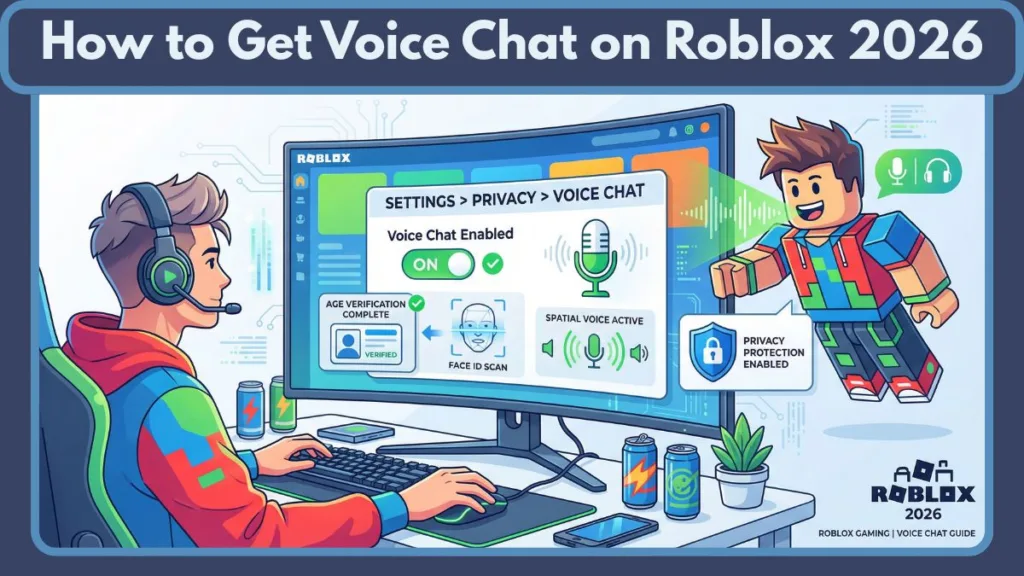
In this massive, detailed guide, you’ll get a clear, step-by-step plan to complete the Roblox age check, finish ID verification Roblox or facial estimation, enable voice chat Roblox 2026 in your settings, allow microphone permissions Roblox on your device, and test voice inside supported experiences. Throughout, the tone is instructional, trust-building, and conversational—so you can follow along easily and feel confident about safety and privacy.
What Is Roblox Spatial Voice in 2026?
Roblox offers Spatial Voice, a proximity-based microphone feature that lets you speak naturally with nearby players inside experiences that support voice. Unlike traditional “lobby chat” in other games, Spatial Voice makes conversations feel more lifelike because audio gets louder as people get closer and fades as they move away. This 3D soundscape is what gives the feature its “Spatial” name.
How Experience Voice Chat and Communication Groups Work in 2026
Voice chat on Roblox works only when two conditions are met simultaneously: your account qualifies for voice access, and the experience you join actually supports voice chat. Even after verification, voice will remain unavailable in games where developers did not enable it.
In 2026, Roblox groups its communication tools into several categories you should know:
- Spatial Voice: Proximity-based chat inside 3D experiences.
- Experience Voice Chat: Developer-enabled voice within a specific game.
- Party Chat Roblox: Voice for grouped players, allowing you to stay in contact even as you move between different games.
- Trusted Connections Roblox: A high-security messaging and voice layer for real-world friends and family.
Understanding these categories helps you figure out why voice may be missing in some places and present in others. For instance, you might have party chat roblox active with a friend, but the experience voice chat might be disabled by a specific game’s creator.
Roblox Voice Chat 2026 Requirements (What You Need First)
Before you try to enable voice chat Roblox 2026, make sure you meet every official requirement. These rules exist to protect the community and ensure that only eligible accounts get access to live, unscripted communication.
Age Requirement (13+)
You must be 13 years or older under Roblox’s updated policy to qualify for full Voice Chat access. This is a hard limit. Accounts marked under 13 will not see the full roblox spatial voice how to get option in their settings menu. While Roblox is testing “Family Voice” for younger users in late 2026, standard VC on Roblox remains a 13+ feature.
The Mandatory Roblox Age Check Voice Chat 2026
As of January 2026, Roblox has implemented a global mandatory age check. Unlike previous years where phone verification was a shortcut, phone verification alone will not grant Voice Chat access in 2026. You must complete either ID verification Roblox or a facial age check Roblox to unlock communication settings.
Supported Platforms and Hardware
You must be using the official Roblox application. Voice Chat is supported on:
- Desktop App: Windows and macOS.
- Mobile App: iOS and Android.
- Consoles: PlayStation 5 and PlayStation VR2.
- VR Headsets: Meta Quest 2, 3, and Pro.
Note: Voice Chat cannot be activated or used through the browser-only version (Roblox.com) in 2026. You must use the official app for your platform to access the microphone API.
Microphone Permissions Roblox
Even after you enable the toggle in your account, your operating system must allow the app to access the hardware. If microphone permissions Roblox are blocked at the OS level (Windows Privacy, iOS Privacy, etc.), the feature will remain greyed out or non-functional.
Detailed ID Verification Roblox vs. Roblox Facial Age Estimation Voice Chat
In 2026, Roblox uses a system powered by Persona to verify users. You generally have two paths to complete your roblox age check voice chat 2026.
1. Roblox Voice Chat Verification ID Upload
This is the “Gold Standard” for verification. It involves uploading a government-issued document to prove your date of birth.
- Accepted Documents: Passports, Driver’s Licenses, and State IDs are universally accepted. Some regions now accept School IDs if they are officially issued and include a birthdate.
- The Process: You take a photo of the ID (front and back) and then a “liveness” selfie. The system compares your face to the ID photo to ensure you are the actual owner.
- Privacy: Roblox does not store the raw image of your ID. It is processed by Persona verification, an industry-leading security vendor, and then deleted.
2. Roblox Facial Age Estimation Voice Chat
This is a “no-document” alternative that became the primary method in 2026 for users who don’t have an ID or prefer not to share one.
- How it works: You grant camera access, and the AI analyzes your facial geometry to estimate your age.
- Accuracy: The system is calibrated to estimate ages between 5 and 25 with high accuracy. If the system estimates you are at least 13, you instantly unlock the ability to enable voice chat roblox 2026.
- Safety: This is the core of roblox age check privacy facial scan. The “selfie” used for estimation is never stored or used for advertising. It is processed in seconds and discarded.
How to Get Voice Chat on Roblox 2026 (Step-by-Step Method)
Follow this exact order to enable spatial voice roblox 2026 reliably. Any skipped step can result in the feature not showing up.
Step 1: Complete the Mandatory Roblox Age Check
Open Roblox on your mobile device (this is the easiest way to handle the camera part).
- Sign in and go to Settings → Account Info.
- Look for the Age Verification button. If you see “Age Verified” with a checkmark, skip to Step 2.
- Choose your method: roblox voice chat verification id upload or roblox facial age estimation voice chat.
- Follow the on-screen prompts to scan your face or ID.
- Wait for the confirmation message. Most facial age check Roblox scans are approved within 60 seconds.
Step 2: Enable Voice Chat in Roblox Voice Chat Settings 2026
Once your age is verified, the hidden settings will appear.
- Go to Settings → Privacy (some regions call this Communication).
- Find the section labeled “Beta Features” or “Communication Settings.”
- Locate the toggle for Enable Voice Chat (or Use Microphone to chat with voice).
- Switch it to On. You will see a pop-up asking you to agree to the terms regarding voice recording and moderation.
Step 3: Configure Microphone Permissions Roblox
Now you must tell your device that it’s okay for Roblox to use your mic.
- On Windows: Go to Settings → Privacy & Security → Microphone. Ensure “Allow desktop apps to access your microphone” is ON and Roblox is on the list.
- On iPhone/iPad: Go to the main iOS Settings app → Privacy & Security → Microphone and toggle Roblox to green.
- On Android: Go to Settings → Apps → Roblox → Permissions → Microphone and select “Allow only while using the app.”
Step 4: Join a Voice-Supported Experience
Finally, join a game where developers enabled voice. To test your setup:
- Search for a game known to support voice, such as “Mic Up” or “Natural Disaster Survival.”
- Look for the microphone icon or a “Voice Enabled” tag in the game description.
- Once inside, look for the headphone icon in the top-left or above your avatar’s head.
- Click/tap the icon. If it turns green or the red slash disappears, you are live! This step completes the process for how to get voice chat on roblox 2026.
How to Enable Voice Chat on Roblox PC 2026
When learning how to enable voice chat on roblox pc 2026, the biggest hurdle is often “Default Devices.” PCs often have multiple inputs (webcam mic, headset mic, monitor mic).
- Verification: Complete your age verification Roblox on the website or app.
- Toggle Settings: In the Roblox Desktop App, go to Settings → Privacy → Enable Voice Chat.
- Hardware Check: Right-click the speaker icon in your Windows Taskbar and select “Sound Settings.” Ensure your preferred headset is set as the Default Input Device.
- In-Game Input: Once inside a Roblox game, press the Esc key. Go to the “Settings” tab in the Roblox menu. Under “Input Device,” make sure it matches your headset. If it’s set to “System Default” and isn’t working, manually select your microphone from the list.
How to Get Voice Chat on Roblox Mobile 2026
The steps for how to get voice chat on roblox mobile 2026 are optimized for speed. Since most phones have high-quality front cameras, the roblox facial age estimation voice chat method is highly recommended here.
- App Update: Ensure you have the latest 2026 version of Roblox from the App Store or Play Store.
- Quick Verify: Tap the three dots (…) → Settings → Account Info → Verify Age. Use the facial age check Roblox for a document-free experience.
- Privacy Enable: Immediately go to Settings → Privacy and toggle on enable spatial voice roblox 2026.
- System Permissions: If a pop-up appears asking for mic access, tap “Allow.” If you accidentally hit “Deny,” you must go to your phone’s system settings to fix it manually. This explains exactly how to enable spatial voice on mobile.
Trusted Connections Roblox: A New Layer for 2026
A major update in 2026 is the Trusted Connections system. This feature allows for “Expressive Chat,” which includes party chat roblox with fewer filters and the ability to voice chat with friends regardless of age-group restrictions.
How to Add a Trusted Connection:
- QR Code Scan: You can add someone as a trusted connection by scanning their “My QR” code live in person. This proves a real-world relationship.
- Contact Importer: Syncing your phone contacts allows you to find real-life friends on Roblox and upgrade them to “Trusted” status.
- The Benefit: Once two users are trusted connections, they can use experience voice chat together more easily, even if the game has strict default settings. A “Trusted” label will appear next to their name in the chat interface.
Roblox Voice Chat Not Showing 2026 Fix (Troubleshooting Guide)
If you are looking for a roblox voice chat not showing 2026 fix, work through these potential issues in order; they solve most issues.
Fix 1: Recheck Age Verification
If the toggle is missing from your Privacy settings, it almost always means your roblox age check is not fully processed.
- Check: Go to Account Info and confirm that your ID or facial age estimation completed successfully. Does it say “Age Verified”? If not, you must re-do the roblox voice chat verification id upload.
- Wait: Sometimes approval takes 24–48 hours if a manual review of your ID is required.
Fix 2: Confirm Game Supports Voice
Always review the experience description—developers must opt in. If the game doesn’t list Voice Chat in its details, voice won’t work there.
Fix 3: Verify Region Support
If your country is not on Roblox’s supported list, the Voice Chat option may remain hidden no matter what. Check roblox support voice chat pages for the current list of supported regions. Regional availability depends on local laws and compliance requirements.
Fix 4: Update the Roblox App
Make sure you’re running the latest Roblox app. Older versions may not display new communication features or toggles.
Fix 5: Check Microphone Permissions Roblox
Double-check OS settings so Roblox can access your microphone. A single blocked permission can stop Spatial Voice from working. On PC, this often means another app (like Discord) has “Exclusive Control” of your mic. Disable “Allow applications to take exclusive control of this device” in Windows Sound Control Panel.
Is Roblox Voice Chat Safe 2026?
Safety and voice chat privacy are the most discussed topics for 2026. Many parents and players ask, is roblox voice chat safe 2026? The answer lies in the multi-layered moderation system Roblox has built.
The 7-Day Deletion Policy
Roblox records voice interactions for moderation purposes to protect the community and enforce standards. However, to respect voice chat privacy, these recordings are encrypted and automatically deleted after seven days if no violations are detected. This ensures that your private conversations aren’t sitting on a server indefinitely.
AI Moderation
In 2026, Roblox uses real-time AI moderation to detect “critical harm” (such as grooming or extreme hate speech). If the AI detects a violation, the recording is flagged for a human moderator to review.
Roblox Age Check Privacy Facial Scan and Data Usage
Roblox states clearly in its roblox age check privacy facial scan policy that your biometric data and voice recordings are not used for advertising. The information collected during the facial age check Roblox is only used to confirm your age category.
People Also Ask (FAQ)
How Do I Get Voice Chat on Roblox in 2026?
You must complete the roblox age check process, enable Voice Chat in your roblox voice chat settings 2026, grant microphone permissions Roblox on your device, and join a supported experience. Those steps together unlock Spatial Voice for eligible accounts.
Why Is Voice Chat Not Showing on My Roblox Account?
Voice Chat may not be visible because your age verification Roblox is incomplete, your account is under 13, your region doesn’t support Voice Chat yet, or you joined an experience that does not have voice enabled.
Do I Need to Upload ID to Get Roblox Voice Chat?
In many supported regions, yes. You will use the roblox voice chat verification id upload flow. Roblox facial age estimation may be available as an alternative in some locations.
Is Roblox Voice Chat Safe for Kids in 2026?
Roblox uses a combination of encryption, moderation recordings, automatic deletion rules, and parental controls to protect users. Parents can also manage privacy settings and use reporting tools.
Final Thoughts
Getting your microphone working on Roblox is now a more involved process than it was a few years ago, but these steps exist to create a more mature and secure environment for everyone.
First complete your age verification Roblox, then enable the voice toggle, allow microphone permissions Roblox, and join a supported experience.
Once these steps are completed, Spatial Voice will let you enjoy immersive conversations while keeping safety and privacy front and center.
Visit Our Post Page: Blog Page