
Want to hide like count on Facebook posts? Learn how to turn off likes in 2026 on mobile and desktop, and share freely without pressure, comparison, or judgment.
The constant pressure to perform—and the anxiety of what you get—is exactly why so many people are searching for how to hide like count on Facebook.
What should feel like a simple moment of sharing often turns into a silent performance, measured by numbers instead of meaning.
Over time, likes and reaction counts have become a public scoreboard. A post with fewer reactions can feel like a failure, while others’ highly-liked posts quietly fuel comparison.
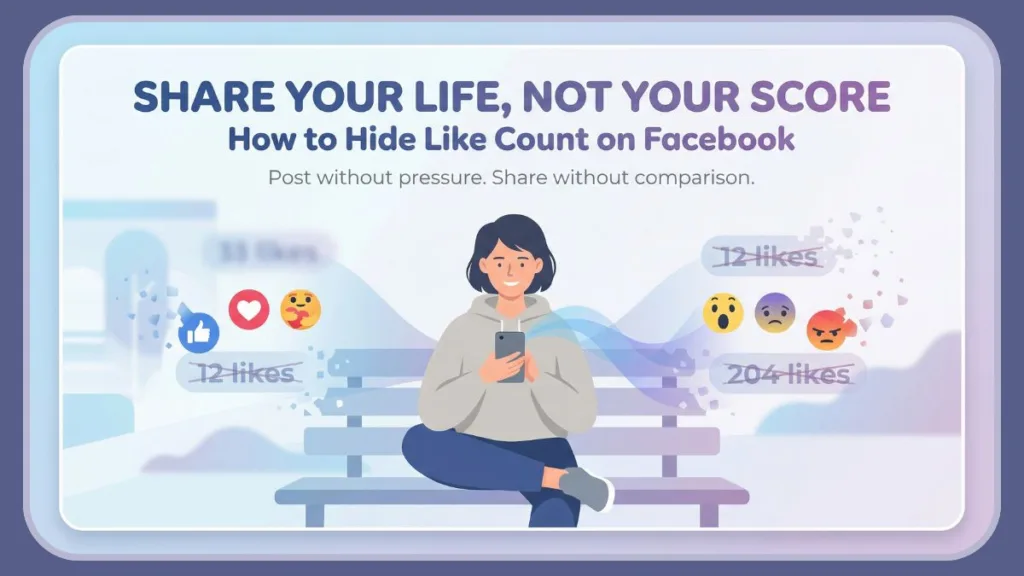
This pressure isn’t obvious, but it’s constant—and exhausting. You start questioning whether to post at all, not because the content isn’t worth sharing, but because the engagement metrics might judge it.
Facebook now gives you a way out. By using the Facebook hide likes setting—officially called Reaction Preferences—you can turn off like count on Facebook without deleting posts or affecting reach.
The reactions still exist, people can still engage, but the public grading system disappears. What’s left is the freedom to share because something matters to you, not because it might perform well.
It’s not about avoiding engagement—it’s about choosing privacy, digital well-being, and authenticity over vanity metrics.
Whether you want to hide reaction counts on Facebook for your own posts, stop seeing likes on others’ posts in your News Feed, or simply reduce social media anxiety, this setting puts control back in your hands.
In this guide, you’ll learn exactly where to find Reaction Preferences, how to hide like counts on mobile and desktop, and what changes (and what doesn’t) when you do. Most importantly, you’ll see how a small toggle can help you step away from the digital scoreboard—and start sharing again without pressure.
Can You Really Hide Like Count on Facebook?
Yes—you absolutely can hide the like count on Facebook, and it’s an official setting, not a workaround or a temporary trick.
Facebook introduced this option to give you more control over public visibility and reduce the pressure that comes with constant comparison.
The feature lives under Reaction Preferences, and it allows you to decide how reaction counts appear—both on your own posts and on posts from others in your News Feed.
When you turn this setting on, Facebook stops displaying the total number of likes or reactions automatically. The engagement doesn’t disappear; it simply stops being used as a public scoreboard.
Here’s what that means in real terms:
- You can turn off like count on Facebook for your posts, so other people don’t see how many reactions you received.
- You can also hide likes on Facebook posts from others, removing reaction counts from your News Feed entirely.
- The reactions still exist in the background, and you can still tap to see who reacted—you’re just not confronted by the numbers anymore.
This distinction matters. Many users assume hiding likes means deleting engagement or limiting reach, but that’s not how Facebook works.
Engagement metrics are still counted internally, and your post reach remains the same. You’re not reducing interaction—you’re reducing social pressure.
Think of this setting as a digital well-being tool, not a social media limitation. By using the Facebook hide likes setting, you’re choosing to share moments without attaching a visible score to them. It’s a way to post without worrying whether something will be “liked enough” to feel valid.
What Hiding Like Count on Facebook Actually Changes
Before you use the Facebook hide likes setting, it helps to know exactly what will change—and what won’t.
This isn’t about removing reactions or limiting engagement. It’s about changing how those reactions are presented to protect your peace and reduce unnecessary comparison.
What Gets Hidden When You Hide Like Count on Facebook
When you hide like count on Facebook, the total number of likes or reactions is no longer displayed under posts. This applies to:
- Your own posts, when you choose to hide reaction counts from others.
- Posts in your News Feed, when you hide likes on posts from others.
In simple terms, the numbers disappear, not the reactions themselves.
The post no longer feels ranked or judged at a glance.
What Remains Visible After Turning Off Like Count on Facebook
Even after you turn off like count on Facebook, a few important things remain unchanged:
- You can still tap or click on reactions to see who liked or reacted.
- People can continue liking, loving, or reacting as usual.
- Engagement metrics still work behind the scenes and do not affect reach.
This means you’re not avoiding interaction—you’re just removing the vanity metrics that create pressure.
Where Reaction Counts May Still Appear on Facebook
It’s also important to be realistic about limitations. Depending on Facebook’s interface updates, reaction counts may still show in certain areas, such as:
- Reels
- Marketplace listings
- Some Facebook Groups
These exceptions don’t mean the setting failed; they simply reflect how Facebook handles different content types.
What Hiding Reaction Counts on Facebook Really Achieves
At its core, hiding reaction counts is about public visibility, not control over others. You’re choosing not to measure your moments by numbers.
By removing the constant reminder of likes, you give yourself permission to post without fear of judgment or “public silence.”
This small change shifts Facebook from a place of performance back into a place of sharing—and that’s exactly why so many users are choosing to hide reaction counts on Facebook today.
How to Hide Like Count on Facebook App (Android & iPhone)
If you mainly use Facebook on your phone, this is where you regain control. Facebook makes it possible to hide like count on the Facebook app through a built-in setting called Reaction Preferences.
Once enabled, this setting helps you step away from constant comparison and focus on sharing without pressure.
You can use these steps on Android and iPhone—the process is the same on both devices.
Step-by-Step: Hide Like Count on Facebook App
- Open the Facebook app on your smartphone and make sure you’re logged into the correct account.
- Tap the Menu icon (three horizontal lines or your profile picture, usually in the top corner).
- Scroll down and tap Settings & privacy, then select Settings.
- Scroll to the Preferences section and tap Reaction preferences.
- Turn on the toggle for:
- On posts from others to hide like counts in your News Feed.
- On your posts to hide reaction counts from people viewing your posts.
Once both toggles are enabled, the total number of likes and reactions will no longer be displayed automatically.
What Happens After You Enable This Setting
When you turn off like count on Facebook app, the platform doesn’t remove engagement—it simply removes the public scoreboard.
People can still like and react, and you can still see who interacted with your post if you choose to check. What disappears is the pressure created by visible numbers.
This is especially helpful if you want to:
- Hide reaction counts on Facebook without deleting posts.
- Reduce social media anxiety.
- Focus on content instead of vanity metrics.
- Improve your overall digital well-being.
If you ever feel like the numbers are creeping back into your experience, you can revisit Reaction Preferences at any time.
Facebook gives you full control—nothing here is permanent or forced.
How to Hide Like Count on Facebook on Desktop (PC & Laptop)
If you access Facebook from a computer, you can apply the same calm, distraction-free experience there as well.
Facebook allows you to hide like count on desktop using the same Reaction Preferences setting, so your feed and posts stay consistent across devices.
Whether you’re using a PC or laptop, the steps are simple and take only a moment to complete.
Step-by-Step: Hide Like Count on Facebook Desktop
- Open your web browser and visit Facebook.com, then log into your account.
- Click your profile picture in the top-right corner of the screen.
- Select Settings & privacy, then click Settings.
- In the left-hand menu, scroll to the Preferences section.
- Click Reaction preferences.
- Turn on the toggle for:
- On posts from others to hide reaction counts in your News Feed.
- On your posts to hide the like count on your own content.
Once enabled, Facebook immediately stops showing the total number of likes or reactions under posts.
What This Changes on Desktop
When you turn off like count on Facebook desktop, the experience mirrors what you see on the mobile app.
Posts no longer feel ranked, and the focus shifts away from engagement metrics toward the content itself. You can still interact normally—like, react, and comment—but without the constant reminder of numbers.
This setup is ideal if you want to:
- Hide Facebook likes on desktop without affecting reach.
- Keep your posting experience consistent across devices.
- Reduce comparison while browsing the News Feed.
- Maintain better digital well-being during longer desktop sessions.
Just like on mobile, this setting is fully reversible. If Facebook updates its interface, it’s a good idea to recheck Reaction Preferences to make sure your preferences remain exactly how you want them.
Hide Like Count on Your Posts vs Other People’s Posts
When you open Reaction Preferences, you’ll notice that Facebook separates the controls into two options. This isn’t accidental.
Each toggle serves a different purpose and gives you precise control over how reaction counts appear in your experience.
Understanding this difference helps you use the Facebook hide likes setting in a way that truly supports your mental comfort—not just your privacy.
Hiding Like Count on Your Own Facebook Posts
When you turn on On your posts, Facebook hides the total like and reaction count from people who view your content.
Your friends and followers can still react, but they won’t see the number attached to your post.
This option is ideal if you want to:
- Hide like count on your Facebook posts without deleting them.
- Share photos or thoughts without worrying about performance.
- Stop measuring your moments through vanity metrics.
- Post freely without the fear of “not enough likes.”
You still retain full visibility. If you ever want to check engagement, you can tap the reactions and see who interacted—the difference is that the number is no longer displayed publicly.
Hiding Like Count on Other People’s Facebook Posts (News Feed)
The On posts from others toggle affects only what you see in your News Feed. When enabled, Facebook hides reaction counts on posts from friends, pages, and groups you follow.
This helps you:
- Hide likes on Facebook posts from others.
- Reduce comparison while scrolling.
- Avoid subconscious ranking of other people’s lives.
- Create a calmer, less competitive feed.
This setting doesn’t change anything for the original poster—it simply reshapes your viewing experience.
Why Facebook Splits These Settings
By separating these options, Facebook gives you the flexibility to decide:
- Whether you want to protect your own content from public judgment.
- Whether you want to remove external pressure while browsing.
You can enable one toggle, both, or switch them off at any time.
That choice is what makes hiding reaction counts more than a technical feature—it becomes a personal boundary that helps you step away from the digital scoreboard while staying connected on your terms.
How to Show Like Count on Facebook Again (Undo Anytime)
Hiding reaction counts is meant to give you peace—not lock you into a decision. If you ever feel like you want the numbers back, Facebook makes it easy to show like count on Facebook again.
Nothing is permanent, and you remain in full control of your visibility settings.
Whether you’re reconsidering out of curiosity or simply want to check engagement for a while, undoing the setting takes only a moment.
Show Like Count on Facebook App (Android & iPhone)
- Open the Facebook app and log into your account.
- Tap the Menu icon and go to Settings & privacy, then Settings.
- Scroll to the Preferences section and tap Reaction preferences.
- Turn off the toggles for:
- On posts from others to see reaction counts in your News Feed again.
- On your posts to show the like count on your own posts.
Once disabled, Facebook immediately restores the total number of likes and reactions under posts.
Show Like Count on Facebook on Desktop (PC & Laptop)
- Visit Facebook.com and click your profile picture in the top-right corner.
- Open Settings & privacy, then click Settings.
- In the left-hand menu, find Preferences and select Reaction preferences.
- Turn off the same toggles to show reaction counts again.
Why This Flexibility Matters
Being able to switch back proves an important point: hiding likes isn’t avoidance—it’s choice. You can move in and out of visible engagement metrics depending on what feels right for you at any moment.
Some days, numbers help. Other days, they distract. Facebook gives you the ability to decide, without penalty or consequence.
That freedom is what turns this setting into a genuine digital well-being tool, rather than a one-way change.
Why You May Not See Like Counts on Some Facebook Posts
If you’ve ever noticed a Facebook post without visible likes and wondered whether something is wrong, there’s usually a simple explanation.
In most cases, missing reaction counts are intentional—not an error—and they’re tied directly to how reaction preferences work.
Understanding these reasons helps you avoid confusion and reassures you that your account isn’t broken.
1. The Post Owner Has Hidden Their Like Count
The most common reason is also the simplest. The person who shared the post has chosen to hide like count on Facebook for their own content.
When this setting is enabled, you won’t see the total number of reactions, even though people are still engaging behind the scenes. This is a personal choice, often made to reduce social media anxiety or step away from vanity metrics.
2. You’ve Hidden Reaction Counts in Your News Feed
If you’ve turned on On posts from others in Reaction Preferences, Facebook automatically hides like counts across your News Feed.
In this case, the reactions aren’t missing—you’ve simply chosen not to see the numbers. This setting reshapes your viewing experience without affecting how the post appears to anyone else.
3. Temporary Facebook App Bugs or Outdated Versions
Sometimes, missing likes have nothing to do with settings at all. A temporary Facebook app bug or an outdated app version can cause reaction counts to disappear unexpectedly. Updating the app often restores normal behavior.
4. Content-Type Limitations and Interface Differences
Facebook doesn’t treat all content the same. Depending on current interface updates, reaction counts may appear or disappear on:
- Reels
- Marketplace posts
- Certain Facebook Groups
These inconsistencies are normal and don’t mean your Facebook hide likes setting has changed.
What This Means for You
Not seeing like counts doesn’t mean engagement is gone. It usually means someone—either you or the post owner—has chosen privacy over performance.
And that choice aligns perfectly with the idea behind hiding reaction counts: shifting focus from numbers back to content.
Does Hiding Likes Affect Engagement or Reach on Facebook?
This is one of the most common concerns—and it’s completely valid. When you hide like count on Facebook, it’s natural to wonder whether you’re hurting your post’s performance or limiting who sees it.
The reassuring answer is no.
Hiding reaction counts does not reduce your reach, visibility, or ability to connect with others.
Facebook still tracks engagement metrics the same way it always has. Likes, reactions, comments, and shares continue to count internally, even when the numbers aren’t displayed publicly.
What changes is perception, not performance.
When you turn off like count on Facebook, you’re removing the visible score, not the interaction itself. People can still react freely, and your content is still distributed based on relevance, not on whether others can see the numbers.
The algorithm doesn’t punish posts just because reaction counts are hidden.
In fact, many users find that hiding likes encourages more genuine engagement. Without visible vanity metrics, viewers are more likely to react based on how they actually feel, rather than being influenced by existing numbers. This shift supports authentic interaction and aligns with better digital well-being.
Hiding likes doesn’t silence your voice—it removes unnecessary pressure.
You’re choosing to share without attaching your self-worth to a visible score, while Facebook continues to handle reach and engagement in the background exactly as before.
Why Hiding Like Count Can Improve Your Digital Well-Being
When you choose to hide like count on Facebook, you’re not avoiding social media—you’re reshaping your relationship with it.
This single setting acts as a quiet but powerful digital well-being tool, helping you step out of constant evaluation and back into genuine sharing.
For many people, visible likes create an invisible pressure. Every post becomes a question: Is this good enough? Will people react? Over time, this turns Facebook into a place of comparison rather than connection.
By using the Facebook hide likes setting, you remove that pressure at its source.
Reduces Social Comparison and Performance Anxiety
When reaction counts are visible, it’s easy to compare your moments to someone else’s highlights. Hiding those numbers helps break that cycle.
Without vanity metrics front and center, your focus shifts away from how a post performs and back to why you shared it in the first place. This simple change can significantly reduce social media anxiety and make scrolling feel calmer and less competitive.
Encourages Authentic Sharing
By turning off like count on Facebook, you give yourself permission to post without chasing validation.
Photos, thoughts, and memories stop feeling like content designed to impress—and start feeling like expressions of real life. You share because something matters to you, not because it might rank well.
Supports Healthier Engagement Habits
Hiding reaction counts doesn’t remove interaction; it reframes it. Likes still happen, comments still appear, and conversations continue—but without the constant reminder of numbers.
This encourages authentic engagement driven by interest, not influence.
Reclaims Control Over Public Visibility
At its core, choosing to hide reaction counts on Facebook is about control. You decide how much of your engagement is visible and how much mental space those numbers get.
That control helps transform Facebook from a digital scoreboard into a more personal, balanced space.
Your life is for living, not for ranking.
By hiding like counts, you’re not disconnecting—you’re creating a healthier way to stay connected, one that supports confidence, clarity, and long-term digital well-being.
Frequently Asked Questions
Here are clear answers to the most common questions people have about hiding like counts on Facebook—based on how Reaction Preferences actually work and what Facebook documents officially.
Can I hide likes on specific Facebook posts only?
No — at this time Facebook doesn’t let you hide reaction counts on a post-by-post basis. When you enable the setting, it hides the total number of reactions across all posts you’ve made from your timeline or Feed. Facebook doesn’t support hiding counts on individual posts or reels one at a time.
If I hide likes, can I still see them?
Yes — you still retain visibility of engagement, but only when you choose to tap or click to see who reacted. The setting removes the visible number of likes and reactions, not the ability to check who liked a post.Does hiding likes affect the reach of my posts? No — turning off the like count doesn’t change how Facebook distributes your content. The platform still counts engagement metrics internally, and your post’s reach is driven by relevance, interactions, and algorithmic factors—not whether likes are visible to everyone.
Why can’t I find Reaction Preferences on Facebook?
The Reaction Preferences option is in the Settings under “Preferences” → “Reaction preferences,” and it may be slightly relocated depending on Facebook updates. If you don’t see it:
- Make sure your Facebook app is updated to the latest version
- Scroll all the way through Settings & privacy
- Try accessing it from both mobile and desktop views If the setting isn’t visible, Facebook may be rolling it out gradually in your region.
Do people still see reactions when I hide like count?
Yes — hiding the like count doesn’t remove reactions themselves. People can still react to your posts and you can still view who reacted, but the total number of reactions won’t show automatically.
Tips to Make Sure Like Counts Stay Hidden
Once you’ve decided to hide like count on Facebook, the goal is simple: keep it that way, without surprises.
Facebook updates, app changes, or small setting resets can sometimes undo your preferences if you’re not careful. These tips help you protect your choice and maintain a calmer, numbers-free experience.
Keep the Facebook App Updated
One of the most common reasons reaction counts reappear is an outdated app. Facebook frequently adjusts where Reaction Preferences live or how they behave.
- Always use the latest version of the Facebook app on Android or iPhone
- App updates ensure your hide reaction counts setting works as intended
- Older versions may ignore or partially apply your preferences
Recheck Reaction Preferences After Major Updates
Major Facebook updates can sometimes reset or shift settings under new menus. Even if nothing looks wrong, it’s smart to double-check.
Make it a habit to:
- Visit Settings & privacy → Settings → Reaction preferences
- Confirm both toggles (On your posts and On posts from others) are still enabled
- Review settings after major app or interface updates
Understand Where Like Counts May Still Appear
Even when everything is set correctly, Facebook doesn’t treat all content the same. Reaction counts may still show in certain places due to platform limitations.
These can include:
- Reels
- Marketplace
- Some Facebook Groups
Knowing this upfront prevents unnecessary worry. These exceptions don’t mean your settings failed—they reflect how Facebook structures different content types.
Test Your Settings From Another Account
If you want complete peace of mind, viewing your profile from another account is the most reliable confirmation.
- Ask a trusted friend to check one of your posts
- Or use a secondary account to view your profile publicly
This helps you verify that the like count on your posts is hidden from others, not just from your own view.
Avoid Confusing Post Likes With Page Likes
Many users mix up hiding reaction counts on posts with hiding Pages they’ve liked on their profile. These are controlled by entirely different privacy settings.
- Reaction Preferences affect post likes and reactions
- Profile privacy controls affect liked Pages and interests
Keeping this distinction clear saves time and avoids frustration when managing public visibility.
Remember Why You Hid Likes in the First Place
Finally, anchor your settings to intention. You didn’t hide likes to game the system—you did it to protect your digital well-being.
When numbers creep back into view, they can quietly reintroduce:
- Comparison
- Performance pressure
- Anxiety tied to vanity metrics
Revisiting your settings is a way of reaffirming your boundary. This isn’t about hiding from engagement—it’s about choosing how much mental space numbers get.
By staying mindful of updates, checking your preferences occasionally, and understanding Facebook’s limitations, you ensure your experience stays aligned with what matters most: sharing without pressure, comparison, or ranking.
Conclusion: Share Your Life, Not Your Score
By now, you’ve seen that learning how to hide like count on Facebook isn’t about changing how the platform works—it’s about changing how it feels to use it.
When you turn off like count on Facebook, you’re not stepping away from connection. You’re stepping away from the constant, silent judgment that numbers bring with them.
Likes were never meant to be a measure of worth, yet over time they became vanity metrics that quietly influenced what you share, when you share, and sometimes whether you share at all.
Hiding reaction counts breaks that cycle. It removes the public scoreboard and replaces it with something healthier: intentional sharing.
When you use the Facebook hide likes setting, you choose:
- To post without waiting for validation
- To scroll without comparing your life to someone else’s highlights
- To focus on meaning, not metrics
- To protect your digital well-being without losing engagement
The reactions still happen. Conversations still continue. Engagement metrics still work in the background. What disappears is the pressure to perform and the habit of ranking moments that were never meant to be ranked.
Most importantly, this choice is always yours. You can hide likes, show them again, adjust your Reaction Preferences, or change your mind at any time.
Facebook gives you the controls—but you decide how much power numbers get over your experience.
Your memories don’t need grades. Your posts don’t need approval. Your life isn’t a leaderboard.
By hiding like counts, you create space to share freely, confidently, and authentically. And in a world obsessed with numbers, choosing to share your life, not your score is one of the healthiest digital boundaries you can set.
Visit Our Post Page: Blog Page