
Want to stop seeing annoying posts without the drama of unfriending? Learn how to mute someone on Facebook in 2026 with simple steps to hide posts, snooze updates, and take control of your feed.
Let’s be honest: your Facebook feed is supposed to be a place to catch up and stay connected, not a source of daily stress. But we’ve all been there—you open the app and find yourself asking, “How do I stop seeing someone’s Facebook posts without the drama?” Whether you’re dodging spoilers for a show you haven’t seen, scrolling past a heated political debate, or getting buried under twenty photos of someone’s breakfast, it quickly goes from enjoyable to exhausting.
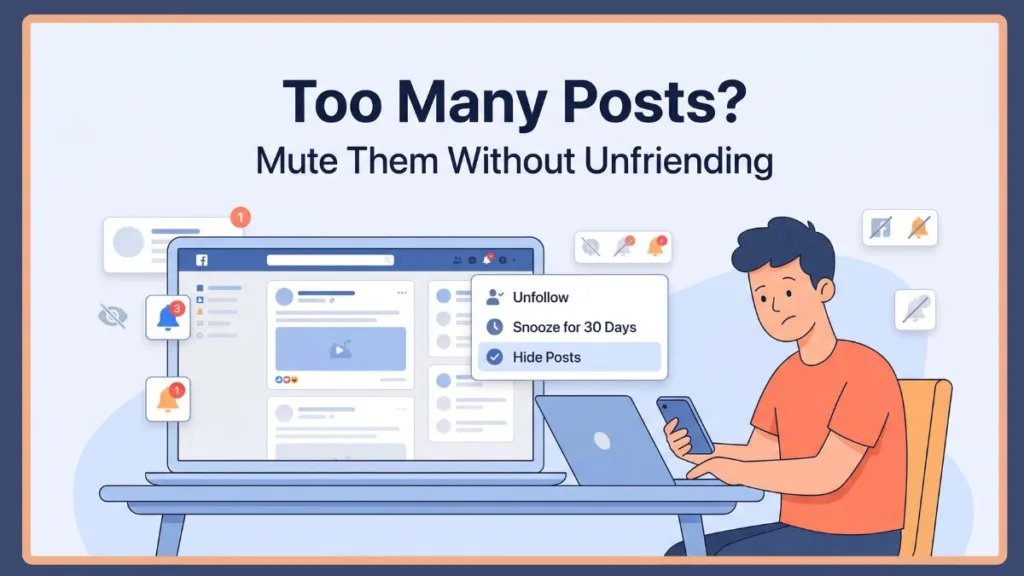
The good news? You don’t have to go through the awkward drama of unfriending or blocking someone just to get some peace. If you’ve been searching for how to ignore someone on Facebook without blocking, the answer is simple.
You can simply mute them. In this guide, we’re going to walk through exactly how to mute someone on Facebook across both desktop and mobile. We’ll also clear up what muting someone on Facebook actually does behind the scenes, why the option feels so hidden, and what to do if those pesky posts are still showing up.
What Does “Muting” Someone on Facebook Actually Mean?
If you’ve searched everywhere for a button that literally says “Mute,” you aren’t alone. One of the biggest points of confusion is that Facebook doesn’t actually use the word “mute” in its main menu.
When you want to mute a person on Facebook, they’ve split the feature into two different options. Understanding mute vs snooze Facebook and unfollow vs unfriend Facebook is key:
- Unfollow on Facebook > This is your “permanent mute.” Their posts will stop appearing in your feed entirely, allowing you to hide posts without unfriending.
- Snooze on Facebook > This is a temporarily mute facebook option. It hides their posts for exactly facebook snooze 30 days—perfect for when a mute facebook friend is on a vacation-posting spree.
Both of these options achieve exactly what most of us mean when we ask “how do I mute someone on FB?”
What Happens When You Mute Someone
- Their updates and mute posts on Facebook disappear from your daily feed.
- You stay friends (no “unfriended” notification or awkwardness).
- You can still send them a DM in Messenger whenever you want.
- Is muting on Facebook private? Yes. The other person is never notified—your secret is safe!
What Doesn’t Change
- Your digital friendship remains 100% intact.
- They can still see your posts like usual (unless you use the Restrict feature).
- You can still pop over to their profile manually to see what they’re up to.
In simple terms: Muting is about taking control of your own feed and learning how to silence Facebook posts without damaging your real-world relationships.
Why You Might Want to Mute Someone (Real Scenarios)
Learning how to quiet a friend on Facebook isn’t usually about being mean; it’s about digital well-being. Here are a few times when a quick mute is the best solution:
- The Over-Sharer: We all have that one friend who posts every single gym PR or travel photo in real-time. It’s great they’re happy, but it shouldn’t take up 90% of your feed.
- The Political Debate: Sometimes you just want to avoid the “comment section wars” without losing touch with a family member or old school friend.
- The Spoiler Zone: If a friend is live-posting about a new movie or a sports game you’re recording for later, muting them is a lifesaver.
- Page or Brand Overload: Occasionally, a mute page on Facebook is necessary when a brand you follow starts posting way too many ads or promotions.
Muting lets you step back and breathe without the social fallout of a “breakup.”
How to Mute Someone on Facebook (Step-by-Step)
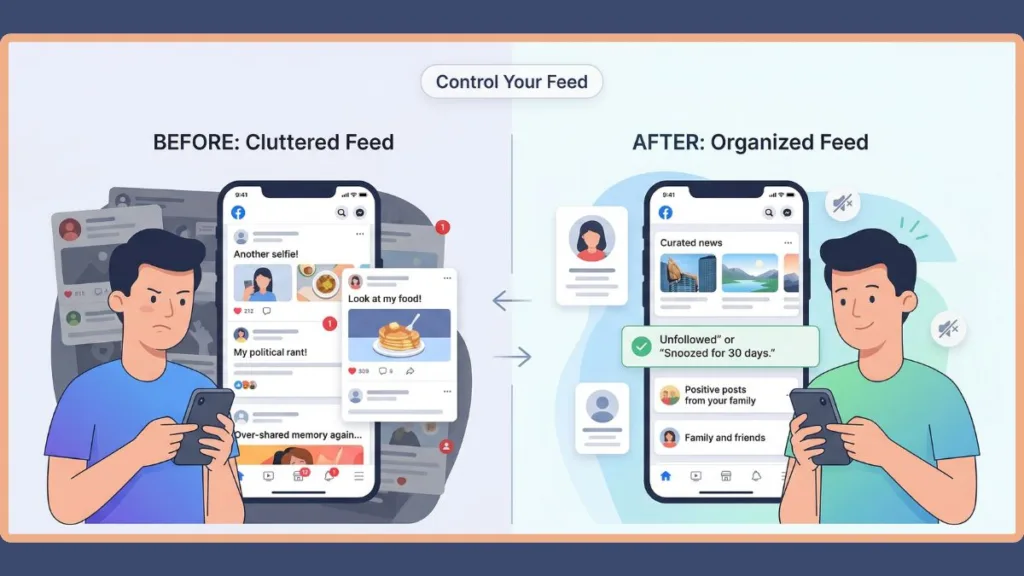
Method 1 – Mute Using the “3 Dots” on a Post (Fastest Way)
If you see a post right now that’s bothering you, this is the quickest way to fix it.
- Step 1: Find a post from the person you want to silence.
- Step 2: Click or tap the three dots (⋯) in the top right corner of that post.
- Step 3: Choose Unfollow to stop seeing them forever, or how to snooze someone on Facebook for 30 days if you just need a short break.
Best for: Getting instant relief the moment an annoying post pops up—this is the gold standard for how to mute someone on Facebook 2026.
Method 2 – Mute from Their Profile
If you want to be proactive about cleaning up your feed, go straight to the source to mute someone on Facebook.
- Step 1: Head over to that person’s profile page.
- Step 2: Click on the Following button (usually near their name).
- Step 3: Select Unfollow or Snooze.
Best for: An intentional, “spring cleaning” of your social circle.
Method 3 – Mute via News Feed Preferences
If you have a long list of people you want to quiet down, doing it one by one is a pain.
- Step 1: Go to your Settings & Privacy.
- Step 2: Select News Feed Preferences.
- Step 3: Click Unfollow people and groups.
- Step 4: Just scroll through the list and tap everyone you want to mute, including how to mute group notifications facebook.
Best for: Bulk-muting multiple people, groups, or pages at once.
Method 4 – How to Mute Someone on Facebook Story
Sometimes the feed is fine, but those little bubbles at the top of the app are getting a bit much. If you need to mute facebook story updates:
- Step 1: Open a Story from the person you’re tired of seeing.
- Step 2: Tap the three dots (⋯) in the top right corner of the story screen.
- Step 3: Select Mute [Name].
Best for: Cleaning up that top Story bar so you only see the updates you actually care about.
How to Mute Someone on Facebook Mobile App
The app feels a little different because the buttons move around depending on whether you’re using mute someone on facebook android or mute someone on facebook iphone, but the logic is the same.
Method 1: Directly From a Post
- Tap those three dots (⋯) on the top right of any post.
- Select Unfollow or Snooze.
Method 2: Using the App Menu
- Tap your menu icon (☰) (usually in the bottom right or top right).
- Go to Settings & Privacy → News Feed Preferences.
- Tap Unfollow and pick out the accounts you want to silence. This is the best way to mute on facebook app settings.
Tip: If you’re ever struggling with how to mute someone on facebook on phone, just use the “three dots” method on a post—it’s the most reliable way to get the job done.
Snooze vs Unfollow vs Restrict (Key Differences)
Picking the right tool depends on how much “distance” you really need.
| Feature | Snooze | Unfollow | Restrict |
| Duration | 30 days | Permanent | Ongoing |
| Still Friends | Yes | Yes | Yes |
| Posts in Feed | Hidden temporarily | Hidden permanently | Limited visibility |
| Best Use | Short break | Long-term peace | Privacy control |
The quick rule of thumb:
- Snooze if it’s a temporary annoyance.
- Unfollow if you never want to see their posts again.
- Restrict if you’re worried about them seeing too much of your life.
- Mute vs block facebook: Mute is for your peace of mind; block is for your safety.
Why You Can’t Find the “Mute” Button on Facebook
It’s frustrating, right? Most apps have a clear “Mute” toggle, but Facebook makes you dig for it. Here’s why it feels so hidden:
- Facebook prefers words like Unfollow and Snooze.
- The options are tucked away inside sub-menus to keep you engaged with as much content as possible.
- The UI (User Interface) updates so often that the settings menu feels like a moving target.
The Solution: Stop looking for a “Mute” button and start looking for the three dots. It’s the most consistent way to manage your feed in 2026.
Still Seeing Someone’s Posts After Muting? (Fix)
If you’ve clicked “unfollow” but their face is still popping up in your feed, don’t panic. It happens more than you’d think.
Common Reasons Why:
- Algorithm Lag: Sometimes the Facebook algorithm takes a few hours (or a refresh) to realize you’ve changed your mind.
- The “Ghost” Unfollow: Occasionally, if your internet connection blips, the action doesn’t actually save.
- The Favorites List: If you previously added that person to your Favorites, that setting usually “overrides” a mute.
- Can’t snooze someone on Facebook? Some ads and suggested posts cannot be snoozed the same way a friend can.
How to Fix It Fast:
- Refresh your feed.
- Turn off snooze on Facebook and restart it to “reset” the timer.
- Check your Favorites list and remove them.
- Avoid clicking “Like” or commenting on their old posts—the algorithm thinks you want more!
Advanced Ways to Control Your Facebook Feed
Muting is a great start, but you can go even deeper to make Facebook a more positive place.
- Unfollow Pages: You can stay a “fan” of a brand but stop seeing their constant ads in your feed.
- Use Favorites: Instead of just muting the bad, prioritize the good. Add your best friends to your Favorites so you never miss their updates.
- Muting someone on Facebook messenger: If it’s the buzzing phone that bothers you, you can mute messages on messenger or even mute conversation facebook messenger.
- How to mute someone on facebook call: Inside Messenger, tap their name and select “Mute Notifications” to silence calls and alerts.
- Mute keywords facebook: Use the “Mute Keywords” tool in your settings to hide posts containing specific words (like “spoiler” or “election”).
- The “Take a Break” Feature: This is a hidden gem for tougher situations, like breakups. It lets you limit where you see someone across the entire platform.
FAQ About Muting Someone on Facebook
How do I mute someone on Facebook without unfriending them?
Just use the unfollow on facebook or snooze on facebook options found in the “three dots” menu on any of their posts.
Can someone tell if you mute them on Facebook?
No. Can I mute people on Facebook without them knowing? Absolutely. Facebook does not send a notification when you mute or unfollow.
How long does snooze last on Facebook?
Exactly facebook snooze 30 days. After that, you’ll need to re-snooze them or choose to unsnooze someone on Facebook early.
How do I mute someone’s story on Facebook?
Open their story, tap the three dots in the corner, and select mute story on facebook.
Can you silence someone on Facebook without blocking them?
Yes, by using the mute notifications facebook setting or unfollowing them to stop seeing their posts.
How do you mute someone on Facebook?
You can do it from a post, their profile, or your News Feed Preferences.
Final Thoughts: Take Control Without Breaking Connections
Social media works best when it feels like a tool for you to use—not something that uses you. Learning how to mute someone on facebook without unfriending is one of the easiest ways to reclaim that control.
By using these features:
- You curate a feed that actually makes you happy.
- You avoid unnecessary social drama.
- You keep your friends, but on your own terms.
It’s not about ignoring people; it’s about making sure your time online is enjoyable. Use Snooze when you need a little breather, and use Unfollow when you’re ready for some long-term peace. Your feed should be a reflection of what you actually care about.
Visit Our Post Page: Blog Page