
Want to contact Amazon customer care for an order marked as delivered but not received? Learn how to reach Amazon support and raise a complaint on Amazon when your order is marked as delivered but not received.
What to Do Immediately When Amazon Says “Delivered” but You Don’t Have the Package
You are looking at your order and it shows Delivered, but the package is not with you. The fastest correct path is this:
- Open Your Orders.
- Contact Amazon Customer Care first through Live Chat or Call Me.
- Clearly report that the order is marked delivered but not received.
- Follow their instruction exactly.
If support asks you to wait, you wait 24 hours. If support confirms you can escalate immediately, you raise the complaint right away from Problem with Order. This specific order of operations matters—following it protects your refund or replacement.
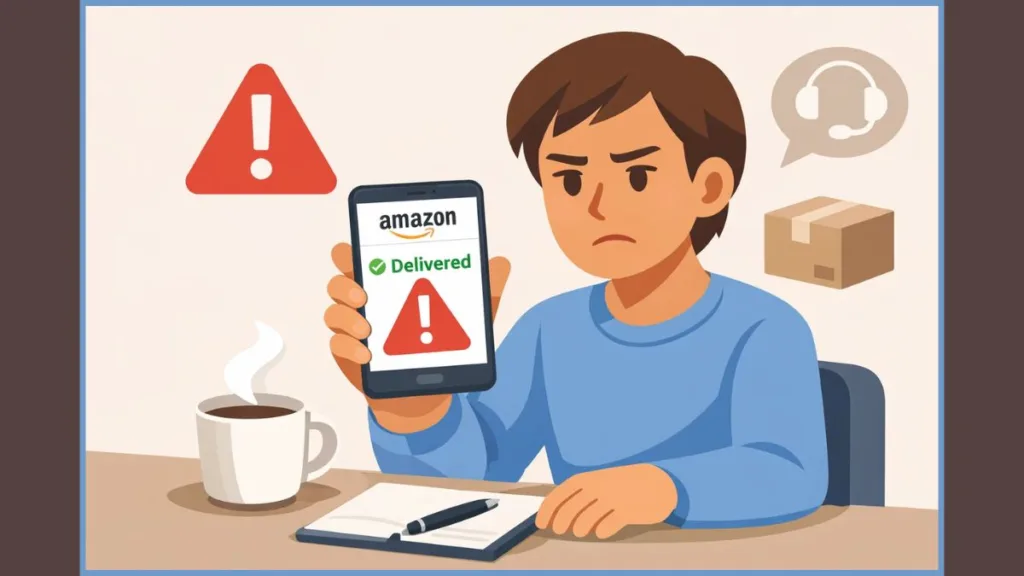
Why Amazon Shows “Delivered” but You Don’t Have the Package
What This Status Really Means
As you look at the delivery status inside Amazon, the word Delivered does not automatically mean the package is permanently lost. In Amazon’s system, this status often means the courier has completed a delivery scan.
That scan can happen slightly before the package reaches you, especially in:
- Apartments or gated societies.
- Offices.
- Buildings with guards or reception desks.
At this point, you may notice the delivery time stamp looks recent. Amazon treats this as a possible delayed handover, not an immediate loss. That is why the system pushes you to customer care first instead of opening a complaint form instantly. Understanding this saves you time and prevents your case from being rejected later.
Step 1: Verify Before You Escalate
When you see Delivered and you do not have the package, your first action is not escalation—it is verification.
As you look at Your Orders, click into the order and confirm:
- The delivery address.
- The phone number.
- The delivery instructions.
You do this because Amazon support will check these fields before they allow any complaint to move forward. If something is wrong, you correct it now, not later.
Once you confirm the details, you move directly to Amazon Customer Care. This step is mandatory. Amazon expects every “delivered-but-not-received” case to be logged with support first so the system records the initial report.
Step 2: How to Contact Amazon Customer Care First
You open Help & Customer Service, then click Contact Us, then select Orders, and then choose the exact order that shows Delivered.
As you look at the available options, you may see Live Chat or Call Me. You choose either based on availability. When the chat opens or the call connects, you state one clear sentence without explanation or emotion:
“I see my order marked as delivered, but I have not received the package.”
This exact phrasing matches Amazon’s internal issue category. At this point, support logs the case. You may notice the agent asking you to confirm your address or check with neighbors or security. This is standard; answer calmly and accurately.
Very often, support will tell you one rule clearly:
“Please wait up to 24 hours after the delivered status.”
This is not a delay tactic. This waiting window exists because Amazon allows the courier’s system to reconcile late handovers. Ignoring this step can block your refund later.
Why Amazon Asks You to Wait 24 Hours
When customer care asks you to wait, you wait. This waiting period protects your case.
During these 24 hours, Amazon’s system checks GPS scan data, courier logs, and delivery confirmations.
- If the package arrives: The case closes automatically (no complaint needed).
- If the package does not arrive: The system now allows escalation without resistance.
Important: You should not open multiple chats or calls during this time. You should not file a chargeback. You should not mark the order as received. So you should simply wait and let the clock run.
Step 3: Raising the Formal Complaint (After the Wait)
Once 24 hours pass and the package is still missing, you return to Your Orders. As you click into the same order, you will now see the Problem with Order button available.
- Click Problem with Order.
- Select Item Not Delivered.
- Choose Tracking shows delivered but I didn’t receive it.
As you submit this, Amazon converts your earlier customer care contact into a formal delivery investigation. At this point, you have officially raised the complaint. The system recognizes that you followed the correct sequence.
Exception: When You Can Complaint Instantly
In some cases, as you speak to customer care, the agent may tell you that you do not need to wait 24 hours. This usually happens when:
- The delivery scan looks suspicious.
- The courier has repeated issues.
- The order value is high.
When support explicitly confirms this, you proceed immediately to Problem with Order and raise the complaint without waiting. This approval is recorded in the system, so you are protected.
What Happens After You Raise the Complaint
Once the complaint is submitted, Amazon opens a delivery investigation. Behind the scenes, Amazon contacts the delivery partner, verifies GPS data, checks scan accuracy, and reviews your account history. This process usually completes within a few business days.
As you check the order status over the next few days, you may see updates such as:
- Investigation ongoing
- Refund initiated
- Replacement approved
You do not need to chase daily. Monitor the order page and wait for the resolution status to change.
How Refunds and Replacements Work
If Amazon cannot confirm delivery, a refund or replacement is approved.
- Replacement: If the item is still in stock, Amazon may offer a replacement first.
- Refund: If stock is unavailable or the system decides replacement is not appropriate, a full refund is issued to your original payment method.
Refund timing depends on how you paid, but the approval itself is the critical step. Once approved, the money follows automatically.
How to Escalate If the Complaint Stalls
If several days pass and the investigation does not move:
- Return to the same order.
- Click Problem with Order again.
- Select Still need help.
This flags the case as unresolved and pushes it to a higher review level. If the issue remains unresolved after that, Amazon India provides a grievance escalation path through its help system. This step triggers senior review and usually forces closure.
What Not to Do
- Do not skip customer care and go straight to complaints.
- Do not raise multiple tickets for the same order.
- Do not initiate bank chargebacks before Amazon finishes its investigation.
“Do not bypass Amazon’s support flow. Doing so can delay or block refunds.”
Following the system’s order is not optional. It is how you protect your outcome.
FAQs: Amazon Delivered but Not Received
How do you complain to Amazon when the order says delivered but you didn’t receive it? You contact customer care first, wait 24 hours if instructed, and then raise the complaint from Your Orders.
Can you raise the complaint immediately without waiting? Yes, but only when Amazon customer care explicitly tells you that you can.
How long does Amazon take to resolve a not delivered complaint? Most investigations resolve within a few business days after the complaint is raised.
Will Amazon refund you if the package is not received? Yes, if delivery cannot be verified, Amazon issues a refund or replacement.
Final Word
When you see Delivered but your package is missing, the solution is not guesswork. You contact Amazon Customer Care first, you follow the 24-hour rule if instructed, and then you raise the complaint through Problem with Order. This exact order keeps your case clean, your account protected, and your refund or replacement moving without friction.
Visit Our Post Page: Blog Page