
Worried the sender might find out? Learn how to return Amazon gifts secretly without notifying them. Get refund credit & protect your privacy with our 2026 guide.
There’s a lot of joy in giving the perfect gift—but receiving one doesn’t always hit the same way. Maybe it’s the wrong size, the wrong color, or just not something you’ll ever use.
You have a few options: store it away (and forget it forever), regift it later, or—often the smartest choice—return it.
If the gift came from Amazon, we recommend you return it discreetly and turn that value into something you actually want. And yes, you can do this without the sender knowing.
Quick Summary: The Rules of Return Privacy
- Does the sender know? Generally, no. Amazon does not send alerts for standard gift returns.
- Where does the money go? The refund is added to your Amazon Gift Card Balance.
- The Exception: Items sold by Third-Party Sellers (not Fulfilled by Amazon) may require communication that alerts the sender. Check the “Sold By” line first!
- Refund Speed: Returns dropped at Kohl’s or Whole Foods often trigger an “Instant Refund” to your balance within hours of the scan.
Below, you’ll find the exact steps, privacy details, and edge cases you need to handle an Amazon gift return quietly and confidently.
Do Gift Givers Know When You Return an Amazon Gift?
Short answer: No.
When you return an Amazon gift using the proper method, Amazon does not notify the sender. Your refund is issued as Amazon account credit (gift card balance)—not back to the original payment method—so the process stays private.
Rest assured, according to Amazon’s standard policy, the sender will not receive alerts, emails, or account updates about your return regarding items fulfilled by Amazon.
Detailed Nuance
While Amazon keeps the return private, the order status on the sender’s account simply shows “Delivered.” It does not update to “Returned” unless the sender deliberately digs into the “Order Details” page.
However, there is one major privacy loophole: Third-Party Sellers.
If the item was not shipped by Amazon (FBA) but rather shipped directly by an independent seller, that seller manages their own returns. If you initiate a return for these items, the seller may message the buyer (the sender) to authorize the return or send a shipping label.
Always check if the item says “Sold by [Name] and Fulfilled by Amazon”—if it says “Fulfilled by Amazon,” you are safe.
What You Need Before Returning an Amazon Gift
1. The 17-Digit Amazon Order Number
To start a gift return, you’ll need the 17-digit order number (sometimes called the Order ID). You can usually find it:
- On the packing slip inside the box.
- On the digital gift receipt sent to your email.
Pro Tip: If you can’t find the slip, check the shipping label on the box. You can contact Amazon Customer Service and provide the Tracking Number (often starting with “TBA” for Amazon Logistics); they can often look up the Order ID for you using that number.
Additionally, if the sender emailed you a link to the gift receipt, clicking that link will automatically load the 17-digit ID into your browser, even if you don’t copy-paste it.
2. Check the Return Window
Amazon typically allows gift returns within 30 days of delivery for a full refund.
During the holiday season, this window is often extended. For example, items bought between November 1 and December 31 can usually be returned until January 31 of the following year. If you return late, you may receive partial credit or pay a restocking fee.
Extended Policy Details: Certain items have different windows. For example, Amazon Renewed products often have a 90-day guarantee. Conversely, high-value electronics (laptops, cameras) may have stricter 14-day return windows if opened. Always verify the specific date on the return portal before shipping.
Step-by-Step: How to Return Amazon Gifts Without the Sender Knowing
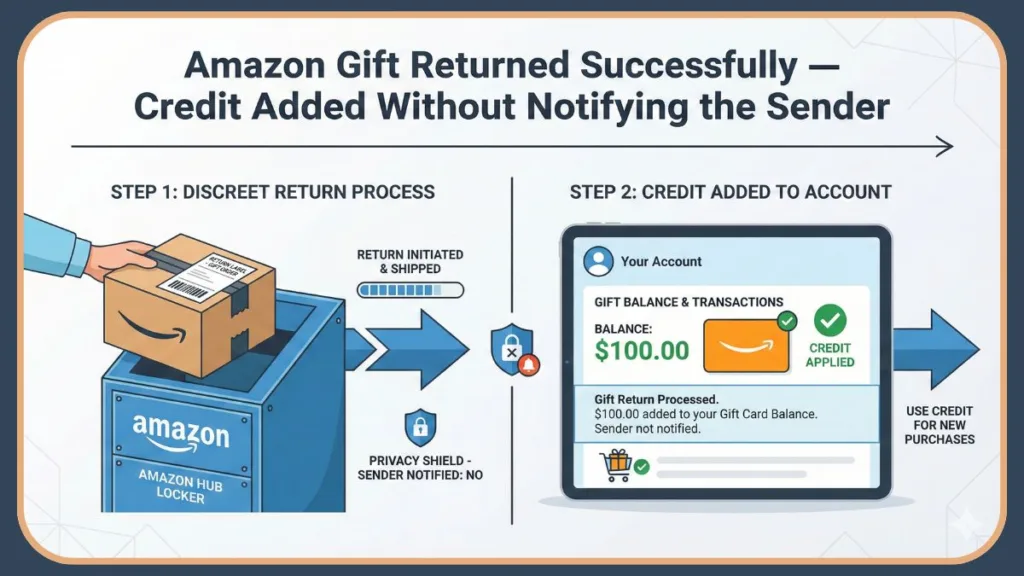
Follow these steps exactly to keep the process discreet.
Step 1: Open Amazon’s Gift Return Page
Sign in to your Amazon account (or create one if needed) and go to Amazon’s Gift Return Portal (usually found at amazon.com/returns/gift).
Step 2: Enter the Order Number
Type in the 17-digit order number and continue.
This step ensures the return stays tied to you—not the gift giver. This disassociates the refund from the sender’s credit card and points it toward your gift card balance.
Step 3: Select the Item and Return Reason
Choose the item you want to return and select a reason from the dropdown menu (e.g., “Style not as expected”).
CRITICAL WARNING: Third-Party Sellers Check the “Sold By” line on your item. If the item was sold and shipped by a Third-Party Seller (not “Fulfilled by Amazon”), the return request might require approval.
In this specific case, the seller may communicate via Amazon’s Buyer-Seller Messaging Service, which sends emails to the account that bought the item (the sender).
If privacy is your top priority, proceed with caution on Third-Party items. If you must return a third-party item, you might have to ask the sender for help, as the seller might require photos of damage or specific authorization that only the buyer can provide.
Step 4: Choose a Return Method
Amazon will offer several options, typically including:
- Drop-off at partner locations (Whole Foods, Kohl’s, UPS Store, Staples).
- Amazon Hub Locker (subject to size limits).
- Mailing the item back.
Note: We recommend returning items separately. Mixing items from different orders in one package can delay your refund.
Privacy Tip on Drop-Offs: Choosing Kohl’s, Whole Foods, or The UPS Store is often the best choice for privacy. These locations offer “Label-Free, Box-Free” returns.
You simply bring the item (even without the shipping box) and show a QR code on your phone.
The moment they scan your code, the system often triggers an “Advance Refund” or “Refund on First Scan.” This means the gift card credit hits your account almost immediately (often within 2-4 hours), long before the item reaches the warehouse.
Step 5: Package and Send the Item
Follow the on-screen instructions. Many drop-off locations (like Kohl’s or UPS) offer “Label-Free” returns where you just show a QR code on your phone.
If you choose to mail it via UPS drop-off point, ensure you get a physical receipt with a tracking number as proof of handover.
Can You Return an Amazon Gift Without a Receipt?
In most cases, yes—but it requires a little work.
You don’t need a physical receipt if you have the Order Number. If you have neither the receipt nor the Order Number, the return becomes difficult.
Your best option
Contact Amazon Customer Service (via chat or phone). Provide them with the Tracking Number from the shipping box (look for the barcode that starts with “TBA…”), or the sender’s name, email address, and phone number. They may be able to locate the order and initiate the gift return for you manually.
Why this works
Amazon’s internal tools can reverse-search a tracking number to find the associated Order ID. Once the agent finds the Order ID, ask them to “generate a return label for a gift recipient.” They will email the label directly to you, bypassing the sender entirely.
What Happens After You Return an Amazon Gift?
Once Amazon receives your item:
- The refund is processed (usually within 1–3 weeks, though “Refund on First Scan” locations can speed this up to hours).
- The money is added directly to your Amazon Gift Card balance.
- You can spend that credit on anything Amazon sells—from household essentials to upgrades you actually want.
The sender will see the item as “Purchased” in their history, but they will not see the “Returned” status unless they explicitly dig deep into the order details, which is rare.
Where to check your balance
The funds will not appear on your credit card statement. You must log in to Amazon and check your Gift Card Balance in the Account settings.
This balance never expires and can be used on millions of items, though it cannot be transferred to a bank account or used to buy other gift cards (e.g., Visa or Mastercard gift cards).
Common Mistakes That Can Alert the Sender
Avoid these missteps if privacy matters to you:
- Requesting an “Exchange” instead of a “Return”: If you ask for a replacement size/color, Amazon creates a new order for the replacement item. This new order often appears in the original purchaser’s account history as a “zero dollar” transaction. Always take the refund credit first, then buy the new item yourself as a totally fresh order.
- Contacting the Seller Directly: Never message the seller outside of the gift return portal; this will alert the buyer.
- Returning Very High-Value Items: Occasionally, items over ~$2,000 may trigger fraud protections that default the refund to the original payment method. If the item is extremely expensive (e.g., a high-end gaming PC or jewelry), Amazon’s system might revert to the original payment method to prevent money laundering or theft.
- Returning Too Many Items: If you create a brand new Amazon account solely to return a high volume of gifts, Amazon’s fraud detection algorithms might flag the account. It is safer to use an existing Amazon account with some purchase history.
Amazon Gift Return FAQs
Does Amazon notify the sender about gift returns?
No. Provided the item is “Fulfilled by Amazon,” they do not notify gift givers when you return an item properly through the Gift Return Portal. The only record is deep in the order history, which most people never check after delivery.
Can you return used items?
To receive a full refund, items should be unopened and undamaged. Opened or used items may receive partial credit (restocking fee).
Restocking Fee Specifics
Amazon may deduct up to 50% of the item’s price if the item is returned damaged, missing parts, or if it is a media item (CD, DVD, Software) that has been opened (plastic wrap removed). You can read more about Restocking Fees here.
Can you return gifts after 30 days?
Sometimes. You may receive reduced credit (up to 80% of value) or face restocking fees, depending on the seller and how late the return is. If the return is significantly late (e.g., months later), the system may simply reject the return or offer a “goodwill” partial refund at customer service discretion.
Does the sender get the Kohl’s/Whole Foods coupon?
No. When you drop off a return at Kohl’s, they often print a coupon (e.g., “$5 off in-store”). This coupon is handed physically to you at the counter. The sender receives nothing.
Final Thoughts
If you received an Amazon gift that doesn’t work for you, returning it is not rude—and it doesn’t have to be awkward. Amazon’s system is designed to protect your privacy, and when you follow the correct steps, the sender will never know.
Our recommendation: Return the gift, take the Amazon credit, and buy something you’ll actually enjoy.
Visit Our Post Page: Blog Page