
s your name in the 2026 Voter List? Follow our guide to search by name or EPIC, download the SIR 2026 PDF, and track your form status online today.
With the 2026 elections approaching in several key states, the Election Commission of India (ECI) has completed a massive data cleanup. The Special Intensive Revision (SIR) 2026 is the most significant electoral update in decades, aiming to eliminate “ghost voters,” duplicate entries, and logical discrepancies that have built up siWith the 2026 elections approaching in several key states, the Election Commission of India (ECI) has completed a massive data cleanup. The Special Intensive Revision (SIR) 2026 is the most significant electoral update in decades, aiming to eliminate “ghost voters,” duplicate entries, and logical discrepancies that have built up since the early 2000s.

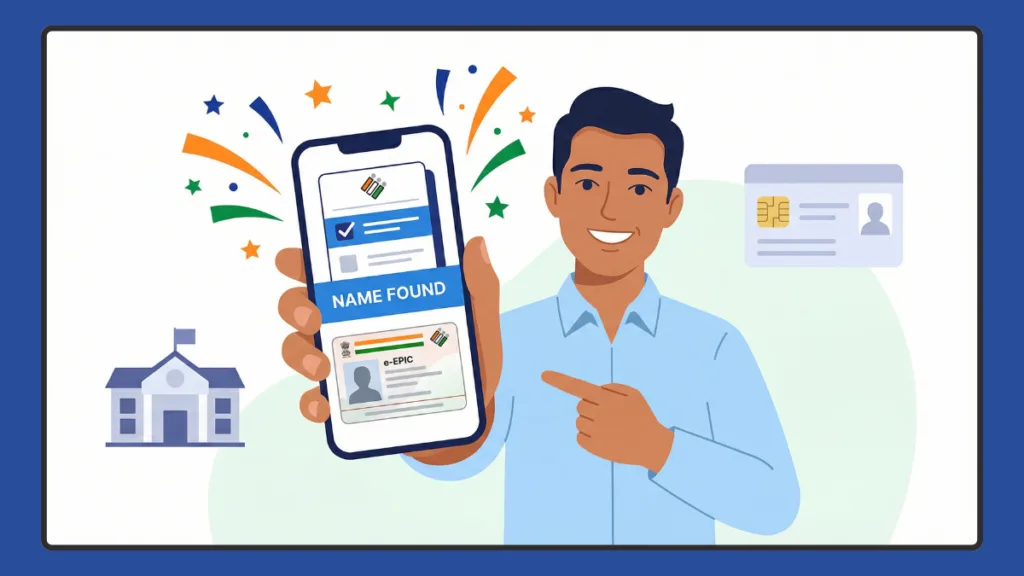
If you’re trying to search name in election list, verify your details, or download the latest voter roll for 2026, you’re in the right place. With the ongoing Special Intensive Revision (SIR) 2026, many voters across India are checking whether their names are still listed in the updated electoral roll. Whether you want to verify your name, use your EPIC number, download a state-wise voter list PDF, or check through SMS — this complete guide walks you through every method step by step.
What Is the Electoral Roll and Why It Matters in 2026?
The electoral roll is the official list of eligible voters maintained by the Election Commission of India. It contains vital voter details like your Name, EPIC number, Polling station, Part number, and Address.
The Significance of Special Intensive Revision (SIR) 2026
In 2026, many states are conducting Special Intensive Revision (SIR) to update and clean voter records. Unlike a “Summary Revision” which happens annually, a Special Intensive Revision (SIR) involves physical, door-to-door verification by Booth Level Officers (BLO). Under Article 324 of the Constitution and the Representation of the People Act, 1950, the ECI conducts this to ensure the “purity of the rolls.”
In 2026, the ECI utilized AI-driven de-duplication software to compare current records with the 2002 Voter List. After the revision process, the Final Publication of Electoral Roll SIR 2026 is released. If your name is missing, incorrect, or shifted to another booth, you may not be allowed to vote. That’s why it’s important to check your name in voter list 2026 before elections.
Key Data from the 2026 Revisions
- West Bengal: The final roll released on February 28, 2026, saw a reduction of over 61 lakh names due to intensive cleaning (deceased, shifted, or duplicates).
- Tamil Nadu: Released on February 23, 2026, nearly 97 lakh names were removed to ensure integrity, leaving a final electorate of approximately 5.67 crore.
How to Search Name in Voter List 2026 (All India Method)
The ECI has streamlined its digital infrastructure. You no longer need to visit a government office to check your status. There are four primary ways to find your name in the voting list across India.
Method 1: Search Name in Election List by Details
This is the most common way to find a voter by name if you don’t have your ID card handy.
- Visit the official ECI Electoral Search portal.
- Choose “Search by Details.”
- Enter your name, father’s/husband’s name, age or date of birth, and state.
- Pro-Tip: Be very specific with spellings. Even a minor typo in your father’s name can result in “No Record Found.”
- Click search to view your EPIC number, polling station, and assembly constituency.
Method 2: Search by EPIC Number
If you have your EPIC number (the 10-digit alphanumeric code on your card), this is faster and more accurate.
- Select “Search by EPIC” on the Voters’ Service Portal.
- Enter your EPIC number and select your state.
- This method also works for checking older entries like 2002 voter list search by EPIC number, provided the record is digitized.
Method 3: Search by Mobile (The New 2026 Feature)
The ECI now allows searching via your registered mobile number—a highly useful feature for 2026.
- Select “Search by Mobile” on the portal.
- Enter your mobile number and select your language.
- Receive an OTP (One-Time Password) to verify.
- Once verified, the portal displays all Voter IDs linked to that specific number, which is helpful for checking your entire family’s status.
Method 4: The Voter Helpline App
The official Voter Helpline App (available on Play Store and iOS) is the recommended tool for 2026.
- QR Code Search: You can scan the QR code on your physical Voter ID to instantly fetch your digital record.
- Booth Locator: It provides GPS-guided directions to your specific polling station.
How to Track Your SIR Form Status Online
Submitting your voter details via an enumeration form is only the first step—knowing whether they’ve been updated in the system is just as important. With a quick visit to the official ECI portal, you can confirm whether your details have been digitized by your BLO and ensure your information is safely in the records.
Step-by-Step Guide to Check Your SIR Form Status
This guide walks you through everything in a clean, organized flow to verify your SIR 2026 update.
- Open the Official Portal: Visit the ECI website and look for the Enumeration Form section. This is the starting point for SIR-related updates.
- Create an Account: If using the portal for the first time, register using your mobile number and a simple captcha.
- Log In to Your Profile: Sign in using your mobile number and the OTP sent to your phone.
- Return to Enumeration Section: Once logged in, navigate back to the Enumeration Form option to view your authenticated records.
- Enter Your EPIC Number: Type your unique voter ID code to pinpoint your record in the database.
- View Your Status: Click Search. If uploaded, you’ll see a confirmation message. If pending, a blank form may appear, indicating the update is still with the BLO.
Understanding Your SIR Form Status Messages
Once you’ve reached the results page, the portal will show a simple status message. Knowing how to read it is crucial.
When Your Form Is Successfully Uploaded
If your details have been updated, the system displays a clear line: “Submitted with mobile number XXXXX…”. This confirms that your info has been digitized by the BLO and is part of the official records. In many cases, you may also see a timestamp or polling part number.
When Your Form Is Still Pending
If a fresh form page opens instead of a confirmation, don’t panic. This usually means your details are yet to be uploaded. During high-volume revision periods, BLOs process large batches, and uploads continue until the official cut-off date.
When Something Needs Attention
If you notice an incorrect mobile number or a “submitted” status you didn’t initiate, reach out to your local BLO. Keeping a screenshot of these messages is helpful if your name doesn’t appear in the published voter draft list later.
What to Do If Something Looks Wrong with Your SIR Status
If the status shown doesn’t match your expectations, follow these troubleshooting steps:
- Incorrect Mobile Number: Request verification from your BLO to confirm which number was recorded on your original physical form.
- Unsolicited Submission Status: This often means your details were uploaded manually by field staff—check with your BLO to ensure the data is accurate.
- Mismatched Details: If your EPIC fetches the wrong result, take a screenshot and provide it to the local electoral office for investigation.
State-Specific Guides: West Bengal & Tamil Nadu (SIR 2026)
West Bengal Voter List 2026 (WB SIR Electoral Roll Guide)
Due to SIR activity, many people are searching for “wb voter list name search 2026” or “wb sir voter list 2026 pdf.”
- WB Voter Search: Visit the CEO West Bengal portal to search by name or EPIC.
- PDF Download: Select your district, assembly constituency, and part number to download the West Bengal voter list.
- Status Labels: Watch out for tags like “Under Adjudication” (manual verification in progress) or “Deleted” (immediate action needed via Form 6).
Tamil Nadu Voter List 2026 Guide
For residents of Tamil Nadu:
- Official Site: Visit [suspicious link removed].
- Electoral Search: Use the tool to enter your EPIC or personal details.
- Data Points: The 2026 revision saw a higher number of female voters (2.89 crore) and a significant surge in youth voters (12.51 lakh).
Comprehensive Guide to ECI Forms (What to Use and When)
If your name is missing or incorrect after searching, you must submit the appropriate form via the Voters’ Service Portal or the Voter Helpline App.
| Form Number | Purpose | Documents Required |
| Form 6 | New Registration or shifting to a new constituency. | Age proof, Address proof, Photo. |
| Form 7 | Objection or Deletion of a name (death/shifting). | Death certificate or proof of migration. |
| Form 8 | Correction of existing entries or Replacement EPIC. | Proof of correct detail (e.g., DOB proof). |
| Form 6B | Voluntary linking of Aadhaar with Voter ID. | Aadhaar number. |
How to Download Voter List 2026 PDF (Booth-Wise)
If you want a complete list for your polling booth:
- Visit your state’s Chief Electoral Officer (CEO) website.
- Go to the Electoral Roll PDF section.
- Choose your District → Constituency → Part Number.
- Download the PDF.
- Important Note: Public PDFs contain names and addresses but usually hide photos for privacy. To see your photo, use the Voter Helpline App or download your e-EPIC.
Troubleshooting: Why Your Name or Status May Not Show Yet
Several factors can cause delays in your voter status appearing online:
- High Volume: During intensive revisions, BLOs handle thousands of forms.
- Manual Verification: Certain entries require extra scrutiny by supervisory staff before appearing online.
- Technical Sync: It can take a few days for the backend database to sync with the public-facing portal.
- Incomplete Data: If details like address or part number are missing on your form, it may take longer for the officer to verify.
Frequently Asked Questions (FAQ)
1. How can I search my name in the 2026 election list?
Visit the official electoralsearch.eci.gov.in portal, choose search by name or EPIC, and verify your details online.
2. Can I search my name without an EPIC number?
Yes, use the “Search by Details” method where you enter your name, father’s name, age, and state on the official search page.
3. How do I download the WB SIR voter list 2026 PDF?
Visit the West Bengal CEO website, select your district and polling station, and download the final published roll.
4. What should I do if my name is deleted?
Apply for inclusion immediately using Form 6 online. During the SIR 2026 cleanup, many names were removed due to migration or lack of physical verification.
5. How long does the SIR form status take to update?
Updates typically reflect within a few hours to a few days after the BLO completes the digital upload.
Final Thoughts: Stay Updated and Confident
With the Final Publication of Electoral Roll SIR 2026, it’s essential to confirm your voter status early. Whether you are in West Bengal, Tamil Nadu, or any other state, the process is now simple and fully online. Don’t wait until polling day. Take a few minutes today to check your name, verify your polling station, and download your electoral roll copy.
Visit Our Post Page: Blog Page