
Wondering if someone blocked you on FB? Learn how to see who has blocked you in Facebook in 2026 using reliable checks, clear signs, and a proven way to confirm a block without guessing or unsafe apps.
Facebook does not notify you when someone blocks you. There’s no alert, no warning, and no visible list showing who blocked you. That silence is intentional—and it’s exactly why this situation feels awkward or confusing.
It happens to the best of us. One day you’re chatting with a friend, and the next, their profile seems to have vanished into thin air. Did they deactivate their account? Did they unfriend you? Or were you blocked on Facebook? These outcomes overlap in ways that make quick assumptions unreliable.
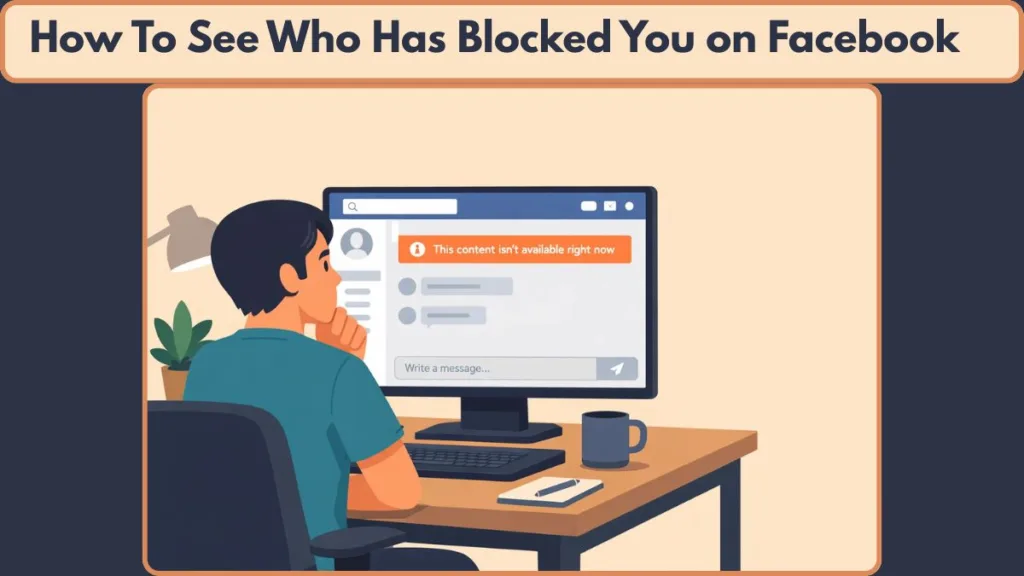
While Facebook won’t confirm a block directly, it does leave behind clear technical signals. When you check those signals calmly and in the right order, you can reach a grounded conclusion without drama or guesswork. The aim here is clarity, not speculation.
This guide explains how to know if someone blocked you on Facebook, what each signal actually means, and what Facebook doesn’t allow you to see—so you can interpret what’s happening with confidence.
Can You Actually See Who Blocked You on Facebook?
The short, direct answer to “can you see who blocked you on Facebook”
No. Facebook does not provide any tool, setting, or notification that tells you who has blocked you—across the mobile app, desktop site, or Messenger.
What you can rely on instead to find out who blocked you on Facebook
Although Facebook hides the action itself, it can’t hide the effects of blocking. Those effects show up as blocking indicators—changes in search visibility, profile access, messaging behavior, and interaction permissions.
When you analyze these indicators together, you can determine whether you were blocked on Facebook, simply unfriended, or affected by an account deactivation or deletion. The key point is simple: no single check proves anything by itself. Accuracy comes from combining checks logically.
What Happens When Someone Blocks You on Facebook
How Facebook blocking works behind the scenes
Blocking on Facebook is account-specific, not global. Once someone blocks you, Facebook cuts off every interaction path between your account and theirs.
From your side, their profile becomes completely inaccessible, their name disappears from Facebook search, and Messenger messages either fail to send or are disabled. You can no longer tag them, invite them to groups or events, or interact with their content. Facebook also automatically removes both of you from each other’s friend lists.
Why being blocked on Facebook causes confusion
At the same time, that person may remain fully visible to others. Mutual friends, logged-out viewers, or the public may still see the profile if it isn’t private. This mismatch is why checking visibility correctly—instead of assuming intent—matters.
How to Tell If Someone Blocked You on Facebook: Step-by-Step Checks
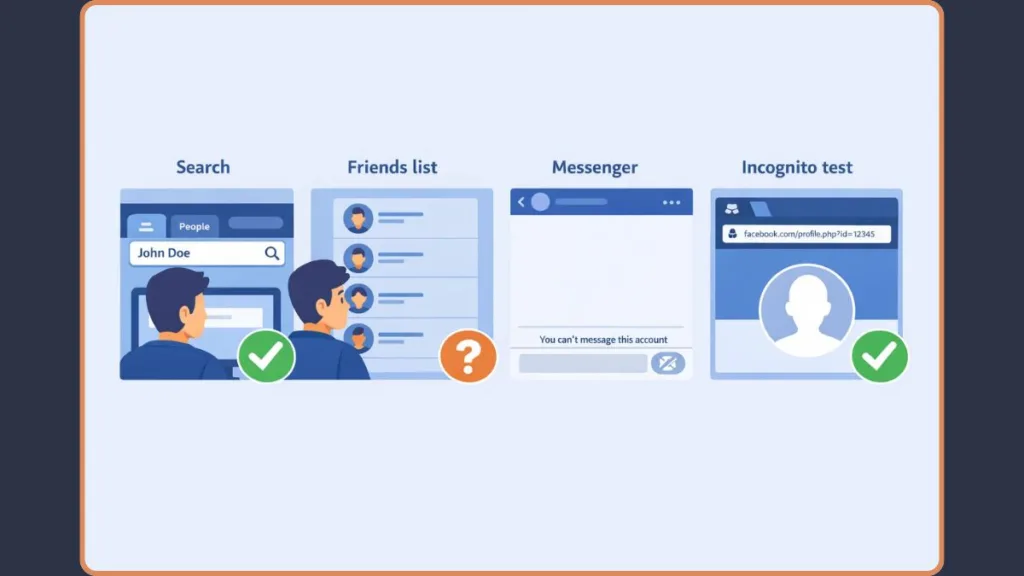
1) Search Their Name on Facebook (Use the People Tab)
What Facebook search tells you if someone blocked you
Start with Facebook search and switch specifically to the People tab to filter out pages, posts, and groups.
If the profile appears, it usually means they unfriended you or restricted visibility through privacy settings. If it doesn’t appear at all, the possibilities narrow to a block, deactivation, or strict privacy controls. This step is a useful first filter, but it cannot confirm blocking on its own.
2) Check Your Friends List to See If Someone Blocked You
Why this friends list check matters (and where it stops)
Search your Friends list for their name. If it’s missing, you’re no longer connected.
However, Facebook removes friends automatically when someone blocks you, and unfriending produces the same result. Deactivation also removes profiles from friend lists. So this confirms loss of connection, not the reason.
3) Check Facebook Messenger for Blocking Signs
Messenger clues that suggest you were blocked
Messenger often reveals clearer technical clues. Open your existing conversation and review it carefully.
Warnings like “You can’t message this account”, repeated message failures, or a missing profile link in the chat info panel are high-confidence indicators, especially if messaging worked before. Even so, Messenger alone can’t distinguish between a block and a deleted account—treat it as supporting evidence.
4) Try Visiting Their Facebook Profile Directly
What “This content isn’t available right now” really means
Open the profile using a direct link if you have it.
Seeing “This content isn’t available right now” means one of three things: you were blocked on Facebook, the account was deactivated or deleted, or privacy settings restrict access. At this point, you’ve narrowed the field—but you haven’t confirmed it yet.
The Most Reliable Way to Confirm a Facebook Block (No Second Account)
Why this method works to check if someone blocked you on Facebook
This approach removes your logged-in account from the equation and checks what the public can see. It’s the closest thing to confirmation Facebook allows.
Step A: Copy the Facebook Profile URL or Profile ID
From Messenger or the error page, copy the profile URL. If it includes a numeric Facebook ID, copy that number. This ID uniquely identifies the account and remains stable even if usernames change.
Step B: Open an Incognito Window to Test a Facebook Block
Open a private or incognito browser window so you’re fully logged out. This ensures your account settings don’t influence the result.
Step C: Test the Facebook Profile Publicly
Paste the following format into the address bar, replacing the placeholder with the actual ID:
https://www.facebook.com/profile.php?id=NUMERIC_ID
Step D: Interpret the Result of the Facebook Block Test
If the profile loads normally in incognito mode, the account exists publicly—meaning you are blocked on Facebook from seeing it while logged in. If the same “content unavailable” message appears even while logged out, the account is deactivated, deleted, private to everyone, or restricted by Facebook.
This works because Facebook blocking applies only to specific accounts, not to logged-out users or the public.
Blocked vs Unfriended vs Deactivated on Facebook (Critical Differences)
| Signal | Blocked | Unfriended | Deactivated |
|---|---|---|---|
| Appears in Facebook search | No | Yes | No |
| Profile opens from your account | No | Sometimes | No |
| Profile opens in incognito | Yes | Yes | No |
| Can send Messenger messages | No | Yes | No |
| Can tag or invite | No | Yes | No |
| Visible to mutual friends | Yes | Yes | No |
When symptoms overlap, incognito visibility is the most reliable differentiator.
Messenger-Only Block vs Full Facebook Block
Understanding Facebook Messenger block vs Facebook block
A Messenger-only block limits communication but doesn’t affect Facebook visibility. You won’t be able to message or call, but you can still see the profile, posts, and tags unless other privacy rules apply.
A full Facebook block removes everything at once: profile access, search results, tagging, invitations, and messaging. When all interaction points disappear together, it indicates a full block.
Why You Can’t Find Someone on Facebook (Other Legit Reasons)
Not every disappearance means a block. People deactivate accounts for breaks, privacy, or security, which removes profiles from visibility for everyone. Privacy changes can also limit search or tagging without blocking you directly. In some cases, Facebook may temporarily restrict accounts due to policy enforcement.
Because these scenarios look similar, the incognito profile test is essential before drawing conclusions.
Can Apps or Extensions Show Who Blocked You on Facebook?
No. Facebook does not expose blocker data through its API or developer tools. Any app claiming to show who blocked you on Facebook is guessing or putting your account at risk.
Using third-party tools can compromise security, violate Facebook’s terms, or lead to data misuse. There is no safe workaround.
FAQ: How to Know If Someone Blocked You on Facebook
Does Facebook notify you when someone blocks you?
No. Facebook never sends a notification or alert.
Can mutual friends still see the person who blocked me on Facebook?
Yes. Blocking is account-specific, so others may still see the profile.
Do past comments or likes disappear after blocking on Facebook?
They often do, depending on how Facebook handles historical interactions.
Is there a guaranteed way to know if someone blocked you on Facebook without asking?
The Messenger + incognito profile test provides the highest certainty Facebook allows.
Final Reality Check: What to Do After You Confirm a Facebook Block
Facebook intentionally makes blocking indistinguishable from deactivation at first glance. That design protects privacy but creates confusion.
The calm, professional takeaway
The professional approach is to stack multiple checks, then confirm with the incognito profile test. If the profile exists publicly but not for you, the answer is clear. Once you know, the healthiest response is simple: acknowledge it, respect the boundary, and move on.
Visit Our Post Page: Blog Page