
Want to share your Amazon cart in 2025? Learn easy ways to send your Amazon cart to anyone using safe methods. From Wish Lists to Registries and cart-sharing tools, find simple steps to share your items without exposing personal info. Make sharing effortless today.
Why Sharing Your Amazon Cart Feels Complicated
Sharing your favorite Amazon finds with someone should feel simple, whether you’re planning a group purchase, getting a second opinion, or helping a friend choose the right products.

But when you try to send your Amazon cart, you quickly notice something’s missing — there’s no built-in “Share Cart” button. Many users on forums confirm this.
Good News: You Still Have Safe and Easy Options
That’s where a little guidance can make everything easier. Even though Amazon doesn’t offer a direct cart-sharing feature, you still have reliable and safe ways to share your items—whether you’re on mobile, desktop, or shopping with others.
From using an Amazon Wish List to trying helpful cart-sharing extensions, you can still coordinate smoothly without exposing sensitive information or wasting time copying item after item.
This guide walks you through the best methods available today to share your Amazon selections efficiently, safely, and in a way that fits your specific situation.
Why Amazon Doesn’t Allow Direct Cart Sharing: No Native Amazon Cart Sharing Explained
Before diving into solutions, it helps to understand why you can’t simply tap a Share Cart option on Amazon.
Your Amazon Cart Contains Sensitive Information
Your Amazon cart is tied to your personal account, which includes sensitive details such as your addresses, order history, and payment methods.
A direct cart-sharing feature could unintentionally expose information Amazon works hard to protect.
Amazon Carts Are Session-Based, Not Shareable
Another important factor is how Amazon carts function behind the scenes. Your cart is session-based and personalized, meaning a simple URL can’t reproduce your cart on another device.
If you send your cart link to someone else, they’ll only see their own empty cart, not yours.
Why Amazon Prefers Safe Sharing Tools
Because of these privacy and technical limitations, Amazon avoids offering official cart sharing.
Instead, it provides tools like Wish Lists and Registries, which allow controlled sharing without risking your account safety.
Quick Overview: All Working Methods to Share Amazon Items
A Clear Look at Every Working Cart-Sharing Method
Even without a native sharing option, there are plenty of effective ways to share your Amazon items. Each method serves a different purpose, so you can choose the one that fits your needs best.
Best Ways to Share Amazon Cart in 2025
Amazon Wish List: Best Native Option for Sharing
A Wish List is the easiest and most secure way to share your Amazon picks.
You can set it to Private, Shared, or Public, making it perfect for flexible collaboration, gifting, or casual sharing.
Amazon Registry: Ideal for Events and Special Occasions
If you’re preparing for a wedding, baby shower, or classroom drive, an Amazon Registry helps you organize items and avoid duplicate purchases.
It’s built specifically for larger or more formal occasions.
Share-A-Cart & Other Extensions: Closest to Real Cart Sharing
Tools such as Share-A-Cart, AMZ Cart Share, Shopping Cart Share, or Add My Cart let you generate a Cart ID or shareable link that recreates your exact cart for someone else.
This is the closest alternative to true cart sharing, especially on desktop browsers.
Manual Methods: Quick for Sharing Just a Few Items
When you only need to send a couple of products, sharing product links or sending screenshots offers a quick, no-setup solution.
Many advice guides include this method when lists or extensions feel unnecessary.
Amazon Household: Helpful for Families but Not Cart Sharing
While it won’t share your cart directly, Amazon Household allows shared access to Prime benefits and supports supervised shopping for teens.
It’s useful for managing recurring purchases as a family.
The Bottom Line: Choose the Method That Fits Your Needs
This quick overview gives you a snapshot of all the working ways to share your Amazon items in 2025, so you can pick the method that best fits your shopping style and situation.
Method 1: Share Using an Amazon Wish List: Safest Native Way to Share Amazon Cart Items
Why Wish Lists Are the Safest Way to Share Amazon Items
An Amazon Wish List remains the safest and most convenient way to share your Amazon selections.
Because it is built directly into Amazon’s ecosystem, it protects your addresses, payment methods, Prime details, and order history, all while letting others view the items you select.
Moreover, Wish Lists work across the Amazon app, desktop website, and even Alexa-enabled devices, giving you a smooth sharing experience on any platform.
This makes Wish Lists incredibly useful for everyday sharing, gift planning, and collaborative shopping without exposing anything personal.
How to Turn Cart Items Into a Wish List
To move your items from the cart into a Wish List on:
Amazon App: Start by opening your Cart and tapping Save for Later on the items you want to transfer.
After you scroll down to the Saved for Later section, you can choose Move to List and select or create a new Wish List.
On the desktop website: The process works similarly. Open your Cart, click Save for later, and then use Move to Wish List from the Saved For Later section.
This keeps your items safely stored in a list you can share at any time.
How to Share Your Wish List With Others
Once your Wish List is ready, sharing it becomes simple. Open Your Lists, select the list you want to share, and choose Invite.
From here, you can allow View Only or View and Edit access depending on how collaborative you need the list to be.
Finally, share your list through a link, email, or messaging app.
Because Wish Lists update in real time and keep your private information hidden, they are perfect for birthdays, holidays, and any shopping situation where organization matters.
Method 2: Share Using an Amazon Registry: Best for Events & Organized Group Gifting
When a Registry Works Better Than a Wish List
An Amazon Registry is designed for major events such as weddings, baby showers, fundraisers, and classroom supply drives.
Unlike a Wish List, a Registry offers event-focused tools such as duplicate-purchase prevention, purchase tracking, and completion discounts, which make it highly effective for large groups.
This makes registries especially helpful when many people will be contributing and you need everything organized clearly.
Setting Up an Amazon Registry for Sharing Items
To create a Registry, go to weddings, baby showers, fundraisers, and classroom supply drives.
Start adding items from Amazon’s product pages.
Once items are added, adjust your visibility settings (Public, Shared, Private) based on your needs.
Registries also include priority labels, address protection, contributor notes, and group gifting support, making them powerful tools for structured events.
How to Share Your Registry
To share your Registry, open it and select Share.
Copy the link and distribute it through email, messaging apps, or social media.
Many people embed their Registry link on event websites, invitation cards, or school newsletters to make access easier.
Because the Registry tracks which items have been purchased, contributors avoid duplicates and you maintain complete visibility.
Method 3: Share Your Exact Cart Using Browser Extensions: Best Method for True Cart Duplication
Why Extensions Are the Closest Option to True Cart Sharing
If you want someone to see your exact cart, browser extensions offer the closest possible experience to a real share-cart button.
Extensions such as Share-A-Cart, Shopping Cart Share, AMZ Cart Share, and Add My Cart recreate your cart item-for-item, including quantities, variations, and seller details.
They support international Amazon marketplaces and work smoothly on desktop browsers.
Extensions also introduce features like QR codes and group sharing, making them especially useful for teams, teachers, and bulk ordering scenarios.
How Add My Cart Works (Simple, Real-World Steps)
Sharing an Amazon cart doesn’t have to involve long explanations or copying dozens of links. Add My Cart keeps the process simple and intuitive, especially when you’re coordinating gifts or shopping together.
Install the Add My Cart extension
Start by installing the Add My Cart browser extension. It’s lightweight and only activates when you’re browsing Amazon, so it doesn’t slow anything down or interfere with normal browsing.
Add items to your Amazon shopping cart
Shop on Amazon exactly as you normally would. Browse products, compare options, and add everything you want directly to your cart—no extra steps required.
Click the “Share Cart” button
Once your cart is ready, click the Share Cart button in the bottom-right corner of the screen. The extension instantly generates a shareable link to your Amazon cart.
You can send this link to friends, family members, or anyone you’re shopping with. When they open it, they see the same items you selected, making it easy to review, coordinate, or complete purchases without confusion.
This streamlined approach is especially helpful for group gifting, wish list coordination, or avoiding duplicate purchases, while keeping everyone aligned on exactly what’s being bought.
Advantages of Cart Sharing Extensions
Extensions offer accurate cart replication, faster coordination, and compatibility with international Amazon sites.
They are ideal for office teams, teachers, and families managing large shopping lists.
Because the process is automated, extensions remove the guesswork from manual cart recreation.
Method 4: Manual Sharing: Easiest Way to Share a Few Amazon Items
Easy, No-Setup Options for Sharing a Few Items
When you only need to share one or two items, manual sharing becomes extremely convenient.
It requires no installation, no lists, and no additional setup—just a quick way to communicate product details.
This makes manual sharing the best fit for everyday recommendations or simple gifting suggestions.
Ways to Manually Share Amazon Items
You can share individual product links by opening the item page, copying the URL, and sending it through any messaging platform.
Screenshots are another effective option, especially on mobile devices. They show price, variations, and visuals at a glance.
You can also share product names, which works well for plain-text communication or when the recipient prefers searching themselves.
Method 5: Amazon Household for Family Shopping: Best for Shared Shopping Across Family Members
A Helpful Option for Families Who Shop Together
Amazon Household allows families to coordinate shopping while enjoying shared Prime benefits and digital content.
It supports up to two adults, four teens, and four children, making it ideal for multi-member homes.
Although Amazon Household does not share your actual cart, it simplifies the shopping process with shared permissions and family-friendly controls.
What Amazon Household Helps You Do
Amazon Household lets adults share Prime shipping, Prime Video, Reading library, and eligible digital items.
Teens can add items to the family cart using approval settings, giving parents full oversight and control.
This setup maintains privacy while enabling children and teens to participate in household shopping.
It’s especially useful for buying school supplies, recurring essentials, and family goods across multiple profiles.
Which Amazon Cart Sharing Method Should You Use?
Choosing the right way to share Amazon items depends on what you’re trying to accomplish. Each method offers its own strengths, so picking the right fit can save you time, keep things organized, and protect your privacy.
Best Method Based on Your Situation
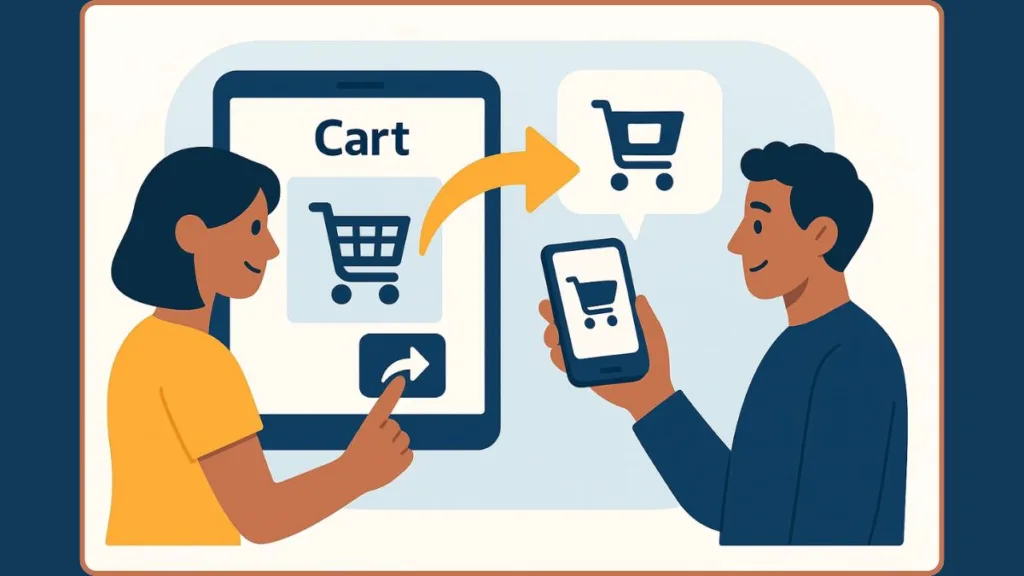
For Everyday Sharing or Gift Ideas
A Wish List is the most practical option. It keeps your personal details secure, offers simple sharing controls, and works smoothly on both mobile and desktop. This makes it ideal for casual recommendations, birthdays, or asking someone to review your picks.
For Events and Group Gifting
An Amazon Registry is better when planning weddings, baby showers, or classroom drives. It prevents duplicate purchases, tracks contributions, and keeps everything neatly organized for larger groups.
For Exact Cart Duplication
If you need someone to load your exact Amazon cart, a browser extension like Share-A-Cart or Shopping Cart Share provides the closest match. These tools recreate your item quantities, variations, and seller options instantly—perfect for team shopping or bulk buying.
For Quick One-Off Items
Manual options work best when sharing just a few products. Sending product links, screenshots, or item names is fast and requires no setup, making it ideal for simple recommendations.
For Families Sharing Shopping Duties
Amazon Household is helpful when multiple family members shop together. While it doesn’t share your cart, it provides shared Prime benefits, supervised teen access, and coordinated purchasing across profiles.
Bottom Line
The best method depends on your goal:
- Wish List for casual sharing
- Registry for events
- Extensions for exact carts
- Manual links for quick sharing
- Household for family coordination
Choosing the right approach ensures smooth, secure, and stress-free Amazon shopping for everyone involved.
Safe Ways to Share Amazon Cart Without Risks
When sharing Amazon items, protecting your account and personal data should always be the top priority. Use the following updated security practices to stay safe.
Security Tips Before Sharing
Never share your Amazon login credentials: Your username and password grant full access to your account — including payment methods, addresses, and order history. Sharing them greatly increases the risk of unwanted access or fraud.
Enable strong account security features: Turn on Two-Step Verification (2FA/MFA) in your Amazon account settings. This adds an extra layer of protection: even if someone obtains your password, they won’t be able to log in without the secondary verification.
Use secure and private Wi-Fi or VPN when shopping or sharing: Avoid public networks — always use a trusted internet connection, especially when logging in or sending share-links.
Prefer native sharing tools over risky options. Features like Wish Lists, Registries, or Amazon Household allow sharing without exposing sensitive info. These keep your personal data safe while letting others see what you want to share.
Be cautious with third-party extensions or links: Only install browser tools from trusted sources, and double-check what permissions they ask for. Always review links before using them.
Use strong, unique passwords: Combine uppercase/lowercase letters, numbers, and symbols — avoid predictable words or reused credentials. Change them if you suspect any breach.
Monitor your account regularly: Check recent orders and login activity. If something seems off — unknown devices, unexpected orders — update your password, remove questionable payment methods, and re-enable security settings immediately.
By following these steps, you can share items on Amazon with confidence — staying secure, private, and in control.
FAQ: Amazon Cart Sharing
These quick answers help clear up the most common questions people have about sharing Amazon carts, Wish Lists, Registries, and cart-sharing tools. Each response is short, practical, and focused on what users really want to know.
Can I share my Amazon cart with someone?
Amazon does not offer a direct Share Cart button. However, you can still share your items using Wish Lists, Registries, Share-A-Cart extensions, or manual product links.
Why doesn’t my Amazon cart link work when I share it?
A cart link doesn’t work because your cart is account-based and session-based. When someone opens your link, they see their own cart, not yours.
What’s the safest way to share Amazon items?
The safest method is an Amazon Wish List, since it keeps your addresses, payment details, and order history private while letting others view your selected items.
How do I share my exact cart on Amazon?
To duplicate your exact cart, use a browser extension like Share-A-Cart or Shopping Cart Share. These tools generate a Cart ID that someone can import on their end.
Can I share Amazon cart items on my phone?
Yes. On mobile, you can convert cart items into a Wish List, then use the Invite button to share the list link via text, WhatsApp, or email.
Is it safe to use Amazon cart-sharing extensions?
Extensions are generally safe when installed from official browser stores. Always read permissions and avoid unknown or unverified add-ons.
Can someone see my address if I share a Wish List?
No. Your address, payment information, and order history remain hidden. Even when someone buys an item from your Wish List, Amazon protects your personal details.
Can multiple people edit a list with me?
Yes. When you choose View and Edit, others can add or remove items. This is helpful for group shopping, grocery lists, or collaborative planning.
Is a Registry better than a Wish List for events?
Yes. An Amazon Registry is designed for events like weddings, baby showers, or classroom drives. It prevents duplicate purchases and tracks who bought what.
Can I share Amazon items without creating a list?
Absolutely. You can simply send product links, screenshots, or item names if you only need to share a few items quickly.
Does Amazon Household share my cart?
No. Amazon Household does not share your cart, but it does share Prime benefits, teen permissions, and digital content, which can help with coordinated family shopping.
Do I need an extension to receive someone’s shared cart?
Yes—if they used a tool like Share-A-Cart, you must install the same extension to import the Cart ID and load the items into your own cart.
Conclusion: Final Thoughts on Sharing Your Amazon Cart
Sharing your Amazon items can feel confusing at first since there’s no direct “Share Cart” button, but you now have several safe and practical ways to share what you’re shopping for.
Using an Amazon Wish List is the simplest option for most people. It protects your private information, works across devices, and lets you invite others instantly.
For bigger occasions, an Amazon Registry offers helpful features like duplicate-prevention and purchase tracking, making it great for events such as weddings or baby showers.
When you need to share your exact cart, extensions like Share-A-Cart provide the closest experience. They’re quick, convenient, and ideal for team shopping or large lists.
If you’re only sharing one or two products, manual methods—links or screenshots—work fast and require no setup.
Families can also benefit from Amazon Household, which helps coordinate purchases while keeping permissions and security in place.
There’s always a secure way to share your Amazon items — you just need the method that fits your situation best.
Whether you’re planning a celebration, shopping with friends, or asking for a second opinion, these tools make sharing easy, organized, and completely secure.
Visit Our Post Page: Blog Page