
Accidentally reposted on Instagram? Learn how to turn off repost on Instagram in 2026. Disable reposting for posts and reels, remove the repost button, and control who can reshare your content.
In the evolving landscape of social media, the line between sharing and over-sharing has become increasingly blurred. With the introduction of the Repost feature, Instagram gave users the ability to publish other people’s content directly to their own feeds. While platforms often pitch this as a tool for community building, for many users, it feels like a loss of agency.
Whether you are a privacy-seeker wanting to keep your life offline, a digital artist protecting your copyright, or a brand manager curating a specific aesthetic, you have the right to decide where your content travels.
The good news is that you can reclaim control.
This guide is not just a technical manual; it is a resource for digital empowerment. We will walk you through exactly how to disable the repost button, clarify the difference between reposting and resharing, and explore the strategic value of locking down your digital footprint in 2026.
The Immediate Fix: How to Stop People From Reposting Your Content
If you are here because you are frustrated or confused, we want to solve that problem first. You are likely asking, “Where is the button to stop strangers from taking my posts?”
Here is the direct, transactional solution to disable the feature immediately:
- Access Your Command Center: Open the Instagram app and tap your profile picture in the bottom right corner.
- Open the Menu: Tap the Menu (☰) icon located in the top right corner.
- Find the Boundary Settings: Scroll down to the section labeled “How others can interact with you.”
- Select Sharing Controls: Tap on the option titled Sharing and reuse.
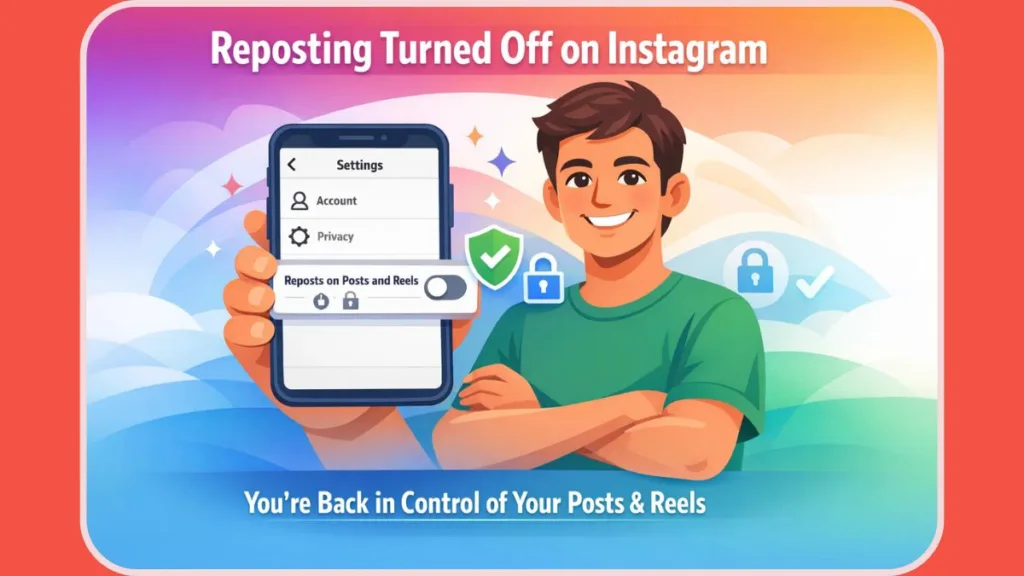
- Reclaim Your Privacy: Locate the toggle labeled “Allow reposts on posts and reels“ and switch it OFF.
Once you flip this switch, the change is instant. The repost button vanishes from your content, effectively closing the loop on unauthorized sharing to feeds.
Can You Turn Off Repost on Instagram? Understanding Your Rights
Understanding platform literacy is the first step toward true digital control. Many users ask if they can “turn off reposts” globally. The answer requires nuance.
Yes, you can control your own output. Instagram grants you content ownership controls. When you disable reposting, you are essentially putting a digital “Do Not Copy” stamp on your posts. This prevents others from using the native Repost feature to place your work on their profile grid.
No, you cannot control the platform interface. You cannot remove the repost button from other people’s content that appears in your feed. The interface is owned by Instagram; the content is owned by you. Your control ends where your content ends.
This distinction is vital for managing expectations. You are securing your own perimeter, not changing the rules of the entire ecosystem.
The Privacy Seeker: Why Turning Off Reposts Protects Your Peace
For the Privacy Seeker, the Repost feature can feel like a breach of trust. You might share photos of your family, your weekend trips, or personal milestones intended only for your immediate circle.
When the repost feature is active, a friend of a friend could theoretically take that personal photo and permanently add it to their own profile grid. By turning off reposts, you establish a firm digital boundary.
- Prevent Context Collapse: Ensure your personal moments stay within the context you created, rather than being re-contextualized on a stranger’s feed.
- Reduce Unwanted Visibility: Limiting shareability naturally limits “viral” spread, keeping your engagement manageable and authentic.
The Creator & Artist: Copyright Protection and Credit
For Creators, Photographers, and Artists, the Repost feature presents a different challenge: intellectual property.
While Instagram adds a credit link when someone reposts, the visual impact is often that the reposter gets the engagement, not the creator.
- Protecting Your Work: Disabling reposts forces fans to share your work via Stories (which are temporary) or DMs. This ensures that if someone wants to celebrate your art, they do so in a way that doesn’t cannibalize your own feed’s value.
- Avoiding “Messy” Engagement: You want your audience to interact with you, not a low-quality duplicate of your post on someone else’s page.
The Brand Manager: Strategic Curation and Brand Integrity
If you manage a business account, you might wonder: “Why would I want less reach?”
For the Brand Manager, turning off reposts is a strategic choice for brand integrity.
- Curated Consistency: Luxury brands and high-end services often want total control over how their imagery is presented. A repost on a user’s chaotic or off-brand profile can dilute your brand’s perceived value.
- Exclusive User Experience: By disabling reposts, you make your profile the only destination for your permanent content. This drives traffic back to the source, increasing the value of following your official account.
Platform Literacy: Reposting vs. Resharing (Know the Difference)
To truly master your Instagram privacy settings, you must understand the vocabulary. Confusing “Reposting” with “Resharing” is the most common mistake users make.
1. Repost (The Feed)
- The Action: Placing your post permanently on another user’s Profile Grid.
- The Control: “Allow reposts on posts and reels.”
- The Verdict: Turn this OFF if you want to prevent permanent copying of your content.
2. Reshare (The Story)
- The Action: Sharing your post to a user’s Story for 24 hours.
- The Control: “Allow post sharing to stories.”
- The Verdict: Most creators leave this ON. Stories are temporary and drive traffic back to you without cluttering someone else’s feed.
3. Remix (The Reel)
- The Action: Using your video as a base for a reaction or duet.
- The Control: “Allow remixing.”
- The Verdict: This is a separate collaborative tool. You can disable reposts while still allowing remixes if you want to encourage creative collaboration.
Troubleshooting Your Settings: When the Button Won’t Move
Sometimes, even when you know how to turn off repost on Instagram, the app doesn’t cooperate. If you are unable to find the settings mentioned above, consider these technical factors:
- Account Type Differences: Professional and Creator accounts often have more granular settings than Personal accounts. If a setting is missing, check if your account type has shifted.
- App Version: Digital privacy features are rolled out in updates. Ensure you are running the 2026 version of Instagram via the App Store or Google Play.
- Regional Laws: In certain regions (like the EU), data privacy laws may alter how these sharing features are presented by default.
Alternatives to Reposting: Encouraging Healthy Sharing
If you decide to disable the repost button, you aren’t cutting off your community. You are simply guiding them toward better ways to share.
Instead of a passive repost, encourage your audience to:
- Share to Stories: This is the native, ephemeral way to spread the word.
- Use the “Collab” Feature: If a partner wants to post your content, invite them as a Collaborator. This places the post on both profiles simultaneously, sharing the engagement metrics fairly.
- Direct Messages (DMs): The most powerful sharing is often invisible. Private sharing via DMs signals high interest to the algorithm.
Final Thoughts: Your Content, Your Rules
In the end, this setting is about more than just a button; it is about digital footprint management.
Whether you are a Privacy Seeker guarding your personal life, an Artist defending your copyright, or a Brand maintaining exclusivity, you have the right to curate your online experience.
By taking the time to adjust your Sharing and reuse settings, you are making a conscious decision to prioritize quality over quantity and control over chaos. You are defining the terms of your own digital existence.
Visit Our Post Page: Blog Page