
Want a cleaner Facebook feed? Learn how to unfollow everyone on Facebook in 2025 with quick, easy steps to declutter and reset your News Feed, without unfriending anyone.
Why You Might Want to Unfollow Everyone on Facebook
Facebook can be a great place to stay connected, but over time your feed can start to feel more like noise than something you enjoy. If you’ve ever opened the app and instantly felt overwhelmed, you’re not alone. Many people choose to unfollow everyone to create a calmer, more focused experience — without losing those real-life connections.
Maybe you’re tired of seeing irrelevant updates, constant memes, or posts that drain your energy. Or perhaps you’re aiming for a little more mental clarity and want to avoid the endless scrolling trap. Whatever the reason, cleaning up your feed can give you a refreshing sense of control while still keeping all your friendships intact.
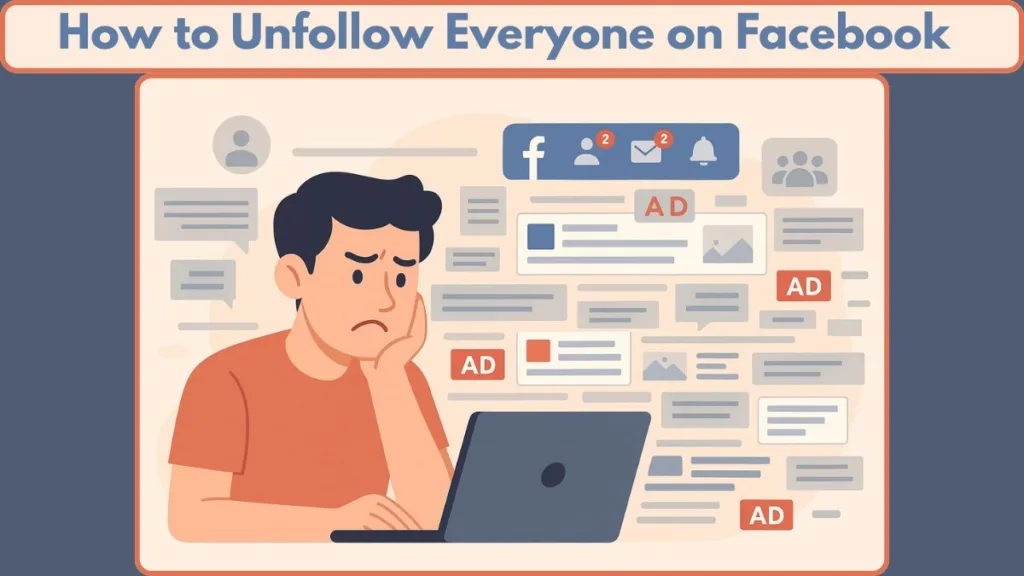
There’s also growing research suggesting that heavy or uncontrolled social-media use can lead to stress, anxiety, poor sleep, and general mental fatigue. When your feed is overflowing with content, that overload can quietly impact your well-being. Turning off or filtering that stream can help bring back a sense of calm and balance.
So… Can You Really Unfollow Everyone at Once? (Quick Answer)
Short answer? Not with a single button.
Facebook doesn’t offer an “Unfollow All” option, but it does provide tools that let you manage everything from one place, making the process quicker than visiting profiles individually.
When you use Facebook’s central Feed management tools, you’ll see all the people, pages, and groups you follow in one clean list — perfect for fast decluttering. And the best part? It’s a silent action, so no one gets notified when you unfollow them.
Your feed may even turn completely empty, giving you a distraction-free space the next time you open Facebook.
Unfollow vs. Unfriend: What’s the Real Difference?
This is where things get important. Unfollowing and unfriending are two very different actions:
Unfollow: You stay connected, but their posts disappear from your feed. It’s subtle, private, and drama-free.
Unfriend: You remove the connection entirely, which can feel personal or awkward — especially if the other person notices.
Most people choose to unfollow because it’s the perfect middle ground. You keep the relationship, but remove the constant updates. It’s an easy way to protect your focus, privacy, and mental well-being without changing your social circle.
Reducing what you passively consume on social media also helps minimize information overload and media fatigue, both of which are linked to stress, anxiety, and decision fatigue.
The Best Methods to Unfollow Everyone on Facebook (2025 Guide)
When you’re ready to clean up your Facebook experience, the most helpful thing to know is that Facebook gives you several built-in spaces where you can manage the posts you see.
Even though there isn’t a single “Unfollow All” button, these methods make the process far more manageable. Each one helps you move through your follow list in an organized, stress-free way so you can create a calmer, more intentional feed.
Method 1: The Quickest Way to Unfollow Everyone on Facebook Using Your PC
If you’re on a computer, this method is the most straightforward way to remove posts from your feed without jumping through individual profiles.
Facebook keeps all your followed friends, pages, and groups in one central hub, which makes the cleanup feel much more efficient.
How to Unfollow Everyone on Facebook Using PC (Step-by-Step):
Go to your Facebook on a desktop browser and click your profile picture in the top-right corner to open the main menu.
Then choose Settings & Privacy, and select Feed to access your customization options.
Inside this section, tap Unfollow people and groups, and you’ll see a clean, scrollable list of every person, page, and group that appears in your feed.
From here, simply click Unfollow beside each name you want to remove.
Tip: This method brings everyone you follow into one place, so you don’t waste time hopping through individual profiles.
This layout keeps everything simple and steady, helping you clear your feed with ease.
Method 2: How to Unfollow Everyone on Facebook Using an Android Phone
For Android users, Facebook offers a similar, mobile-friendly tool that lets you manage your feed right from your phone.
It’s convenient if you want to declutter your feed while commuting, waiting in line, or taking short breaks.
How to Unfollow Everyone on Facebook Using the Android App:
Open the three horizontal lines menu at the top right of your screen.
Scroll down and tap Settings & Privacy, then open Settings.
Move down until you reach the Preferences section and tap News Feed.
Under What’s in your Feed, select Unfollow—you’ll now see a full grid of the people, pages, and groups you follow.
Tap anyone you want to remove from your feed.
Tip: The mobile grid view is perfect for quick, tap-based cleaning without interrupting your day.
This setup helps you move through your list smoothly without opening separate profiles.
Method 3: Using “News Feed Preferences” for a Faster Cleanup (Desktop & Mobile)
If you prefer something that works on both desktop and mobile, Facebook’s News Feed Preferences is one of the most flexible tools available.
It gives you a full, visual overview of who appears in your feed and lets you adjust everything with quick taps or clicks.
What You Can Do With Facebook’s News Feed Preferences Tool:
Open News Feed Preferences and instantly see all the accounts—friends, pages, and groups—that currently show up in your feed.
Unfollow them with a single click, check who you’ve already unfollowed, and build a cleaner, more intentional feed without starting from zero.
This tool is especially helpful if your goal is to shape your experience rather than completely wipe your follow list.
Tip: This is your go-to option if you want a clean feed without doing a full reset — flexible, simple, and visually clear.
It’s a great choice if you want clarity, balance, and a cleaner Facebook space without going overboard.
What Happens When You Unfollow Someone on Facebook?
Unfollowing someone on Facebook is one of those quiet, helpful features that gives you more control over your experience without creating drama or breaking connections.
When you choose to unfollow someone, you’re simply telling Facebook that you don’t want their posts showing up in your feed — nothing more.
It’s a gentle way to make your feed feel more focused, more peaceful, and more aligned with what you want to see. And the best part? All your relationships stay the same.
When you unfollow someone, Facebook instantly removes their posts from your feed, but you still remain friends, still have access to their profile, and you can message them anytime.
It’s a simple way to reduce digital noise while keeping your connections intact.
Will They Know If You Unfollow Them on Facebook?
This is one of the biggest questions people worry about — and the answer is reassuring.
No, Facebook does not notify anyone when you unfollow them.
They won’t get an alert, a message, or even a subtle hint that anything changed. Everything on their side stays completely the same.
You still remain friends, they can still message you, and you can visit each other’s profiles whenever you want.
The only change is that their posts will no longer appear automatically in your feed.
This makes unfollowing a private, stress-free, and pressure-free option for anyone who wants a calmer Facebook experience without hurting feelings or creating awkward moments.
What Else Changes: And What Stays the Same
- Your feed becomes cleaner, because unfollowed profiles, pages, or groups stop appearing in your News Feed.
- You remain connected — unfollowing doesn’t remove them from your friend list or affect the relationship.
- You can still visit their profile manually, read their posts (if public), and interact as usual.
- You can refollow anytime — simply press “Follow” again and their posts will return to your feed.
- Your own posts remain fully visible to them unless you change your privacy settings separately.
Why Unfollowing Everyone Can Actually Feel Great
Unfollowing everyone might sound like a bold move — but once your feed becomes quieter, you’ll likely notice real benefits.
Reducing the flood of notifications and endless posts can help ease information overload, a phenomenon where too much digital content overwhelms your mind and decision-making.
With a cleaner feed, there’s less distraction, less emotional noise, and more mental space for the things that matter — whether it’s your hobbies, work, or offline relationships. Many people describe this as hitting a reset button: a chance to rebuild their online experience on their own terms, with more clarity, focus, and balance.
Unfollowing gives you the freedom to experience social media on your terms — without sacrificing connections or real-life friendships. It’s about making your social media work for you, not against you.
Taking control like this aligns with broader ideas around digital minimalism and healthy social-media use. When you declutter your feed, you reduce exposure to negativity, comparison triggers, and the compulsion to scroll for hours — all of which are linked to stress, anxiety, and reduced well-being.
Easy Tips to Keep Your Facebook Feed Clean Going Forward
Tip 1: Choose What You Follow: Be Intentional, Not Automatic
Only bring back people, pages, or groups that add value, positivity, or genuine interest to your life. Avoid re-following out of habit.
Tip 2: Review Your Feed Preferences from Time to Time
A quick check every few weeks helps you remove unnecessary noise and keep your feed consistently clean and balanced.
Tip 3: Use Breaks: Try a Light Digital Detox Occasionally
Short breaks from social media can help reset your focus, calm your mind, and keep digital fatigue in check.
Tip 4: Limit Random Scrolling: Set Boundaries for Usage
Mindless scrolling can affect your sleep, concentration, and overall mood. Setting gentle limits helps you stay in control.
Tip 5: Be Selective About Groups and Pages: Less is More
Groups and pages can quickly flood your feed. Review them often and unfollow the ones that no longer align with your interests or values.
Tip 6: Use Tools to Manage Your Feed Instead of Letting the Algorithm Decide
Features like Unfollow, Snooze, and Hide Post let you shape your feed intentionally so you see more of what supports your well-being and less of what drains it.
FAQ About Unfollowing on Facebook
Is there an “Unfollow All” button on Facebook?
No — Facebook doesn’t offer a one-click Unfollow All button. However, you can still remove posts quickly using Feed Preferences.
Does someone get notified if I unfollow them?
No, unfollowing is completely private, and they never receive a notification.
Will I still get messages from someone I unfollow?
Yes, unfollowing does not affect messaging, so you can chat normally.
Can I unfollow pages and groups too?
Yes, you can unfollow friends, pages, and groups whenever you want.
If I unfollow someone, can I still see their profile?
Yes, you can still visit, scroll, and interact with their posts manually.
Will my feed go blank if I unfollow everyone?
Yes, your feed may become very quiet or completely empty, depending on how many accounts you unfollow.
Can I follow people again later?
Yes, you can refollow anyone at any time with a single tap.
Will unfollowing hide my posts from them?
No, they can still see your posts based on your privacy settings.
Final Thoughts
Stepping back and unfollowing everyone on Facebook may feel like a bold decision, but it can bring surprisingly positive changes — a kind of digital reset for your mind and your feed.
Research shows that reducing social media usage can lead to less depressive symptoms, better sleep quality, and a noticeable drop in stress and anxiety.
When your feed becomes calmer and more intentional, you’re more likely to experience mental clarity, focus, and a sense of balance — the same benefits often associated with a gentle digital detox.
Importantly, unfollowing doesn’t mean cutting off real relationships. You stay fully connected — you can still chat, visit profiles, and interact whenever you choose. What changes is the content you receive, which now depends on your choices, not on algorithm overload.
By doing this, you give yourself back some control — over what you see, how you feel, and how you spend your time. Think of it as curating your online space to match your well-being.
And if you ever want to bring certain voices back into your feed, you can do it on your own terms — slowly, intentionally, and with clarity.
Visit Our Post Page: Blog Page