
Want to remove ghost profiles? Learn how to unfriend deactivated account on Facebook and delete inactive friends to keep your list clean and secure.
Why Deactivated Facebook Accounts Still Appear in Your Friends List
What Happens When a Facebook Account Is Deactivated
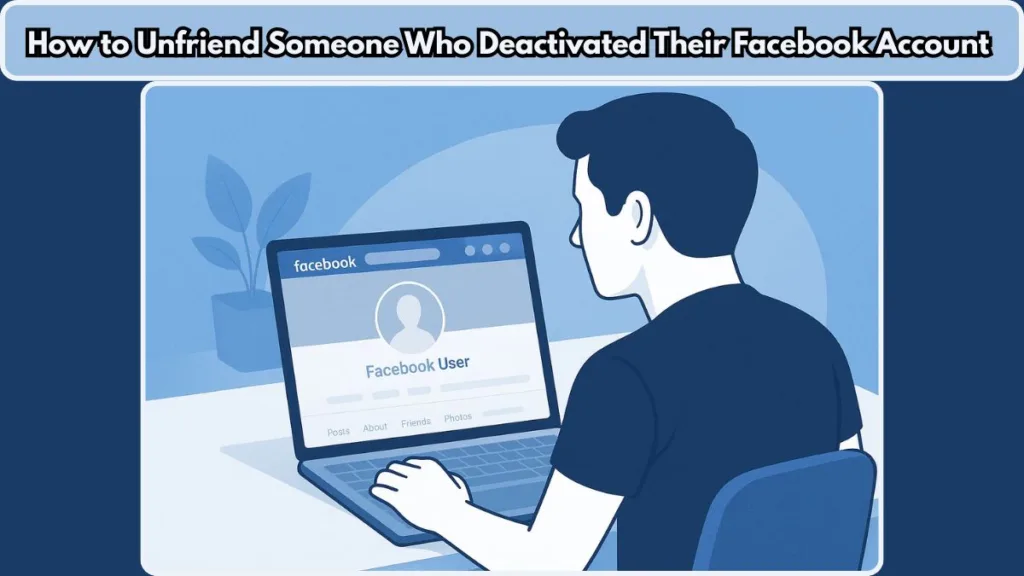
If you’ve ever scrolled through your Facebook Friends list and spotted a name with a greyed-out profile or the generic label “Facebook User,” you’re not alone. These are often deactivated accounts — profiles that users have temporarily disabled but not deleted.
Even though these friends aren’t active anymore, they still show up in your list, making it harder to keep things tidy or remove inactive accounts during a friend list cleanup.
Deactivated Facebook accounts still appear in friends lists because Facebook hides the profile but keeps the friend connection active.
Why Deactivated Accounts Still Show Up in Your Friends List
This happens because when you deactivate an account on Facebook, the account’s visibility is hidden — no one can see the timeline, posts, or status updates. However, your name (or in others’ cases, their name) may still remain visible to friends in the list.
Because Facebook retains the account’s data, including the friends list, the deactivated profile continues to appear even though the profile itself is inaccessible.
Deactivated vs. Deleted Accounts: The Key Difference
Facebook treats deactivation differently from deletion. A deactivated user is essentially “on pause” — their profile is invisible publicly, but the relationship link remains in the friend database.
Deactivated accounts remain in your Friends list because the account still exists in Facebook’s system — just not publicly accessible.
Why You Need a Different Method to Unfriend Deactivated Accounts
And because their account isn’t fully erased from the platform, tools like the unfriend option, unfriend tool, or even Facebook search won’t always work the way you expect.
That’s where this guide helps — by showing you how to unfriend a deactivated account on Facebook, how to spot ghost profiles, and how to fix the clutter caused by these non-existent profiles.
How to Recognize a Deactivated Facebook Account (Ghost Profiles & Greyed-Out Users)
Identifying Ghost Profiles Inside Your Facebook Friends List
Spotting a deactivated account on Facebook can feel like finding a hidden glitch in your friends list management, but once you know what to look for, these ghost profiles stand out clearly.
Facebook doesn’t always label them directly, but a few simple clues help you identify whether you’re dealing with a deactivated user or a fully active friend.
Signs That a Facebook Account Has Been Deactivated
One of the most common signs is the default silhouette picture — that grey, blank icon where a profile photo should be. These greyed-out profiles often replace the original photo the moment someone disables their account.
According to sources that explain how deactivated accounts appear, a deactivated account typically shows no profile photo or cover image, and the profile becomes inaccessible.
Why Some Deactivated Accounts Show as “Facebook User”
Another clear indicator is the name. Instead of a real username, some profiles appear as “Facebook User,” especially when Facebook’s database cache updates slow down.
If tapping or clicking their profile leads nowhere, you’re most likely looking at a deactivated account.
Other Clues: Missing Mutual Friends and No Search Visibility
You may also notice that these accounts no longer show mutual friends, recent activity, or updates. They can’t be found through Facebook search either, which is why they linger quietly inside your Friends list.
This makes them easy to miss — but also easy to mistake for inactive accounts or even non-existent profiles if you don’t review your list often.
Why Identifying Deactivated Profiles Matters for Friend List Cleanup
If you’re preparing to clean up Facebook friend list or looking to delete inactive Facebook friends, recognizing these deactivated users is the first step before you can remove or unfriend them.
Why You Can’t Use the Normal Unfriend Option on Deactivated Facebook Profiles
Why the Unfriend Button Doesn’t Show on Deactivated Accounts
Once you’ve spotted a deactivated friend, the next challenge appears: the normal unfriend option doesn’t work the way it does for active profiles. This is where most people get confused — and for good reason.
Deactivated Profiles Become Unclickable and Hidden
When someone disables their account, their profile becomes unclickable, meaning you can’t open their timeline, settings, or the usual Unfriend dropdown. Facebook essentially hides the profile from public view while keeping the connection intact.
Because of this, the unfriend tool or the standard route through their profile page becomes unavailable.
A deactivated Facebook profile does not load, so the platform has nowhere to display the unfriend button.
Why You Must Use Your Friends List Instead
Instead, you must locate these users directly inside your Friends list — whether on mobile, iPhone, Android, or desktop — and remove them from there.
This is why many people search for terms like how to unfriend someone who deactivated their Facebook account or can you unfriend a deactivated Facebook account, especially when the usual method fails.
How Deactivated Accounts Affect Removal Tools and Friend Management
Deactivated profiles are still technically part of your network, but because Facebook restricts interaction with temporarily deactivated or disabled accounts, the only reliable path is through your own Friends section.
This is also where ghost friends and delete ghost friends on Facebook searches come into play, especially when the account appears in the list but is impossible to interact with.
Understanding This Limitation Helps You Unfriend Them Correctly
Knowing why the normal option doesn’t appear helps you navigate the next steps much more smoothly — especially when you’re ready to remove deactivated friends on Facebook mobile or delete deactivated friends on Facebook from the desktop version.
How to Unfriend a Deactivated Account on Facebook: Complete Step-by-Step Guide
Unfriending a deactivated Facebook account can feel confusing at first, especially because these profiles no longer open and the usual Unfriend button doesn’t appear.
Since deactivated profiles still show up as greyed-out users, ghost profiles, or even “Facebook User,” the only way to remove them is through your own Friends list.
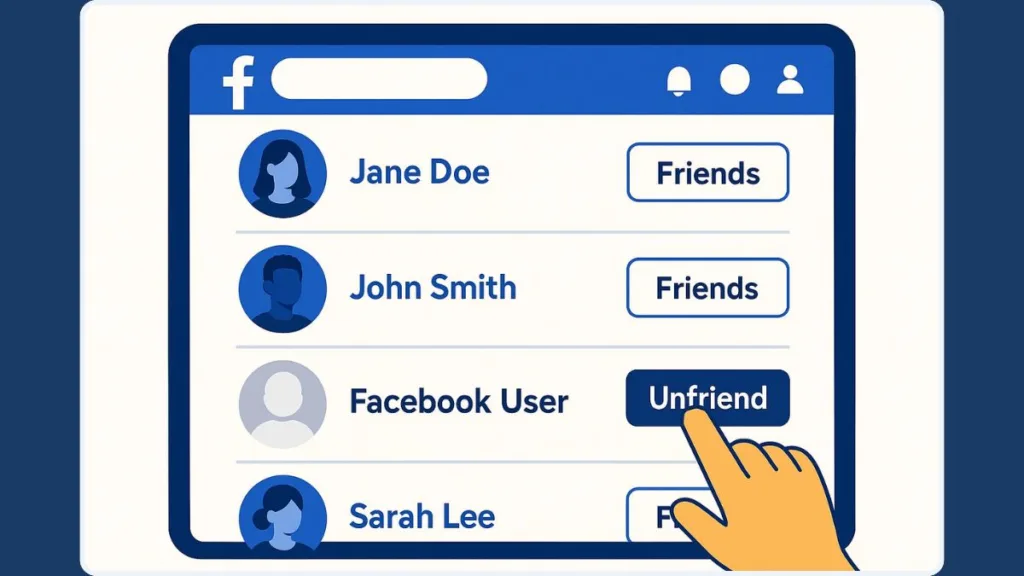
Below is a complete, easy-to-follow guide to help you remove, delete, or unfriend deactivated Facebook accounts on both desktop and mobile.
Step-by-Step: How to Unfriend a Deactivated Account on Facebook Using a Web Browser
This method is preferred because Facebook’s Friends tab on desktop offers better search accuracy, especially when you’re trying to find deactivated friends on your list.
- Open Facebook in any browser and go to your profile.
- Click the Friends tab located under your cover photo. This is the only place where deactivated profiles remain accessible.
- In the Search Friends bar, type either their original name or “Facebook User.” Deactivated accounts often switch to this generic label once the username becomes hidden.
- Look for the account that shows a default silhouette picture or greyed-out avatar—both are strong indicators of a temporarily deactivated or disabled account.
- Move your cursor over the profile entry until the three dots (…) or Friends dropdown appears.
- Click Unfriend, then confirm the action when prompted. Facebook immediately removes the connection on its side.
This process ensures you permanently remove the account from your list, even if the profile is no longer accessible. Desktop is particularly helpful when doing a broad friend list cleanup or when you need to delete inactive Facebook friends one by one.
Step-by-Step: How to Unfriend a Deactivated Account on Facebook Using the Mobile App
Mobile layouts vary slightly between Android, iPhone, and app versions, but the steps remain consistent when removing a deactivated Facebook account.
- Open the Facebook app and visit your profile.
- Tap Friends or See All Friends to access your full list.
- Use the search bar to look up their name or “Facebook User.” This helps surface non-existent profiles that no longer appear anywhere else on Facebook.
- Find the profile with the default silhouette picture or blank photo.
- Tap the three dots (…) beside their name.
- Select Unfriend, then tap Confirm to complete the removal.
Removing deactivated friends on Facebook mobile works the same as desktop, but may take more scrolling. If you’re trying to clean up Facebook friend list while on the go, this is the most practical method.
Troubleshooting
Sometimes a deactivated friend may not appear where you expect. Here’s what to try:
Search both name types: First test their original name, then “Facebook User.” Due to Facebook’s database cache, some deactivated profiles don’t update their names immediately.
Check for ghost friends: If a permanently deleted account still shows up temporarily, it may be a ghost friend—a profile stuck in Facebook’s backend that typically disappears within days.
Reload your Friends list: If no Unfriend button or three dots appear, refresh the page or force-close and reopen the mobile app.
Switch devices: Occasionally, the mobile app may hide certain entries; switching to desktop helps you locate deactivated users faster.
If a profile doesn’t open, can’t be searched, and shows a grey icon, it is almost certainly deactivated.
Troubleshooting is important because Facebook does not provide a direct filter for deactivated accounts, so the search bar and visual cues become your main tools for identifying them.
What Happens After You Unfriend a Deactivated Account
Unfriending a deactivated account has a few consequences worth knowing:
- The connection is removed instantly, even though the profile remains hidden.
- If the person decides to reactivate their Facebook account, you will not be automatically reconnected—they must send a new friend request.
- The unfriended user will regain full access to Facebook during reactivation, but they will no longer see your private posts unless you re-add them.
- If you want to prevent future contact entirely, you can block the account through Messenger (if you have past chats) or through Facebook Settings once the account becomes visible again. Blocking ensures the person cannot friend you, follow you, or view your profile even if they come back.
Unfriending removes the connection; blocking prevents any interaction now or after reactivation.
If you’re performing a deeper friend list cleanup—removing inactive accounts, non-existent profiles, or ghost friends—this step helps ensure your list stays accurate and secure.
Optional: How to Block a Deactivated Facebook Account (Workarounds That Actually Work)
Blocking a deactivated Facebook account can be tricky — because the profile may no longer load, so the standard paths to block or restrict access often disappear.
But there are effective strategies you can use to make sure a deactivated user can no longer reconnect, even if they reactivate later.
These approaches help you maintain privacy, improve friend list management, and avoid unwanted future contact.
Facebook’s systems treat temporarily deactivated accounts differently from deleted ones, which is why blocking requires finding a path that still leads to the hidden account data.
Below are two practical methods that work on most devices.
Method 1: Block Through Messenger (Most Reliable Method)
If you’ve previously chatted with the person on Facebook Messenger, you can still access their hidden profile data through the old chat — even when their main Facebook account is deactivated.
This route tends to work consistently when direct profile blocking isn’t possible.
- Open Messenger on your device (app or web).
- Find your conversation with the person. Their name might show as “Facebook User” or display the default silhouette picture.
- Tap to open the chat, then tap their name (or “Facebook User”) at the top.
- Scroll down and choose Block.
- Select Block on Facebook (not just Block Messages).
“Block on Facebook prevents the user from viewing your profile or sending friend requests, even after reactivation.”
Since Messenger can remain active even if the main Facebook account is deactivated, this is often the most reliable way to “lock the door” on a hidden account.
Method 2: Block Through Facebook Settings (If No Chat Exists)
If you don’t have any past chats to use — or if you simply prefer not to use Messenger — you can try blocking via regular Facebook settings.
This may or may not work depending on whether the deactivated account is still searchable via name or email.
On Mobile (Android or iPhone)
- Go to Settings & Privacy > Settings > Blocking.
- Tap Add to blocked list.
- Enter the user’s original name or email address (if known).
- If the profile appears, tap Block.
On Desktop
- Navigate to Settings > Blocking > Block users.
- Enter the name or email.
- Select the profile and confirm Block.
This method helps enforce privacy if the deactivated account resurfaces after reactivation.
When Blocking Might Not Work (And What That Means)
Because the account is deactivated, sometimes Facebook’s system cannot locate the user profile — which means:
- The user may not appear in your Blocked list search.
- You may not be able to block them right now.
In that case:
Do not worry — while they remain deactivated, they can’t see or contact you.
If they eventually reactivate, you can immediately use the blocking steps to prevent future contact.
“Blocking becomes fully available only when Facebook can detect the user’s active profile.”
For now, simply unfriending them gives you full control until they return.
Why Blocking a Deactivated Account Matters for Your Security & Privacy
A deactivated account might still carry data traces, contact links, or visibility inside internal systems.
If the account reactivates and you didn’t block or unfriend them, they may again be able to see your profile, posts, or friend list.
Blocking ensures that doesn’t happen.
Blocking — especially after using unfriend — gives you more control: no friend requests, no messages, and no reconnection attempts.
Should You Remove Deactivated or Inactive Friends? Practical Tips for a Cleaner Facebook Friend List
Understanding When to Remove Deactivated or Inactive Accounts
Deciding whether to remove deactivated or inactive accounts from your Facebook Friends list often comes down to what you want your online space to feel like.
Some people prefer a smaller, meaningful network, while others don’t mind keeping old connections — even if those profiles turn into ghost profiles over time.
Why Many Users Remove Deactivated Friends
One of the biggest reasons users choose to remove deactivated friends on Facebook is to maintain a cleaner, more relevant list.
These profiles no longer interact with your posts, contribute to your feed, or engage with your updates.
For many people, removing these non-existent profiles creates a sense of clarity and reduces clutter when navigating the app.
If you’re doing a yearly friend list cleanup, this is a natural step.
Privacy and Security Considerations
There’s also the matter of privacy and security.
According to reporting on how even deactivated accounts remain stored in Facebook’s system — often with data connections still linked — such dormant or disabled accounts may still carry data traces, making them potential weak points if someone tries to compromise or reactivate them.
So removing or blocking these users ensures they can’t resurface unexpectedly in your network later.
Should You Keep Disabled Accounts?
But removal isn’t required. Some people keep disabled accounts in case the person returns.
A friend who has temporarily stepped away from social media may reactivate months later, and your connection will automatically restore — unless you’ve unfriended or blocked them.
If a profile serves no purpose, feels outdated, or adds zero value to your online experience, cleaning it out is usually the right move.
ow to Decide What to Remove
If you’re trying to find deactivated accounts, deal with default silhouette pictures, or remove inactive Facebook friends, the key is to focus on what feels organized, safe, and meaningful for you.
Some social-network studies also show that many people have friends they never interact with — which, over time, can compromise the signal-to-noise ratio in your newsfeed.
Using this approach helps you keep your friend list lean, engaged, and better aligned with your real-world connections.
Extra Tips for Keeping Your Facebook Friends List Clean and Updated
Review Your Friends List Regularly
Maintaining a tidy Friends list doesn’t have to be a one-time task.
With a few simple habits, you can keep your Facebook profile clean, organized, and clutter-free.
Start by checking your list occasionally for greyed-out profiles, older connections you don’t recognize, or users who appear inactive.
This makes it easier to remove inactive friends and avoid outdated connections.
Use Facebook’s Built-In Management Tools
If you prefer a structured approach, use Facebook’s:
- Friends tab
- Blocking options
- Privacy settings
These help you manage unwanted or inactive contacts.
Avoid third-party bulk tools like mass unfriend or bulk delete Facebook friends — these often violate Facebook policies or pose security risks.
Manage Pending Friend Requests
Another useful habit is reviewing your pending friend requests.
Removing unknown or suspicious requests helps you avoid ghost friends, fake accounts, or potential spam.
Use Search and Sorting Tools for Easier Cleanup
If you need to find deactivated accounts more quickly:
- Sort by Recently Added
- Search using a name or “Facebook User”
These methods help identify inactive accounts and non-existent profiles faster.
Keep Your Digital Space Intentional
A clean friends list isn’t about numbers — it’s about keeping your social space safe, relevant, and easy to navigate.
Using these practical steps, you can maintain a Facebook environment that feels updated, intentional, and reflective of your real-world connections.
Whether you’re removing deactivated profiles, organizing inactive accounts, or simply doing a seasonal refresh, the goal is to build an online space that works for you.
FAQ: Common Questions About Unfriending Deactivated Facebook Accounts
Why do deactivated accounts still appear in my Facebook Friends list?
Deactivated accounts stay in your list because Facebook hides the profile but does not remove the friend connection. They often appear as “Facebook User” with a default silhouette picture.
Can I unfriend a deactivated Facebook account?
Yes. You can remove them only through your Friends list since their profile no longer loads. Search for their name or “Facebook User.”
Why can’t I click on a deactivated friend’s profile to unfriend them?
A deactivated account has no active profile, so Facebook cannot display the Unfriend button.
“Deactivated profiles become unclickable, so the normal Unfriend option disappears.”
How do I find deactivated friends without scrolling?
Use the Friends list search bar and type their name or “Facebook User.” Searching works on both desktop and mobile.
What are ghost friends on Facebook?
They are profiles that still exist in your friends list but don’t open — such as deactivated, deleted, or cached non-existent profiles.
Does deactivating Facebook remove you from friends lists?
No. You remain in your friends’ lists until they unfriend or block you.
Can a deactivated friend still see my posts?
No. Deactivated users cannot log in or view anything. They regain access only if they reactivate.
Can I block a deactivated Facebook account?
Yes — mainly through Messenger (if you have past chats) or Blocking settings if the profile still appears in search.
Should I remove inactive Facebook friends too?
If they add no value or clutter your list, removing inactive accounts helps keep your feed cleaner and safer.
What happens after I unfriend a deactivated account?
The removal is immediate. If they return, they must send a new friend request.
Conclusion: Keeping Your Facebook Friend List Relevant, Secure, and Clutter-Free
Keeping your Facebook space organized becomes much simpler once you understand how deactivated accounts, inactive friends, and ghost profiles work. Regularly reviewing your list helps you maintain a more relevant, secure, and clutter-free experience, especially when you remove deactivated friends on Facebook or clean up non-existent profiles that no longer serve any purpose.
A well-maintained list also strengthens your privacy, improves feed relevance, and reduces the noise created by default silhouette pictures and greyed-out profiles. By knowing how to unfriend deactivated Facebook accounts on both mobile and desktop, you stay in control of who remains connected to you — even if their profile is temporarily or permanently disabled.
A cleaner friend list creates a safer, more meaningful Facebook experience.
Focus on accounts that matter, remove those that don’t, and stay consistent with your friend list cleanup habits. With a few quick checks and the right steps, your Facebook network becomes streamlined, intentional, and aligned with your real social world.
Visit Our Post Page: Blog Page