
Can’t find Spotify’s “Switch to Video” button? Learn how to watch music videos on Spotify, fix video mode issues, and check device and region support.
Why Spotify’s New Music Video Feature Is Confusing Users (2025 Update)
If you opened Spotify recently and wondered why everyone is talking about music videos suddenly—you’re not alone. With the feature now rolling out across North America, searches for how to watch music videos on Spotify have exploded. And honestly? A lot of people are feeling a bit confused.
Maybe you expected a shiny new “Switch to Video” button and…it’s just not there. Or perhaps you saw a friend post about Spotify’s new video mode, and now you’re trying to figure out whether it’s on your phone, desktop, or even your TV. That mix of curiosity and “why isn’t this working?” is exactly why this guide exists.
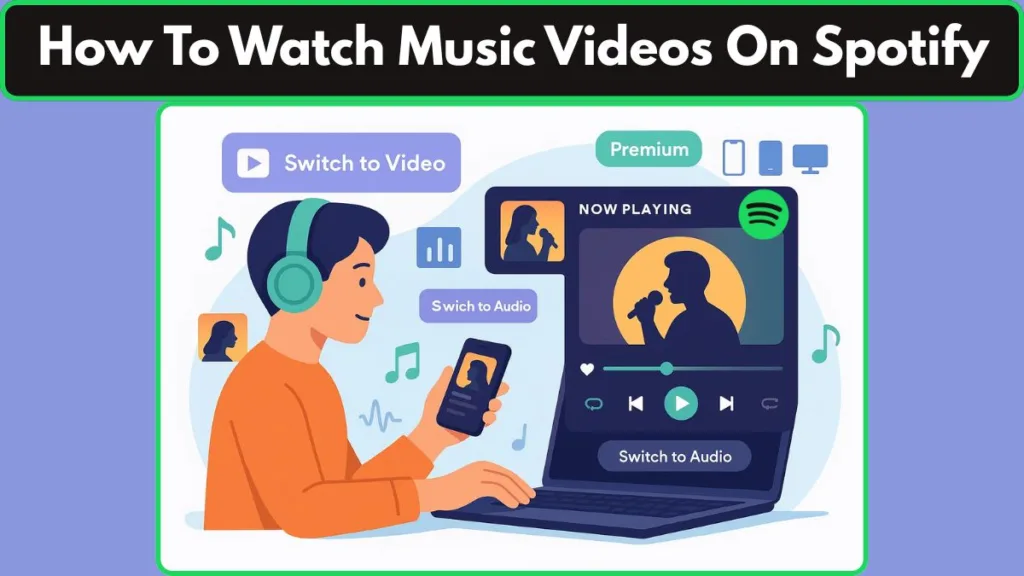
In this step-by-step walkthrough, you’ll learn how Spotify’s music videos work, where to find the feature, and what to do if the option isn’t showing up on your account. Whether you’re testing the update on iPhone, Android, or the desktop app, this guide will help you get the most out of Spotify’s new visual experience—without the guesswork.
Let’s start by clearing up the biggest question people have right now: Does Spotify actually support full-length music videos?
Does Spotify Have Full-Length Music Videos Now? (Quick Update for 2025)
Yes — Spotify now supports full-length official music videos, and the update is bigger than many users expected. This isn’t the short looping Canvas you may have seen before. Spotify has introduced a true video mode, giving Premium listeners access to full videos from major labels and popular artists.
This feature rolled out widely in 2025, with the latest launch arriving in the US and Canada. As of December 9, 2025, Premium subscribers in those regions can begin watching music videos directly in the app. That means listeners in North America can finally explore a growing catalog of Spotify music videos — right inside the app.
No switching to YouTube. No searching elsewhere.
Since the feature is part of Spotify’s Premium video features, only paid subscribers can access it. Whether you’re on the Individual, Duo, Family, or Student plan, you’ll see the new option whenever a supported track is available.
Spotify is also supporting these videos across multiple devices — including iPhone, Android, desktop, and TV apps — so you can watch wherever you’ve already been listening.
The goal is simple: bring music and visuals together in one place for a more immersive experience.
Up next, let’s look at who exactly can use this new feature and how the rollout works across regions and plans.
Who Can Access Spotify’s Full-Length Music Videos? (Eligibility Check for 2025)
Before you start looking for the “Switch to Video” button, it helps to know whether your account and device actually support Spotify’s new video mode. The feature isn’t available to everyone yet, so a quick eligibility check can save you a lot of frustration.
Premium Plans That Support Spotify Music Videos
Spotify’s full-length music videos are part of its Premium experience. That means listeners on the Free plan won’t see the video option at all.
If you’re using Individual, Duo, Family, or Student Premium, you’re good to go.
Countries Where Spotify Music Videos Are Available
The video feature recently expanded to US and Canada, joining dozens of earlier markets.
If you’re in a supported region, you should start seeing the new Spotify music videos option as the rollout continues.
Devices That Support Spotify’s Video Mode
You can watch videos on a wide range of devices, including:
- iPhone (iOS)
- Android phones
- Desktop app
- Web player
- Smart TVs via Spotify Connect
This makes it easy to switch from your phone to your TV when you want a full-screen video mode experience.
Family Plan Rules: Kids’ Accounts & Video Restrictions
If you’re on a Premium Family plan, keep in mind that managed accounts for listeners under 13 may have videos disabled by default.
Parents can control access to Canvas, explicit content, and music videos, so the feature may appear differently across profiles.
If the button isn’t showing up, your account type or parental settings might be the reason.
How to Watch Spotify Music Videos on Mobile, Desktop & TV (Step-by-Step Guide)
Below are simple, device-specific steps that show how to watch music videos on Spotify. If a track has a video, you’ll be able to switch seamlessly between listening and watching — and the video picks up from the same timestamp as your audio.
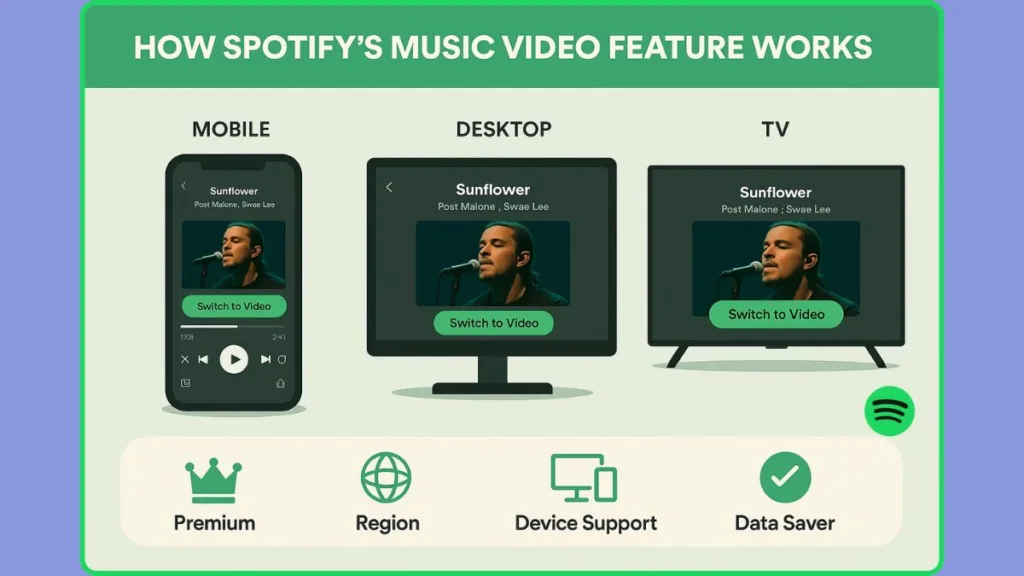
How to Watch Spotify Music Videos on iPhone & Android
- Open the Spotify app and play a track you think has a video.
- In the Now Playing screen, look above the song title for a “Switch to Video” button.
- Tap “Switch to Video” — the app will immediately enter video mode and start the official music video from the same point you were listening.
- For a larger view, turn your phone to landscape to go full screen.
- To go back to just audio, tap “Switch to Audio” (or use the Back control).
Pro tip: If the button is tiny or hidden, tap the album art / Now Playing area — Spotify sometimes surfaces the control there.
How to Watch Spotify Music Videos on Desktop or Web Player
- Launch the Spotify desktop app or web player in your browser and play a supported track.
- In the Now Playing area (usually bottom-right or in the side panel), click the “Switch to Video” control.
- The video will open inside the app or player window — you can resize the window or use a floating player for a focused viewing experience.
- Click “Switch to Audio” to return to normal playback.
Note: Desktop video mode keeps the same timestamp as your audio so the transition feels seamless.
How to Watch Spotify Music Videos on TV Using Spotify Connect
- Start playback on your phone or desktop.
- Tap Connect (the device icon) and choose your TV from the list.
- Once the session transfers to the TV, open Now Playing on your controller device and tap “Switch to Video.”
- Use your TV remote or on-screen taskbar to control playback and viewing options.
Quick tip: If your TV app supports it, you’ll get full-screen video and native TV controls (pause, rewind, captions if available).
What Happens When You Switch From Audio to Video on Spotify
- Seamless timestamp continuity — the video starts where the audio left off.
- Audio-only fallback — if a song doesn’t have a video, the “Switch to Video” control won’t appear.
- Landscape = full screen on mobile; on TV you’ll automatically get the larger view.
- The experience is optimized for Premium accounts and varies by region and catalog availability.
Why You Might Not See the “Switch to Video” Button on Spotify (Most Searched Issue in 2025)
If you opened Spotify, played a song, and the “Switch to Video” button is nowhere to be found — don’t worry. You’re not the only one refreshing the app trying to figure out what’s wrong.
This is the most common issue users face with the new Spotify music videos feature, and there are several reasons why the option might be missing.
Spotify Music Videos Are Still Rolling Out (Beta Phase Explanation)
One of the biggest reasons is timing. Spotify’s video mode is still in beta, and that means not everyone receives the update at the same moment.
If your friend has the feature and you don’t, it may simply be due to the gradual rollout.
Spotify Music Videos Require Premium (Plan Limitation Check)
Only Premium subscribers can watch full-length music videos.
If your account is on the Free plan, the button won’t appear — even if the song has a video.
The Track Has No Official Music Video (Catalog Limitation)
Not every track in Spotify’s catalog supports video mode.
If a song doesn’t have an official music video, the video switch option won’t show up at all.
Tip: Try artists known to be in the early rollout — like Ariana Grande, Doja Cat, or Olivia Dean.
Your Spotify App Needs an Update (Outdated App Issue)
If you’re running an older version of Spotify on iPhone, Android, or desktop, the feature may not be enabled.
Updating your app often fixes missing video controls instantly.
Spotify Music Videos Are Region-Dependent (Availability Check)
Even though Spotify video mode is expanding, some regions still don’t support it.
If you’re outside a supported country, the “Switch to Video” button will stay hidden.
Your Device Doesn’t Support Spotify Video Mode (Compatibility Issue)
Some older phones, outdated operating systems, or limited devices may not show the video feature.
Switching to a supported platform (like a newer phone or desktop app) can help.
Data Saver Mode May Disable Music Videos (Bandwidth Limitation)
If you’ve enabled Data Saver, the app may automatically disable video playback.
This can cause video controls — including “Switch to Video” — to disappear until you turn Data Saver off.
Family or Parental Controls May Hide Video Mode (Family Plan Rules)
If you’re on a Premium Family plan and using a managed account, videos may be disabled by the plan manager.
Parents can block Canvas, videos, and explicit content, which may hide the video toggle completely.
Temporary App Glitches or Cache Issues (Quick Fixes)
Sometimes the issue is simply a cached version of the UI.
Restarting the app or clearing the cache (on Android) can refresh the video button and make it reappear.
Which Artists Have Music Videos on Spotify Right Now? (Catalog Clarity)
Because Spotify’s music video catalog is still growing, not every song will show the “Switch to Video” option yet. The rollout started with a curated set of artists, so knowing where to look first can help you confirm that Spotify video mode is working on your device.
Right now, Spotify is focusing on official music videos from popular artists across major genres — including early support from labels like Sony, Universal, and Warner. These releases are helping Premium listeners explore the new feature without switching apps.
To test whether Spotify music videos work on your account, try playing tracks from artists who were highlighted during the initial launch. Some of the first names to appear in the catalog include:
- Ariana Grande
- Doja Cat
- Olivia Dean
- SZA
- Dua Lipa
- Benson Boone
- Billie Eilish
- Travis Scott
Spotify is also adding live performances, covers, and special video editions for certain tracks — all part of the platform’s effort to make the video mode feel more dynamic than a basic video player.
Important: Only songs that have an official video in Spotify’s catalog will display the “Switch to Video” button.
As the rollout continues, expect this catalog to expand rapidly. Spotify has already confirmed plans to bring thousands of music videos to Premium listeners, meaning you’ll see more artists — new and old — added over time.
Up next, we’ll explore why Spotify is pushing into full-length videos and how this upgrade compares to platforms like YouTube.
Spotify vs YouTube: What’s Different?
With Spotify finally offering full-length music videos, a lot of listeners are wondering the same thing: Is this good enough to stop switching to YouTube? Both platforms let you watch the visuals behind your favorite songs, but the experience — and the purpose — is a little different on each one.
Full-Length Videos, Without Leaving Your Playlist
On Spotify, you can jump into video mode instantly from the Now Playing screen.
The best part? You can switch back to audio anytime without losing your place in the song — even mid-track.
Spotify’s advantage: seamless audio ↔ video switching inside the same track.
No Ads for Premium Listeners
If you’re a Spotify Premium user, videos play without interruptions.
By comparison, free YouTube users often see ads, unless they pay for YouTube Premium.
Immersive Viewing, But Still Music-First
Spotify keeps the focus on music discovery with features like:
- Landscape full-screen mode
- TV playback via Spotify Connect
- Smooth transitions within your playlist
- A curated catalog of official music videos and live performances
YouTube excels in variety — fan uploads, alternate versions, lyric videos, covers, and so on — but sometimes that can feel overwhelming when you’re just trying to enjoy a song.
Built-in Music Context & Discovery Features
On Spotify, video playback stays within the larger context of music listening: track credits, playlists, recommendations, and artist discovery tools are all part of the flow. This makes Spotify more than a video player; it becomes a unified music + video hub.
YouTube Still Wins on Volume & Variety
While Spotify is rapidly expanding its music video catalog, the coverage is still limited (beta, fewer markets, fewer songs).
YouTube — with its decades of uploads and massive user base — still offers the widest variety: rare videos, unofficial content, remixes, fan uploads, and more.
That means if you’re searching for rare performances, alternate edits, or fan-made content, YouTube remains unbeatable.
Side-by-Side Snapshot: Spotify vs. YouTube for Music Videos
| Feature / Platform | Spotify (Premium, with new video mode) | YouTube / YouTube Music |
|---|---|---|
| Video type | Official, label-backed full-length videos + live/covers | Official videos + huge fan-upload ecosystem |
| Audio ↔ Video switching | ✔ Seamless, same timestamp | ✖ Requires navigation; background play needs Premium |
| Ads | No ads for Premium users | Ad-free only with YouTube Premium |
| Device support | Mobile, Desktop, Web, TV (Connect) | Works on almost every device globally |
| Catalog size | Growing, curated catalog (limited in beta) | Largest and most diverse catalog online |
| Best for | Integrated music + video experience | Exploring variety, rare content, remixes |
Bottom Line: Each Has Its Strengths
If you want a clean, integrated music + video experience without leaving your playlists — especially with Premium — Spotify’s new video mode offers a compelling alternative.
But if you want the biggest selection, especially for niche or fan-made content, YouTube still dominates.
Kids, Family Plans & Video Restrictions on Spotify
If you’re using a Premium Family plan, the way Spotify handles music videos can look a little different — especially for younger listeners. That’s because Spotify uses managed accounts and built-in content controls to keep the experience safe and age-appropriate.
Managed Accounts May Hide the “Switch to Video” Button
For listeners under 13, Spotify creates a supervised profile where the plan manager (usually a parent) controls what’s available.
In these accounts, features like Canvas, explicit content, and even music videos can be turned off entirely.
So if a younger family member can’t see video mode, it doesn’t necessarily mean something is broken — it might simply be part of the parental settings.
Parents Can Control Which Content Kids Can Watch
Inside the Family plan dashboard, you’ll find options that let you manage:
Music videos
Artists or tracks that can be played
Explicit content filters
Visual features like Canvas
These tools give parents more control over what kids see, making sure Spotify music videos fit the family’s comfort level.
Important: Only the plan manager can enable or disable video access for a child’s profile.
Spotify Kids App Does Not Support Music Videos
If a child is using the Spotify Kids app, they won’t see any full-length music videos.
This app is designed strictly for audio-only listening with a curated, kid-friendly catalog — so features like video mode simply don’t appear.
Why This Matters for Troubleshooting
If you’re helping a younger listener or switching between profiles, you might notice the Switch to Video button appear on one account and disappear on another.
This happens because each profile on a Family plan has its own content settings, and videos may be enabled or restricted depending on age.
If the video option is missing and you’re on a Family plan, checking the parental controls is one of the quickest ways to solve the issue.
FAQs About Spotify Music Videos (Most Asked Questions in 2025)
These quick answers cover the most common searches around Spotify music videos, video mode, and the “Switch to Video” feature.
Is Spotify music video available in the US?
Yes! Full-length Spotify music videos officially launched in the US and Canada as part of the Premium rollout.
How do I turn on music videos on Spotify?
You don’t have to “turn on” anything. Just open a supported track and tap “Switch to Video” in the Now Playing screen. If the button appears, the song has an official video.
Why don’t I have the Switch to Video button?
This usually happens due to reasons like region availability, non-Premium plans, unsupported songs, or app updates you haven’t installed yet. Family restrictions or Data Saver mode can also hide the button.
Does watching music videos on Spotify use more data?
Yes. Video streaming always uses more data than audio-only playback.
If you’re on mobile data, switching to Wi-Fi or turning off Data Saver can improve quality.
Can I watch Spotify music videos on my TV?
Absolutely. Start the song on your phone, tap Connect, choose your TV, then select “Switch to Video.”
This enables full-screen playback for supported videos.
Are music videos available for free Spotify users?
No. Only Premium subscribers can access the full video mode experience.
Does Spotify Student Plan include music videos?
Yes. The Student Premium plan includes the same video features offered to Individual and Duo Premium users.
Are Canvas and music videos the same thing?
Not at all. Canvas is a short looping animation, while Spotify music videos are full-length official videos with audio–video sync and landscape mode support.
Can I download Spotify music videos?
No. Even though you can download songs for offline listening, music videos cannot be downloaded at this time.
Do Spotify music videos play in the background?
When you switch away from the video, Spotify automatically returns to audio mode.
Background video playback works differently than on YouTube.
Are all songs supported?
No — only tracks with an official video from Spotify’s catalog will display the button. More are added over time.
Final Thoughts
Spotify’s new music video experience is a big step forward for listeners who want everything in one place. Whether you’re exploring a new release, switching from audio to video mode, or checking out visuals from your favorite artists, the update makes Spotify feel more complete and genuinely fun to use.
As the catalog of official music videos continues to grow, you’ll see more artists, genres, and video styles show up in your playlists. And because this feature is built into the regular listening flow, watching videos feels as natural as streaming a song.
The best part? You don’t need to leave Spotify or juggle multiple apps — everything plays right where you already listen.
If you don’t see the “Switch to Video” button yet, remember that the rollout is still expanding — and support varies by region, device, and account type. But once it appears on your app, the experience is smooth, intuitive, and easy to enjoy across iPhone, Android, desktop, and TV apps.
Spotify’s goal is simple: create a richer, more immersive way to enjoy music.
The best part? You can stay in the same app, keep your playlists together, and enjoy a richer, more immersive way to listen and watch. It’s the kind of upgrade that makes everyday music moments feel just a little more exciting.
Whenever you’re ready to dive deeper, explore more videos, or troubleshoot features like video playback, this guide will help you get the most out of Spotify’s latest evolution.
Visit Our Post Page: Blog Page