
Confused by an ITR AIS data mismatch alert? Learn why it happens, how to fix AIS error, reply to tax dept alerts, and avoid notices or refund delays.
ITR AIS Data Mismatch Alert? Why It’s Happening and How to Fix It Before a Notice
If you’ve recently received an AIS mismatch email, noticed an alert on the income tax portal, or found that your AIS income doesn’t match your ITR, you’re not alone.
In late 2025, the Income Tax Department rolled out a large-scale data-driven “Nudge” campaign. Since then, AIS–ITR mismatches are being flagged far more aggressively than in previous years.
The department is actively sending alerts related to high-value transactions, such as large cash deposits or property purchases, when they do not appear consistent with the income declared in income tax returns. These alerts are meant to encourage voluntary correction before further action is taken.
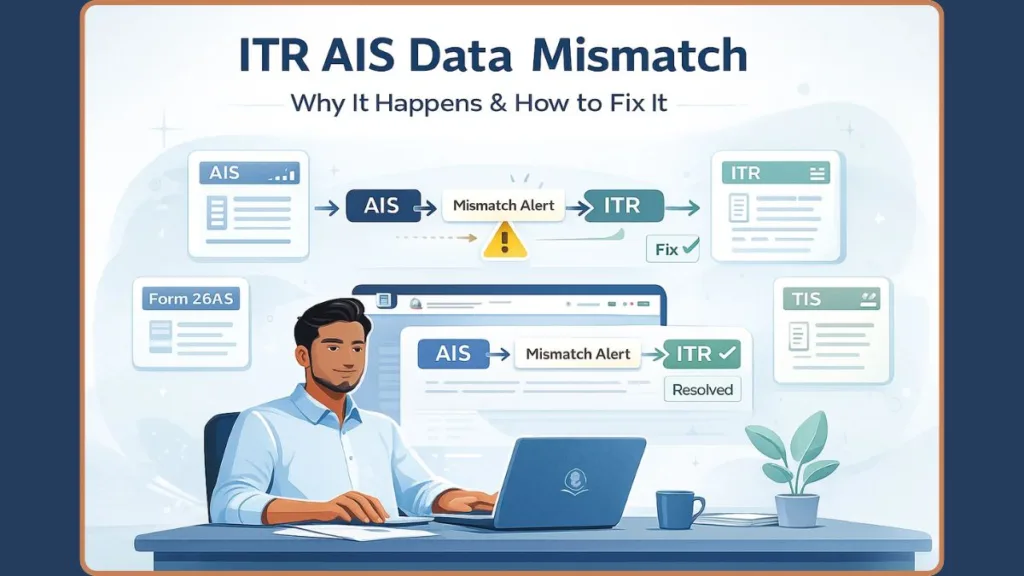
The good news is simple and reassuring: Most AIS mismatches are common, explainable, and completely fixable—if you act early.
This guide explains why AIS mismatches happen, whether you should worry, and exactly how to fix them step by step—before they turn into notices, refund delays, or tax demands.
Got an AIS–ITR Mismatch Alert? Read This First (AY 2025–26)
An AIS mismatch alert usually means one thing.
The Income Tax Department has information about your income or financial transactions that does not fully match what you reported in your ITR.
These alerts commonly arrive as a nudge email, a notification on the income tax portal, or an ITR–AIS validation mismatch during return filing.
It’s crucial to understand this clearly:
AIS mismatch alerts are not formal scrutiny notices or assessment orders.
They are preventive compliance tools designed to give taxpayers an opportunity to correct mistakes or explain discrepancies early.
However, while the alert itself is not serious, ignoring it can create problems later, including automated adjustments or notices.
What Is AIS and Why the Tax Department Relies on It
What the Annual Information Statement (AIS) Really Shows
The Annual Information Statement (AIS) is a comprehensive record of your financial transactions maintained by the Income Tax Department.
It consolidates data reported against your PAN by multiple reporting entities, including banks, employers, mutual funds, stock exchanges, brokers, and property registrars.
AIS typically includes:
- Salary and TDS details
- Savings, FD, and RD interest (even when no TDS is deducted)
- Dividend income
- Capital gains
- High-value transactions
- Specified Financial Transactions (SFT)
AIS is used not only to pre-fill returns, but also to cross-verify income reported in your ITR.
If a transaction appears in AIS and you do not respond or reconcile it, the department may treat the AIS data as accurate.
AIS vs Form 26AS vs TIS — What Triggers Alerts?
Form 26AS mainly reflects TDS, TCS, advance tax, and tax payments. It is useful for checking tax credits but has limited compliance impact.
The Taxpayer Information Summary (TIS) is a summarized version of AIS that helps taxpayers view data in a consolidated manner.
AIS, however, contains transaction-level details and is considered the primary document for compliance checks.
Because of this, mismatches between AIS and ITR are more likely to trigger alerts than mismatches involving only Form 26AS.
What Does an ITR–AIS Data Mismatch Actually Mean?
An ITR–AIS data mismatch means that the Income Tax Department’s records of your income or transactions, as shown in AIS, do not fully align with what you reported in your ITR.
This can happen when transactions appear in AIS that are not reported, under-reported, or incorrectly reported in your tax return.
Not every mismatch indicates wrongdoing.
However, unexplained mismatches can lead to compliance risk, especially under automated processing systems.
Top Reasons Your AIS and ITR Don’t Match
Missed Interest or Dividend Income
One of the most common reasons for mismatch is interest or dividend income being missed during filing.
Savings account interest, fixed deposit interest, recurring deposit interest, or dividends are often reported in AIS but overlooked by taxpayers, especially when income is spread across multiple accounts.
TDS or Form 16 / 26AS Differences
Discrepancies can arise when employers or banks file TDS returns late, use an incorrect PAN, or when reporting does not align across Form 16, Form 26AS, and AIS.
These timing and reporting issues can cause temporary mismatches that still need reconciliation.
Duplicate or Incorrect AIS Entries
In some cases, the same transaction may be reported more than once, leading to duplicate entries in AIS.
Transactions may also be reflected under the wrong PAN or financial year due to third-party reporting errors.
High-Value Transactions Triggering Alerts
Large transactions such as property purchases, substantial investments, or large redemptions are more likely to be flagged.
Even if these transactions are not taxable, they still need to be reconciled or explained to avoid future issues.
Is the AIS Mismatch Email a Notice or Just a Warning?
AIS mismatch emails and portal alerts are “nudge” intimations, not formal notices.
They are preventive in nature and are intended to give taxpayers a chance to correct or explain discrepancies voluntarily.
They are not assessments or scrutiny proceedings.
However, if mismatches remain unresolved, they may later form the basis for automated adjustments under Section 143(1).
How to Fix AIS Mismatch Step by Step (Safest Way)
Step 1: Download AIS and TIS
Log in to the income tax e-filing portal using your PAN and password.
Navigate to Annual Information Statement (AIS) under the Services menu and download both AIS and Taxpayer Information Summary (TIS).
Carefully review Part B of AIS, where transaction-level details are listed.
Step 2: Compare AIS With Your Records
Match AIS entries with Form 16, Form 26AS, bank statements, broker statements, and dividend records.
Interest income and capital market transactions should be reviewed carefully.
Step 3: Give Feedback in AIS (Most Important Step)
Use the Feedback option against each incorrect or unclear entry.
You can mark information as correct, not taxable, partially correct, related to another PAN or year, duplicate, or denied.
Submitting feedback creates a digital compliance trail and demonstrates proactive intent.
Step 4: Re-compute Your Taxable Income
After feedback, recalculate your taxable income.
Adjust interest, dividends, and capital gains where required and assess whether there is any tax impact.
Do You Need to File a Revised Return for AIS Mismatch?
A revised return under Section 139(5) should be filed if correcting the mismatch changes your taxable income or tax liability.
There is no penalty for filing a revised return, and it replaces the original return with corrected information.
In cases where income is discovered late, filing an Updated Return (ITR-U) may be appropriate.
Filing again is not a red flag—it is a recognized compliance option.
What Happens If You Ignore an AIS Mismatch?
Ignoring AIS mismatches can lead to an intimation under Section 143(1), where income may be recomputed based on departmental data.
Your return may also be treated as defective under Section 139(9), leading to refund delays or further communication.
Most of these outcomes are avoidable with timely action.
Can You File ITR If AIS Data Is Wrong?
Yes, you can file your ITR even if AIS data appears incorrect.
However, you must submit feedback, reconcile differences honestly, and maintain supporting documents such as bank statements or TDS certificates.
Ignoring AIS completely is not advisable.
FAQ: ITR AIS Data Mismatch
Why is my AIS showing higher income than ITR?
This usually happens due to missed interest income, dividend income, or third-party reported transactions.
How long does it take for AIS to update after feedback?
Updates may take a few days to a few weeks, depending on the reporting entity.
Do I need to revise my return after an AIS alert?
Only if the correction results in a change in income or tax liability.
What happens if I ignore the AIS mismatch notice?
It can lead to demands, defective return notices, or further scrutiny.
Is the AIS mismatch email a formal notice?
No. It is a preventive nudge, not a legal notice.
Final Takeaway: Fix Early, Stay Notice-Free
For AY 2025–26, AIS is no longer optional reading.
The system increasingly rewards taxpayers who review AIS regularly, respond early, and correct mistakes proactively.
There is no need to panic—but ignoring mismatch alerts is no longer safe.
Reconcile. Respond. Stay compliant.
Visit Our Post Page: Blog Page