
Getting the ‘Failed to connect to session members’ error? Here is the Monster Hunter World Error Code 50382-MW1 Fix (PC, PS4 & Xbox) – What Actually Works
When you launch Monster Hunter: World and the game immediately throws MHW error code 50382-MW1, what you’re experiencing is not a random crash or a generic network failure. You are watching the game attempt to establish an online multiplayer session, fail to complete that process, and then force you back into offline mode. From your side, it looks like the game simply refuses to connect. Under the hood, the session handshake never finishes.
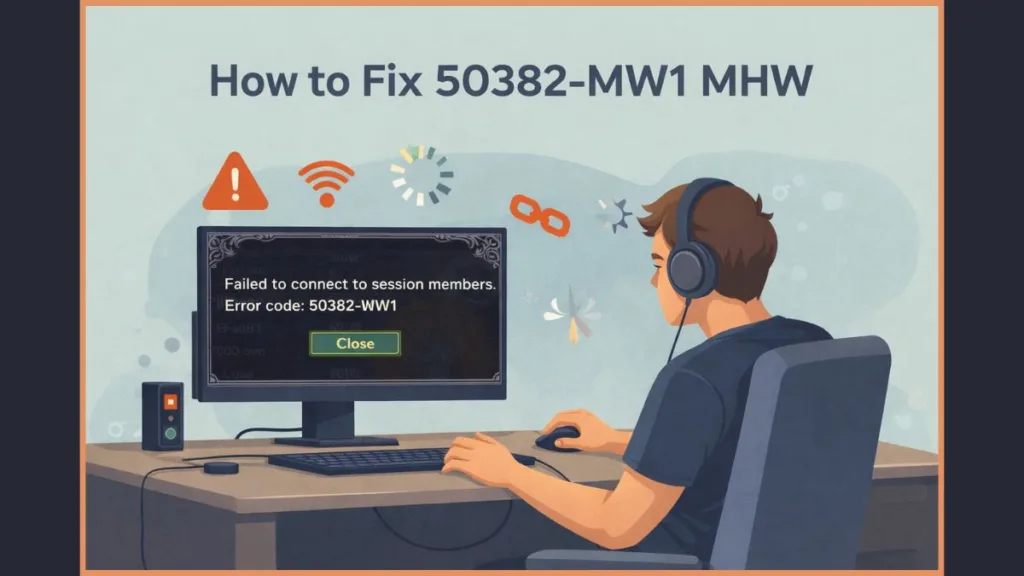
You can have a stable internet connection, normal ping, and working online features in other games, and still see this error. That disconnect between what you expect and what the game actually does is what makes monster hunter world error code 50382-mw1 so frustrating. This guide walks you through exactly what is happening, what you are seeing on screen, and what actions reliably change the outcome.
What Is MHW Error Code 50382-MW1 and What Does It Mean in Monster Hunter World?
When you see 50382-MW1, the game is telling you that it could not complete a multiplayer session setup. You initiate an online action—creating a lobby, joining a friend, or responding to an invite—and the game begins negotiating a direct connection between players. That negotiation stalls, the timer expires, and the session fails.
From your perspective, it feels like the game “gives up.” Technically, this is a peer-to-peer connection failure followed by a matchmaking server timeout. The game is not detecting a total internet outage; it is detecting that the specific connection path it needs cannot be completed in time.
Important: This is why you may still be able to browse the web, use voice chat, or play other online games while mhw 50382-mw1 continues to block multiplayer in Monster Hunter World.
When Does MHW Error Code 50382-MW1 Usually Happen and Why Does It Appear Suddenly?
You usually encounter this error at the exact moment you try to interact with multiplayer features. You may click Join Session, accept a friend invite, or create your own lobby, only to see the connection attempt fail almost instantly or after a short pause. In many cases, the game briefly looks like it is connecting before dropping you into offline mode.
A common pattern is that the error appears suddenly after long periods of normal play. You might have hundreds of hours logged with no issues, then one day the game refuses to connect. You may retry multiple times with different results, sometimes getting in successfully and sometimes failing repeatedly. This inconsistency is a defining trait of mhw failed to join session error reports.
What makes this worse is that you often have not changed anything. No new router, no firewall updates, no system changes—yet the error appears anyway. That unpredictability is a key clue about where the problem really lives.
The Fix That Actually Worked for Many Players: How to Fix Error Code 50382-MW1 on PC (Reddit-Verified)
Does Changing Steam Download Region Fix MHW Error Code 50382-MW1?
If you are on PC, the most consistently reported error code 50382-mw1 fix is changing your Steam download region. This does not modify Monster Hunter World itself. Instead, it changes how Steam routes your connection when the game tries to discover and establish multiplayer sessions.
When you change this setting, Steam selects a different backend routing path. That new path often avoids the unstable route that caused the original handshake failure. Many players report that once this path changes, the same session that failed repeatedly suddenly connects without issue.
The regions most commonly reported to work are New York and Tokyo. These regions appear to provide more stable matchmaking routing for Monster Hunter World’s peer-to-peer connections.
Critical: If you are joining a friend, your fix may not work unless your friend also changes to the same Steam download region. A region mismatch can cause the session to fail even if everything else is correct.
How to Change Steam Download Region to Fix MHW Error Code 50382-MW1 (Step-by-Step)
To apply this fix, open Steam and go to Settings, then open the Downloads section and locate Download Region. Change the region to New York or Tokyo, then fully restart Steam so the change is actually applied.
Once Steam restarts, launch Monster Hunter World again and attempt to join or create a session. For many players searching for a mhw error code 50382-mw1 pc fix or mhw 50382-mw1 steam fix, this is the moment the game finally connects as expected.
Why Is the 50382-MW1 Fix Inconsistent Even After Changing Steam Region?
While the Steam download region workaround helps a large number of players, it is not universally successful. You may find that it fixes public lobbies but still fails when joining a specific friend. In other cases, it works for several days and then stops working without warning.
Some players only succeed after matching download regions with their friends, while others connect even with mismatched regions. This inconsistency strongly suggests that the root cause is not a misconfigured system on your end. Instead, it points to unstable or overloaded routing paths between Steam, matchmaking services, and player networks.
Key takeaway: You can do everything “right” and still hit monster hunter world connection error 50382-mw1 because the underlying route your session uses is unreliable.
What Other Fixes Sometimes Help MHW Error Code 50382-MW1 (But Aren’t Guaranteed)?
Does Restarting Your Router Help MHW 50382-MW1?
Restarting your router can temporarily resolve the issue by resetting network mappings and refreshing how your device communicates with other players. This can briefly improve session negotiation, but the effect is often short-lived, and the error may return later.
Should You Restart Steam and Monster Hunter World?
Restarting Steam and Monster Hunter World forces a clean session attempt. This is especially important after changing the download region, because Steam may continue using old routing data if it is not fully restarted.
Does Matching Steam Download Region With Friends Matter?
When joining a private or invite-only session, matching Steam download regions with your friend can be the difference between failure and success.
Which Fixes Usually Do NOT Solve MHW Error Code 50382-MW1 Alone?
You will often see advice recommending port forwarding, NAT type changes, firewall exceptions, reinstalling the game, or joining via Session ID. While these steps sound logical, player reports consistently show that they rarely solve fix error 50382-mw1 mhw on their own.
These changes can improve overall compatibility, but they do not reliably fix the unstable routing or handshake failures that trigger this specific error.
Is MHW Error Code 50382-MW1 a Server Issue or a Network Issue?
This error sits in an uncomfortable middle ground. Monster Hunter World relies heavily on player-to-player connections, not fully dedicated servers. When the game tries to connect you to other players, it uses backend services to help negotiate that connection and then expects a direct link to form.
If that link fails—because of routing instability, NAT behavior, or timeouts—you see 50382-MW1. Capcom servers are usually online, but the session broker cannot complete the connection.
This is why the error feels like a server outage even when official services are still running.
Platform-Specific Notes for MHW Error Code 50382-MW1
How to Fix MHW Error Code 50382-MW1 on PC / Steam (Including Steam Deck)
On PC, Steam routing matters most. The download region directly affects how sessions are negotiated. A region mismatch can block connections entirely, and Steam Deck users report the same behavior and fixes.
MHW Error Code 50382-MW1 on PS4 / PS5
On PlayStation, you have fewer routing controls. NAT type matters more, but even an open NAT does not guarantee success. There is no equivalent region-switch workaround.
MHW Error Code 50382-MW1 on Xbox One
On Xbox One, NAT stability and UPnP behavior are especially important. Router restarts help more often here, but results are still inconsistent.
Why Does MHW Error Code 50382-MW1 Sometimes Fix Itself?
Sometimes the error resolves without any action on your part. This usually happens when backend routing changes, congestion clears, or a stable peer-to-peer path becomes available.
This explains why some players report that mhw 50382-mw1 solved itself after waiting or retrying later.
FAQ: Common Questions About MHW Error Code 50382-MW1
How do I fix error code 50382-MW1 in Monster Hunter World?
You fix it most reliably by changing your Steam download region to New York or Tokyo, restarting Steam, and ensuring your friend uses the same region.
Why can’t I join my friend’s session in MHW?
Your game cannot complete the peer-to-peer handshake, usually because of routing instability or NAT behavior.
What does error code 50382-MW1 mean?
It means Monster Hunter World failed to establish a multiplayer session and forced offline mode.
Is Monster Hunter World server down right now?
In most cases, no. The issue is a failed peer-to-peer connection, not a full server outage.
Does changing Steam download region fix MHW connection issues?
Yes. For many PC players, it is the most reliable workaround available.
What launch options help MHW connectivity?
Some players try -nofriendsui, but results are inconsistent and it should be treated as secondary to the Steam region fix.
What to Do If Nothing Works for MHW Error Code 50382-MW1
If none of the fixes work, try switching to a different Steam region after 24 hours or connecting during off-peak hours when routing congestion is lower. In some cases, the problem is genuinely outside your control.
This error feels local, but often isn’t. Focus on the Steam region workaround first, coordinate regions with friends, and avoid wasting time on changes that rarely fix the underlying connection failure.
Useful Resources for Fixing MHW Error Code 50382-MW1
When you’re dealing with MHW Error Code 50382-MW1, having the right references helps you quickly separate things you can actually fix from issues that are outside your control.
Official Support Resources
Capcom – Monster Hunter World Connection Error Documentation: Capcom’s support material explains what Error Code 50382-MW1 means at a system level. It confirms that this error is tied to peer-to-peer session timeouts, not full server outages. This is the most reliable source for understanding why the error can occur even when your internet is stable and servers appear online.
Steam – Download Region Settings: This setting is central to the Steam download region workaround, which is the most consistently effective PC fix discussed in the article. Changing this setting forces Steam to reroute multiplayer traffic, which can bypass unstable routing paths causing the error.
Always restart Steam after changing the download region, or the fix will not apply.
Visit Our Post Page: Blog Page