
Struggling to mod GTA 5? Download & install Script Hook V (2026), fix critical errors after updates, and safely use mods in single-player mode.
Introduction
If you want to mod Grand Theft Auto V, you cannot do it without Script Hook V. There is no workaround, no shortcut, and no alternative library that replaces it. Script Hook V is the gatekeeper that allows GTA 5 mods to run in single-player mode.
Furthermore, with the recent “A Safehouse in the Hills” DLC (Title Update 1.72) adding complex mansion interiors, having a stable modding environment is more critical than ever for exploring these new assets freely.

Most GTA 5 mods depend on ScriptHookV.dll to access the game’s native functions. Without it, ASI loaders and .NET mods simply will not work. If your goal is to use popular tools like the Menyoo PC trainer, gameplay mods like LSPDFR (Los Santos Police Department First Response), or custom scripts, this library is mandatory.
We guarantee you that once you understand how Script Hook V works and how to manage updates, GTA 5 modding becomes stable and predictable.
What Is Script Hook V?
Script Hook V is a modding library created by Alexander Blade that allows custom scripts to access GTA V’s native functions in single-player mode.
Unlike tools such as OpenIV, which primarily focus on editing texture and model archives (.rpf files), Script Hook V handles the logic and code execution that brings mods to life.
In simple terms, Script Hook V acts as a bridge between GTA 5 and mods. It lets scripts interact directly with the game engine, enabling features such as trainers, gameplay tweaks, vehicle spawners, and custom missions.
For instance, if you want to spawn the new Progen Luiva supercar instantly without grinding for in-game cash, Script Hook V provides the necessary command structure to make that happen. Without this library, GTA 5 mods cannot call native functions, which makes Script Hook V the foundation of the GTA 5 modding ecosystem.
How to Download & Install Script Hook V (Step-by-Step)
This section is designed for first-time modders. Follow each step exactly and you will avoid most errors.
Prerequisites
Before you install Script Hook V, make sure:
- You are using a legal PC copy of GTA 5 (Steam, Epic Games, or Rockstar Launcher).
- GTA 5 launches normally without mods.
- You have Microsoft .NET Framework installed only if you plan to use Script Hook V .NET mods.
- New for 2026: You have checked that your antivirus does not aggressively block
.dllinjections, as some security software may flag mod files falsely.
Installation Steps
- Download the latest version of Script Hook V from the official source. (Note: As of January 2026, ensure you grab v1.0.3725.0 or higher to match the latest “Mansion Raid” game patches).
- Right-click the downloaded ZIP file and select ‘Extract All’. Open the extracted folder, then open the ‘bin’ folder.
- Copy the following files:
- ScriptHookV.dll
- dinput8.dll
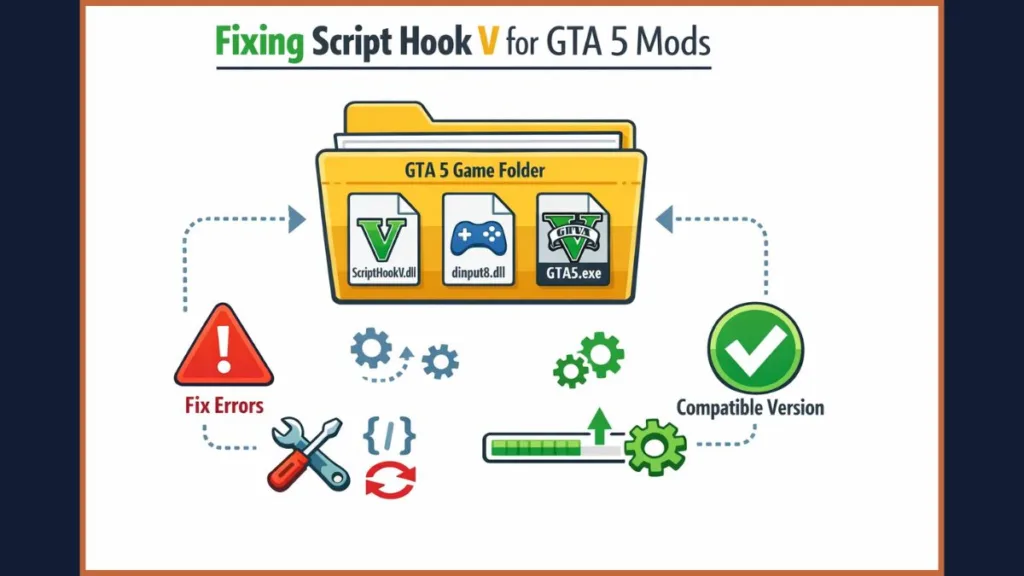
- Paste both files into your GTA V root folder (the folder that contains GTA5.exe).
Tip: For Steam users, the default path is usually:
C:\Program Files (x86)\Steam\steamapps\common\Grand Theft Auto V\
Important: dinput8.dll is the ASI Loader. Without it, ASI mods and trainers like Simple Trainer will not load. Once these files are placed correctly, Script Hook V is installed and ready to execute custom scripts.
How to Fix Script Hook V Critical Error (Unknown Game Version)
If your game suddenly shows a “Critical Error” or “Unknown Game Version” message, do not panic. This is one of the most common Script Hook V issues.
Why This Happens
Rockstar regularly updates GTA 5. When a new patch is released—such as the recent Title Update 1.72—older versions of Script Hook V stop working until Alexander Blade updates them to support the new game build.
This safety mechanism prevents your game from crashing due to memory address mismatches.
Solution 1: Update Script Hook V (Recommended)
- Visit the official Script Hook V website.
- Download the newest version.
- Replace the old ScriptHookV.dll and dinput8.dll in your GTA V folder.
In most cases, this fixes the issue immediately. Consequently, we recommend keeping the download page bookmarked.
Solution 2: Downgrade GTA V (Advanced Users)
If no Script Hook V update is available yet and you simply cannot wait to play:
- Backup GTA5.exe and update.rpf.
- Revert GTA 5 to a previous patch version that matches your Script Hook V build.
Warning: Downgrading is complex and may require specific tools like the Rage Plugin Hook backup feature. Only attempt this if you have a backup of your game files.
How to Use the Native Trainer (Cheats & Mods)
Script Hook V comes bundled with NativeTrainer.asi, which allows you to enable cheats and mod features instantly. While many users eventually upgrade to more advanced menus like Menyoo or Rampage, the Native Trainer is the perfect starting point to test your installation.
Controls & Keybinds
- F4 – Open or close the trainer menu
- Numpad 8 / 2 – Navigate up and down
- Numpad 5 – Select
- Numpad 0 – Go back
- Make sure Num Lock is enabled on your keyboard.
Popular Features
With Native Trainer, you can:
- Change player skins (play as an alien, a cop, or a story character).
- Spawn vehicles instantly (including the latest DLC cars).
- Enable God Mode (invincibility).
- Teleport anywhere on the map.
- Unlock weapons and abilities.
This is where GTA 5 modding becomes fun and powerful. Once you master these basics, you can explore adding other .asi plugins to the same folder.
Script Hook V vs. Script Hook V .NET
These two files are often confused, but they serve different purposes.
- Script Hook V is the core library and is required for all script-based mods.
- Script Hook V .NET (often abbreviated as SHVDN) is a separate bridge plugin used for mods written in C# or VB.NET.
Script Hook V .NET depends on Script Hook V. It does not replace it. If you want to use complex .NET-based mods—such as the “Fuel Script” or “Gang and Turf” mods—you must install both. Therefore, check the requirements of the specific mod you are downloading to see if it needs the .NET extension.
Frequently Asked Questions (People Also Ask)
Is Script Hook V safe for GTA Online?
No. You should never use Script Hook V in GTA Online.
Although the script disables itself automatically when it detects an online session, we strongly recommend removing all mod files (dinput8.dll specifically) before launching Online mode. Since the integration of BattlEye Anti-Cheat in late 2024, the game creates a strict separation between modded single-player and secure online play. Attempting to bypass this can result in a permanent ban.
Where do I put Script Hook V files?
You place ScriptHookV.dll and dinput8.dll directly in the GTA V root folder, where GTA5.exe is located. Do not place them in the mods folder created by OpenIV; they must sit in the main directory to function.
Why is my Native Trainer not working?
Common causes include:
- Num Lock is disabled.
- Script Hook V is outdated.
- Files are not placed in the correct folder.
Solution: Updating Script Hook V usually fixes the problem. Additionally, verify that you have not accidentally deleted the NativeTrainer.asi file during installation.
Conclusion
Script Hook V is essential if you want to run single-player GTA 5 mods safely and correctly. It enables trainers, custom scripts, and advanced gameplay features by allowing access to GTA 5’s native functions. Whether you are installing visual overhauls like NaturalVision or gameplay tweaks, it all starts here.
We recommend you bookmark this page and check back whenever a new GTA 5 patch is released. Script Hook V updates frequently, and staying current is the key to stable modding.
Once installed and managed correctly, Script Hook V gives you full control over your GTA 5 single-player experience—exactly the way modding was meant to be.
Visit Our Post Page: Blog Page