
Are you having trouble buying tickets even after multiple payment attempts? Let’s learn how to fix ticketmaster error U001 fast using proven methods that work.
If checkout keeps failing with Ticketmaster Error Code U001—sometimes shown as U-001 or U 001—you’re not dealing with a payment issue or a random bug. This error appears when Ticketmaster invalidates your checkout session. The problem is that Ticketmaster doesn’t explain this clearly, so users end up retrying the same broken flow.
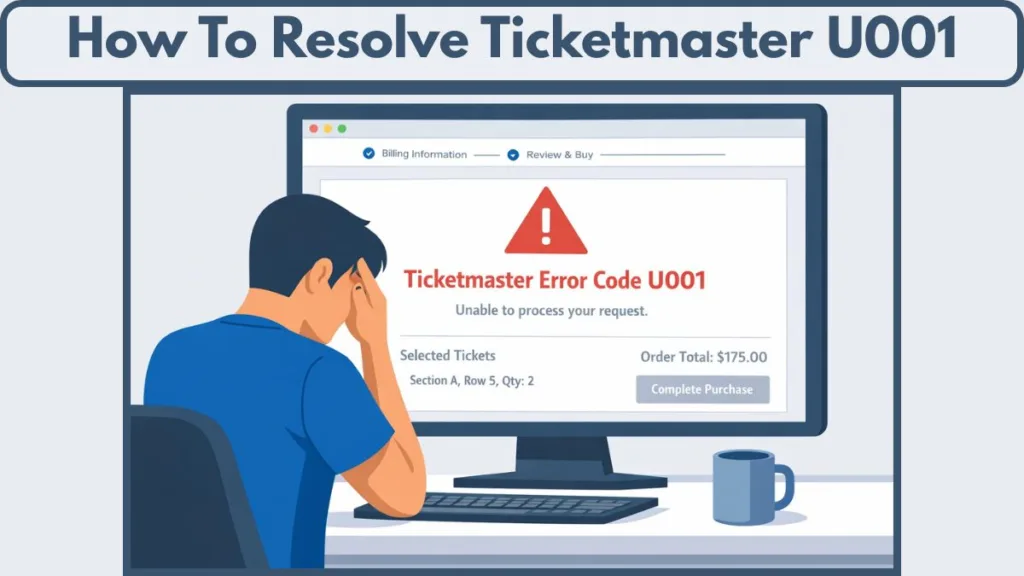
In practice, it looks like this: tickets selected, payment details entered, checkout blocked. No card decline. No sold-out message. Just U001.
What Is Ticketmaster Error Code U001?
Error Code U001 / U-001 / U 001 appears during checkout, after ticket selection but before payment completes, on Ticketmaster. Ticketmaster’s own support documentation confirms that certain error messages occur when a session is flagged or disrupted, especially during high-traffic or rapid retry situations.
This matters because U001 is not:
- a bank or card failure
- a permanent account restriction
- a guaranteed “sold out” message
It is a session-level block.
A common real-world scenario is selecting three tickets, clicking Place Order, and immediately seeing U 001. Your bank never receives a charge attempt. That’s the key signal: the checkout session was rejected before payment processing even started.
Ticketmaster explicitly warns that excessive refreshing, multiple sessions, or switching devices can cause the system to treat activity as automated—leading to errors like this.
Why You Are Getting Error Code U001 On Ticketmaster?
Across user reports and official guidance, U001 consistently traces back to two causes.
Anti-bot protection flagging normal users
Ticketmaster relies heavily on automated protection systems. The issue is that normal checkout behavior can trip those systems.
Refreshing the checkout page, opening a second tab to compare seats, retrying too quickly after a failure, or staying logged in on multiple devices can all make a session appear automated. When that happens, the system blocks checkout with U-001—without explanation.
A typical case involves high-demand tickets. You refresh once or twice, check seat locations in another tab, then retry checkout. Instead of guidance, you hit Error Code U001 and the session effectively locks.
Ticket quantity or seat availability changed mid-checkout
The second trigger is live inventory changes.
Ticket availability updates in real time. If the exact quantity you selected becomes unavailable while you’re entering payment details, Ticketmaster may return U001 instead of clearly explaining that inventory changed.
Picture selecting three adjacent seats, spending a minute on payment details, and during that window another buyer takes one seat. Rather than adjusting availability, the checkout fails with U-001.
How to Fix Ticketmaster Error Code U001: Proven Methods

Reset your Ticketmaster session: most reliable
This is the fix users confirm most consistently, and it aligns with Ticketmaster’s own guidance for resolving checkout errors.
Log out of Ticketmaster completely. Clear cookies and cache related to the site. Close every browser window—not just the Ticketmaster tab—and restart your device. Confirm you’re not logged in on any other device. Then wait 10–15 minutes, log back in, and retry checkout once.
This works because it resets the flagged session that triggered U001 / U 001.
In real use, this often looks like repeated failures for nearly an hour, followed by a successful checkout immediately after a clean session reset.
Change the number of tickets
Another confirmed fix is changing ticket quantity.
If checkout fails repeatedly with one quantity, increase or decrease the number of tickets by one and try again—without refreshing repeatedly.
This works because it forces Ticketmaster to re-evaluate availability instead of reusing the broken allocation tied to U-001.
A real-world case: buying three tickets repeatedly triggers Error Code U001. Switching to four tickets allows checkout to complete with no other changes.
Toggle ticket protection (optional, inconsistent)
Some users reported that enabling ticket protection allowed checkout to go through
This is not reliable and adds cost, so it should only be used after other fixes fail. One real-life case involved a user enabling ticket protection out of frustration and seeing checkout succeed—but this workaround is inconsistent and shouldn’t be your first move.
What Does NOT Fix Error Code U001
Repeatedly re-entering payment details, refreshing checkout, waiting hours without clearing cookies, or retrying on the same device with multiple tabs open does not fix U001.
In fact, these actions often extend the block because they reinforce the behavior that triggered it.
Is Error Code U001 a Temporary Block?
Often, yes—but waiting alone is unreliable.
If the session remains flagged, U001 / U-001 can persist indefinitely. Logging out and clearing cookies is significantly more effective than passive waiting.
How to Avoid Ticketmaster Error U001 in the Future
You reduce the chances of seeing U 001 by changing how you check out. Use one device, one browser, and one tab. Avoid refreshing during checkout, don’t switch devices or networks mid-purchase, skip VPNs and aggressive ad blockers, and complete checkout quickly once tickets are selected.
These steps directly align with how Ticketmaster’s systems evaluate sessions.
FAQ: Ticketmaster Error Code U001
What is Ticketmaster error code U001?
A checkout block caused by a flagged session or a ticket availability change, not a payment failure.
Does U-001 mean tickets are sold out?
Not always. It often indicates that the selected quantity changed mid-checkout.
Is Ticketmaster blocking my account?
No. U 001 is typically a temporary session restriction, not an account ban.
Can U001 be fixed without waiting?
Yes. Logging out and clearing cookies is the most reliable fix.
Will U-001 go away on its own?
Sometimes, but relying on waiting alone is unreliable.
When to Contact Ticketmaster Support (And When Not To)
Support is only useful if you’ve reset the session, changed ticket quantity, and still see U001 across devices after waiting. In most cases, support cannot override session-level blocks or live inventory conflicts tied to Error Code U001.
Bottom line: Ticketmaster U001 Best Fix
If you want the fastest, least frustrating resolution:
Log out, clear cookies, wait ten minutes, then retry checkout with a different ticket quantity—using one device and one tab.
Visit Our Post Page: Blog Page