
Planning an AION 2 server transfer? Follow the steps, check eligibility and costs, learn what moves with your character, and troubleshoot red servers.
Your AION 2 server transfer window is open. You have picked the server where your friends play, opened the transfer menu, and then the destination turns red.
Now what? Should you wait for another transfer window, choose a different server, or start a new character?
A red or unavailable server does not necessarily mean the entire transfer event has ended. NCSoft sets separate limits on transfers into and out of each server, and those limits update every hour. Your preferred destination can stop accepting transfers while the overall event is still running.
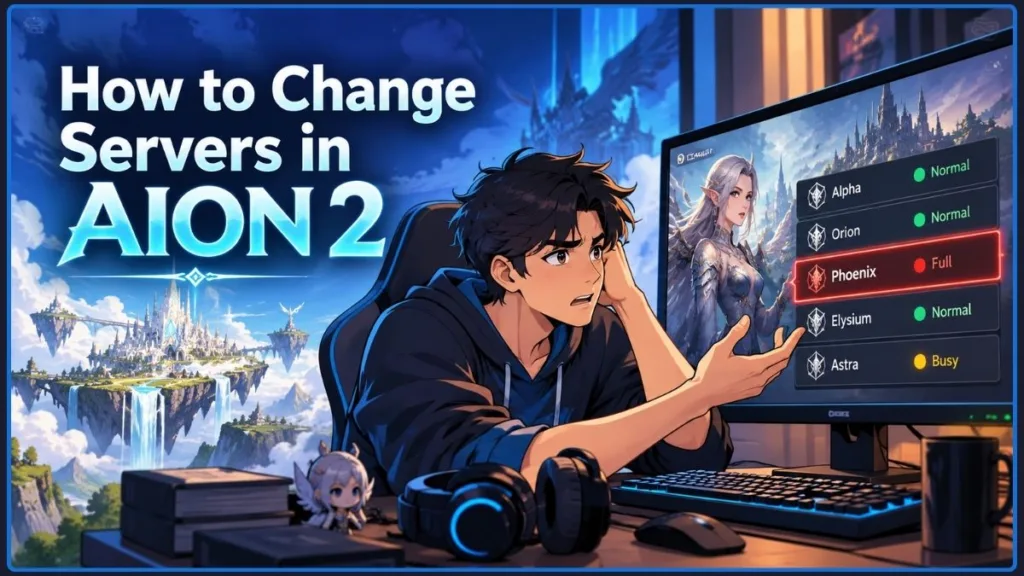
This guide explains how to transfer servers in AION 2, why a destination becomes unavailable, what the transfer costs, and which character requirements and item rules you need to check before confirming your move.
Quick answer: Open In-Game Shop → Server Transfer during your region’s application window. Choose an eligible destination, select your characters, clear the transfer requirements, and confirm. If the server is red, check its transfer availability before starting over or spending resources on another character.
Current event notice: The published launch-server transfer period runs until before maintenance on October 27, 2026 (PDT) / October 28, 2026 (CET). This deadline applies to the October 2026 event, not future transfers. Check the official AION 2 Server Transfer Products Information for updates.
AION 2 Server Transfer Is Red? Diagnose the Problem Before Retrying
Before restarting the game or repeatedly clicking the transfer button, identify what is preventing your request.
| What you see | What to check |
|---|---|
| Your destination server is red | The destination may have reached its transfer-in limit. |
| The message says applications have ended | Check the regional schedule and your current server’s transfer availability. |
| Your destination is not eligible | Check the region, faction, and server-group restrictions. |
| The transfer purchase button is inactive | Check your character’s eligibility, Legion status, missions, Market activity, Shop Storage, and mail. |
| You cannot transfer all your characters | Check destination character slots and the expansion limit. |
| You cannot log in after confirming a transfer | Wait for the transfer process to finish. |
There are three separate things to consider: the overall transfer event, your regional application window, and the transfer capacity of your source and destination servers.
The official Server Transfer Limits notice confirms that transfer opportunities can close early when a server reaches its limit. It also states that available transfer counts are updated every hour on the hour.
Troubleshooting tip: Read the exact message in the transfer interface. A closed application window, a full destination, and an ineligible character are different problems. Identifying the right one saves you from repeating steps that cannot fix it.
If your preferred destination is red, start by checking the transfer limits. Do not assume that the whole event is over, and do not assume that the server will definitely reopen.
How to Transfer Your AION 2 Character Without Getting Blocked
The transfer process is straightforward once your character meets the requirements and your destination accepts applications. The important work happens before you confirm the request.
Step 1: Check Your Character’s Level, Location, and Server Eligibility
Under the published rules, only characters that meet the following conditions can transfer:
- Level 10 or higher: Characters below Level 10 are not eligible.
- Location: Your character must be in a village. You cannot apply while inside the Abyss, a Spacetime Rift, or a dungeon.
- Legion status: Your character must not belong to a Legion or have a pending Legion membership application.
- Duty Missions: Your character must not have any active Duty Missions.
- Server restrictions: Your destination must meet the same-region and same-faction requirements.
- Server group: Transfers from Early Access servers are restricted to other Early Access servers under the published rules.
Your source server and destination must also accept transfers. Even an eligible character cannot move if either server has reached its applicable transfer capacity limit.
The current event’s launch-server phase is separate from the earlier Early Access phase.
Best practice: Check your eligibility before the application window opens. Reaching the destination-selection screen on time will not help if an active mission, Legion membership, or unclaimed item still blocks your request.
Step 2: Open the In-Game Shop and Select Server Transfer
Log in to AION 2 during the application window for your region.
Navigate to:
In-Game Shop → Server Transfer
Select the service and follow the prompts.
If the purchase button is inactive, check the displayed notification. The button becomes available when the character meets the transfer requirements and the service is available.
If the current application round has ended, check the schedule. If the destination is unavailable, check the capacity restrictions as well.
Step 3: Pick the Correct Destination and Characters
Choose the server where you want to play and select the characters you want to include in the transfer.
If your goal is to join friends or your Legion, verify the exact server name before continuing. An available server is not automatically the right server for your group.
Transfers are restricted to servers within the same region and faction. The Early Access and launch-server restrictions also apply.
You can transfer to a destination where you already have a character, provided the destination accepts the transfer and has enough character slots.
An existing character on the destination does not bypass its transfer limit. You still need an eligible transfer and sufficient character capacity.
The published offer lets you transfer multiple characters in one request, but it permits only one transfer per account during the entire transfer period, from one source server to one destination server.
For example, if you want to move six characters and the destination has only four available slots, you need two additional character slots, provided the destination’s expansion limit allows it.
Character-slot expansions purchased on your original server do not automatically increase the available slots on the destination.
Planning tip: Count your characters before opening the transfer menu. Decide which ones need to move and check the destination’s actual capacity instead of relying on the number of slots you have on your current server.
Step 4: Clear Every Requirement Before the Transfer Window Opens
Do not leave the preparation until you have selected a destination and are racing against server capacity.
Check the following:
- Character location: Move to a village.
- Legion: Leave your Legion and clear any pending membership application.
- Duty Missions: Finish active missions.
- Market: Resolve items registered for sale, collect pending items, and receive outstanding sale proceeds.
- Shop Storage: Claim unclaimed items, including Founder’s Pack items.
- Mailbox: Collect unclaimed mail from each character you intend to transfer.
- Account and character items: Make sure there are no other unclaimed items or currency blocking the service.
- Server Storage: Move any items you need into the transferring character’s inventory or Character Storage.
NCSoft explicitly lists unclaimed Market items or proceeds, Shop Storage items, and mail as conditions that can prevent a transfer.
Important warning: Prepare every character before the application window opens. Discovering an unclaimed item or an active mission when your preferred destination has limited transfer slots can cost you the opportunity to move.
Step 5: Review the Destination, Costs, and Transfer Warnings
Before confirming, double-check your destination, selected characters, available slots, and any additional costs.
Pay particular attention to the Server Storage warning. Its contents do not transfer with your character.
The published October 2026 offer makes the base transfer and each character transfer free, but additional character slots cost Quna. Review the amount in the interface before submitting the request.
Step 6: Confirm the Transfer and Wait for Completion
Once you have checked everything, submit the transfer request.
The game returns you to the title screen, and the account undergoing the transfer cannot log in while the process is running. NCSoft says a transfer takes at least one minute and may take longer.
Irreversible action: A completed server transfer cannot be cancelled or reversed. Treat the confirmation as a final decision, not a preview.
Step 7: Log In and Set Your Character’s New Name
After the transfer finishes, log in to your character.
AION 2 assigns the transferred character a temporary name in the format @TemporaryName. You must set a new name the first time you log in after the transfer.
If your previous name already exists on the destination server, you cannot reuse it.
Your Friends and Blocked lists transfer, so tell your group which server you have moved to and what character name to look for after the transfer.
For the complete eligibility and transfer requirements, refer to the official Server Transfer Products Information.
AION 2 Server Transfer Schedule: Regional Hours and Event Deadline
The overall transfer period and daily application windows are different. The event can still be active while your preferred destination refuses new transfers.
As of October 22, 2026, the current launch-server transfer phase is scheduled to close before maintenance on October 27 (PDT) / October 28 (CET).
When Does the Transfer Window Open in Your Region?
The official notice lists the following regular application hours:
| Region | First window (PDT) | Second window (PDT) |
|---|---|---|
| North America East | 09:00–13:00 | 15:00–19:00 |
| North America West | 09:00–13:00 | 15:00–19:00 |
| Europe | 03:00–07:00 | 09:00–13:00 |
| South America | 09:00–13:00 | 15:00–19:00 |
| Asia | 20:00–00:00 | 02:00–06:00 |
The official notice also provides CEST/CET equivalents. Check the relevant time zone and any maintenance-related adjustments before planning your move.
These are scheduled application windows, not a promise that every destination will accept transfers throughout the entire period. NCSoft may close transfers into or out of a server early if it reaches its limit.
See the official transfer announcement for the published schedule and updates.
Why Waiting Until the Window Opens Can Backfire
NCSoft updates transfer availability every hour on the hour. When a server reaches its limit, it can stop accepting transfers before the scheduled window ends.
In the Reddit discussion about red AION 2 transfer servers, players reported destinations becoming unavailable shortly after the October 21 window opened. One player described successfully transferring a character, then finding the same destination full when attempting another transfer around 15 minutes later.
These are individual experiences, not a guarantee that every server will fill at the same speed. They illustrate the issue described in NCSoft’s official capacity rules.
Practical takeaway: Choose your destination and prepare your characters ahead of time. Use the application window to submit a ready-to-go request instead of starting your research when the window opens.
AION 2 Server Transfer Cost: Free Moves and Paid Character Slots
The published October 2026 launch-server offer makes the base transfer and each character transfer free. The expense to watch is additional character-slot capacity on your destination server.
| Transfer option | Published cost |
|---|---|
| Base transfer service | 0 Quna |
| Each character transferred | 0 Quna |
| Each additional character slot | 1,000 Quna |
For example, if you move six characters to a destination with only four available slots, you need two additional slots. At 1,000 Quna each, the expansion costs 2,000 Quna.
The offer is limited to one transfer per account during the transfer period. You can include multiple characters in that request, but you cannot use it to make separate transfers between different source and destination server pairs during the same period.
Cost-saving tip: Check the destination’s available slots before confirming. The transfer itself may be free, but additional character capacity can still cost Quna.
These prices apply to the published October 2026 offer. Check the official notice if NCSoft announces another transfer event.
What Moves With Your AION 2 Character—and What Stays Behind?
Before confirming, check what moves with your character, what combines with the destination’s records, and what stays behind.
Server Storage: Move Important Items Before You Transfer
The most important inventory distinction is between Character Storage and Server Storage.
| Storage type | Transfer behavior |
|---|---|
| Character inventory | Transfers with the character |
| Character Storage | Its contents transfer |
| Kina in Character Storage | Transfers |
| Kina in Server Storage | Does not transfer |
| Other Server Storage items | Stay behind |
| Server Storage expansion records | The destination’s expansion is set to whichever level is higher between the source and destination |
If you have important materials, currency, or equipment, move them out of Server Storage and into the transferring character’s inventory or Character Storage first.
The Server Storage expansion record can carry over; the stored items do not.
Storage warning: Check Server Storage on every character you plan to move. Do not assume that materials or currency will appear on your new server simply because the storage expansion remains available.
What Happens to Kina, Quna, and Mileage?
The published transfer rules treat these balances differently:
- Kina: Only Kina in the character’s inventory and Character Storage transfers. Kina in Server Storage stays behind.
- Quna: The current server’s Quna transfers and is added to the balance on the destination server.
- Mileage: The current server’s Mileage transfers and is added to the destination balance.
Make sure you understand where your Kina is stored before submitting the request.
Character Names, Membership, and Daeva Pass
Your character receives a temporary name and must be renamed on the first login after the transfer. If your old name is already taken on the destination, you cannot reuse it.
The official rules also state that active Membership transfers and combines with any Membership on the destination server, while Daeva Pass progress transfers with the character.
Pets, Skins, and Other Progression: What Happens to Your Records?
The official transfer information covers a wide range of character and server records.
| Item or progression | Transfer behavior |
|---|---|
| Titles and achievements | Transferred and combined with destination records |
| Closet items and skins | Transferred and combined with destination records |
| Pets and Theostones | Transferred and combined with destination records |
| Season Mission progress and Season Rank Points | Transfer |
| Skills, Stigmas, Quests, and Exploration | Transfer |
| Friends and Blocked lists | Transfer |
| Genus Insight | You choose the source or destination progress; the source server’s Genus Insight is reset |
| Character-slot expansions purchased on the source server | Remain on the source server |
| Mail Block List | Does not transfer |
Be careful if you are transferring only some of your characters. The official rules state that Titles, Achievements, Closet items, Pets, and Theostones move to and combine with the destination server’s records, then reset on the original server.
Do not assume those assets will remain available to characters you leave behind.
For the complete list of transferable records, use the official Server Transfer Products Information and its linked Q&A.
Moving to Join Friends in AION 2? Check These Options First
Transferring is a common way to join friends, but it is not always the only option.
In the Steam Community discussion about joining friends on another server, players described being separated because their friends had already created characters on a server that no longer accepted new characters.
Character creation and server transfer are separate systems. A server that closes character creation is not automatically open for incoming transfers. The destination must still accept transfers and meet the relevant restrictions.
Can You Play Dungeons Together Without Transferring?
Not necessarily a reason to move. The original AION 2 announcement stated that instanced content, including dungeons, was available cross-server. This may provide an alternative if your main goal is to run eligible instanced activities with friends.
Check the current rules for the particular activity you want to play. Cross-server access to dungeons does not mean every open-world activity or server-based feature works across servers.
Is Starting a New Character Better Than Waiting?
Starting again may work if your friends’ server accepts new characters, but you will need to repeat your existing character’s progression.
If you have claimed Founder’s Pack items or other special rewards, verify the applicable account and claim rules before creating a new character. Do not assume that every server-based asset or purchased reward will be available in the same way.
Before starting over: Compare the time you’ve invested in your current character with the benefit of joining your friends immediately. If a transfer is available, moving an eligible character may be the simpler option. If it isn’t, check whether cross-server activities meet your immediate needs.
AION 2 Server Transfer Errors: Fix the Problem You’re Seeing
Use this troubleshooting reference if your transfer still will not work.
| Problem | What to do |
|---|---|
| The destination is red | Check its transfer-in capacity and the next application round. |
| The current round has ended | Check your region’s hours and wait for an eligible round. |
| Your character cannot be selected | Confirm it is Level 10 or higher, in a village, outside a Legion, and has no active Duty Missions. |
| The transfer button is inactive | Check for unclaimed Market items or proceeds, Shop Storage items, and character mail. |
| You cannot move all your characters | Check available destination slots and the slot-expansion limit. |
| Your character name has changed | Choose a new name at the first login after the transfer. |
| Items are missing | Check whether they were left in Server Storage. |
| You cannot log in immediately after confirming | Wait for the transfer process to finish. |
| You want to undo the transfer | A completed request cannot be cancelled or reversed. |
Will a Red Server Reopen in the Next Transfer Round?
Check the next application round and the latest official notice. NCSoft says another opportunity may be available during a later round when a transfer cannot be completed in the current one.
However, the official limits notice also warns that transfers into and out of a server may be closed permanently if it receives excessive transfer demand.
Waiting can be reasonable, but it is not a guarantee. If you are willing to consider another destination, compare its faction, region, and population needs before making a decision. Do not spend your one transfer request on a server you do not actually want.
Important: Another application round may give you a chance to try again, but it cannot guarantee that the same destination will reopen. Check the latest official notice before making plans around a future window.
If the interface displays a specific error despite your character meeting the requirements, keep the exact message and consult the official announcements or AION 2 support. Avoid relying on unofficial workarounds that promise to bypass a server’s transfer limits.
AION 2 Server Transfer FAQs: Rules, Costs, and Restrictions
Why Is My AION 2 Server Transfer Red?
The destination may have reached its transfer-in limit, or your current server may have reached its transfer-out limit. NCSoft updates available transfer counts hourly, so a server can become unavailable before the application window closes.
Can I Transfer to Any Server in AION 2?
No. Transfers are limited by region, faction, server group, eligibility, and capacity. Early Access characters can transfer only between Early Access servers under the published rules.
Is AION 2 Server Transfer Free?
The published October 2026 offer charges 0 Quna for the base service and each transferred character. Additional character slots cost 1,000 Quna per slot.
Can I Transfer Multiple Characters?
Yes. Multiple characters can be included in a single transfer request if the destination has enough slots. The offer is limited to one transfer per account from one source server to one destination server during the transfer period.
Can I Transfer to a Server Where I Already Have a Character?
Yes, provided the destination has enough available character slots and accepts the transfer. Having an existing character does not bypass the destination’s transfer limit.
Will My Character Name Stay the Same?
Not automatically. A temporary name is assigned, and you must choose a new name on your first login after the transfer. If the original name is already taken on the destination, you cannot reuse it.
Does Server Storage Transfer?
No. Server Storage items stay behind. Move important items into the transferring character’s inventory or Character Storage before confirming.
Can I Cancel or Reverse a Transfer?
No. NCSoft’s official instructions state that a completed transfer cannot be cancelled or reverted. Double-check your destination and character selection before confirming.
When Does the Current Transfer Period End?
The October 2026 launch-server transfer period is scheduled to end before maintenance on October 27, 2026 (PDT) / October 28, 2026 (CET). Check the official notice for changes and future transfer announcements.
Before You Click Confirm: AION 2 Server Transfer Checklist
Use this checklist before opening the transfer window:
- Check the application hours for your region.
- Confirm that your source and destination servers are eligible.
- Make sure your character is Level 10 or higher and in a village.
- Leave your Legion and finish active Duty Missions.
- Resolve Market listings, collect pending items and proceeds, and claim Shop Storage items.
- Collect unclaimed mail from every character you plan to transfer.
- Move important items out of Server Storage.
- Check destination character slots and any additional Quna cost.
- Review the character-name and progression rules.
- Double-check everything before submitting the irreversible request.
The AION 2 server transfer process itself is not complicated. The real challenge is securing an eligible destination and preparing your characters before you reach the confirmation screen.
Final takeaway: If your destination is red, check the source and destination transfer limits before starting over. Another application round may provide an opportunity to try again, but NCSoft does not guarantee that every restricted server will reopen.
For the latest requirements, schedule, pricing, and transferable items, use the official Server Transfer Products Information and Advance Notice of Server Transfer Limits.
If this guide helped you plan your move, share it with your friends or Legion before they transfer. Preparing together is easier than discovering that someone’s destination has filled up while the rest of the group is still getting ready.
Visit Our Post Page: Blog Page
Discover more from Izoate
Subscribe to get the latest posts sent to your email.