
Confused about the Amazon Prime Video ad-free phaseout? Learn what the new Ultra tier includes, what it costs, and how to cancel Amazon Prime Video Ultra if it’s not right for you.
You just opened your latest email from Amazon, and the news isn’t exactly great. Your standard, affordable ad-free Prime Video perk is suddenly gone, replaced by something new, something pricier, and something you never actually signed up for.
If you’re frustrated by the Amazon Prime Video ad-free phaseout, you’re certainly not alone. Millions of subscribers are dealing with the same confusing shift right now, as renewal notices roll out and reveal that the old $2.99-a-month ad-free add-on has quietly been replaced by a new, mandatory Prime Video Ultra tier priced at $4.99 a month.
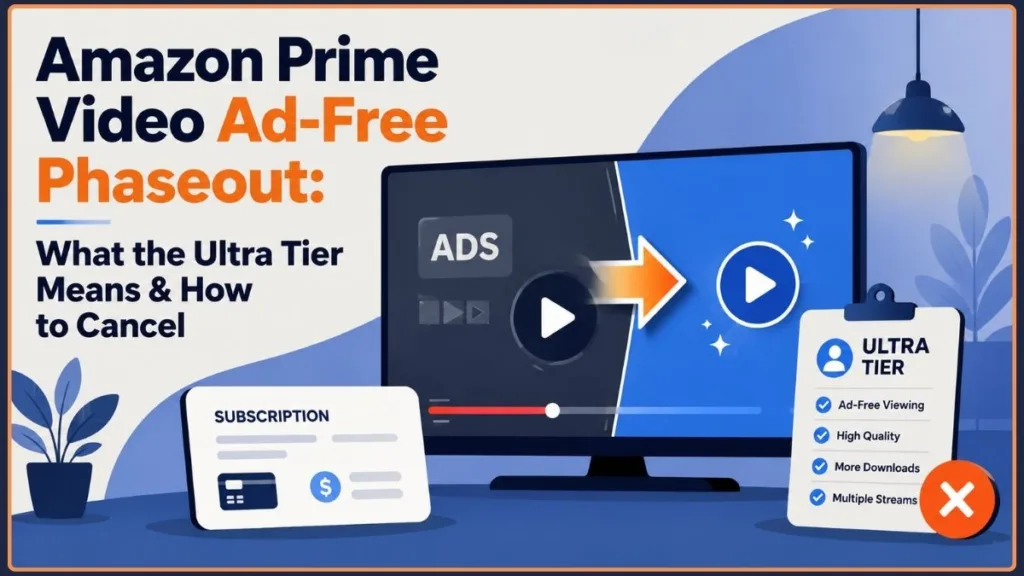
Let’s take a closer look at what this Prime Video price increase means for your wallet, what you’re actually getting for the extra money, and how you can opt out completely if you’ve decided you’ve had enough.
One important distinction worth keeping in mind: Amazon’s own U.S. announcement confirms that Prime Video Ultra is available for $4.99 a month, with customers on an annual Prime membership able to choose the $45.99 annual Ultra plan instead. Amazon also states that the price of the underlying Prime membership itself isn’t changing as part of this Ultra launch — the new charge applies specifically to the premium video option.
So, What Exactly Is Prime Video Ultra?
Prime Video Ultra is Amazon’s rebranded, more expensive version of its ad-free viewing experience. It officially replaced the old ad-free add-on, and if you want to watch without commercial interruptions, this is now the only available option — the standalone $2.99 ad-free option no longer exists.
Amazon’s official announcement confirms Ultra replaced the previous Prime Video Ad Free subscription in the United States, and describes the new plan as delivering ad-free streaming plus additional premium features, rather than simply charging more for the exact same package. Those additions include up to five concurrent streams, up to 100 downloads, and exclusive access to 4K/UHD streaming.
This is more than a straightforward price change. Amazon bundled several upgrades into the new tier to help justify the higher cost, so you’re not just paying more for what you had before — you’re paying more for a somewhat different, admittedly upgraded package. Again, Amazon says the underlying Prime membership cost itself isn’t changing because of Ultra; the new charge is tied specifically to the premium video option rather than to the base Prime membership.
What Are You Actually Getting for the Extra Money?
The biggest difference starts with cost. Prime Video Ultra costs $4.99 per month, or you can choose the annual plan for $45.99 a year — which works out to roughly $3.83 a month and saves you about 23% savings compared with paying monthly.
Amazon confirms that the annual $45.99 Ultra price is available to customers with an annual Amazon Prime membership, representing that same 23% discount compared with the monthly rate. Amazon also currently identifies Ultra as a U.S.-only offering.
So, what exactly does that extra money get you? Here’s what’s included with the new premium tier:
- Zero commercial interruptions — You can watch your favorite movies and shows without those disruptive mid-roll ads breaking up the story.
- Premium audio and visuals — Ultra provides access to 4K UHD resolution, Dolby Vision, and Dolby Atmos audio support. These high-end playback features have been quietly removed from the base tier.
- Increased offline downloads — You can download as many as 100 titles for offline viewing, which is particularly useful if you travel frequently or have unreliable Wi-Fi.
- Five concurrent streams — You can stream across up to five devices simultaneously, with household-sharing rules that are noticeably more relaxed than those used by Netflix or Disney+.
Amazon’s current product information confirms the jump from the previous three concurrent streams to five and from 25 downloads to 100 downloads. It also says that 4K/UHD, Dolby Vision, and Dolby Atmos are available with Ultra when supported by the title, device, and internet connection.
That matters because these aren’t merely cosmetic upgrades. A larger download allowance is useful for travelers, while five concurrent streams can make the service more practical for households where several people watch at once. For viewers with a 4K television and compatible sound equipment, the video and audio upgrades can also have a noticeable effect on playback quality.
The catch: If you don’t upgrade, your base Prime Video subscription now includes regular pre-roll and mid-roll commercials, and you permanently lose access to true 4K resolution and surround sound because those features are now Ultra-exclusive.
Amazon’s current documentation supports the key distinction that 4K/UHD and Dolby Atmos are part of Ultra, while the standard Prime Video experience remains available without purchasing Ultra. Amazon also says that some live TV, sports, and other selected ad-supported content can still contain advertising even for Ultra customers.
To be fair, Amazon hasn’t completely stripped the base tier. If you remain on standard Prime Video, you still receive HD and HDR10/HDR10+ playback, and Amazon has added Dolby Vision support to the free tier at no extra cost. The base plan’s streaming limits have also increased, now allowing more simultaneous streams and downloads than before. However, you still won’t receive 4K resolution or an ad-free experience unless you pay for Ultra.
The broader point is that the base plan still provides access to the core Prime Video service. The financial decision is therefore less about losing the entire service and more about deciding whether ad-free viewing and premium playback capabilities are worth the additional charge.
There’s another important point to understand: your content library remains the same regardless of the tier you choose. Whether you subscribe to Ultra or stay with the ad-supported base plan, you still have access to the same catalog of Amazon MGM Studios originals and licensed titles. Ultra changes how you watch, not what you can watch.
Amazon specifically confirms that both Ultra and the standard experience provide access to the same general selection of Prime Video programming, including Amazon MGM Studios productions and licensed movies and shows. The company also lists titles such as Fallout, Reacher, The Boys, The Lord of the Rings: The Rings of Power, and The Summer I Turned Pretty, along with movies and live sports.
That means upgrading isn’t a way to unlock an exclusive Ultra-only content library. Instead, it changes the quality, advertising experience, and certain account-level limits under which you watch that content.
Ready to Cancel? Here’s How to Drop the Ad-Free Subscription
If the new price increase doesn’t work for your budget, you may be looking for a way out. Fortunately, cancelling the Ultra tier is fairly straightforward. You can remove it whenever you want and return to the standard, ad-supported version of Prime Video. Here’s how to do it from either a computer or your phone.
Amazon’s current help documentation confirms that Prime Video and Prime Video add-on subscriptions can be cancelled online, although the exact menu labels can vary depending on the type of subscription and how you purchased it. For Prime Video add-ons, Amazon currently directs users to Account & Settings → Subscriptions, where they can find the relevant subscription and select Unsubscribe or Withdraw.
Canceling on Your Computer
- Log in to your Amazon account and go to the Account & Lists menu in the top-right corner.
- Choose Your Memberships & Subscriptions from the dropdown menu.
- Scroll down until you locate your Prime Video Ad-Free / Ultra Settings.
- Click Cancel Subscription and follow the on-screen instructions to confirm.
Amazon’s current help pages use slightly different navigation for some Prime Video subscription types, so don’t be surprised if your account shows Account & Settings, Subscriptions, or a related membership-management option instead. The important thing is to locate the specific Prime Video subscription you’re paying for and use its cancellation control.
Canceling From the Mobile App
- Open the Prime Video app on your iOS or Android device.
- Tap your profile icon in the top-right corner.
- Go to Account & Settings, then select Manage Prime Membership.
- Turn off the Ad-Free Tier auto-renewal option to prevent future billing.
Amazon’s own Prime Video help pages also provide cancellation instructions for the Prime Video Ad Free service through the app and website. On Android, iOS, and Fire tablets, Amazon directs users through Settings → Prime and Channels to the option for cancelling the ad-free subscription.
One practical point is worth remembering: cancelling usually doesn’t remove your access immediately. Like most subscription add-ons, you’ll generally continue to have Ultra access until the end of your current billing cycle. Once that period ends, your account automatically returns to the ad-supported base tier, so cancelling doesn’t normally mean losing access halfway through the month.
Amazon says the subscription end date is shown on the confirmation screen for add-on cancellations, and users can reverse the cancellation until that date. Amazon also states that cancelling a subscription does not automatically generate a refund for previous subscription charges.
That distinction matters if you’re cancelling shortly after a renewal. Stopping future billing and receiving a refund for a payment you’ve already made are two separate issues.
Why Not Just Block the Ads?
You might be considering a browser extension to get around the commercials instead of paying for Ultra. Unfortunately, traditional ad blockers rarely work with modern streaming services, and Prime Video is no exception.
Prime Video itself confirms that its advertising is part of the playback experience and that the ads included with Prime movies and TV shows cannot be skipped. Amazon’s help material instead points viewers toward its ad-free subscription when they want to avoid those interruptions.
The reason is that Amazon injects its advertisements server-side. In other words, the commercial is incorporated directly into the video stream rather than being delivered separately as a pop-up or banner, as you would typically see on a webpage. Since the ad and the show arrive together as one continuous video stream, there isn’t a separate element for an ad blocker to identify and remove.
Trying a third-party ad-blocking tool can instead result in a black screen, a frozen player, or an endless buffering wheel rather than a seamless ad-free experience. At the moment, the only guaranteed method of removing the ads is paying for the Ultra upgrade.
There’s also an important distinction between standard Prime Video advertising and other types of content. Amazon says that some live TV, sports events, free ad-supported programming, and selected content can continue to contain advertising even under an ad-free subscription. Amazon identifies certain titles using labels such as “watch with ads” or “with ads.”
So, paying for Ultra should not necessarily be interpreted as a universal “nothing will ever appear on screen” guarantee. Promotional trailers and certain categories of content can be treated differently from standard on-demand Prime movies and TV shows.
What Does This Change Say About Streaming—and the Lawsuit?
When Amazon originally introduced advertisements on Prime Video—particularly when they were applied to annual subscribers who had already paid for an entire year upfront—the move drew significant attention. The company faced a $5 million class action lawsuit, with viewers alleging breach of contract and false advertising. Whether anyone ultimately receives a payout remains to be seen, but the lawsuit reflects the increasing frustration viewers feel as streaming platforms repeatedly change the terms of their services.
The legal dispute is useful context because it shows why subscription changes can become more than a simple pricing conversation. Consumers may view the removal of an established benefit as a change to the deal they originally agreed to, while companies may rely on contractual language that gives them broad rights to modify features and benefits.
Quick update: That particular lawsuit concerning Prime Video ads was ultimately thrown out by a federal judge, who determined that the change was a “benefit modification” rather than a price increase and that Amazon was authorized to make the change under its subscriber terms. Separately—and unrelated to the advertising issue—Amazon agreed to a much larger $2.5 billion settlement with the FTC concerning how it enrolled customers in Prime memberships and made those memberships difficult to cancel. That settlement is currently active, with eligible customers able to claim up to $51 through the official settlement site before the filing deadline. If you’re looking for a payout connected to your Prime subscription, the FTC settlement is the one worth checking rather than the ads lawsuit.
The federal court order in the Prime Video litigation states that Amazon’s introduction of commercials was treated as a benefit modification rather than a price increase, and the court dismissed the breach-of-contract claim. The case was dismissed with prejudice in July 2025.
The separate FTC matter is different. The Federal Trade Commission says Amazon agreed to a $2.5 billion settlement over allegations involving unwanted Prime enrollment and difficult cancellation practices. The settlement includes $1.5 billion in consumer refunds and a $1 billion civil penalty.
The FTC says eligible U.S. Prime customers may receive refunds of up to $51, and Amazon began sending claim notices in January 2026 to eligible customers who did not receive automatic refunds. The agency says eligible customers who are part of the claims process can expect payments in late 2026, although a specific mailing date has not yet been provided.
Beyond the lawsuits, the streaming industry is clearly going through what can be described as the “cable-ification” of streaming. Whether you use Netflix, Disney+, Max, or Paramount+, nearly every major platform is leaning more heavily on ad-supported models to increase revenue while putting premium features such as 4K playback behind more expensive subscription tiers. Prime Video Ultra is simply the latest example of a broader pattern that is increasingly becoming the norm across the industry.
And that trend has continued into 2026. Streaming prices are still moving upward across the market, with several major services adjusting their subscription structures and premium offerings. Recent industry reporting also shows that companies are increasingly using a mix of advertising tiers, premium ad-free plans, and higher prices to manage rising content and operating costs.
The result is a streaming market where customers increasingly have to decide whether they want to pay more for fewer interruptions, premium picture quality, larger household allowances, or other features that once felt like standard parts of a subscription.
Thinking About Switching? Here’s Where Your Money Could Go
If you’re exhausted by the constant subscription changes, you may be considering other options. Here’s a quick comparison showing how Prime Video Ultra compares with other major ad-free streaming services available right now:
| Streaming Service | Ad-Free Monthly Price | Key Features & Notes |
|---|---|---|
| Amazon Prime Video Ultra | $4.99/mo add-on ($19.98 total with Prime) | 4K UHD, 100 offline downloads, 5 streams |
| Apple TV+ | $9.99/mo | Ad-free by default, no add-on required, strong original content library |
| Netflix Standard (Ad-Free) | $15.49/mo | Extensive library, but stricter household-sharing rules |
| Hulu (No Ads) | $17.99/mo | Massive TV catalog with next-day network releases |
There are a few important things to keep in mind when comparing these services. Apple TV+ remains one of the few major platforms that is ad-free by default, meaning there is no separate charge for removing ads. That’s particularly worth remembering if avoiding advertisements completely is your highest priority.
Netflix and Hulu, by comparison, charge considerably more than Prime Video Ultra for their ad-free plans, although each service offers a very different content library. As a result, price shouldn’t be the only factor you consider when deciding where to spend your money.
There is one important current-pricing caveat for this comparison: the prices in the table above should be treated as the data of the original draft, because streaming prices can change quickly. As of September 2026, Apple TV+ has raised its U.S. monthly price to $14.99, up from $12.99, and its annual price to $119.
That doesn’t change the historical $9.99 figure contained in the original comparison table; it simply means the table’s Apple TV+ number should be dated or labeled appropriately when you publish it.
The broader comparison is still useful because it highlights an important difference in pricing philosophy. Prime Video Ultra is an add-on to Prime, while Apple TV+ is a standalone streaming subscription. Netflix and Hulu also operate their own tiered structures, so comparing only the headline monthly price can produce an incomplete picture.
When comparing services, look at the total value you actually use: the content library you care about, whether the service offers true ad-free viewing, the quality levels supported by your television and audio setup, offline access, and how many people in your household need to stream at once.
So, What Should You Do About Prime Video?
Ultimately, deciding what to do comes down to your personal viewing habits and whether the additional features matter to you in everyday use.
- If you’re a cinephile who depends on 4K resolution and Dolby Atmos for a proper home-theater experience, the Ultra tier is probably still worth the additional five dollars each month.
- If you’re a casual viewer who doesn’t mind an occasional commercial break, staying with the base plan makes more financial sense—especially because you’ll still receive HD, HDR, and now Dolby Vision at no additional cost.
- If advertisements are a complete dealbreaker regardless of the price, it may be worth comparing what you would spend on Apple TV+, Netflix, or Hulu before committing to another year of Ultra.
There isn’t a universally “right” decision here. The best option is simply the one that fits how—and how often—you actually use Prime Video.
For a household that watches Prime Video almost every night, the difference between tolerating ads and paying $4.99 more each month can feel small compared with the value of uninterrupted viewing. For someone who primarily subscribes to Prime for shipping, shopping benefits, or occasional video access, that same extra charge may be difficult to justify.
The same goes for the premium technical features. If your television is not 4K-capable or you don’t have compatible Dolby Atmos equipment, paying extra specifically for those features may not make much sense. Conversely, viewers with a dedicated home-theater setup may get significantly more value from Ultra because Amazon bundles the higher-end playback experience into the premium tier. Amazon notes that 4K/UHD, Dolby Vision, and Dolby Atmos availability also depends on the title, internet bandwidth, and device capabilities.
There’s also the question of how much you download. A jump to 100 offline titles is a much bigger benefit for someone who travels regularly than it is for someone who almost always streams at home. The same is true for five concurrent streams: a household with several active viewers can get more practical value from the allowance than a single-user household.
Ultimately, this isn’t simply a question of whether $4.99 is expensive or cheap. It’s about whether the combination of ad-free playback, 4K/UHD, premium audio, additional downloads, and five concurrent streams provides enough value for the way you use Prime Video.
Are you planning to upgrade to the new Ultra tier, stay with the ads, or cancel Prime Video completely in favor of another platform such as Netflix or Hulu? Let me know what you think and share your favorite ad-free streaming alternative in the comments below!
Visit Our Post Page: Blog Page
Discover more from Izoate
Subscribe to get the latest posts sent to your email.